CPSC 213 for Java and C programs by examining language features - - PowerPoint PPT Presentation

cpsc 213
SMART_READER_LITE
LIVE PREVIEW

CPSC 213 for Java and C programs by examining language features - - PowerPoint PPT Presentation

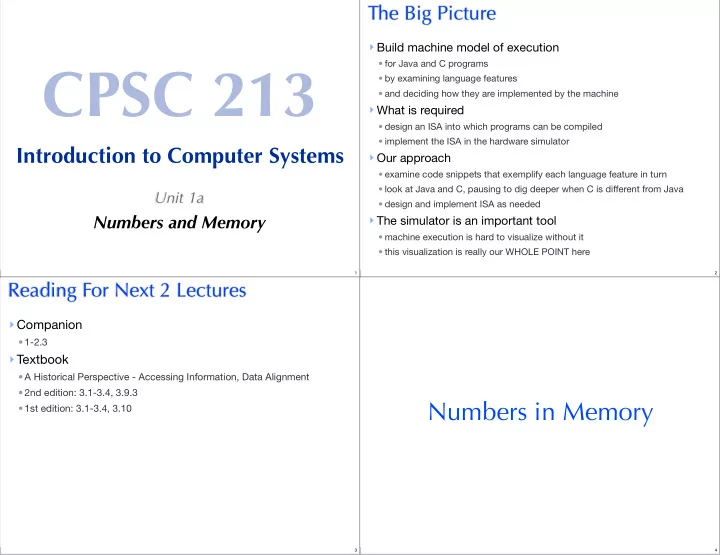
The Big Picture Build machine model of execution CPSC 213 for Java and C programs by examining language features and deciding how they are implemented by the machine What is required design an ISA into which programs can


slide-1
SLIDE 1

CPSC 213

Introduction to Computer Systems

Unit 1a

Numbers and Memory

1

The Big Picture

  • Build machine model of execution
  • for Java and C programs
  • by examining language features
  • and deciding how they are implemented by the machine
  • What is required
  • design an ISA into which programs can be compiled
  • implement the ISA in the hardware simulator
  • Our approach
  • examine code snippets that exemplify each language feature in turn
  • look at Java and C, pausing to dig deeper when C is different from Java
  • design and implement ISA as needed
  • The simulator is an important tool
  • machine execution is hard to visualize without it
  • this visualization is really our WHOLE POINT here
2

Reading For Next 2 Lectures

  • Companion
  • 1-2.3
  • Textbook
  • A Historical Perspective - Accessing Information, Data Alignment
  • 2nd edition: 3.1-3.4, 3.9.3
  • 1st edition: 3.1-3.4, 3.10
3

Numbers in Memory

4
slide-2
SLIDE 2

Initial thoughts

  • Hexadecimal notation
  • “0x” followed by number (e.g., 0x2a3 = 2x162 + 10x161 + 3x160)
  • a convenient way to describe numbers when binary format is important
  • each hex digit (hexit) is stored by 4 bits: (0|1)x8 + (0|1)x4 + (0|1)x2 + (0|1)x1
  • some examples ...
  • Integers of different sizes
  • byte is 8 bits, 2 hexits
  • short is 2 bytes, 16 bits, 4 hexits
  • int / word is 4 bytes, 32 bits, 8 hexits
  • long long is 8 bytes, 64 bits, 16 hexits
  • Memory is byte addressed
  • every byte of memory has a unique address, number from 0 to N
  • reading or writing an integer requires specifying a range of byte addresses
5

Making Integers from Bytes

  • Our first architectural decisions
  • assembling memory bytes into integer registers
  • Consider 4-byte memory word and 32-bit register
  • it has memory addresses i, i+1, i+2, and i+3
  • we’ll just say its “at address i and is 4 bytes long”
  • e.g., the word at address 4 is in bytes 4, 5, 6 and 7.
  • Big or Little Endian
  • we could start with the BIG END of the number (everyone but Intel)
  • or we could start with the LITTLE END (Intel)

i 2

3 1

to 2

2 4

i + 1 2

2 3

to 2

1 6

i + 2 2

1 5

to 2

8

i + 3 2

7

to 2 i + 3 2

3 1

to 2

2 4

i + 2 2

2 3

to 2

1 6

i + 1 2

1 5

to 2

8

i 2

7

to 2 i i + 1 i + 2 i + 3 ... ...

Memory

Register bits Register bits

6
  • Aligned or Unaligned Addresses
  • we could allow any number to address a multi-byte integer
  • or we could require that addresses be aligned to integer-size boundary
  • Power-of-Two Aligned Addresses Simplify Hardware
  • smaller things always fit complete inside of bigger things
  • byte address to integer address is division by power to two, which is just shifting bits

j / 2k == j >> k (j shifted k bits to right) word contains exactly two complete shorts address modulo chuck-size is always zero

✔ ✗

* disallowed on most architectures * allowed on Intel, but slower 7

Interlude A Quick C Primer

8
slide-3
SLIDE 3
  • source files
  • .c

is source file

  • .h

is header file

  • including headers in source
  • #include <stdio.h>
  • pointer types
  • int* b; // b is a POINTER to an INT
  • getting address of object
  • int a; // a is an INT
  • int* b = &a; // b is a pointer to a
  • de-referencing pointer
  • a = 10; // assign the value 10 to a
  • *b = 10; // assign the value 10 to a
  • type casting is not typesafe
  • char a[4]; // a 4 byte array
  • *((int*) &a[0]) = 1; // treat those four bytes as an INT

A few initial things about C

9
  • compile and run
  • at UNIX (e.g., Linux, MacOS, or Cygwin) shell prompt
  • gcc -o foo foo.c
  • ./foo
10

Back to Numbers ...

11

Determining Endianness of a Computer

#include <stdio.h> int main () { char a[4]; *((int*)a) = 1; printf("a[0]=%d a[1]=%d a[2]=%d a[3]=%d\n",a[0],a[1],a[2],a[3]); }

12
slide-4
SLIDE 4

Questions

  • Which of the following statement (s) are true
  • [R] 6 == 1102 is aligned for addressing a short int
  • [Y] 6 == 1102 is aligned for addressing a long int (i.e., 4-byte int)
  • [G] 20 == 101002 is aligned for addressing a long int
  • [B] 20 == 101002 is aligned for addressing a long long (i.e., 8-byte int)
13
  • Which of the following statements are true
  • [R] memory stores Big Endian integers
  • [Y] memory stores bytes interpreted by the CPU as Big Endian integers
  • [G] Neither
  • [B] I don’t know
14
  • Which of these are true
  • [R] The Java constants 16 and 0x10 are exactly the same integer
  • [Y] 16 and 0x10 are different integers
  • [G] Neither
  • [B] I don’t know
15
  • What is the Big-Endian integer value at address 4 below?
  • [R]

0x1c04b673

  • [Y]

0xc1406b37

  • [G] 0x73b6041c
  • [B]

0x376b40c1

  • [R+Y] none of these
  • [G+B] I don’t know

0x0: 0xfe 0x1: 0x32 0x2: 0x87 0x3: 0x9a 0x4: 0x73 0x5: 0xb6 0x6: 0x04 0x7: 0x1c

Memory

16
slide-5
SLIDE 5
  • What is the value of i after this Java statement executes?

int i = (byte)(0x8b) << 16;

  • [R]

0x8b

  • [Y]

0x0000008b

  • [G]

0x008b0000

  • [B]

0xff8b0000

  • [R+Y] None of these
  • [G+B] I don’t know
17
  • What is the value of i after this Java statement executes?

i = 0xff8b0000 & 0x00ff0000;

  • [R] 0xffff0000
  • [Y] 0xff8b0000
  • [G] 0x008b0000
  • [B] I don’t know
18

In the Lab ...

  • write a C program to determine Endianness
  • prints “Little Endian” or “Big Endian”
  • get comfortable with Unix command line and tools (important)
  • compile and run this program on two architectures
  • IA32: lin01.ugrad.cs.ubc.ca
  • Sparc: any of the other undergrad machines
  • you can tell what type of arch you are on
  • % uname -a
  • SimpleMachine simulator
  • load code into Eclipse and get it to build
  • write and test MainMemory.java
  • additional material available on the web page at lab time
19

The Main Memory Class

  • The SM213 simulator has two main classes
  • CPU implements the fetch-execute cycle
  • MainMemory implements memory
  • The first step in building our processor
  • implement 6 main internal methods of MainMemory

CPU fetch execute MainMemory isAligned length bytesToInteger integerToBytes get set read readInteger write writeInteger

20
slide-6
SLIDE 6

The Code You Will Implement

/** * Determine whether an address is aligned to specified length. * @param address memory address * @param length byte length * @return true iff address is aligned to length */ protected boolean isAccessAligned (int address, int length) { return false; } /** * Determine the size of memory. * @return the number of bytes allocated to this memory. */ public int length () { return 0; }

21

/** * Convert an sequence of four bytes into a Big Endian integer. * @param byteAtAddrPlus0 value of byte with lowest memory address * @param byteAtAddrPlus1 value of byte at base address plus 1 * @param byteAtAddrPlus2 value of byte at base address plus 2 * @param byteAtAddrPlus3 value of byte at base address plus 3 * @return Big Endian integer formed by these four bytes */ public int bytesToInteger (UnsignedByte byteAtAddrPlus0, UnsignedByte byteAtAddrPlus1, UnsignedByte byteAtAddrPlus2, UnsignedByte byteAtAddrPlus3) { return 0; } /** * Convert a Big Endian integer into an array of 4 bytes * @param i an Big Endian integer * @return an array of UnsignedByte */ public UnsignedByte[] integerToBytes (int i) { return null; }

22

/** * Fetch a sequence of bytes from memory. * @param address address of the first byte to fetch * @param length number of bytes to fetch * @return an array of UnsignedByte */ protected UnsignedByte[] get (int address, int length) throws ... { return null; } /** * Store a sequence of bytes into memory. * @param address address of the first memory byte * @param value an array of UnsignedByte values * @throws InvalidAddressException if any address is invalid */ protected void set (int address, UnsignedByte[] value) throws ... { ; }

23