Congratulations! Serving as a TNCPE examiner is the most powerful - - PDF document

congratulations
SMART_READER_LITE
LIVE PREVIEW

Congratulations! Serving as a TNCPE examiner is the most powerful - - PDF document

5/13/2019 TNCPE EXAMINER ORIENTATION 2019 Board of Examiners 1 Congratulations! Serving as a TNCPE examiner is the most powerful investment of time you will ever make. Dr. Lyle Ailshie Deputy Commissioner TN Dept. of Education 2


slide-1
SLIDE 1

5/13/2019 1

TNCPE EXAMINER ORIENTATION

2019 Board of Examiners

1

Congratulations!

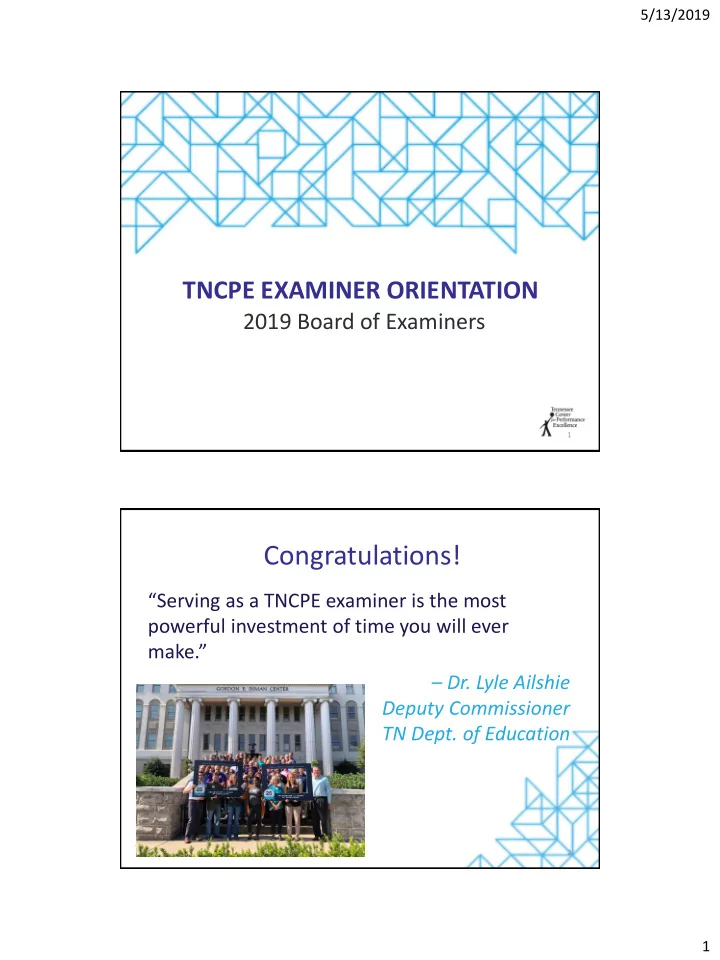
“Serving as a TNCPE examiner is the most powerful investment of time you will ever make.” – Dr. Lyle Ailshie Deputy Commissioner TN Dept. of Education

2

slide-2
SLIDE 2

5/13/2019 2

What Is an Examiner?

TNCPE Examiners serve…

– The Southeast region – TNCPE – Applicant organizations …through – Reviewing and scoring applicants – Performing site visits – Writing feedback reports – Serving as ambassadors

3

As a member of the BOE…

  • You will gain valuable skills, knowledge, and

experience

  • Contribute to the economic growth of applicants,

the Southeast, and the USA

  • Meet and work with some of the finest

professionals in the state

  • Enjoy a profound sense of achievement
  • Have fun!
slide-3
SLIDE 3

5/13/2019 3

Introductions

  • Name
  • Employer
  • What do you want to learn today?
  • Adjective that best describes you

5

Alice: “Which way should I go?” Cat: “That depends on where you are going. Alice: “I don’t know where I’m going!” Cat: “Then it doesn’t matter which way you go!”

6

Through the Looking Glass Lewis Carroll, 1872

slide-4
SLIDE 4

5/13/2019 4

Agenda/Objectives

  • Getting Grounded

– Baldrige Performance Excellence Program – Tennessee Center for Performance Excellence – Baldrige Excellence Framework™

  • Getting Started

– Understanding the pre-work assignment – Step-by-Step Instructions – Using Scorebook Navigator™

7

BALDRIGE AND TNCPE OVERVIEW

8

slide-5
SLIDE 5

5/13/2019 5

Baldrige Performance Excellence Program

  • Established by Congress in 1987
  • Purpose: to enhance U.S. competitiveness in a global

economy by: – Identifying and recognizing role-model organizations – Establishing criteria for evaluating improvement efforts – Disseminating and sharing best practices

  • Internationally recognized and emulated
  • National resource: www.baldrigepe.org

9

Mac Baldrige

National Standard – and VERY Big Deal

10

slide-6
SLIDE 6

5/13/2019 6

How Organizations Use the Baldrige Excellence Framework

  • Internal assessment & management framework
  • State/Regional/Industry Baldrige-based program

– Ease of entry into process – 5, 15, 35, or 50-page application

  • National Baldrige application

– 50-page application – Same requirements as Level 4 TNCPE application

11

Benefits of “The Journey”

Helps answer 3 questions:

  • 1. Is your organization doing as well as it could?
  • 2. How do you know?
  • 3. What – and how – should your organization

change to get better results?

12

slide-7
SLIDE 7

5/13/2019 7

Why TNCPE?

  • “Easy way in” to understanding and applying the

Baldrige Framework

– 4-tiered application program – All receive site visit & written feedback report – Train internal experts as examiners – Learn & share best practices as a member

  • Pre-requisite to Baldrige application

– Must win your state’s or region’s top award to be eligible to apply to Baldrige

13

TNCPE Culture

Mission

To drive organizational excellence across Tennessee and the Southeast region

Purpose

To strengthen the economy of Tennessee and the Southeast region

Vision To be the partner of choice in leading organizations to

world-class performance excellence.

Values Customer Focus; Integrity; Respect;

Collaboration; Leadership; Excellence; Innovation; Continuous Improvement

Core Competencies

Building loyal relationships with key stakeholders; Operating an effective Award program

14

slide-8
SLIDE 8

5/13/2019 8

TNCPE Board of Directors

15

Mark Bainbridge, VP, Caterpillar Financial Services Hal Beckham, VP & CFO, Medtronic Inc., Spine Division Lee Brown, General Manager, Erwin Utilities

  • Dr. Herb Byrd, III, VP Public Service, UT Institute

for Public Service Janell Cecil, SVP & CNO, University of Tennessee Medical Center

  • Dr. Dennis Depew, Dean, College of Business and

Technology, ETSU Kevin Grayson, Asst. Dir. Technology Management, North Carolina State University David Hart, CEO, TRICOR Rebecca Hunter, Former Commissioner, TN Dept.

  • f Human Resources

Paula Jacobs, VP Process Improvement, Methodist Le Bonheur Healthcare Doran Johnson, SVP, NHC South Central Region David Jones, CEO, EnableComp Wes Kelley, President and CEO, Huntsville Utilities Patrick Lawton, City Administrator, City of Germantown Stacey Max, Director of Engineering, Marvin Windows and Doors Tamera Fields Parsons, President & CEO, TNCPE Paul Saylor, President & COO, Caris Healthcare Danette Scudder, EVP, Tennessee Valley Public Power Association Amy Shreve, EVP, First Tennessee Jennifer Slayton, VP Quality, Safety, and Risk Prevention, Vanderbilt University Medical Center Van Wardlaw, EVP, TVA Alan Watson, CEO, Maury Regional Medical Center Rodney Woods, VP, BlueCross BlueShield of Tennessee

Stair Steps to Excellence

Level 4 Level 3 Excellence Level 2 Achievement Level 1 Commitment Interest Org Profile Yes Yes Yes Yes Application Focus Org Profile Basic item questions Overall item questions Multiple item questions Max Length 5 pages 5 + 15 pages 5 + 35 pages 5 + 50 pages On Site 2 wkshp 1 Day+wkshp 2 Days 3 Days Feedback Focus 7 Categories Overall questions Multiple questions Multiple questions

16

X X
slide-9
SLIDE 9

5/13/2019 9

Tennessee Baldrige Winners

17

The TNCPE Program

  • Founded in 1993
  • Based on a national standard – Baldrige Excellence

Framework – with a focus on continuous improvement

  • 501c(3) corporation
  • Powered by a volunteer workforce
  • Funded through corporate and individual dues and award

participant fees

  • National and international benchmark
  • Partnership with NCAfE
  • Recognize – Train – Share

18

slide-10
SLIDE 10

5/13/2019 10

TNCPE Results (1993 – 2018)

19

  • 1,492 applicants
  • 652,264 Tennessee employees impacted
  • 4,015 examiners trained
  • 348,692 hours of service
  • $34.9 million pro-bono consulting services

Why Baldrige/TNCPE?

20

slide-11
SLIDE 11

5/13/2019 11

THE BALDRIGE EXCELLENCE FRAMEWORKTM

Business/Nonprofit | Health Care | Education

21

Baldrige Excellence Framework

  • Used to view organizations from a systems-perspective
  • “Management by asking really good questions”
  • Includes the Criteria, Core Values, and Scoring Guidelines
  • Offered in 3 versions – Business/Nonprofit, Health Care,

and Education

  • Updated every two years
  • “Leading edge of validated management practice”

22

slide-12
SLIDE 12

5/13/2019 12

23

Category Structure

Category 1 – Leadership

Item 1.1 – Senior Leadership

Areas to Address 1.1a – Vision and Values 1.1b – Communication 1.1c – Mission and Organizational Performance

Item 1.2 – Governance and Societal Contributions

Areas to Address 1.2a – Organizational Governance 1.2b – Legal and Ethical Behavior 1.2c – Societal Contributions

24

slide-13
SLIDE 13

5/13/2019 13

Item format (page 2)

25

Applicant Assessment Process

26

Self assess Apply Examiner review & site visit Award Receive Feedback Report Address OFIs

2 3 4 5 1

slide-14
SLIDE 14

5/13/2019 14

Examiner Evaluation Cycle

Independent Review Consensus Review Site Visit Review Finalize Feedback Report Complete Pre-work & Training

27

GETTING STARTED ON PRE-WORK

Understand the Assignment Follow Step-by-Step Instructions Use Scorebook Navigator

28

slide-15
SLIDE 15

5/13/2019 15

Case Study Preparation

  • Schedule adequate time (20 – 25 hours)
  • Assemble documents and tools:

– Scorebook Navigator (examiner software system) – 2019-2020 Baldrige Excellence Framework (Business version) – LifeBridge Case Study – Pre-work Assignment Packet

  • Links for downloads
  • Step-by-Step Instructions
  • Examples & Resources

29

Pre-Work Assignment

Key Factors Item Evaluation + 1 OFI Comment P.1 a P.1 b Item 1.1 Item 2.2 Item 3.1 Item 6.1 P.2 a P.2 b P.2 c Item 7.1 Item 7.2

30

slide-16
SLIDE 16

5/13/2019 16

Remember…

Trust the process!

31

Log on to the system Review the Framework Read the Application Create Key Factor List Print 2 copies of assignment Note # of hours Attend 3- day training

1.1 2.2 3.1 6.1

  • Criteria
  • Key Factors
  • Analyze: PROCESS

(ADLI)

  • 6-10 Comments
  • Score
  • 1 Feedback-Ready OFI

7.1 7.2

  • Criteria
  • Key Factors
  • Analyze: RESULTS

(LeTCI)

  • 6-10 Comments
  • Score
  • 1 Feedback-Ready OFI

Pre-work Assignment

32

slide-17
SLIDE 17

5/13/2019 17

Log on to Scorebook Navigator

  • Go to https://scorebooknav.org
  • Enter your username and password

firstnamelastname (all lower case; no special characters)

  • Accept license agreement
  • Upon initial login, you will be prompted to update

your password

  • Use “Forgot password?” button to email password to

address on file after first login

33

slide-18
SLIDE 18

5/13/2019 18

slide-19
SLIDE 19

5/13/2019 19

Scan the Framework

  • The Criteria (p. 4-28)
  • Category and Item Commentary (online)
  • Scoring System and Scoring Guidelines (p. 29-34)
  • Criteria Response Guidelines (p. 35-37)
  • Core Values and Concepts (p. 38-43)
  • Changes from 2017-2018 (p. 44-45)
  • Glossary (p. 46-53)
  • Index (p. 54-56)

38

slide-20
SLIDE 20

5/13/2019 20

Read the Application Case Study

  • Read the application all the way through,

from beginning to end

  • Yes – really!
  • Get a broad overview of LifeBridge
  • Highlight and take notes on key processes
  • Note results that you expect to see

39 40

slide-21
SLIDE 21

5/13/2019 21

41 41 42

slide-22
SLIDE 22

5/13/2019 22

43 44 44

slide-23
SLIDE 23

5/13/2019 23

Create a List of Key Factors

45

  • What is a “key factor”?
  • Where do I find key factors?
  • How and where do I record key factors?

A key factor is an attribute of an organization or its environment that influences the way the organization

  • perates and the key challenges it faces. Examiners will

use key factors to focus their assessments on what is important to the applicant.

46

slide-24
SLIDE 24

5/13/2019 24

47 48

slide-25
SLIDE 25

5/13/2019 25

Sample Key Factor

P.1a Work Systems The main service offering is accomplished through the

  • rganization’s two work systems: Organ Work System (OWS)

and Tissue Work System (TWS)

49

Exercise 1 – INDIVIDUAL (step 1)

  • Read the relevant Criteria questions in the

Organizational Profile.

  • Read the assigned area from the LifeBridge

Organizational Profile.

  • Independently identify three key factors for the

assigned area.

50

slide-26
SLIDE 26

5/13/2019 26

Exercise 1 – TABLE (step 2)

As a team, agree on at least 3 key factors for your assigned area and write them on your flip chart. Prepare to discuss a lesson learned.

Write BIG

(not little)

51

slide-27
SLIDE 27

5/13/2019 27

slide-28
SLIDE 28

5/13/2019 28

Log on to the system Review the Framework Read the Application Create Key Factor List Print 2 copies of assignment Note # of hours Attend 3- day training

1.1 2.2 3.1 6.1

  • Criteria
  • Key Factors
  • Analyze: PROCESS

(ADLI)

  • 6-10 Comments
  • Score
  • 1 Feedback-Ready OFI

7.1 7.2

  • Criteria
  • Key Factors
  • Analyze: RESULTS

(LeTCI)

  • 6-10 Comments
  • Score
  • 1 Feedback-Ready OFI

Pre-work Assignment

55

1.1 2.2 3.1 6.1

  • Criteria – Read the Criteria item questions
  • Key Factors – Select 4-6 most relevant key factors from master list
  • Analyze the Application – Read relevant section of the application to

identify processes and gaps; analyze using process evaluation factors (A/D/L/I)

  • 6-10 Comments– Select and outline 6-10 strengths and OFIs
  • Score the item
  • Feedback-Ready OFI – Write one OFI comment

7.1 7.2

  • Criteria – Read the Criteria item questions
  • Key Factors – Select 4-6 most relevant key factors from master list
  • Analyze the Application – Read relevant section of the application; group

results and identify gaps; analyze using results evaluation factors (Le/T/C/I)

  • 6-10 Comments– Select and outline 6-10 strengths and OFIs
  • Score the item
  • Feedback-Ready OFI – Write one OFI comment

Item Evaluation Steps

56

slide-29
SLIDE 29

5/13/2019 29

58

slide-30
SLIDE 30

5/13/2019 30

59 60

slide-31
SLIDE 31

5/13/2019 31

Exercise 2 - TABLE

Select key factors for item 5.1

1. Review the overall questions for item 5.1. 2. Using the master list identified by the class, select the 4-6 most relevant key factors to keep in mind when evaluating the applicant’s response to item 5.1. 3. Write these key factors on the flipchart. 4. Report out a lesson learned.

61

1.1 2.2 3.1 6.1

  • Criteria – Read the Criteria item questions
  • Key Factors – Select 4-6 most relevant key factors from master list
  • Analyze the Application – Read relevant section of the application to

identify processes and gaps; analyze using process evaluation factors (A/D/L/I)

  • 6-10 Comments– Select and outline 6-10 strengths and OFIs
  • Score the item
  • Feedback-Ready OFI – Write one OFI comment

7.1 7.2

  • Criteria – Read the Criteria item questions
  • Key Factors – Select 4-6 most relevant key factors from master list
  • Analyze the Application – Read relevant section of the application; group

results and identify gaps; analyze using results evaluation factors (Le/T/C/I)

  • 6-10 Comments– Select and outline 6-10 strengths and OFIs
  • Score the item
  • Feedback-Ready OFI – Write one OFI comment

Item Evaluation Steps

62

slide-32
SLIDE 32

5/13/2019 32

Identify Key Processes and Gaps

  • Identify the processes or approach the

applicant uses to answer item questions

  • Gaps exist when the applicant fails to address

either

– A Criteria question that is important to them, OR – A relevant key factor

  • Easiest to do one area at a time!

63

slide-33
SLIDE 33

5/13/2019 33

5.1a(2) LOTS uses the Hiring Process (Figure 5.1-3) to recruit, hire, place, and retain new workforce members. Validated in the workforce survey (AOS), LOTS’s mission is the highest scoring key factor for staff engagement and satisfaction (Figures 7.3-12 and 7.3-12A). Therefore, hiring right-fit talent begins prior to employment by ensuring that the organizational culture is clear to all applicants (Figure 5.1-3, Phase 1). To ensure that the workforce represents the diverse cultures of the community, LOTS uses diverse recruiting methods, including local community colleges and universities, as well as social media sites. Donor families and recipients are also considered for appropriate positions within the

  • rganization. These individuals reflect the thinking of the
  • rganization’s key communities by already possessing a strong

connection to the mission. The fit of organizational culture with new staff is ensured through several hiring and onboarding processes including shadowing and behavioral-based interviewing practices.

65

slide-34
SLIDE 34

5/13/2019 34

Process or GAP?

  • Process = Hiring Process (Figure 5.1-3)
  • GAP = Onboarding?

What If…

It sounds too good to be true?

68

slide-35
SLIDE 35

5/13/2019 35

Consider This…

69

“Cleave ever to the sunnier side

  • f doubt.”

– Alfred, Lord Tennyson

Exercise 3a - INDIVIDUAL

Step 1:

  • Read the Criteria for your

assigned area

  • Consider the key factors you

selected for item 5.1.

  • What would you expect to see

in the application response?

Step 2:

  • Read the application response.
  • Independently identify one

process that LifeBridge has in place that addresses the item questions – or note a gap.

Table Assignment 1 & 5 5.1a(1) 2 & 6 5.1a(3) 3 & 7 5.1b(1) 4 & 8 5.1b(2)

70

slide-36
SLIDE 36

5/13/2019 36

Analyzing Key Processes

  • Analyze applicant’s response:

– Approach (methods) – Deployment (extent to which the approach is applied) – Learning (cycles of improvement) – Integration throughout organization

  • Record your thoughts on scratch paper or in the

“As Evidenced By” box in Scorebook Navigator

  • Note any results you expect to see in Category 7

71

Process Evaluation Factors

A = Approach: Is the process appropriate and effective? Is it systematic (repeatable and based on reliable data an information)? D = Deployment: Is the approach used consistently by all appropriate work units? L = Learning: Is there a method to improve the process? Does it encourage change, innovation, and best practice sharing? I = Integration: Is the process aligned with what the applicant said was important? Does it connect to other processes or support the Strategic Plan?

72

slide-37
SLIDE 37

5/13/2019 37

An Example

73 74

5.1a(2) LOTS uses the Hiring Process (Figure 5.1-3) to recruit, hire, place, and retain new workforce members. Validated in the workforce survey (AOS), LOTS’s mission is the highest scoring key factor for staff engagement and satisfaction (Figures 7.3-12 and 7.3-12A). Therefore, hiring right-fit talent begins prior to employment by ensuring that the organizational culture is clear to all applicants (Figure 5.1-3, Phase 1). To ensure that the workforce represents the diverse cultures of the community, LOTS uses diverse recruiting methods, including local community colleges and universities, as well as social media sites. Donor families and recipients are also considered for appropriate positions within the

  • rganization. These individuals reflect the thinking of the
  • rganization’s key communities by already possessing a strong

connection to the mission. The fit of organizational culture with new staff is ensured through several hiring and onboarding processes including shadowing and behavioral-based interviewing practices.

slide-38
SLIDE 38

5/13/2019 38

A-D-L-I Assessment

Process: Hiring Process

  • Approach: + The Hiring Process is systematic and includes 3

phases of interviews

  • Deployment: ? Assume used for all new positions
  • Learning: - not clear how process is evaluated for

effectiveness; esp. whether diversity is achieved

  • Integration: + integrated with culture, engagement survey,

and capability/capacity process

76

slide-39
SLIDE 39

5/13/2019 39

Exercise 3b - INDIVIDUAL

Using the worksheet, independently evaluate a key process: A-D-L-I

77

Table Assignment 1 & 5 5.1a(1) 2 & 6 5.1a(3) 3 & 7 5.1b(1) 4 & 8 5.1b(2)

1.1 2.2 3.1 6.1

  • Criteria – Read the Criteria item questions
  • Key Factors – Select 4-6 most relevant key factors from master list
  • Analyze the Application – Read relevant section of the application to

identify processes and gaps; analyze using process evaluation factors (A/D/L/I)

  • 6-10 Comments– Select and outline 6-10 strengths and OFIs
  • Score the item
  • Feedback-Ready OFI – Write one OFI comment

7.1 7.2

  • Criteria – Read the Criteria item questions
  • Key Factors – Select 4-6 most relevant key factors from master list
  • Analyze the Application – Read relevant section of the application; group

results and identify gaps; analyze using results evaluation factors (Le/T/C/I)

  • 6-10 Comments– Select and outline 6-10 strengths and OFIs
  • Score the item
  • Feedback-Ready OFI – Write one OFI comment

Item Evaluation Steps

78

slide-40
SLIDE 40

5/13/2019 40

Selecting Comments

  • Review the gaps you noted in the applicant’s response

to the Criteria

– Are any of the gaps significant to the applicant? – If so, these are good sources of OFIs.

  • Review your assessment of the applicant’s processes.

– Think vertically (responses to the areas of the Criteria)… – And horizontally (A-D-L-I)

  • Choose 6-10 strength and OFI comments that are most

valuable to the applicant

– Use key factors!

79

Analysis – 5.1a(2)

Gap: Onboarding Process: Hiring Process

  • Approach: + The Hiring Process is systematic and includes 3

phases of interviews

  • Deployment: ? Assume used for all new positions
  • Learning: - not clear how process is evaluated for

effectiveness; esp. whether diversity is achieved

  • Integration: + integrated with culture, engagement survey,

and capability/capacity process

80

slide-41
SLIDE 41

5/13/2019 41

Outlining Comments in SBN

81

Strengths/OFIs (List approximately 6 of the most important OFIs/Gaps and Strengths for this Item in order of their importance to the applicant.) KF Ref. ++

  • Strengths (or Gaps & OFIs)

As Evidenced By A D L I Item Ref.

1

An Example

5.1a(2) Strength: The Hiring Process (Figure 5.1-3) is used to systematically recruit and hire new workforce members. As evidenced by…

  • Figure 5.1-3 – approach is systematic and includes 3 phases
  • f interview.
  • Approach is linked to capability and capacity process.
  • Approach is integrated with LOTS’ culture.

82

slide-42
SLIDE 42

5/13/2019 42

An Example

5.1a(2) OFI: LOTS’ process for onboarding new employees is not described. As evidenced by…

– The organization mentions shadowing and behavioral based interviewing, but no onboarding steps are included. – Not listed in hiring process (Figure 5.1-3).

83

Exercise 4 - TABLE

Outline an OFI comment in Scorebook Navigator:

  • As a table, select one

strength or OFI topic sentence and write it on the poster.

  • Include supporting evidence.
  • Note appropriate evaluation

factor(s) and item reference.

  • Report out.

84

slide-43
SLIDE 43

5/13/2019 43

85 86

slide-44
SLIDE 44

5/13/2019 44

1.1 2.2 3.1 6.1

  • Criteria – Read the Criteria item questions
  • Key Factors – Select 4-6 most relevant key factors from master list
  • Analyze the Application – Read relevant section of the application to

identify processes and gaps; analyze using process evaluation factors (A/D/L/I)

  • 6-10 Comments– Select and outline 6-10 strengths and OFIs
  • Score the item
  • Feedback-Ready OFI – Write one OFI comment

7.1 7.2

  • Criteria – Read the Criteria item questions
  • Key Factors – Select 4-6 most relevant key factors from master list
  • Analyze the Application – Read relevant section of the application; group

results and identify gaps; analyze using results evaluation factors (Le/T/C/I)

  • 6-10 Comments– Select and outline 6-10 strengths and OFIs
  • Score the item
  • Feedback-Ready OFI – Write one OFI comment

Item Evaluation Steps

87

Score the Item

  • Refer to Scoring Guidelines in Framework or in

Scorebook Navigator on “Scoring” panel

  • Begin with 50-65% range for “approach” and move up
  • r down
  • Pay attention to “basic,” “overall,” and “multiple”

questions

  • Identify range that is the “best fit,” i.e., most

descriptive

  • Repeat for “deployment,” “learning,” and

“integration”

88

slide-45
SLIDE 45

5/13/2019 45

Item format (page 2)

89 90

slide-46
SLIDE 46

5/13/2019 46

Score the Item

  • Determine the “best fit” scoring range

considering all four factors

  • Select a score within the range (in 5 point

increments)

  • Record the score

91

Exercise 5 – TABLE

1. Based on the class’s evaluation of item 5.1, discuss the appropriate scoring ranges for approach, deployment, learning, and integration. 2. As a table-team, determine the “best fit” scoring range for item 5.1 overall. 3. Select a percentage score for item 5.1 (in a 5% increment) and write it on the chart paper.

92

slide-47
SLIDE 47

5/13/2019 47

93 93 94

slide-48
SLIDE 48

5/13/2019 48

WRITE 1 OFI COMMENT

95

1.1 2.2 3.1 6.1

  • Criteria – Read the Criteria item questions
  • Key Factors – Select 4-6 most relevant key factors from master list
  • Analyze the Application – Read relevant section of the application to

identify processes and gaps; analyze using process evaluation factors (A/D/L/I)

  • 6-10 Comments– Select and outline 6-10 strengths and OFIs
  • Score the item
  • Feedback-Ready OFI – Write one OFI comment

7.1 7.2

  • Criteria – Read the Criteria item questions
  • Key Factors – Select 4-6 most relevant key factors from master list
  • Analyze the Application – Read relevant section of the application; group

results and identify gaps; analyze using results evaluation factors (Le/T/C/I)

  • 6-10 Comments– Select and outline 6-10 strengths and OFIs
  • Score the item
  • Feedback-Ready OFI – Write one OFI comment

Item Evaluation Steps

96

slide-49
SLIDE 49

5/13/2019 49

Finding the “Sweet Spot”

97

Organization (examples + key factors) Evaluation Factors Criteria questions = value- added feedback

Making Your Comment “Feedback-Ready”

Your Outline

  • Is in bulleted phrases
  • Is based on factual evidence

from the application (usually related to an evaluation factor)

  • Is descriptive
  • Communicates your insights

to other examiners on your team Feedback-Ready Comments

  • Are complete thoughts
  • Are unified, coherent, well-

developed and provide value to the applicant

  • Connect the Criteria, key

factors, the applicant’s response and your analysis

  • Use grammatical sentence

structure

98

slide-50
SLIDE 50

5/13/2019 50

Comment Writing Tips

Is the comment Criteria-based? Is it insightful? T = Start with the “topic sentence” or main point E = Give 1 – 2 supporting examples from the application S = Explain the “so what” (relevance) to the applicant by linking the comment to a key factor T = Try it out loud!

99

Comments Should…

  • NOT exceed 75-100

words

  • NOT include dense

Criteria language

  • NOT be judgmental or

prescriptive

  • NOT focus on how

well the application is written

  • Let the applicant know

what it does well

  • …and what it needs to

improve

  • Include examples from

the application

  • Use complete

sentences

  • Contain a clear “so

what”

100

slide-51
SLIDE 51

5/13/2019 51

Sources of “so what”

101

  • Key factors
  • Item notes
  • Category and item commentary
  • Core Values and Concepts
  • Glossary of Terms
  • A-D-L-I progression or gaps
  • Le-T-C-I progression or gaps
  • Scoring guidelines

Constructing a Comment

5.1a(2) It is unclear whether LOTS has a systematic approach for onboarding new members of its workforce. The Hiring Process (Figure 5.1-3) does not include steps for

  • rienting new employees after they have been hired.

An effective process for onboarding new workforce members may help LOTS create a mission-driven workforce that is highly motivated and engaged in saving lives.

102

slide-52
SLIDE 52

5/13/2019 52

Exercise 6 – TABLE

As a table:

  • Review the process or gap that you identified

in item 5.1

  • Write one

feedback-ready OFI comment

103 104

slide-53
SLIDE 53

5/13/2019 53

Feedback

  • Move to your assigned table.
  • Review the written comment and provide

feedback:

– Is the comment grounded in the Criteria? – Is it insightful? – What is the topic sentence? – Is the comment supported with examples? – So what? Does the comment link to a key factor?

105

EVALUATING RESULTS ITEMS

Where the rubber meets the road!

106

slide-54
SLIDE 54

5/13/2019 54

Results Items

  • Results are outputs and outcomes achieved by

an organization in addressing a Criteria item

  • Results align with key requirements from

customers, stakeholders, markets, processes, and the strategic plan

  • Results items are in Category 7

107

1.1 2.2 3.1 6.1

  • Criteria – Read the Criteria item questions
  • Key Factors – Select 4-6 most relevant key factors from master list
  • Analyze the Application – Read relevant section of the application to

identify processes and gaps; analyze using process evaluation factors (A/D/L/I)

  • 6-10 Comments– Select and outline 6-10 strengths and OFIs
  • Score the item
  • Feedback-Ready OFI – Write one OFI comment

7.1 7.2

  • Criteria – Read the Criteria item questions
  • Key Factors – Select 4-6 most relevant key factors from master list
  • Analyze the Application – Read relevant section of the application; group

results and identify gaps; analyze using results evaluation factors (Le/T/C/I)

  • 6-10 Comments– Select and outline 6-10 strengths and OFIs
  • Score the item
  • Feedback-Ready OFI – Write one OFI comment

Item Evaluation Steps

108

slide-55
SLIDE 55

5/13/2019 55

1.1 2.2 3.1 6.1

  • Criteria – Read the Criteria item questions
  • Key Factors – Select 4-6 most relevant key factors from master list
  • Analyze the Application – Read relevant section of the application to

identify processes and gaps; analyze using process evaluation factors (A/D/L/I)

  • 6-10 Comments– Select and outline 6-10 strengths and OFIs
  • Score the item
  • Feedback-Ready OFI – Write one OFI comment

7.1 7.2

  • Criteria – Read the Criteria item questions
  • Key Factors – Select 4-6 most relevant key factors from master list
  • Analyze the Application – Read relevant section of the application; group

results and identify gaps; analyze using results evaluation factors (Le/T/C/I)

  • 6-10 Comments– Select and outline 6-10 strengths and OFIs
  • Score the item
  • Feedback-Ready OFI – Write one OFI comment

Item Evaluation Steps

110

slide-56
SLIDE 56

5/13/2019 56

Results Items

  • Group a set of results, rather than

evaluating each graph separately

  • Identify gaps (results not provided) from:

‒ Criteria ‒ Key factors ‒ Key processes you noted in categories 1-6

111

Results Evaluation Factors

Analyze applicant’s response:

Performance Levels (Le)

Validity or meaningful scale

Trends (T) *

Rate of improvement or sustainability

Comparisons (C)

Appropriateness; benchmarks

Integration (I)

Importance, harmonization, segmentation

* Note: Unfavorable trends may be explained in the narrative

112

slide-57
SLIDE 57

5/13/2019 57

LifeBridge Results

7.3a(1) … Workforce Growth (Figure 7.3-4) demonstrates continued staffing levels and stable New Hire Diversity (Figure 7.3-4A) over the past three years as services have expanded.

LifeBridge Results

7.3a(3) … On workforce surveys, staff members repeatedly indicate an exceptional level of understanding of how their individual positions contribute to the mission, exceeding health care median performance (Figure 7.3-11).

slide-58
SLIDE 58

5/13/2019 58

Outlining Results Comments

  • Based on your analysis, identify 6-10 strength

and OFI comments that are most valuable to the applicant

  • Think vertically (Criteria items) and horizontally

(evaluation factors)

  • Note relevant figure number(s)
  • Note whether results are favorable or

unfavorable

  • Note item reference, relevant key factors

115 116

slide-59
SLIDE 59

5/13/2019 59

Score the Item

  • Refer to Scoring Guidelines in Framework or Scorebook

Navigator

  • Begin with 50-65% range for “levels” and move up or

down

  • Repeat for “trends,” “comparisons,” and “integration”
  • Pay attention to “basic,” “overall,” and “multiple”

questions

  • Identify range that is most descriptive (best fit)
  • Assign a final score (multiple of 5)

117

slide-60
SLIDE 60

5/13/2019 60

Constructing a Comment

7.3a(1) Some results relating to workforce capacity

demonstrate flat or unfavorable trends. For example, the percentage of ethnically diverse new hires has decreased from 2016-2018 (Figure 7.3-4A) while the

  • verall headcount has also experienced a slight

decline (Figure 7.3-4). Adverse trends such as these may make it difficult for LOTS to sustain the supportive culture of its workforce.

119 120

slide-61
SLIDE 61

5/13/2019 61

SCOREBOOK NAVIGATOR™

121

Software Tips

  • A Scorebook Navigator Tip Sheet has been

provided online (look for link in your packet)

  • Scorebook Navigator has been enabled to work

with Internet Explorer, Firefox, Safari, or Chrome

  • SAVE YOUR WORK AFTER EVERY ROW
  • The system will time out after a period of

inactivity

  • When in doubt, call for help!

▪ TNCPE Office (615) 889-8323 ▪ Examiners@TNCPE.com

122

slide-62
SLIDE 62

5/13/2019 62

123 Spell Check. The spell check will

  • nly review what is included on the
  • pen screen – it will not check

spelling for the entire evaluation.

  • Save. This icon is your best
  • friend. Click it frequently to

save your work. The icon will turn red if the Save-Reminder time has expired. Find & Replace Text. This works like the MS Word tool. Pop-out data entry area Field. Opens the data entry field in a new window for improved viewing. Print Preview. Creates a printer- friendly version of what you see on the screen you’re working on. Delete Row. Deletes row of text in a data entry field. Display the Criteria. This tool displays the Criteria assigned to your scorebook. If needed, wording from the Criteria can be copied and pasted into the data entry fields you will fill out. Move Row Up. Moves up a row of text in a data entry field. Display the Application. If implemented by your Program, this tool will display a copy of your application documents, including documents uploaded by the team lead. Move Row Down. Moves down a row of text in a data entry field. Record notes and action items. This screen may be used as a log of action items that need resolution or discussion. It includes some handy tools that can help you fill out the fields, like a calendar for determining due dates and a drop-down menu you can use to tag action items as “close,” “open,” or “parking lot.”

Two Quick Notes

  • Copy/Paste – you MUST use the system

copy/paste icon to transfer your work from Word

  • Font Size

▪ CTRL + increases the font size (magnifies your screen) ▪ CTRL – decreases the size ▪ CTRL 0 (zero) returns to normal

slide-63
SLIDE 63

5/13/2019 63

WRAP-UP

Review | Questions?

125

Log on to the system Review the Framework Read the Application Create Key Factor List Print 2 copies of assignment Note # of hours Attend 3- day training

1.1 2.2 3.1 6.1

  • Criteria
  • Key Factors
  • Analyze: PROCESS

(ADLI)

  • 6-10 Comments
  • Score
  • 1 Feedback-Ready OFI

7.1 7.2

  • Criteria
  • Key Factors
  • Analyze: RESULTS

(LeTCI)

  • 6-10 Comments
  • Score
  • 1 Feedback-Ready OFI

Pre-work Assignment

126

slide-64
SLIDE 64

5/13/2019 64

Trust the Process!

I hear ... and I forget. I see ... and I remember. I do ... and I understand. Ancient Chinese Proverb

127

Bring to Training

  • Two copies of your pre-work

– Include time you spent on pre-work – You will complete a pre-work evaluation form in class

  • All of your materials

– LifeBridge Case Study – Baldrige Excellence Framework

– You will be given a copy of the Framework of your choice

  • Your TNCPE name badge (return examiners)
  • Enthusiasm and a positive attitude!!!

128

slide-65
SLIDE 65

5/13/2019 65

2019 Examiner Training

129

Orientation May 9, May 14, May 16, May 21 Three-day training course

  • June 11-13

Nashville

  • June 18-20

Oak Ridge

  • June 18-20

Memphis

  • June 25-27

Greensboro, NC

  • June 25-27

Bristol

  • July 9-11

Nashville II

Award Program Calendar

130

Intent to Apply due April 15 Application due (Level 2, 3, 4)* July 15

(with Criteria Response and Org Profile)

Teams formed late July Examiner Assessment

  • Aug. 1–Oct. 30

Judges review mid-November Deliver Feedback Reports by Dec. 31 Conference & Banquet late February/early March 2020 * Level 1 Applications are accepted year-round

slide-66
SLIDE 66

5/13/2019 66

Connect with Us

131

Tennessee Center for Performance Excellence www.TNCPE.org

Phone: 615-889-8323 E-mail: examiners@tncpe.org