Computer Animation Tim Weyrich March 2010 Physical simulation - - PDF document

computer animation
SMART_READER_LITE
LIVE PREVIEW

Computer Animation Tim Weyrich March 2010 Physical simulation - - PDF document

Computer Animation Tim Weyrich March 2010 Physical simulation Heavily based on slides by Marco Gillies Physical simulation Physical simulation: books ! Animation is about things moving ! One book that is OK: ! The motion of


slide-1
SLIDE 1

Computer Animation

Tim Weyrich

March 2010

Heavily based on slides by Marco Gillies

Physical simulation Physical simulation

  • ! Animation is about things moving
  • ! The motion of “things” is governed by

the laws of physics

  • ! These laws of physics are very well

understood and normally have computationally tractable mathematical formulae

  • ! So to get things to move lets use

physics Physical simulation: books

  • ! One book that is OK:
  • ! “Physics for Game Developers” David
  • M. Bourg – O’Reilly
  • ! A definitive guide is:
  • ! http://www2.cs.cmu.edu/~baraff/pbm/pbm.html

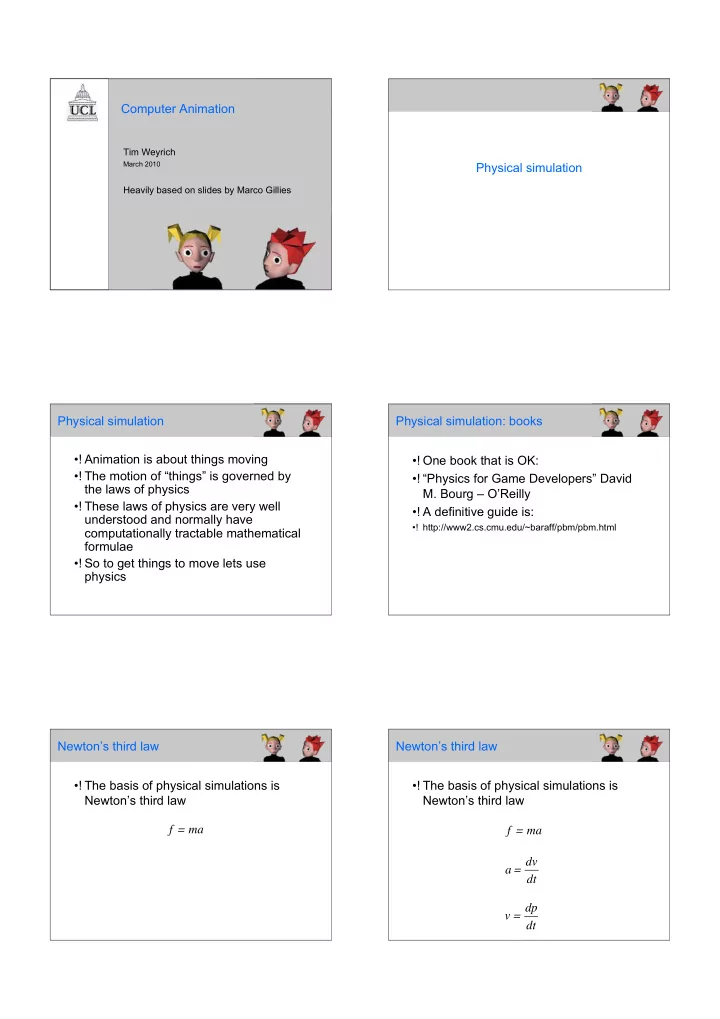
Newton’s third law

  • ! The basis of physical simulations is

Newton’s third law f = ma Newton’s third law

  • ! The basis of physical simulations is

Newton’s third law f = ma a = dv dt v = dp dt

slide-2
SLIDE 2

Newton’s third law

  • ! The basis of physical simulations is

Newton’s third law (vectors) f = ma a = dv dt v = dp dt Newton’s third law

  • ! Work out the forces acting on an object

–!Gravity –!Impulse forces (collisions) –!Forces from springs, friction, other objects

  • ! Use Newton’s law to work out the

position of an object at each time step

  • ! When we deal with forces and

accelerations it is called “Dynamics”

  • ! Up to now we’ve just used velocities

and positions “Kinematics” Integrating Newton’s laws

  • ! The correct formulas

a = f m v = adt

t0

t

  • p =

vdt

t0

t

  • Integrating Newton’s laws
  • ! The obvious approximation

at' = ft' m vt' = vt +(t t')at' pt' = pt +(t t')vt'

A projectile

  • ! As an example choose a ball launched from

the ground under gravity

  • ! Time step t=0.1
  • ! Has initial conditions

f = 0,9.81m,0

[ ]

v0 = 10,10,0

[ ]

p0 = 0,0,0

[ ]

A Projectile

  • ! a=-9.81
slide-3
SLIDE 3

A Projectile

  • ! a=-9.81 v=[10,10-0.981,0]

A Projectile

  • ! a=-9.81 v=[10,9.019,0] p=[1,0.9019, 0]

A Projectile

  • ! a=-9.81 v=[10,8.038,0] p=[2,1.7057, 0]

A Projectile

  • ! a=-9.81 v=[10,7.057,0] p=[3,2.4114, 0]

A Projectile

  • ! a=-9.81 v=[10,6.076,0] p=[4,3.019, 0]

A Projectile

  • ! a=-9.81 v=[10,5.095,0] p=[5,3.528, 0]
slide-4
SLIDE 4

Is the method valid?

  • ! Is this a reasonable method?

Is the method valid?

  • ! Is this a reasonable method?
  • ! Taylor expansion of a function

y(t +t) = y(t)+t dy(t) dt + (t)2 2! d2y(t) dt 2

Is the method valid?

  • ! Is this a reasonable method?
  • ! Taylor expansion of a function
  • ! If t is small we can ignore higher terms

y(t +t) = y(t)+t dy(t) dt + (t)2 2! d2y(t) dt 2

Is the method valid?

  • ! Is this a reasonable method?
  • ! Taylor expansion of a function
  • ! If t is small we can ignore higher terms
  • ! This is the same as our method
  • ! Called Euler’s method

y(t +t) = y(t)+t dy(t) dt

Step size

  • ! t is called the step size
  • ! It is very important in this sort of

calculation

  • ! If it is too large then the solution will be

inaccurate

  • ! If it is too small then you will need a lot
  • f processing power

Step size

  • ! What is worse is that errors can build up
  • ver time
  • ! So for long(ish) animations you need a

very small step size

  • ! Can get very expensive
  • ! Can make Euler’s method unusable
slide-5
SLIDE 5

How can we improve it?

  • ! Dynamically change the step size as we

need it

  • ! Use a different method

Adaptive step sizes

  • ! Only use as small a step size as you

need

  • ! Every so often test the different

between using step size t and t /2

  • ! If the difference is big enough start

using t /2

  • ! Do the same for t *2

Other integration methods

  • ! This is a vast field
  • ! There are huge numbers of different

methods you can use

  • ! Using 2nd and higher derivatives
  • ! Evaluating the different derivatives for

different values of t

  • ! I will describe one

Midpoint method

t t

  • ! Euler’s method evaluates the derivative

at t (The start of the step) Midpoint method

t t

  • ! Can get more accuracy by evaluating it

at t + t/2 (the midpoint) Midpoint method

  • ! The formula becomes:

p(t +t) = p(t)+t dp dt (t +t /2)

slide-6
SLIDE 6

Midpoint method

  • ! The formula becomes:
  • ! This is one example from a many types of

improvement

  • ! Far more to go into but beyond the scope of

the course

p(t +t) = p(t)+t dp dt (t +t /2)

Summary

  • ! A physics simulation consists of

–!A set of particles –!A set of forces on those particles –!Initial position of those particles

  • ! The alogrithm:

–!Use the forces to update the acceleration –!Integrate to update velocities and positions

  • ! We need appropriate forces

Springs

  • ! Springs are a common source of forces
  • ! The forces try to maintain a desired

length

  • ! Join two particles by a spring

L

Springs

  • ! Stretching the spring creates forces on

both particles to restore the desired length

  • ! These forces are proportional to the

change in length

L L F(L) F(L)

Springs

  • ! Ditto for squashing

L

Springs

  • ! Ditto for squashing

L L F(L) F(L)

slide-7
SLIDE 7

Springs

  • ! The Formula for spring forces on the particles

are given by Hooke’s Law

  • ! Have a force pointing along the length of the

spring that depends on the change of length:

F = ksL

  • ! Where ks is a spring constant, which controls

how springy or rigid it is

Springs

  • ! The problem with this formula is that the

spring can bounce about too much and never come to rest

  • ! We need to add a damping force
  • ! Damping forces reduce the motion of an
  • bject (like friction)
  • ! They are proportional to the velocity of an
  • bject (but opposite)

Springs

  • ! Introduce a damping force
  • ! Proportional to the relative velocity of the two

particles (and negative)

F = ksL kd v2 v1

( )

[ ]

  • ! Where kd is a damping constant, which

controls how damped it is

Using springs

  • ! Springs are a very useful tool because

they can be used to build models of interesting physical systems Using springs

  • ! A string of springs can simulate hair,

grass etc. Hair

  • ! Unfortunately there is nothing to stop

the hair bending

  • ! Need to add in extra forces to prevent

bending

  • ! Many approaches but you can just add

extra springs

slide-8
SLIDE 8

Hair

  • ! Putting springs between every other

particle

  • ! Counteracts bending between 3

particles Hair

  • ! Animating each hair would be hugely

expensive

  • ! Generally methods simulate a smallish

number of strands and render each one as a clump of hair rather than an individual hair Hair

  • ! Many other methods
  • ! Often use more continuous

representation of hair Using springs

  • ! A lattice can simulate cloth

Using springs

  • ! A lattice can simulate cloth

Cloth

  • ! This simple lattice allows you to

simulate the in plane stretching properties of cloth well, but there are

  • ther forces that go on in cloth
  • ! Bending can be handled in the same

way as for hair

slide-9
SLIDE 9

Cloth

  • ! Shearing
  • ! This becomes an issue going from 1D

hair to 2D cloth

  • ! A force that prevents the cloth pulling

against itself Cloth

  • ! Add in diagonal springs for shearing

Cloth

  • ! Add in diagonal springs for shearing

Cloth

  • ! And springs for bending

Cloth

  • ! Demo

Cloth

  • ! Springs aren’t all there is to physics,

hair and clothing

  • ! There are lots of other approaches,

more continuous methods, more realistic force functions etc

slide-10
SLIDE 10

Rigid bodies

  • ! Up to now we have dealt with forces on

particles (points)

  • ! What about more complex object?
  • ! A rigid body:

Rigid bodies

  • ! Can move around
  • ! But cannot deform

Rigid bodies

  • ! Could make it out of springs
  • ! But as you don’t want it to deform the

spring constant must be very high

  • ! Very expensive to integrate

Rigid bodies

  • ! Has a centre of mass that can be

treated as a particle Rigid bodies

  • ! The movement of a rigid body can be

decomposed into 2:

  • ! Motion of the centre of mass
  • ! Rotation about the centre of mass

Rigid bodies

  • ! The motion of the centre of mass is

treated the same as the particle dynamics discussed above

  • ! The rotation adds a new set of

components above the x,y,z position components

  • ! Won’t go into much detail about the

maths here

slide-11
SLIDE 11

Natural Phenomena

  • ! Simulation is also very useful for

modelling natural phenomena

–!Wind –!Clouds –!Water –!Fire

Natural Phenomena

  • ! All of these are physical systems and so

can be simulated based on their physics

  • ! Generally the models needed are much

more complicated than the ones I’ve described

  • ! However, there is one less physically

based method that is often used for this sort of system Particle Systems

  • ! A more ad-hoc simulation method
  • ! Good for phenomena that are not well

represented by solid, rigid surfaces/ bodies

  • ! Used for many different phenomena

–!Fire –!Clouds –!Explosions –!Grass and plants

Particle Systems

  • ! These systems can all be modelled as

large sets of particles

  • ! Not (necessarily) physically modelled in

the way described above

  • ! The structure of all particle systems are

the same

  • ! The details of particle behaviour can

differ Particle Systems – each frame

  • ! Particles are created
  • ! Attributes assigned to each particle
  • ! Old particles are deleted
  • ! Particles are moved and transformed

–!Can vary between different types of system

  • ! Particles are rendered

Particle Creation

  • ! Particles are randomly created
  • ! They are all created within a certain

area

  • ! The mean number of particles created

controls the size of the system

  • ! This mean can vary over time to have

the system grow or shrink

slide-12
SLIDE 12

Particle Attributes

  • ! Each new particle is randomly assigned

a set of attributes

  • ! Again mean and variance control the
  • verall attributes of the system
  • ! The attributes used depend on the type
  • f system
  • ! Examples: Velocity, acceleration, mass,

colour Particle deletion

  • ! Particles are also deleted
  • ! Particles have a certain lifetime, if the

particle has exceeded its lifetime it is destroyed

  • ! Also sometimes particles are deleted if

they leave a certain area (visible area) Particle motion and transformation

  • ! This step controls what the particles

actually do

  • ! Varies depending on what you are

simulating (e.g. clouds vs fire)

  • ! Examples:

–!Particles move according to their velocity –!Particles change colour (e.g. get brighter/ darker)

Particle rendering

  • ! Particles can be treated as light sources

–!Don’t have to worry about occulsion

  • ! Or particles are small primitives, often

partially transparent

  • ! Can apply motion blur or other types of

blurring to make individual particles less visible Example: Smoke generation

  • ! Particle Creation:

–!Particles are created at the source of the smoke (often a point) –!Particles mostly go upwards with some sideways variation

Example: Smoke generation

  • ! Particle Attributes:

–!Velocity: Upwards, slightly to the side –!Appearance, grey and transparent

slide-13
SLIDE 13

Example: Smoke generation

  • ! Particle Deletion:

–!Delete at end of lifespan –!Limited lifetime allows for smoke dissipation –!Delete if they go out of the view

Example: Smoke generation

  • ! Particle Motion and transformation:

–!Particles move according to their velocity –!It is also useful to have a wind force

  • !Accelerates the particles in the direction of the

wind

–!Turbulence makes the particles more realistic

  • !Random variation in wind force

–!Particles initially increase in size

Example: Smoke generation

  • ! Particle Rendering:

–!Particles are rendered as small polygons –!The polygons are blurred at the edges so that its less obvious that they are polygons –!They are transparent

Example: Smoke generation