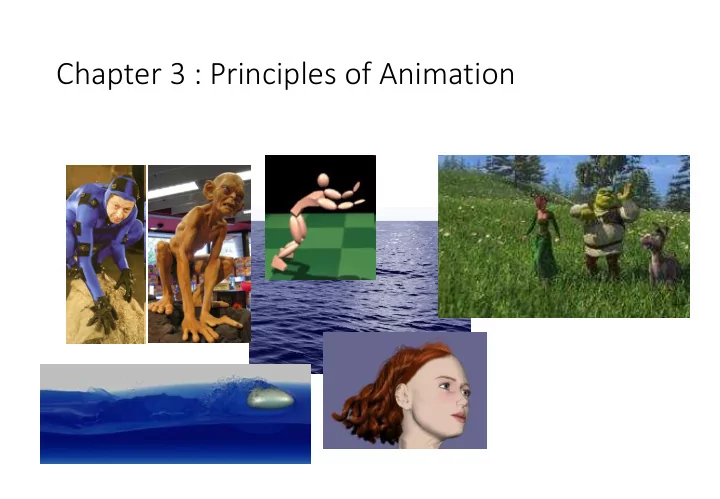
SLIDE 1
Chapter 3 : Principles of Animation
SLIDE 2 Animation
- “Animate” literally means “bring to life”
- To do so, the animator needs to define how objects move through
space and time
Muybridge 1887
SLIDE 3 Frame
- A series of related still-images is interpreted as motion by human
brain
- One minute of animation: 720-1800 frames
SLIDE 4 History
- First animation films (Disney)
- 30 drawings / second
- animator in chief : “key frames”
- others : secondary drawings
« Descriptive animation » The animator fully controls motion
Frame from Fantasmagorie, E. Cohl (1908)
SLIDE 5 Keyframe-based animation
- Option: use the computer to interpolate
- positions (e.g. center of ball)
- orientations (e.g. of ellipse)
- shapes (e.g. aspect ratio of ellipse)
- Or give the trajectory (of position) explicitly
SLIDE 6 Interpolating Positions
Possible using splines curves
Interpolation: Hermite curves or Cardinal splines
- Local control
- Made of polynomial curve segments
- degree 3, class C1
Spline curve Control point
SLIDE 7 Hermite Curves of Order 1
- Piecewise segments of degree 3 of the form
- 12 degrees of freedom per segment
- Order 1 (C1) transition between segments
P1 P2 P3
SLIDE 8 Hermite Curves of Order 1
- Each curve segment defined by:
Ci(0) = Pi Ci(1) = Pi+1 C’i(0) = Di C’i(1) = Di+1
Exercise: how to ease the definition for general users? Propose an automatic way to compute tangents.
Pi-1 Pi Pi+1 Di Di+1
SLIDE 9 Hermite Curves of Order 2
Ci-1(1) = Pi Ci(0) = Ci-1(1) C’i(0) = C’i-1(1) C’’i(0) = C’’i -1(1)
- Can be solved by adding tangent constraints at the extremities
- Problem: Global definition only! (costly & no local control)
Pi-1 Pi Pi+1
SLIDE 10
Cardinal Splines
Degree 3, Order 1 (C1). Each curve segment defined by Ci(0) = Pi Ci(1) = Pi+1 C’i(0) = k (Pi+1 –Pi-1) C’i(1) = k (Pi+2 –Pi) Exercise Order of locality? What is the effect of k? How can we model a closed curve?
Catmull-Rom Cardinal with tension k = 0.5
SLIDE 11 Interpolating Positions
Exercise
- Goal: animate a bouncing ball
- Describe a method for computing the
trajectory from the control points.
- How would you animate the changes of
speed?
- What is missing in this kinematic animation in
terms of realism?
SLIDE 12 Interpolating Positions
- Interpolating key positions
- Interpolation curves
Enable inflection points! (where C0 only)
Reparamterize the trajectory « velocity curve »
dist time
SLIDE 13 Interpolating Orientations
- Interpolation of orientations
Choose the right representation !
- Rotation matrix ?
- Euler angle ?
- Quaternion ?
SLIDE 14 Rotation matrix
- Representation : orthogonal matrix
- each orientation = 9 coefficients
- Interpolation :
- Interpolate coefficients one by one
- Re-orthogonalize and re-normalize
Costly and inappropriate :
M = k M1 + (1-k) M2 can be degenerate Impossible to approximate it by an orthogonal matrix in this case Exemple: Axis x, angle
cos sin sin cos 1
Exercise: M1 = Id M2 = rotation x axis, = M for k=0.5?
SLIDE 15 Euler Angles
Representation :
- Three angles (, , )
- Intuitive : R(V) = R z, (R x, (R z,(V)))
x y x z y x y x y z z z
« Roll, pitch, yaw » in flight simulators
SLIDE 16
Interpolating Euler Angles
+ more efficient : 3 values for 3 Degrees of Freedom (DoF) ⁻ non-invariant by rotation, and un-natural result
x z y
SLIDE 17 Problem with Euler Angles: gimbal lock
- Two or more axes aligned = loss of rotation DoF
1 and 3 do the same!
1 2 3
SLIDE 18
Quaternions
Representation : q = (cos(/2), sin(/2)N) S4 By analogy: 1, 2, 3-DoF rotations as points on 2D, 3D, 4D spheres
N
SLIDE 19 Quaternions
Algebra of quaternions
neutral element: (1,0,0,0)
i2 = j2 = k2 = ijk = -1, 12 = 1 ij = -ji = k jk = -kj = i ki = -ik = j
- Notation q = (qr, qp) where qp R3
p . q = (pr qr – pp qp , pr qp + qr pp+ pp qp) q-1 = (qr , -qp) / (qr
2 + qp.qp)
SLIDE 20 Quaternions
Used to represent rotations
Rotation (, N): q = (cos(/2), sin(/2) N)
- Unit quaternion S4
- Apply a rotation
R(V) = q . (0,V) . q-1
- Compose two rotations : p . q
N
S4
q2 q4 q3 q1 q5
SLIDE 21 Quaternions
- Interpolate quaternions? : splines on S4
- Interpolation method?
- Linear + project
non-uniform speed!
S4
q2 q4 q3 q1 q5
ω
SLIDE 22 Interpolating Shape
- Difficult in general
- Simple cases: parameterize shape (e.g. using major axes for ellipses)
and interpolate parameters
- Complex cases:
- Simple method: sample shapes with keypoints and interpolate their positions
- More complex methods: in advanced geometry lecture
SLIDE 23 Descriptive Models
Animate Deformations
Interpolate « key shapes »
- Example : « Disney effects»
- Change scaling, color…
k (u) = (u3 u2 u 1) Mspline [ki-1 ki ki+1 ki+2] t
[Lasseter 1987]
SLIDE 24 Descriptive Models
Animate Deformations
Animate a geometric model = animate its parameters Exo: Propose methods to design and animate this bee with “Disney effects” including:
- squash & stretch
- anticipation
SLIDE 25 A Note on Timing
- Basic animation rendering loop could look like this
while(true) { processInput() // if applicable take user input into account update() render() }
- Problem: timing of animation depends on processing power of
computer running it
SLIDE 26 A Note on Timing
Option 1:
- Take a nap until it is time
- Works when machine is too fast
(compared to animation time) Option 2:
- Adapt what is rendered
- Works when machine is too fast
- r too slow
Figures from http://gameprogrammingpatterns.com.
SLIDE 27
Hierarchical Animation
SLIDE 28 Hierarchical structures
They are essential for animation!
- Eyes move with head
- Hands move with arms
- Feet move with legs…
- Frame hierarchy
- Root expressed in the world frame (translation + rotation)
- Relative rotation with respect to the parent
x 1V1
SLIDE 29 Hierarchical structures
Generalized coordinates
- Vector of degrees of freedom (DoF) at each joint
Example
SLIDE 30 Hierarchical structures
transformation
hierarchy on a stack
- Multiply matrices to obtain
composite transformation
- Quaternions
- Typically transformed into
matrix first
x 1V1
SLIDE 31 Direct Animation with Forward Kinematics
Method: Interpolate key rotations Exercise : Controlling a cycling motion
- Define key-rotations over time
- What is the main difficulty?
- What would be the extra problem for a walking motion?
SLIDE 32 Forward kinematics
Conclusion:
- Difficult to control extremities!
(example : foot position while cycling)
- In practice: Top-down set-up method
- Try to compensate un-desired motions!
SLIDE 33 Advanced method: Inverse kinematics
- Control of the end of a chain
- Automatically compute the other orientations ?
x1 = f (q) x2 = f (????)
Method from robotics
- Local inversions of a non-linear system
x = J q, with Jacobian matrix
- Under-constrained system, pseudo-inverse : J+ = Jt (J Jt)-1
Exo: Show that (q = J+ x) and (q = J+ x + (I-J+J) z) are solutions. What can z (called “secondary task”) be used for ?
x x1 q
generalized coordinates
x2
j i ij
q x J