
SLIDE 1
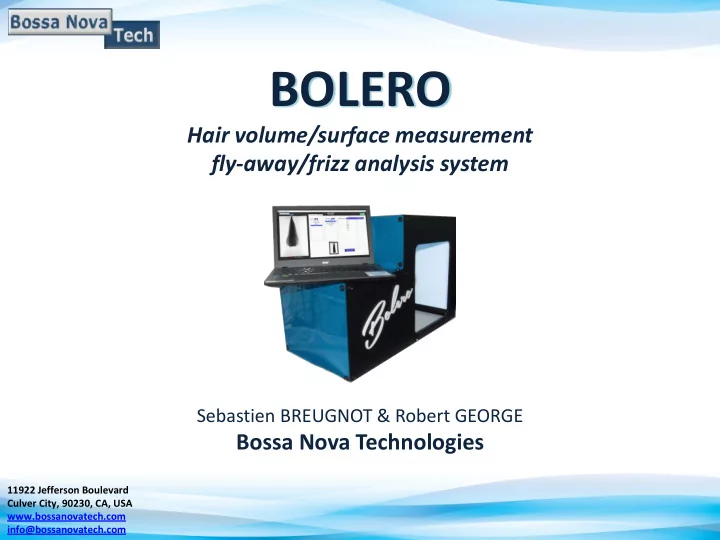
BOLERO
Hair volume/surface measurement fly-away/frizz analysis system
Sebastien BREUGNOT & Robert GEORGE
Bossa Nova Technologies
11922 Jefferson Boulevard Culver City, 90230, CA, USA www.bossanovatech.com info@bossanovatech.com
BOLERO Hair volume/surface measurement fly-away/frizz analysis - - PowerPoint PPT Presentation
BOLERO Hair volume/surface measurement fly-away/frizz analysis system Sebastien BREUGNOT & Robert GEORGE Bossa Nova Technologies 11922 Jefferson Boulevard Culver City, 90230, CA, USA www.bossanovatech.com info@bossanovatech.com BACKGROUND
Hair volume/surface measurement fly-away/frizz analysis system
Sebastien BREUGNOT & Robert GEORGE
Bossa Nova Technologies
11922 Jefferson Boulevard Culver City, 90230, CA, USA www.bossanovatech.com info@bossanovatech.com
Hair swatch is not easy to analyze because it is composed of a multitude
not well defined.
? ? ? ?
Consequence :
It is nearly impossible to use a commercial 3D scanner to reconstruct the 3D shape of the hair swatch.
Provide an instrument that: Reconstructs the 3D shape of the hair swatch Delivers fly-away/frizz analysis BOLERO
fly-away/frizz %
3D shape reconstruction
Spatial profiles
Idea : We can simply describe the hair swatch as composed of a bulk plus a
multitude of fly-away/frizz.
Fly-away/Frizz Fly-away/Frizz Fly-away/Frizz Fly-away/Frizz BULK ? ? ? ?
Need for image processing to determine boundaries and determine BULK and FLY-AWAY/FRIZZ.
Bulk/Frizz separation
Transmitted light < 50%
Transmitted light > 50%
BULK & Fly-away/Frizz analysis
Background
3D shape calculation
sequence of contours (or silhouettes) (*)
ROTATION SILHOUETTES ACQUISITION 3D SHAPE RECONSTRUCTION
(*) “Acquiring 3-D models from sequences of contours”, J. Y. Zheng, IEEE transactions on pattern analysis and machine intelligence, Vol. 16, N0 2, February 1994 (*) “Area and volume measurements of objects with irregular shapes using multiple silhouettes”, D.J. Lee, X. Xu, J. Eifert and P. Zhan, Optical Engineering 45 (2) 027202 (February 2016)
The 3D shape allows to calculate and display:
Fly-away - Frizz (%) = Fly-away/Frizz (PIXELS #) Bulk (PIXELS #)
Hair volume/surface measurement Fly-away/frizz analysis system
BOLERO is a turn-key system for Hair volume/surface measurement & fly-away/frizz analysis system. It comes with a laptop and pre-loaded software for analysis
Laptop with pre-loaded software LED back light panel Rotary stage for hair swatches Full lab setup BOLERO is a turn-key system for Hair volume/surface measurement & fly-away/frizz analysis system. It comes with a laptop and pre-loaded software for analysis
For best results, we recommend to use “round” swatches and no “flat” swatches as shown on the picture below.
Hair volume/surface measurement Fly-away/frizz analysis system
Data management
measurement is automatically saved into a Main DATA Folder, then: Study --> Sub-Study --> [Measurement name]
group of measurement can be opened again or exported
Upper and lower limits
Measurement Name
Data acquisition
Bulk/Frizz image Graph showing the Area/Perimeter/Frizz%
Global results (Volume, Surface, Frizz/Flyaway%) 3D Shape reconstructed
Data processing
Load current/old measurements Switching between regular/Flyaway images Main Display Images Loaded
Data visualization and comparison
Result Table: Comparison of up to 12 different measurements
Data visualization and comparison
The RESULTS TABLE lists the volume (in mm3), surface (in mm2) and frizz/fly-away percentage (%) for each measurement. It is possible to select a measurement as a reference by clicking the “SELECT measurement as REFERENCE” button, the user can then update the RESULTS table in
Data visualization and comparison
The Area versus z tab allows the user to visualize the variation of the area of the swatches versus z, on the same graph. BEFORE AFTER Z Swatch: “Before” Swatch: “After”
Data analysis window
BEFORE AFTER Z Swatch: “Before” Swatch: “After” The Flyaway/Frizz versus z tab allows the user to visualize the variation of the average Frizz/Bulk %age on each swatch versus z, on the same graph.
Data analysis window
The 3D plot tab allows the user to visualize the 3D shape of the selected loaded
file.
Data analysis window
The slice tab allows the user to visualize the slice of the loaded measurements and navigate through
perimeter of the slice(s) is given.
Data analysis window
The user can export groups of measurements as many times as necessary
Data Export
The exported measurement folder contains 2 folders respectively containing images, point clouds, and an Excel file presenting the different results and graphs.
Data Export
The Excel file contains the table comparing the volume, area and Fly-away/Frizz (%) of each exported element and the various data and graph (Area, Perimeter and Fly-away/Frizz (%)) versus z.
Data Export
Hair volume/surface measurement Fly-away/frizz analysis system
6 swatches were used (3 dark, 3 brown) as presented in Figure 21. Volume and fly- away/frizz percentage are measured. A “sleek and shine” styling spray was then applied on each hair swatch followed by volume and fly-way/frizz % measurement using BOLERO.
Results are presented in the table below:
Hair Swatch # Volume (mm3) Volume (mm3) Product Change (%) Fly-away/frizz (%) Fly- away/frizz (%) Product Change (%) 200 1.145 105 5.793 104
32.30 3.62
201 1.231 105 5.415 104
20.18 6.08
202 1.302 105 1.08 105
15.74 3.96
210 1.07 105 9.208 104
15.54 4.09
211 1.684 105 1.139 105
15.74 4.12
212 1.379 105 7.37 104
13.40 4.26
AVERAGE
Using the BOLERO it is possible to conclude that the “sleek and shine” styling spray decreases the volume of sample hair swatches by 29% and the percentage