Artificial Intelligence Photo CC BY-SA 3.0 History Definitions - - PowerPoint PPT Presentation

artificial
SMART_READER_LITE
LIVE PREVIEW

Artificial Intelligence Photo CC BY-SA 3.0 History Definitions - - PowerPoint PPT Presentation

Self Service is Artificial Intelligence Photo CC BY-SA 3.0 History Definitions Basic Concepts Challenges Contents Getting Started Applications Evaluation Process Technology Partners History From game playing


slide-1
SLIDE 1

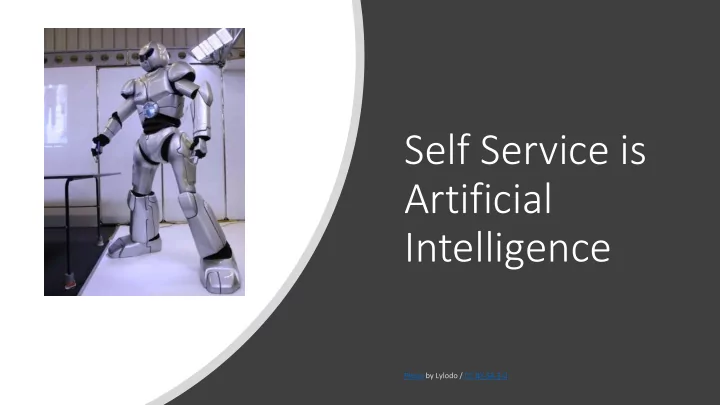
Self Service is Artificial Intelligence

Photo CC BY-SA 3.0
slide-2
SLIDE 2

Contents

  • History
  • Definitions
  • Basic Concepts
  • Challenges
  • Getting Started
  • Applications
  • Evaluation Process
  • Technology Partners
slide-3
SLIDE 3

History

  • From game playing applications in 1960’s
  • To Speech Recognition in the late 1980’s
  • In 1987 is cost $500 per word to create a speech recognition vocabulary
  • Automated workflows in the late 1990’s
  • Natural Language Processing allows for conversational AI that understands context - today
slide-4
SLIDE 4

Definitions

  • “Artificial intelligence” was first

coined in 1956 as the topic for the Dartmouth Conference, which became the first conference devoted to the concept of AI

  • Customer self-service is a type of

electronic support that allows end users to use technology to access information and perform routine tasks without requiring the assistance

  • f a live customer service

representative.

slide-5
SLIDE 5

Basic Concepts

  • Natural Language

Processing (NLP)

  • Natural Language

Understanding (NLU)

  • Machine Learning
  • Robotic Process Automation

(RPA)

  • Chatbots
  • Voicebots

Photo CC BY 2.0

slide-6
SLIDE 6

Challenges

  • High Volume, Low Complexity are expensive to support

with a live agent

  • Time to serve can be long as these contacts are in the

live agent queue

  • Customers expect to be able to get quick answers to

basic questions

slide-7
SLIDE 7

Approaches

  • Self-Service tasks originated on the web-site and IVR
  • Early examples includes telephone and on-line banking

and order tracking

  • Today we are seeing more complex capability thanks to

NLP, Machine Learning and RPA

slide-8
SLIDE 8

Getting Started?

Successful Contact Centre Self- Service design required a structured and formal process

Photo by Ephramac / CC BY-SA 4.0

slide-9
SLIDE 9

Applications

  • Improve IVR containment, call routing
  • Reduce Handle Time through improved contextual

understanding

  • Increased FCR
  • Caller Authentication can save 90 seconds a call,

but requires high repeat contact volume to make a compelling ROI

  • Agent side automations such as Single Sign On,

real time coaching and procedure guides can have dramatically ROI’s

  • Chatbots can solve basic queries and extend

service availability to 7x24

  • Chatbots can be voice enabled (T2S) to become

voicebots

slide-10
SLIDE 10

Typical Evaluation Process

Review your contact centre process for automation candidates (High Volume – Low Complexity)

  • Identify frequency of use

Review

Understand the data sources required to automate these tasks

Understand

Determine the data source and;

  • Data Quality - high quality data is required to be effective
  • Confirm if APIs exist to access this data
  • Ensure adequate speed and refresh rates locally
  • Ensure data source can support increased volume

Determine

Identify target audience, automation opportunity frequency, cost of current process and expect cost of the automation to determine expected ROI

Identify

Document Use Case stories to confirm your understanding of who, where and when this automation will be employed

Document

Rank your automation opportunities and develop Proof of Concept (POC) pilots to prove the effectiveness and ROI

Rank

Launch Pilot and iterate to improve performance, roll out and move onto the next POC pilot

Launch

slide-11
SLIDE 11

Technology Partners

There are hundreds of automation technologies and partners on the market Major players include;

  • Amazon- Alexa has a vocabulary of more

than 500,000 known words and phrases

  • Amazon Lex can voice enable your chatbot
  • Transcribe and Comprehend can drive

sentiment analysis

  • Google Dialogueflow is available through a

number of telephony platforms such as Nice InContact, Open AI approach

  • Nuance a pioneer in voice processing,

powers many of the Fortune 100 digital and voice solutions

slide-12
SLIDE 12

Key Strategies

  • KISS principle, Keep it Simple
  • Start Simple and Start Small
  • Don’t build one chatbot to do

everything, you may never finish developing it

  • Look for those contact types that are

high volume but low complexity

  • Context can inform interactions,

understand where the contextual data resides, CRM, etc.

  • Visual IVR can reduce customer effort

and speed resolution

slide-13
SLIDE 13

Thank You

CTAYLOR@THETAYLORREACHGROUP.COM COLINSATAYLOR@TWITTER.COM WWW.LINKEDIN.COM/IN/COLINTAYLOR/