8/31/2015 Personal Computing BITS BYTES AND FILES What is a bit - - PDF document

8 31 2015
SMART_READER_LITE
LIVE PREVIEW

8/31/2015 Personal Computing BITS BYTES AND FILES What is a bit - - PDF document

8/31/2015 Personal Computing BITS BYTES AND FILES What is a bit Technically, its a change of voltage Two stable states of a flip-flop Positions of an electrical switch Thats for the EE folks Its a zero or a one to us


slide-1
SLIDE 1

8/31/2015 1 BITS BYTES AND FILES

Personal Computing

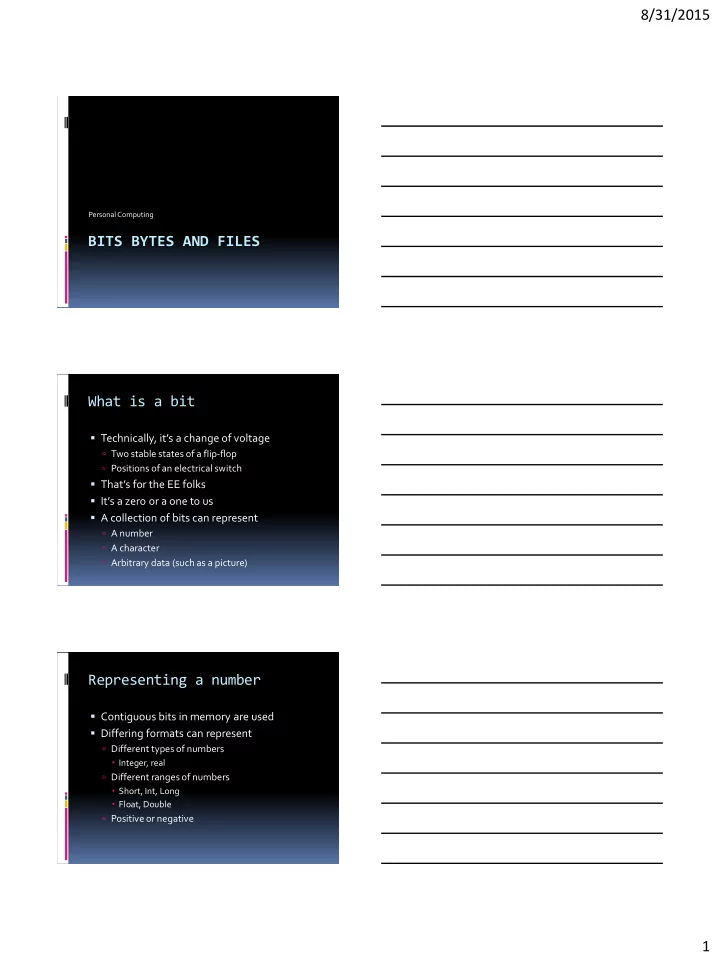
What is a bit

  • Technically, it’s a change of voltage

 Two stable states of a flip-flop  Positions of an electrical switch

  • That’s for the EE folks
  • It’s a zero or a one to us
  • A collection of bits can represent

 A number  A character  Arbitrary data (such as a picture)

Representing a number

  • Contiguous bits in memory are used
  • Differing formats can represent

 Different types of numbers  Integer, real  Different ranges of numbers  Short, Int, Long  Float, Double  Positive or negative

slide-2
SLIDE 2

8/31/2015 2 Bits to Decimal

0000 = 0 0100 = 4 1000 = 8 1100 = 12 0001 = 1 0101 = 5 1001 = 9 1101 = 13 0010 = 2 0110 = 6 1010 = 10 1110 = 14 0011 = 3 0111 = 7 1011 = 11 1111 = 15

Hexidecimal representation

  • A way of representing 4 bits with 1 character

0000 = 0 0100 = 4 1000 = 8 1100 = C 0001 = 1 0101 = 5 1001 = 9 1101 = D 0010 = 2 0110 = 6 1010 = A 1110 = E 0011 = 3 0111 = 7 1011 = B 1111 = F

Representing a character

  • Originally, 6, 7, or 8 bits

 Speed, speed, speed

  • Modern systems, takes 8 bits

 Allows for 28 characters (256 differing characters)

  • ASCII

 American Standard Code for Information

Exchange

slide-3
SLIDE 3

8/31/2015 3 ASCII Table What are files used for?

  • To store a document

 Letter, resume, project document

  • To hold a song, a movie
  • To store a digital picture
  • To hold a database
  • To store an executable
  • To store information

What is a file ?

  • A file is block of arbitrary

information

 Usually stored in non-volatile

memory

 Available to computer programs

  • Based on the concept of a paper

document

 Stored in “files” and “file cabinets”

  • Formatted specific to the

computer program

slide-4
SLIDE 4

8/31/2015 4 History of the file

  • RCA (Radio Corporation of

America) ad

  • 1950
  • Popular Science
  • Vacuum memory tube
  • Keep the results of countless

computations “on file”

What makes up a file?

  • Modern files are made up of a stream of bytes

 Remember:  A byte is 8 bits  Number of bits necessary to represent one character  Zero byte files are allowed

  • Format is defined by the program

 Files are used to store data  Most systems use extensions to identify type

Common extensions

  • .txt

Text file

  • .pdf

Adobe Reader format

  • .mp3, .wav

Music

  • .avi, .mp4

Video

  • .html

HTML file (read by browser)

  • .c, .java

Program files (C, java)

  • .docx

Word 2010 file

  • .pptx

PowerPoint 2010 file

slide-5
SLIDE 5

8/31/2015 5 How is a file organized?

  • Generally, we break files up into records

 Originally, a record was one line of characters

  • Each record may or may not be different

 Share some trait  Ex. One record per employee

  • Organization defined by the programmer

 Agreed upon when multiple programmers use

Example – a picture

  • A picture is broken up into pixels
  • Pixels are assigned X and Y coordinates

 1024x1024 = 1mb picture

  • Black and white

 Each pixel is assigned a 0 (black) or 1 (white)

  • Color

 Palette – each pixel is assigned a value  RGB – each pixel is assigned a value for each of

red, green, and blue

Black and white image

slide-6
SLIDE 6

8/31/2015 6 Color image Example - Music

  • Music is sounds

 Physical waveforms in the air

  • Analog

 Created an electrical representation of the wave  Playback systems recreated the physical

waveform

  • Digital

 Samples the waveform  Records the value digitally

Sound wave digitized

slide-7
SLIDE 7

8/31/2015 7 Example – xml file

  • Mechanism for moving attribute based data
  • Ideal for:

 Form-based data  Databases

  • Format

 Attribute (metadata) is identified  Value is identified

XML format File size

  • Expressed in number of bytes
slide-8
SLIDE 8

8/31/2015 8 File Operations

  • Creation
  • Setting attributes
  • Read
  • Write or modify
  • Execute
  • Close

File owner

  • Files have an owner

 Usually it’s the person that created the file  Can be changed to someone else

  • Attributes are assigned

 By role  By user account  By system

Permissions under Windows

slide-9
SLIDE 9

8/31/2015 9 Organizing file

  • A directory is a special type of a file

 Contains pointers to files  Also called a catalog

  • Files belong to folders or directories

 Exception is the root node  Organized in a hierarchical way  Make up a file system

File names

  • Local name

 Phase1.pdf  Sammy.jpg

  • Path name

 C:\My Documents\Education\Phase1.pdf  C:\My Documents\Pictures\Sammy.pdf

Full Pathname

slide-10
SLIDE 10

8/31/2015 10 Types of file systems

  • File Allocation Table (FAT)

 Memory card systems such as cameras

  • NTFS

 Standard file system of Windows NT and beyond  W2000, XP, Server 2003, Server 2008, Vista, Windows 7

  • HFS+

 Mac OS

  • Ext4

 Linux

Why?

  • Why are there so many different types?
  • History

 Each of the types grew from predecessors

  • Competitive advantage

 Built by companies, not open source

  • Differing feature sets

Features of a file system

  • Metadata

 Storage of information about the files

  • Space management

 Free list, garbage list

  • Journaling

 Transaction based, easy recovery

  • Security

 Permissions

slide-11
SLIDE 11

8/31/2015 11 Metadata

  • Information about the files

 Not the files themselves

  • Allows easy manipulation of the files
  • Allows links to be created easily
  • Speeds up activities with files

Space management

  • How much space is free?
  • How much space is used?
  • When a new file is created:

 Where is space created?  Disk drive characteristics

  • When a file is deleted:

 Is the file scrubbed?  Can common areas be combined?

Journaling systems

  • Transaction based

 Either the write succeeds or fails  Changes persist

  • Eliminates:

 Missing files  Missing sectors  “File System fixing” progams

slide-12
SLIDE 12

8/31/2015 12 Backups

  • IMPORTANT!!
  • Disk drives have moving parts

 Moving parts increase failure

  • If data only exists on one spot, it’s lost

 Spend large sums of money to try to retrieve  Even then, not guaranteed

  • Disk drives are cheap, quick to back up to

another one

 External 1TB drive - $60

References

  • 1. http://en.wikipedia.org/wiki/File:Pcm.svg
  • 2. http://en.wikipedia.org/wiki/Digital_audio
  • 3. http://en.wikipedia.org/wiki/Computer_file
  • 4. http://google.com/
  • 5. http://www.cheat-sheets.org/