1 Lab 5::Pintos file-structures Lab 5::Reading/Writing (1) Lab - - PowerPoint PPT Presentation

1
SMART_READER_LITE
LIVE PREVIEW

1 Lab 5::Pintos file-structures Lab 5::Reading/Writing (1) Lab - - PowerPoint PPT Presentation

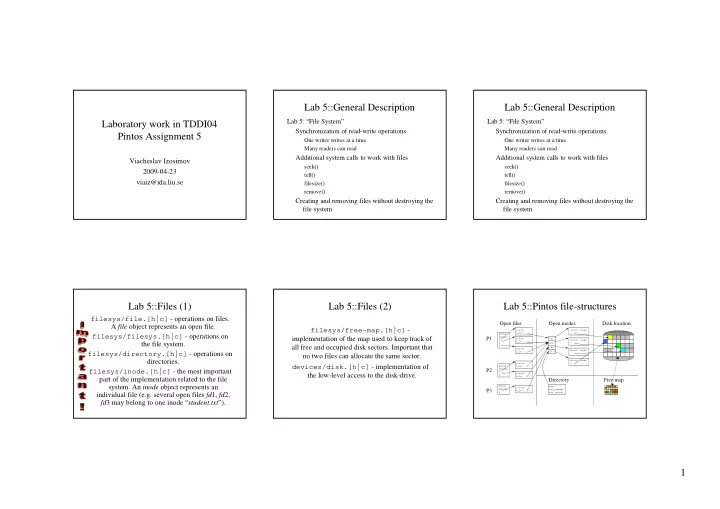
Lab 5::General Description Lab 5::General Description Lab 5: File System Lab 5: File System Laboratory work in TDDI04 Synchronization of read-write operations Synchronization of read-write operations Pintos Assignment 5 One


slide-1
SLIDE 1

1 Laboratory work in TDDI04 Pintos Assignment 5

Viacheslav Izosimov 2009-04-23 viaiz@ida.liu.se

Lab 5::General Description

Lab 5: “File System” Synchronization of read-write operations

One writer writes at a time Many readers can read

Additional system calls to work with files

seek() tell() filesize() remove()

Creating and removing files without destroying the file system

Lab 5::General Description

Lab 5: “File System” Synchronization of read-write operations

One writer writes at a time Many readers can read

Additional system calls to work with files

seek() tell() filesize() remove()

Creating and removing files without destroying the file system

Lab 5::Files (1)

filesys/file.[h|c] - operations on files. A file object represents an open file. filesys/filesys.[h|c] - operations on the file system. filesys/directory.[h|c] - operations on directories. filesys/inode.[h|c] - the most important part of the implementation related to the file

  • system. An inode object represents an

individual file (e.g. several open files fd1, fd2, fd3 may belong to one inode “student.txt”).

Lab 5::Files (2)

filesys/free-map.[h|c] - implementation of the map used to keep track of all free and occupied disk sectors. Important that no two files can allocate the same sector. devices/disk.[h|c] - implementation of the low-level access to the disk-drive.

Lab 5::Pintos file-structures

P1 P3 P2

STDIN STDOUT 2 3 4 struct file { … } STDIN STDOUT 3 STDIN STDOUT 2 5 struct file { … } struct file { … } struct file { … } struct file { … } struct file { … } 561 876 785 667 struct inode { … } struct inode { … } struct inode { … }

Open files Open inodes Disk location Free map Directory

struct inode { … } pfs pfs_reader pfs_writer

slide-2
SLIDE 2

2 Lab 5::Pintos file-structures

Consider the previous picture and motivate the solution. Study the code and determine how the various structures are involved when:

Creating a file (filesys_create) Opening a file (filesys_open) Reading/writing (file_read/file_write) Setting the file position (file_seek, file_tell) Closing a file (file_close) Removing a file (filesys_remove)

Lab 5::Reading/Writing (1)

Several readers should be able to read from a file at the same time Reading should be forbidden if the file content is being changed by the writer Only one writer can write to a file at a time The writer must not write if at least one reader is reading from the file

Lab 5::Reading/Writing (2)

Readers should not starve Writers can starve However, think about solution to avoid the problem of starvation, even though you are not

  • bliged to implement it

Note that, in this lab assignment, you are not asked to implement dynamic enlargement / reducing of the file size (if you want to write more than the file size currently is)

Lab 5::Reading/Writing (3)

Ways to implement:

Locks/Conditions Semaphores

One file can be opened several times and processes can attempt to read/write simultaneously at any place in the file You need to apply synchronization not to each file structure, but to the entire file! Synchronization can be done on one of three levels: system calls, files, and inodes. Which level would you choose? Motivate!!!

Lab 5::Reading/Writing (4)

A good starting point is to implement atomic locking allowing only one reader or one writer. Consider carefully where to place the lock so that different files still can be accessed simultaneously. Extend this solution to allow several readers, consider:

What must be done by the first reader? What must be done by the N:th reader? What must be done by the last reader?

With this solution, carefully consider where to use locks and where to use locking semaphores. Can starvation occur?

Synchronization Pitfalls

Inode counters in inode.c (for example,

  • pen_cnt counter)

Access to the disk drive during creating a file:

Step 1: Creating an entity in the directory Step 2: Creating a tree of inodes Must not be interrupted!

Global shared data such as FreeMap – a global bitmap for the entire hard drive (critical section problem!)

slide-3
SLIDE 3

3 Lab 5::Additional System Calls

void seek (int fd, unsigned position)

Sets the current position in the open file fd to position. If the position exceeds the file size, it should be set to the end of file.

unsigned tell (int fd)

Returns the current position in the open file fd.

int filesize (int fd)

Returns the file size of the open file fd.

bool remove (const char *file_name)

Removes the file file_name. Note that the open files must not be deleted from the file system before they are closed. If the file is to be removed, the operating system should wait until the file is closed and only then it can delete it. This functionality has been already implemented!

Lab 5::Create and Remove

Creating and removing of files must not lead to destructive consequences to the file system Create and remove are writing operations on the directories (filesys/directory[.h|.c]) Open is the reading operation on the directories In principle, synchronization of reading/writing operations on directories should be handled as synchronization of files, but… For the sake of making student life more convenient, in this lab assignment, you are advised to handle synchronization of directories as the critical section problem

Lab 5::Final Tests (1)

The following tests should pass if your implementation is correct in addition to the tests from Lab 2 and Lab 3: tests/filesys/base/lg-create tests/filesys/base/lg-full tests/filesys/base/lg-random tests/filesys/base/lg-seq-block tests/filesys/base/lg-seq-random tests/filesys/base/sm-create tests/filesys/base/sm-full tests/filesys/base/sm-random tests/filesys/base/sm-seq-block tests/filesys/base/sm-seq-random tests/filesys/base/syn-read tests/filesys/base/syn-remove tests/filesys/base/syn-write tests/userprog/close-twice tests/userprog/read-normal tests/userprog/multi-recurse tests/userprog/multi-child-fd

Lab 5::Final Tests (2)

In order to run the tests you need to do the following: Copy this Make.tests to "pintos/src/tests/userprog". Copy this Make.vars to "pintos/src/userprog". Go to "pintos/src/userprog". Clean up everything with "gmake clean". Run "gmake". Go to "pintos/src/userprog/build". Run "gmake check". All 66 tests should pass if the implementation is correct.

Lab 5::Final Tests (3)

For testing your readers-writers algorithm, we provide the following user programs in the examples directory: pfs.c, pfs_reader.c, and pfs_writer.c These programs try to emulate several readers and writers accessing the same file. A script exist to run the test several times, run_pfs_test 5 Or you can run it directly like:

pintos -v -k --qemu

  • p ../../examples/pfs -a pfs
  • p ../../examples/pfs_reader -a pfs_reader
  • p ../../examples/pfs_writer -a pfs_writer
  • g messages -- -f -q run pfs

grep -c cool messages

Lab 5::Final Tests (4)

The result is copied into messages file, which should only contain the word "cool" (how many times?) like this: cool cool cool cool cool cool cool cool cool cool cool cool cool cool cool ...

slide-4
SLIDE 4

4 Conclusion (1)

In this course you do the first “real” programming Learning of handing complex programming tasks Self-management training Training of planning skills Working with a pile of extensive documentation And, last but not least, understanding of the basic concepts of operating systems

Conclusion (2)

Do not wait until the summer vacation! Complete your assignments now!