What does the title mean? 1. part: R on Different Platforms on - - PowerPoint PPT Presentation

what does the title mean
SMART_READER_LITE
LIVE PREVIEW

What does the title mean? 1. part: R on Different Platforms on - - PowerPoint PPT Presentation

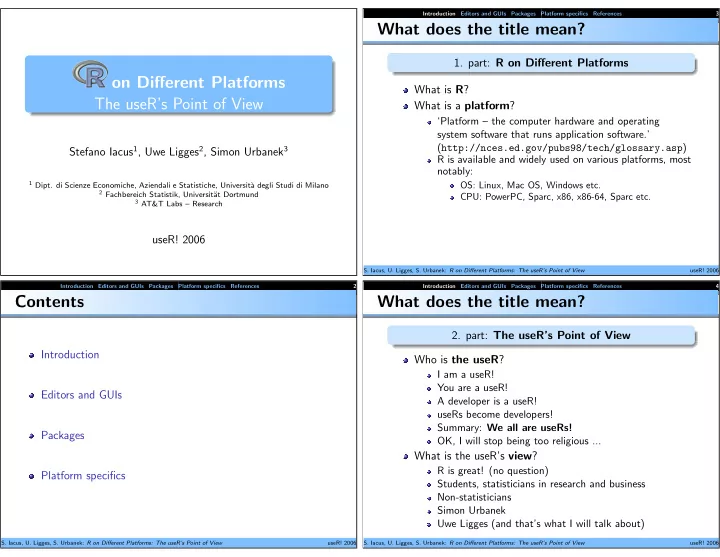
Introduction Editors and GUIs Packages Platform specifics References 3 What does the title mean? 1. part: R on Different Platforms on Different Platforms What is R ? The useRs Point of View What is a platform ? Platform the


slide-1
SLIDE 1
  • n Different Platforms

The useR’s Point of View

Stefano Iacus1, Uwe Ligges2, Simon Urbanek3

1 Dipt. di Scienze Economiche, Aziendali e Statistiche, Universit`

a degli Studi di Milano

2 Fachbereich Statistik, Universit¨

at Dortmund

3 AT&T Labs – Research

useR! 2006

Introduction Editors and GUIs Packages Platform specifics References 2

Contents

Introduction Editors and GUIs Packages Platform specifics

  • S. Iacus, U. Ligges, S. Urbanek: R on Different Platforms: The useR’s Point of View

useR! 2006 Introduction Editors and GUIs Packages Platform specifics References 3

What does the title mean?

  • 1. part: R on Different Platforms

What is R? What is a platform?

‘Platform – the computer hardware and operating system software that runs application software.’ (http://nces.ed.gov/pubs98/tech/glossary.asp) R is available and widely used on various platforms, most notably:

OS: Linux, Mac OS, Windows etc. CPU: PowerPC, Sparc, x86, x86-64, Sparc etc.

  • S. Iacus, U. Ligges, S. Urbanek: R on Different Platforms: The useR’s Point of View

useR! 2006 Introduction Editors and GUIs Packages Platform specifics References 4

What does the title mean?

  • 2. part: The useR’s Point of View

Who is the useR?

I am a useR! You are a useR! A developer is a useR! useRs become developers! Summary: We all are useRs! OK, I will stop being too religious ...

What is the useR’s view?

R is great! (no question) Students, statisticians in research and business Non-statisticians Simon Urbanek Uwe Ligges (and that’s what I will talk about)

  • S. Iacus, U. Ligges, S. Urbanek: R on Different Platforms: The useR’s Point of View

useR! 2006

slide-2
SLIDE 2

Introduction Editors and GUIs Packages Platform specifics References 5

Time for an introduction

Work on a desktop with Windows, number crunching under Linux and do it with the Mac at home! We try to answer some useRs’ questions on their way to become developers.

What’s common among platforms? − → Everything – at least almost What’s different between platforms? − → Not that much

  • S. Iacus, U. Ligges, S. Urbanek: R on Different Platforms: The useR’s Point of View

useR! 2006 Introduction Editors and GUIs Packages Platform specifics References 6

Where is the GUI?

GUI: Graphical User Interface JGR http://rosuda.org/JGR/ Rcmdr (Fox, 2005) R-Excel (Baier and Neuwirth, 2003) SciViews (Grosjean, 2003) . . . session on Teaching and User Interfaces

  • S. Iacus, U. Ligges, S. Urbanek: R on Different Platforms: The useR’s Point of View

useR! 2006 Introduction Editors and GUIs Packages Platform specifics References 7

What is the “right” editor to use?

platform independent (one environment for all platforms!?) editor we are most used to (don’t switch!?) some choices:

Emacs and ESS (Rossini et al., 2004) JGR http://rosuda.org/JGR/ vi ...

some more Windows only choices:

notepad SciViews (Grosjean, 2003) Tinn-R (Tinn-R Development Team, 2006) WinEdt with RWinEdt (Ligges, 2003) . . .

  • S. Iacus, U. Ligges, S. Urbanek: R on Different Platforms: The useR’s Point of View

useR! 2006 Introduction Editors and GUIs Packages Platform specifics References 8

Packages

Standardized mechanism to distribute data, code, documentation, ... No OS dependency, except:

OS dependent functions Linking to OS depending external code Relying on OS depending external software (compiled html in installed Windows packages)

Easy to build, install, check on all platforms

  • S. Iacus, U. Ligges, S. Urbanek: R on Different Platforms: The useR’s Point of View

useR! 2006

slide-3
SLIDE 3

Introduction Editors and GUIs Packages Platform specifics References 9

How to install and manage packages?

Install package PackageName into library LibDir: R CMD INSTALL -l LibDir PackageName_ver.tar.gz ... and again: install.packages("PackageName", lib = "LibDir") Various further functions such as: update.packages(checkBuilt = TRUE)

  • S. Iacus, U. Ligges, S. Urbanek: R on Different Platforms: The useR’s Point of View

useR! 2006 Introduction Editors and GUIs Packages Platform specifics References 10

Installing source packages under Windows

So what? It’s easy! Manual: R Installation and Administration (R Development Core Team, 2006) Example: R Help Desk: Make ‘R CMD’ Work under Windows - an Example (Ligges and Murdoch, 2005)

  • S. Iacus, U. Ligges, S. Urbanek: R on Different Platforms: The useR’s Point of View

useR! 2006 Introduction Editors and GUIs Packages Platform specifics References 11

Installing source packages under Windows

Required Software R tools: http://www.murdoch-sutherland.com/Rtools Perl: http://www.activestate.com/Products/ ActivePerl/Download.html MinGW ‘candidate’ compilers (http://www.mingw.org): gcc-core-VER.tar.gz, gcc-g++-VER.tar.gz, gcc-g77-VER.tar.gz, binutils-VER.tar.gz, mingw-runtime-VER.tar.gz and w32api-VER.tar.gz MS HTML Help Workshop: http://www.microsoft. com/office/ork/xp/appndx/appa06.htm L

AT

EX (e.g. MikTeX): http://www.miktex.org/setup.html

  • S. Iacus, U. Ligges, S. Urbanek: R on Different Platforms: The useR’s Point of View

useR! 2006 Introduction Editors and GUIs Packages Platform specifics References 12

Installing source packages under Windows

Required Settings Environment variable ‘PATH’: PATH=.;c:\devel\tools\bin;c:\devel\MinGW\bin; c:\devel\R-2.3.1\bin;c:\devel\HtmlHelp; c:\devel\Perl\bin;c:\devel\texmf\miktex\bin; %PATH% Environment variable ‘TMPDIR’ Edit file c:\devel\R-2.3.1\src\gnuwin32\MkRules: HHWDIR=c:/devel/HtmlHelp

  • S. Iacus, U. Ligges, S. Urbanek: R on Different Platforms: The useR’s Point of View

useR! 2006

slide-4
SLIDE 4

Introduction Editors and GUIs Packages Platform specifics References 13

Installing binary packages under Windows

install a binary package (given the repository supports Windows binaries): R> install.packages("PackageName", R+ lib = "LibDir") canonical form of the repository (using R-2.3.1): R> contrib.url("http://foo.org/") [1] "http://foo.org/bin/windows/contrib/2.3" (at least) for CRAN, it is worth looking into the check summary

  • S. Iacus, U. Ligges, S. Urbanek: R on Different Platforms: The useR’s Point of View

useR! 2006 Introduction Editors and GUIs Packages Platform specifics References 14

CRAN Windows Binaries’ Package Check

Last updated on 2006-06-13 17:51:39 (simplified) No Package Version R-2.3.1

  • Inst. time

Check time ... ... ... ... ... ... 741 vioplot 0.2 OK 51 46 742 wavelets 0.2-1 OK 26 88 743 waveslim 1.5 OK 58 109 744 wavethresh 2.2-8 OK 30 75 745 wccsom 1.1.0 OK 18 87 746 wle 0.9-2 OK 24 365 747 xgobi 1.2-13 ReadMe 748 xtable 1.3-2 OK 22 52 749 zicounts 1.1.4 WARNING 26 46 750 zoo 1.1-0 OK 23 60 SUM (in hours) on a Xeon 3.06 GHz: 6.34 19.77

  • S. Iacus, U. Ligges, S. Urbanek: R on Different Platforms: The useR’s Point of View

useR! 2006 Introduction Editors and GUIs Packages Platform specifics References 15

Which features are platform specific?

Some packages (binary, and those depending on other platform specific stuff) Some memory management Some graphics devices GUI Performance?

  • S. Iacus, U. Ligges, S. Urbanek: R on Different Platforms: The useR’s Point of View

useR! 2006 Introduction Editors and GUIs Packages Platform specifics References 16

Platform specific packages

Windows only CRAN packages (< 10 of 750):

BRugs – OpenBUGS mimR – mim interface rcom – R COM interface RWinEdt – WinEdt “interface” spectrino – spectral analysis software tcltk2 – SciViews GUI API ... ?

non-Windows CRAN packages (< 20 of 750):

snow – Simple Network Of Workstations nice – handling UNIX niceness ...

  • S. Iacus, U. Ligges, S. Urbanek: R on Different Platforms: The useR’s Point of View

useR! 2006

slide-5
SLIDE 5

Introduction Editors and GUIs Packages Platform specifics References 17

Platform specific functions

Windows only/specific functions Graphics devices, e.g. windows(), win.print(), win.metafile(), png(), bmp(), jpeg(), savePlot(), ... GUI, e.g. winDialog(), ... Memory, e.g. memory.limit(), memory.size(), ... Package management, e.g. install.packages(), ... Shell, e.g. shell(), shell.exec(), (system()), ... Others, e.g. read.clipboard(), ... ...

  • S. Iacus, U. Ligges, S. Urbanek: R on Different Platforms: The useR’s Point of View

useR! 2006 Introduction Editors and GUIs Packages Platform specifics References 18

Memory

Memory 32 bit OS: limited address space Windows (R only supported on 32 bit versions!):

address space for a single process: 2Gb (or up to 3Gb) command line flag --max-mem-size: default is the smaller of the amount of physical RAM and 1024Mb memory.size(): ‘reports the current or maximum memory allocation’ memory.limit(): ‘reports or increases the limit in force on the total allocation’ R for Windows FAQ (Ripley and Murdoch, 2006)

64 bit OS − → Linux for the rather big problems good reason for > 1 platforms, if you do not want to discard Windows

  • S. Iacus, U. Ligges, S. Urbanek: R on Different Platforms: The useR’s Point of View

useR! 2006 Introduction Editors and GUIs Packages Platform specifics References 19

Speed

Speed Linux wins vs. Windows (∼ 10%) in the old days, gcc for 64 bit resulted in slow code

  • ptimized (B)LAS:

standard ACML (AMD Core Math Library) ATLAS (Automatically Tuned Linear Algebra Software) Goto’s BLAS benchmark example: set.seed(123) X <- matrix(rnorm(1e6), 1000) Z <- X + 0i

  • S. Iacus, U. Ligges, S. Urbanek: R on Different Platforms: The useR’s Point of View

useR! 2006 Introduction Editors and GUIs Packages Platform specifics References 20

Benchmark under Windows

Athlon 2000+ (1.67 GHz), Windows NT4 base ACML ATLAS crossprod(X) 6.0 1.0 0.6 X %*% X 12.0 1.0 0.8 Z %*% Z 26.7 3.4 3.2 solve(X, LINPACK=T) 17.5 17.4 15.5 solve(X) 12.4 2.2 2.0 solve(Z) 26.7 6.2 5.7 svd(X) 46.9 13.7 11.6 svd(Z) 170.4 126.8 126.8

  • S. Iacus, U. Ligges, S. Urbanek: R on Different Platforms: The useR’s Point of View

useR! 2006

slide-6
SLIDE 6

Introduction Editors and GUIs Packages Platform specifics References 21

Benchmark on “server systems”

(2x) Xeon 3.06GHz, Windows 2003 Server vs. SuSE Linux 9.0 Windows Linux base ATLAS base ATLAS crossprod(X) 2.5 0.4 2.5 0.3 X %*% X 5.2 0.7 5.2 0.6 Z %*% Z 11.9 2.4 11.7 1.8 solve(X, LINPACK=T) 11.5 12.6 10.8 11.7 solve(X) 6.1 1.8 5.2 1.5 solve(Z) 13.3 4.8 12.2 4.0 svd(X) 22.6 9.0 20.5 8.2 svd(Z) 110.0 92.1 90.1 70.6

  • S. Iacus, U. Ligges, S. Urbanek: R on Different Platforms: The useR’s Point of View

useR! 2006 Introduction Editors and GUIs Packages Platform specifics References 22

Simulations under Unix

long lasting number crunching, simulations R jobs with low priority in the background on Unix-like systems: nohup nice -n 14 R CMD BATCH myRfile.R & nohup: do not hang up on logout nice: be nice to other processes

  • S. Iacus, U. Ligges, S. Urbanek: R on Different Platforms: The useR’s Point of View

useR! 2006 Introduction Editors and GUIs Packages Platform specifics References 23

Summary

still unsure what “the useR’s point of view” really is Work on a desktop with Windows, number crunching under Linux and do it with the Mac at home!

  • S. Iacus, U. Ligges, S. Urbanek: R on Different Platforms: The useR’s Point of View

useR! 2006 Introduction Editors and GUIs Packages Platform specifics References 24

References I

Baier, T. and Neuwirth, E. (2003): High-Level Interface between R and Excel. In: Hornik et al. (2003). Fox, J. (2005): The R Commander: A Basic-Statistics Graphical User Interface to R. Journal of Statistical Software, 14 (9), 1–42. Grosjean, P. (2003): SciViews: An Object-Oriented Abstraction Layer to Design GUIs

  • n Top of Various Calculation Kernels. In: Hornik et al. (2003).

Hornik, K., Leisch, F., and Zeileis, A. (eds.) (2003): Proceedings of the 3rd International Workshop on Distributed Statistical Computing, March 20–22. Vienna: Technische Universit¨ at Wien. ISSN 1609-395X. URL http://www.ci.tuwien.ac.at/Conferences/DSC-2003/Proceedings/. Ligges, U. (2003): R-WinEdt. In: Hornik et al. (2003). Ligges, U. and Murdoch, D. (2005): R Help Desk: Make ‘R CMD’ Work under Windows – an Example. R News, 5 (2), 27–28. ISSN 1609-3631. URL http://CRAN.R-project.org/doc/Rnews/. R Development Core Team (2006): R Installation and Administration. R Foundation for Statistical Computing, Vienna, Austria. URL http://www.R-project.org. ISBN 3-900051-09-7. Ripley, B. and Murdoch, D. (2006): R for Windows FAQ. URL http://cran.r-project.org/bin/windows/base/rw-FAQ.html.

  • S. Iacus, U. Ligges, S. Urbanek: R on Different Platforms: The useR’s Point of View

useR! 2006

slide-7
SLIDE 7

Introduction Editors and GUIs Packages Platform specifics References 25

References II

Rossini, A., Heiberger, R., Sparapani, R., M¨ achler, M., and Hornik, K. (2004): Emacs Speaks Statistics: A Multiplatform, Multipackage Development Environment for Statistical Analysis. Journal of Computational and Graphical Statistics, 13 (1), 247–261. Tinn-R Development Team (2006): Tinn-R: A editor for R language and environment statistical computing. URL http://sourceforge.net/projects/tinn-r.

  • S. Iacus, U. Ligges, S. Urbanek: R on Different Platforms: The useR’s Point of View

useR! 2006

slide-8
SLIDE 8

R on a Mac - useR’s point of view

Uwe Ligges, Simon Urbanek and Stefano Iacus

Mac OS duality

Mac OS user ≠ developer focus on usability, friendly user interface (UI guidelines) attention to detail unix user = developer focus on versatility, extensibility Mac OS X = Mac + unix

R on a Mac - useR’s point of view

Uwe Ligges, Simon Urbanek and Stefano Iacus

R for “Mac” users

Genuine Mac look and feel Aqua look drag & drop Leverage common OS technologies seamless PDF display and data exchange localization AppleScript Friendly user interface (do not require “user = developer”)

R on a Mac - useR’s point of view

Uwe Ligges, Simon Urbanek and Stefano Iacus

R for “Mac” users

Support the workflow built-in editor integrated help system package installer data manager

  • bject editor

...

R on a Mac - useR’s point of view

Uwe Ligges, Simon Urbanek and Stefano Iacus

R for “unix” users

BSD-based unix (Darwin) + GNU tools command line R (ESS, shell-scriptable etc.) X11 devices (jpeg, png, ...) unix libraries (Tcl/Tk, Gtk, ..) “flavors” unix style - e.g. /usr/local/lib/R/... Mac OS X framework (includes classic unix structure in the Resources subdirectory)

slide-9
SLIDE 9

R on a Mac - useR’s point of view

Uwe Ligges, Simon Urbanek and Stefano Iacus

R for developers: R Framework anatomy

/Library/Frameworks/R.framework Versions Current → 2.3 2.3

Resources (R_HOME) ...

Headers → Versions/Current/Resources/include Resources → Versions/Current/Resources

R on a Mac - useR’s point of view

Uwe Ligges, Simon Urbanek and Stefano Iacus

Universal binary

Universal = Intel + PowerPC “Fat” files

  • ne file, multiple architectures (ppc, ppc64, i386, ...)

gcc -arch ppc -arch i386 -o foo.o foo.c

(Mac OS X only) sub-architectures in R separate binary directories for each architecture e.g. package/libs/ppc vs package/libs/i386 any unix-based system (e.g. x86, x86_64)

R on a Mac - useR’s point of view

Uwe Ligges, Simon Urbanek and Stefano Iacus

Universal R

Share common files (documentation, R code, ...) Separate binaries and configuration (Makeconf, ...) “Fat” framework (libR.dylib) Universal binary packages contain “libs” for both architectures (ppc+x86) can be cross-compiled on Intel Macs for PowerPC Macs available from CRAN and Bioconductor (see http://R.research.att.com/ for nighlty builds and results)

R on a Mac - useR’s point of view

Uwe Ligges, Simon Urbanek and Stefano Iacus

Compiling source packages

Requirements R Apple Xcode Tools (included in Mac OS X) gcc 4.0.3 (included in CRAN R) teTeX (optional, available e.g. via i-Installer) Installation install.packages(“foo” , type=”source”) R CMD INSTALL foo_0.1.tar.gz universal build with configure script needs 2nd step: R_ARCH=/ppc R CMD --libs-only INSTALL foo_0.1.tar.gz

slide-10
SLIDE 10

R on a Mac - useR’s point of view

Uwe Ligges, Simon Urbanek and Stefano Iacus

Writing portable binary packages

Use Makevars whenever possible multi-arch binaries are then built automatically Use Makefiles only in conjunction with autoconf Don’t use common symbols? no variable definitions in headers files (test with -fno-common in gcc) Don’t assume the library extension is .so

R on a Mac - useR’s point of view

Uwe Ligges, Simon Urbanek and Stefano Iacus

Summary

R runs on many platforms - official binaries for Windows and Mac OS X - contributed binaries for Linux distributions R attempts to accommodate different user types on different platforms Package installation consistent on all platforms Work on a desktop with Windows, number crunching under Linux and do it with the Mac at home

R on a Mac - useR’s point of view

Uwe Ligges, Simon Urbanek and Stefano Iacus

Contact

Stefano Iacus Universita degli Studi di Milano, Italy Uwe Ligges Fachbereich Statistik, Universität Dortmund, Germany Simon Urbanek AT&T Labs - Research, Florham Park, NJ