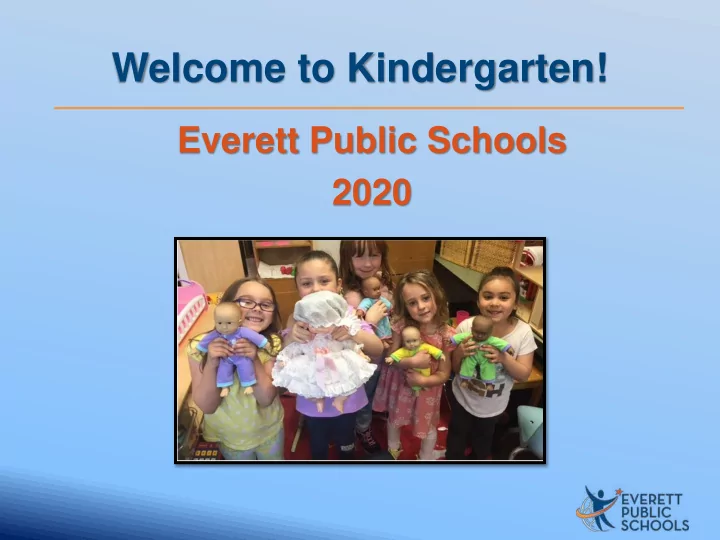
Welcome to Kindergarten! Everett Public Schools 2020 - - PowerPoint PPT Presentation

welcome to kindergarten
SMART_READER_LITE
LIVE PREVIEW

Welcome to Kindergarten! Everett Public Schools 2020 - - PowerPoint PPT Presentation

Welcome to Kindergarten! Everett Public Schools 2020 Welcome to Jefferson Elementary Thank you for joining us today! Presenters: Principal Assistant Principal Elizabeth Kelley Jalene Finley Leeanne Bennett


slide-1
SLIDE 1

Everett Public Schools 2020

Welcome to Kindergarten!

slide-2
SLIDE 2
slide-3
SLIDE 3

Thank you for joining us today!

Presenters: Principal Assistant Principal Elizabeth Kelley Jalene Finley

Welcome to Jefferson Elementary

slide-4
SLIDE 4

4

Mary Elizabeth Branch Leeanne Bennett Lisa Hanson Lindsey Wright

slide-5
SLIDE 5

Kindergarten students’ first day of school will be September 14, 2020.

First day of school

slide-6
SLIDE 6
  • September 9th, 10th and 11th –

Family Connection Meetings will be conducted via Zoom

  • Appointments will be scheduled by

your student’s teacher

Families first

slide-7
SLIDE 7

Family Connection: Purpose

  • To welcome families
  • To begin building strong relationships
  • To learn from families about children
slide-8
SLIDE 8
  • 8
slide-9
SLIDE 9

– – – – – –

slide-10
SLIDE 10

Go here Start here

Accessing Canvas & Student Tech Tools

slide-11
SLIDE 11
  • 11
slide-12
SLIDE 12

Supporting learning at home

  • Create a designated

workspace for learning

  • Post a schedule showing

work times, break times, meal times, and play times

  • Discuss online behavior

expectations

  • Whenever appropriate,

build in outdoor activities to create balance

slide-13
SLIDE 13

21st century skills

  • Citizenship
  • Collaboration
  • Communication
  • Creativity
  • Critical thinking
  • Growth mindset
slide-14
SLIDE 14

Social skills

  • Following routines
  • Sharing
  • Helping others
  • Recognizing feelings
  • Understanding emotions
  • Managing self
  • Problem solving
  • Interacting with children and adults
  • Taking on challenging tasks
slide-15
SLIDE 15

Plan-Do-Reflect

Learning through intentional choice, action and reflection

  • Plan a self-selected project

based on interests

  • Construct meaning
  • Interact with peers
  • Process new information
  • Evaluate own learning
  • Managing self
  • Inspire others to try new

ideas

  • Become an expert

Students

  • Provide a rich learning

environment

  • Observe and support

students

  • Ensure students do the hard

work

  • Coach for risk taking
  • Listen, interact and question

to extend students’ thinking

  • Validate students as experts

Teachers

slide-16
SLIDE 16

Math

  • Shapes
  • Numbers
  • Counting
  • Sorting
  • Addition
  • Subtraction
  • Measuring
  • Problem solving
slide-17
SLIDE 17

Literacy: Oral language

  • Listening and understanding
  • Expressing thoughts, feelings and ideas
  • Learning and using new words
  • Retelling familiar stories
  • Taking turns in classroom conversations
slide-18
SLIDE 18

Literacy: Learning how stories work

Telling about a memory

  • What happened?
  • Who was there?
  • Where did it happen?
  • How did you feel?
  • What did you say?
slide-19
SLIDE 19

Literacy: Beginning to write

  • Telling and drawing
  • ne’s own stories
  • Sounding out and

writing letters and words

  • Using writing in a variety
  • f ways
  • Labeling
  • Expressing opinions
  • Creating lists
  • Journaling
slide-20
SLIDE 20

Literacy: Beginning to read

  • Shared reading
  • Guided reading
  • Independent reading
  • Letters, sounds, rhyming, and beginning sight

words

slide-21
SLIDE 21

Science

Learn about

  • Life science
  • Physical science

Apply

  • Next Generation Science Standards

practices and crosscutting concepts Participate in STEM engineering challenges

  • Ask questions
  • Observe
  • Gather information
  • Design
  • Test
  • Compare possible solutions
slide-22
SLIDE 22

Specialists

slide-23
SLIDE 23

School meals

  • Meal service will be provided at

designated drive-through locations

  • Student ID number is helpful when

going through the meal line

  • Free or Reduced Price Meals

applications are distributed at the beginning of the year and available on the district website

Breakfast Lunch Full pay: $1.25 Full pay: $3.00 Free/Reduced: $0.00 Free/Reduced: Free for K-3 $0.40 for 4-5

slide-24
SLIDE 24

Before the first day

  • Develop routines to start and end day
  • Establish regular times for meals,

breaks, and outdoor activities

  • Help your child learn their student ID

number for computer log-on

  • Create a plan for how they will

communicate their needs:

  • Restroom break
  • Water break
  • Stretch break
  • Etc.
slide-25
SLIDE 25

Family involvement

  • Support your child’s learning in all areas
  • Make attendance a priority
  • Participate in school and family events
  • Participate in WaKIDS family

conference and parent-teacher conferences

  • Help with class projects/work
  • Volunteer
  • Join PTA
slide-26
SLIDE 26

Upcoming events

  • Virtual Meet & Greet
  • You Otter Pop by for

Popsicles with the Principals

  • Back-to-school

Fair

Pick up Chromebooks, paperwork, etc. Photo booth with Thunder (mascot)

slide-27
SLIDE 27

Q & A

Q: Where can I locate the Late Start Schedule? A: At the Everett Public Schools website homepage there is a link for Remote Learning. See also the link below: https://docushare.everett.k12.wa.us/docushare/dsweb/Get/Docum ent113269/Online%20schedule%20late%20start%20elementary.pdf Q: When will students’ class placements be announced? A: Watch your mailbox the week of August 31st. You can also check Home Access Center by Sept. 4.

slide-28
SLIDE 28
slide-29
SLIDE 29
slide-30
SLIDE 30