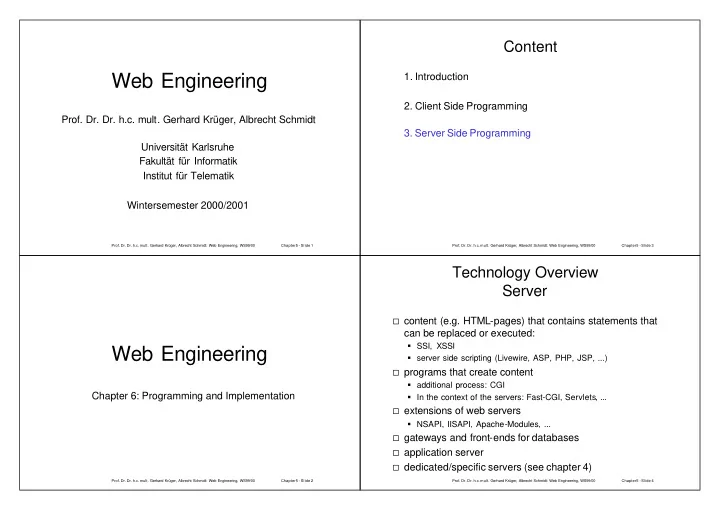
Web Engineering 1. Introduction 2. Client Side Programming Prof. - - PowerPoint PPT Presentation

web engineering
SMART_READER_LITE
LIVE PREVIEW

Web Engineering 1. Introduction 2. Client Side Programming Prof. - - PowerPoint PPT Presentation

Content Web Engineering 1. Introduction 2. Client Side Programming Prof. Dr. Dr. h.c. mult. Gerhard Krger, Albrecht Schmidt 3. Server Side Programming Universitt Karlsruhe Fakultt fr Informatik Institut fr Telematik Wintersemester


slide-1
SLIDE 1
  • Prof. Dr. Dr. h.c. mult. Gerhard Krüger, Albrecht Schmidt: Web Engineering, WS99/00

Chapter5 - Slide 1

Web Engineering

  • Prof. Dr. Dr. h.c. mult. Gerhard Krüger, Albrecht Schmidt

Universität Karlsruhe Fakultät für Informatik Institut für Telematik Wintersemester 2000/2001

  • Prof. Dr. Dr. h.c. mult. Gerhard Krüger, Albrecht Schmidt: Web Engineering, WS99/00

Chapter5 - Slide 2

Web Engineering

Chapter 6: Programming and Implementation

  • Prof. Dr. Dr. h.c. mult. Gerhard Krüger, Albrecht Schmidt: Web Engineering, WS99/00

Chapter5 - Slide 3

Content

  • 1. Introduction
  • 2. Client Side Programming
  • 3. Server Side Programming
  • Prof. Dr. Dr. h.c. mult. Gerhard Krüger, Albrecht Schmidt: Web Engineering, WS99/00

Chapter5 - Slide 4

Technology Overview Server

content (e.g. HTML-pages) that contains statements that

can be replaced or executed:

SSI, XSSI server side scripting (Livewire, ASP, PHP, JSP, ...)

programs that create content

additional process: CGI In the context of the servers: Fast-CGI, Servlets, ...

extensions of web servers

NSAPI, IISAPI, Apache-Modules, ...

gateways and front-ends for databases application server dedicated/specific servers (see chapter 4)

slide-2
SLIDE 2
  • Prof. Dr. Dr. h.c. mult. Gerhard Krüger, Albrecht Schmidt: Web Engineering, WS99/00

Chapter5 - Slide 5

Technology Statistics - Server

source: http://www.securityspace.com/s_survey/data/index.html

  • Prof. Dr. Dr. h.c. mult. Gerhard Krüger, Albrecht Schmidt: Web Engineering, WS99/00

Chapter5 - Slide 6

Technology Statistics

  • Apache

Server Modules

Server Dec 1999 Count Dec 1999 % Nov 1999 Count Nov 1999 % Change % Apache 1.3 748,251 39.18% 717,085 37.78% +1.96% IIS 4.0 433,971 22.73% 425,369 22.41% +0.52% Apache 1.2 239,911 12.56% 258,279 13.61%

  • 1.23%

IIS 3.0 61,174 3.20% 65,155 3.43%

  • 0.42%

Module Dec 1999 Count Dec 1999 % Nov 1999 Count Nov 1999 % Change % PHP 252,822 23.85% 245,153 23.34% +2.26% FrontPage 207,711 19.59% 209,213 19.92%

  • 1.55%

mod_perl 71,089 6.70% 67,886 6.46% +3.84% mod_ssl 70,190 6.62% 70,521 6.71%

  • 1.30%

Ben-SSL 25,214 2.37% 27,057 2.57%

  • 7.59%

mod_frontpage 22,899 2.16% 22,035 2.09% +3.05% mod_fastcgi 20,863 1.96% 20,595 1.96% +0.50% ApacheJServ 16,195 1.52% 14,118 1.34% +13.75% rus 13,857 1.30% 13,871 1.32%

  • 0.94%

AuthMySQL 13,495 1.27% 13,646 1.29%

  • 1.93%

mod_czech 3,166 0.29% 3,237 0.30%

  • 3.01%

mod_oas 737 0.06% 690 0.06% +3.34% mod_macro 578 0.05% 604 0.05% +5.92% mod_throttle 313 0.02% 387 0.03%

  • 19.80%

AuthPostgreSQL 250 0.02% 385 0.03%

  • 35.61%

mod_jserv 124 0.01% 132 0.01%

  • 6.85%

mod_traffic 54 0.00% 54 0.00%

  • 0.01%
  • Prof. Dr. Dr. h.c. mult. Gerhard Krüger, Albrecht Schmidt: Web Engineering, WS99/00

Chapter5 - Slide 7

Technology Statistics- Apache Server Modules II

Module January 2001 Count January 2001 % December 2000 Count December 2000 % Growth % PHP 541528 37.06% 511155 36.43% 1.74% FrontPage 281874 19.29% 271677 19.36%

  • 0.36%

perl 170663 11.68% 161527 11.51% 1.46% mod_ssl 167937 11.49% 154005 10.98% 4.72% OpenSSL 153708 10.52% 139713 9.96% 5.65% ApacheJSer v 59452 4.07% 55724 3.97% 2.46% Rewrit 19197 1.31% 17201 1.23% 7.17% mod_fastcgi 15440 1.06% 13541 0.97% 9.50% DAV 8635 0.59% 7643 0.54% 8.50%

  • Prof. Dr. Dr. h.c. mult. Gerhard Krüger, Albrecht Schmidt: Web Engineering, WS99/00

Chapter5 - Slide 8

Technology Penetration

Location Technology 2001 1999 Client JavaScript 37,45% 22.65% Client Frames 31,21% 22.30% Client Java 5,17% 4.24% Client Style Sheets 12,62% N.N Server Active Server Pages N.N 9.74% Server Cold Fusion N.N 3.25%

source: http://www.securityspace.com/s_survey/data/man.200101/techpen.html

Percentage

slide-3
SLIDE 3
  • Prof. Dr. Dr. h.c. mult. Gerhard Krüger, Albrecht Schmidt: Web Engineering, WS99/00

Chapter5 - Slide 9

Technology Statistics Usage of PHP

  • Prof. Dr. Dr. h.c. mult. Gerhard Krüger, Albrecht Schmidt: Web Engineering, WS99/00

Chapter5 - Slide10

Server Side Include (SSI)

HTML page is parsed by the server before it is sent to

the client

defined strings/expressions are dynamically replaced transparent for the client

  • nly HTML is provided by the server

used for

navigational elements header footer

server configuration

e.g. Apache: AddType text/x-server-parsed-html .shtml

  • Prof. Dr. Dr. h.c. mult. Gerhard Krüger, Albrecht Schmidt: Web Engineering, WS99/00

Chapter5 - Slide11

SSI - Directives (Excerpt)

echo var

puts in the value of environment variables

include file

includes the content from a file

exec cmd

executes a command and includes the output

flastmod file, fsize file

puts in the date of the last change, size of a file

  • Prof. Dr. Dr. h.c. mult. Gerhard Krüger, Albrecht Schmidt: Web Engineering, WS99/00

Chapter5 - Slide12

SSI - Examples I

echo var

<HTML><HEAD><TITLE>SSI Echo Sample</TITLE></HEAD> <BODY> Welcome to my Server: <!--#echo var=“SERVER_NAME”--> <BR> Local Time here is: <!--#echo var=“DATE_LOCAL”--> <BR> You are connected from: <!--#echo var=“REMOTE_HOST”--> <BR> And you requested the following file: <!--#echo var=“DOCUMENT_NAME”--> </BODY> </HTML>

include file

virtual: relative to server root directory file: from the current directory

<HTML><HEAD><TITLE>SSI Include Sample</TITLE></HEAD> <BODY> Here is our Navigation Header<BR> <!--#include virtual=“/header.html”

  • ->

Here is the Text of the page … <BR> Here is our Footer<BR> <!--#include file=“footer.html”--> </BODY> </HTML>

slide-4
SLIDE 4
  • Prof. Dr. Dr. h.c. mult. Gerhard Krüger, Albrecht Schmidt: Web Engineering, WS99/00

Chapter5 - Slide13

SSI - Examples II

Exec cmd

(attention - security!)

<HTML><HEAD><TITLE>SSI Exec Sample</TITLE></HEAD> <BODY> call a cgi file: <!--#exec cgi=“/scripts/add.pl?FirstName+LastName” --> <BR> call a programm file: <!--#exec cmd=“/bin/finger $REMOTE_USER@REMOTE_HOST” --> <BR> </BODY> </HTML>

flastmod file, fsize file

<HTML><HEAD><TITLE>SSI flastmod Sample</TITLE></HEAD> <BODY> The file test.pdf was last modified at <!--#flastmod file=“test.pdf”--> the file size is <!--#fsize file=“test.pdf”--> </BODY> </HTML>

  • Prof. Dr. Dr. h.c. mult. Gerhard Krüger, Albrecht Schmidt: Web Engineering, WS99/00

Chapter5 - Slide14

Apache XSSI (1)

printenv

function to print all values of variables that are set useful for debugging example: <!--#printenv -->

set

set a variable (name and value) <!--#set var="category" value="help" -->

  • <!--#set var="gmt"

value="${REMOTE_HOST}_${DATE_GMT}" -->

include variables (for the current document)

DATE_GMT DATE_LOCAL DOCUMENT_NAME DOCUMENT_URI LAST_MODIFIED

  • Prof. Dr. Dr. h.c. mult. Gerhard Krüger, Albrecht Schmidt: Web Engineering, WS99/00

Chapter5 - Slide15

Apache XSSI – (2)

Flow Control Elements

<!--#if expr="test_condition" --> <!--#elif expr="test_condition" --> <!--#else --> <!--#endif -->

test_condition

string string1 = string2 string1 != string2 ( test_condition ) ! test_condition test_condition1 && test_condition2 test_condition1 || test_condition2 <!--#if expr="$a = test1 && $b = test2" --> <!--#if expr="($a = test1) && ($b = test2)" -->

  • Prof. Dr. Dr. h.c. mult. Gerhard Krüger, Albrecht Schmidt: Web Engineering, WS99/00

Chapter5 - Slide16

Apache XSSI – example (1)

<!--#set var="category" value="help" -- > <!--#set var="request" value="${REMOTE_HOST}_${REQUEST_METHOD}" --> <H2>Print All Variables</h2> <!--#printenv --> <H2>XSSI Control Structure</h2> <!--#if expr="\"$DOCUMENT_URI\" = \"/lehre/webe/beispiele/ xssi.html\"" --> The File is called xssi.html <!--#elif expr="\"$DOCUMENT_URI\" = \"/lehre/webe/beispiele/ssi.html\""--> The File is called ssi.html <!--#else --> I dont know the file! <!--#endif -->

http://www.teco.edu/lehre/webe/beispiele/xssi.html

slide-5
SLIDE 5
  • Prof. Dr. Dr. h.c. mult. Gerhard Krüger, Albrecht Schmidt: Web Engineering, WS99/00

Chapter5 - Slide17

example (2)

  • Prof. Dr. Dr. h.c. mult. Gerhard Krüger, Albrecht Schmidt: Web Engineering, WS99/00

Chapter5 - Slide18

Sessions – State for Applications

URL

state / session information is coded in the URL

Hidden-Variables

additional variables – so called hidden variables – are included in the form and the contain additional information it is possible to store all session information or only a reference to session information in hidden variables the user can see hidden variables in the source of a document (e.g. view source code)

Cookies

session / state information is store at the client side (e.g. small files handled by the browser) – this information is called cookie attention: the user can disable/disallow Cookies! see HTTP protocol

  • Prof. Dr. Dr. h.c. mult. Gerhard Krüger, Albrecht Schmidt: Web Engineering, WS99/00

Chapter5 - Slide19

Security on Server Side

example SSI

<HTML><HEAD><TITLE>SSI Exec Sample</TITLE></HEAD> <BODY> call a cgi file: <!-- #exec cgi=“/scripts/add.pl?FirstName+LastName” --> <BR> call a programm file: <!-- #exec cmd=“/bin/finger $REMOTE_USER@$REMOTE_HOST” --> <BR> </BODY> </HTML>

usage as expected:

$REMOTE_USER = " albrecht" $REMOTE_HOST = "teco03a.teco.edu"

malicious usage – server at risk!

$REMOTE_USER = "; rm /etc/passwd" $REMOTE_HOST = "teco03a.teco.edu"

similar problems with CGI solution: check parameter!

  • Prof. Dr. Dr. h.c. mult. Gerhard Krüger, Albrecht Schmidt: Web Engineering, WS99/00

Chapter5 - Slide20

Server Side Script vs. CGI

Server Side Script: program code included in HTML (e.g. PHP)

<HTML><HEAD> <TITLE>Search results for "<?php print $query; ?>"</TITLE> </HEAD> <BODY> ...

CGI Program: HTML is the output of the Program (e.g. Perl)

#!/usr/bin/perl print "<HTML><HEAD>\n"; print " <TITLE>Search results for \"$query\"</TITLE>\n"; print "</HEAD>\n"; print "<BODY>\n"; ...

slide-6
SLIDE 6
  • Prof. Dr. Dr. h.c. mult. Gerhard Krüger, Albrecht Schmidt: Web Engineering, WS99/00

Chapter5 - Slide21

Server Side Scripting

integration of executable code in HTML extending the concept of SSI programs know the context of the servers programs are not transmitted to the client

protecting the source code no scripting capabilities of the browser required

example

CGI-Wrapper LiveWire PHP Active Server Pages (ASP) Java Server Pages (JSP)

  • Prof. Dr. Dr. h.c. mult. Gerhard Krüger, Albrecht Schmidt: Web Engineering, WS99/00

Chapter5 - Slide22

CGI-Wrapper

a CGI-Script that takes the name of the file that

should be parsed as parameter

embedded keywords are replaced by the script all other parts of the document are unchanged usage

e.g. definition of HTML-macros

  • Prof. Dr. Dr. h.c. mult. Gerhard Krüger, Albrecht Schmidt: Web Engineering, WS99/00

Chapter5 - Slide23

LiveWire

Server Side JavaScript proprietary solution for the Netscape server Hello World

<SERVER> write("Hello world")</SERVER>

  • Prof. Dr. Dr. h.c. mult. Gerhard Krüger, Albrecht Schmidt: Web Engineering, WS99/00

Chapter5 - Slide24

LiveWire - Objects

server

the same for all applications (e.g. hostname)

client

data for a specific client (e.g. session) lifetime – becomes invalid after a certain time

project

common data of one application

request

access to parameter given in the current request (e.g. form data) environment variables

database

access to databases

slide-7
SLIDE 7
  • Prof. Dr. Dr. h.c. mult. Gerhard Krüger, Albrecht Schmidt: Web Engineering, WS99/00

Chapter5 - Slide25

PHP Overview

Server Side Script language

control structure dynamic types associative arrays string functions

cross platform inspired by the languages: C, Perl, Java simple integration of

system functions and file access (String, Math, File, ...) Database access media types (z.B. generation of images, PDF, XML, ZIP, ...) further protocols (e.g. LDAP, DNS, IMAP, ...)

  • Prof. Dr. Dr. h.c. mult. Gerhard Krüger, Albrecht Schmidt: Web Engineering, WS99/00

Chapter5 - Slide26

Embedding PHP

embedding statements in HTML

syntax

SGML style: <? code ?> XML style: <?php code ?> ASP style: <% code %> Javascript style: <script language="php">code</script>

syntax example

<H1>Browser Test</H1> <?php if(strstr($HTTP_USER_AGENT,"MSIE")) { ?> <b>You are using Internet Explorer</b> <?php } else { ?> <b>You are not using Internet Explorer</b> <?php } ?> <br>See you later!</b>

  • utput

<H1>Browser Test</H1> <b>You are not using Internet Explorer</b> <br>See you later!</b>

  • Prof. Dr. Dr. h.c. mult. Gerhard Krüger, Albrecht Schmidt: Web Engineering, WS99/00

Chapter5 - Slide27

File Access

example <PRE><?php readfile("/proc/cpuinfo");?></PRE>

  • utput

processor : 0 vendor_id : GenuineIntel cpu family : 6 model name : Pentium II (Deschutes) ...

  • Prof. Dr. Dr. h.c. mult. Gerhard Krüger, Albrecht Schmidt: Web Engineering, WS99/00

Chapter5 - Slide28

PHP Database Access (SQL)

SQL-example <?php mysql_pconnect("db.server.com", "username", "password"); mysql_select_db("products"); $result = mysql_query("SELECT * FROM details"); if ($result) { echo "<TABLE>\n"; echo " <TR><TH>Name</TH><TH>Description</TH></TR>\n"; while ($a = mysql_fetch_array($result)) { echo "<TR><TD>$a[name]</TD>", "<TD>$a[descr]</TD></TR>"; } echo "</TABLE>"; } else { echo "<P>Nothing to see here."; } ?>

slide-8
SLIDE 8
  • Prof. Dr. Dr. h.c. mult. Gerhard Krüger, Albrecht Schmidt: Web Engineering, WS99/00

Chapter5 - Slide29

Variables and Forms in PHP

form

... <form action="action.php3" method="POST"> Your name: <input type=text name=name><br> You age: <input type=text name=age><br> <input type=submit> </form> ..

access of data in variables of forms

file: action.php3:

... Hi <?php echo $name?>. You are <?php echo $age?> years old. ...

  • Prof. Dr. Dr. h.c. mult. Gerhard Krüger, Albrecht Schmidt: Web Engineering, WS99/00

Chapter5 - Slide30

Multi-page Forms (1)

function: display_name()

<?php function display_name() { global $PHP_SELF; ?> <FORM TARGET="<?php echo $PHP_SELF; ?>" METHOD=GET> Name: <INPUT TYPE=TEXT NAME="name"><BR> <INPUT TYPE=HIDDEN NAME="stage" VALUE="cheese"> <INPUT TYPE=SUBMIT VALUE="Thanks!"> </FORM> <?php } ?> Aus: http://www.builder.com/Programming/PHPIntro/ss01.html

  • Prof. Dr. Dr. h.c. mult. Gerhard Krüger, Albrecht Schmidt: Web Engineering, WS99/00

Chapter5 - Slide31

Multi-page Forms (2)

  • function: display_cheese()

<?php function display_cheese() { global $PHP_SELF; global $ name; ?> <FORM TARGET="<?php echo $PHP_SELF; ?>" METHOD=GET> Favorite Cheese: <INPUT TYPE=RADIO NAME="cheese" VALUE="brie">Soft <INPUT TYPE=RADIO NAME="cheese" VALUE="cheddar">English <INPUT TYPE=RADIO NAME="cheese" VALUE="mozzarella">Italian Favorite Times to Eat Cheese: <INPUT TYPE=CHECKBOX NAME="times[]" VALUE="m">Morning <INPUT TYPE=CHECKBOX NAME="times[]" VALUE="n">Noon <INPUT TYPE=CHECKBOX NAME="times[]" VALUE="d">Dinner <INPUT TYPE=HIDDEN NAME="name" VALUE="<?php echo htmlspecialchars($name); ?>"> <INPUT TYPE=HIDDEN NAME="stage" VALUE="results"> <INPUT TYPE=SUBMIT VALUE="Thanks!"> </FORM> <?php } ?>

  • Prof. Dr. Dr. h.c. mult. Gerhard Krüger, Albrecht Schmidt: Web Engineering, WS99/00

Chapter5 - Slide32

Multi-page Forms (3)

application logic

<?php if (empty($stage)) { display_name(); } elseif ($stage == 'cheese') { display_cheese(); } else { process_form(); } ?>

multi-page forms cane be realize in one program file applications:

process that divide into branches input validation

advantage

user calls always the same URL no problems if the script is called directly (e.g. bookmark) user navigation (e.g. Back-Button) is no problem

slide-9
SLIDE 9
  • Prof. Dr. Dr. h.c. mult. Gerhard Krüger, Albrecht Schmidt: Web Engineering, WS99/00

Chapter5 - Slide33

Generation and Manipulation of Images

GIF with TrueType font

GIF-image with 150 x 30 Pixel, 2 colors text: ABCabc123 font: ARIAL <?php Header("Content-type: image/gif"); $im = ImageCreate(150,30); $white = ImageColorAllocate($im, 255,255,255); $black = ImageColorAllocate($im, 0,0,0); ImageTTFText($im, 20, 0, 10, 20, $black, ""/path/arial.ttf"", "ABCabc123"); ImageGif($im); ImageDestroy($im); ?>

  • Prof. Dr. Dr. h.c. mult. Gerhard Krüger, Albrecht Schmidt: Web Engineering, WS99/00

Chapter5 - Slide34

PHP Peculiarity

In PHP it is also possible to write unstructured code that is hard to read!

  • dynamic

variables

$var = "test"; $$var = "this"; echo "$var ${$var}";

  • utput:

test this

could be useful when accessing a database and the return values is a associative array.

  • HTML and PHP can be mixed in the output

<H1>Code sample</H1> <?php if ($result) { echo "There is a result: $result\n"; } else { ?> Nothing to see here. <?php } ?>

  • Prof. Dr. Dr. h.c. mult. Gerhard Krüger, Albrecht Schmidt: Web Engineering, WS99/00

Chapter5 - Slide35

Active Server Pages

include scripts in HTML-pages on IIS proprietary solution for

Microsoft Internet Information Server (from Version 3.0)

different languages

Visual Basic (standard) JScript (integrated) further third-party languages (e.g. PERL)

part of the Active Server Platform

integration of ActiveX Server components access to data by objects (similar to LiveWire)

  • Prof. Dr. Dr. h.c. mult. Gerhard Krüger, Albrecht Schmidt: Web Engineering, WS99/00

Chapter5 - Slide36

Active Server Pages - Examples

<% … %> Script-Tag <SCRIPT LANGUAGE=“VBSCRIPT“ RUNAT=Server> Hello World in VBScript <% For i = 1 To 5 %> <Font Size=<% = i %>>Hello World</font><BR> <% Next %> Hello World in JScript <SCRIPT LANGUAGE=“JScript“ RUNAT=Server> <% var i; for (i=1;i<=5;i++) { Response.write (´<font size=´ + i + ´>Hello World</font><BR>´); } %>

slide-10
SLIDE 10
  • Prof. Dr. Dr. h.c. mult. Gerhard Krüger, Albrecht Schmidt: Web Engineering, WS99/00

Chapter5 - Slide37

ASP - Objects

Application

data in one application, supports multiple users

Request

access to environment variables, variables from forms, values from Cookies, access to the Query-String

Response

create the output document create Cookies

Server

server specific data parameter for scripts

Session

to manage data within a session

  • Prof. Dr. Dr. h.c. mult. Gerhard Krüger, Albrecht Schmidt: Web Engineering, WS99/00

Chapter5 - Slide38

ASP – Input and Output

using the objects Request and Response access to environment variables, e.g.

Request.ServerVariables("HTTP_USER_AGENT")

access to values of variables from forms, e.g.

Request.QueryString ("FirstName")

write data in the reply document, e.g.

Response.Write("Hello World!")

session, e.g.

Response.Cookies("WebE")="A Cookie„ Response.Cookies("WebE").Expires

  • Prof. Dr. Dr. h.c. mult. Gerhard Krüger, Albrecht Schmidt: Web Engineering, WS99/00

Chapter5 - Slide39

Java Server Pages – JSP (1)

  • Prof. Dr. Dr. h.c. mult. Gerhard Krüger, Albrecht Schmidt: Web Engineering, WS99/00

Chapter5 - Slide40

Java Server Pages – JSP (2)

http://java.sun.com/products/jsp/whitepaper.html http://java.sun.com/products/jsp/jsp

_servlet.html

slide-11
SLIDE 11
  • Prof. Dr. Dr. h.c. mult. Gerhard Krüger, Albrecht Schmidt: Web Engineering, WS99/00

Chapter5 - Slide41

Common Gateway Interface

specification for the interface between web-server

and applications on the server,

more abstract between the form on the client and the application processing the data from form

pairs of name and value processing by external programs on the server

any programming language (e.g. PERL, C, C++, TCL, ...)

each „CGI-Program“ is started separately

Reading: Shishir Gundavaram, CGI-Programming

Programming course (German): c‘t 24/1998 (S. 256) und c‘t 25/1998 (S. 226)

  • Prof. Dr. Dr. h.c. mult. Gerhard Krüger, Albrecht Schmidt: Web Engineering, WS99/00

Chapter5 - Slide42

CGI and Server Configuration

the server needs to know that a certain file

should be executed instead of served

procedure

directory (e.g. everything in / cgi-bin/ will be executed) all files of a certain type (e.g. *.cgi will be executed) specifying individual files

e.g. Apache

ScriptAlias /cgi-bin /usr/local/http/cgi-bin/ AddType application/x-http-cgi .pl .sh .cgi

  • Prof. Dr. Dr. h.c. mult. Gerhard Krüger, Albrecht Schmidt: Web Engineering, WS99/00

Chapter5 - Slide43

CGI and HTML-Forms

forms for data acquisition in the ACTION-Tag

URL of the CGI-program that should be executed HTTP method (how data from the form is transmitted) coding

variables

different input types session information - type hidden

submit button

  • Prof. Dr. Dr. h.c. mult. Gerhard Krüger, Albrecht Schmidt: Web Engineering, WS99/00

Chapter5 - Slide44

CGI Parameter

variables are define in HTML-forms user gives values for the variables two methods to sent the values to the server

GET

parameter is attached to the request-URL

POST

parameter is provided in the body of the request

slide-12
SLIDE 12
  • Prof. Dr. Dr. h.c. mult. Gerhard Krüger, Albrecht Schmidt: Web Engineering, WS99/00

Chapter5 - Slide45

CGI Parameter using GET

variables are coded in the request-URL <URL>?value1

uses for exactly one value (used HTML command <ISINDEX>) is given to the CGI-Program as first argument (same as a command-line argument)

<URL>?var1=val1&var2=val2

the environment variable QUERY_STRING is set with the string after the '?' and can be read by the CGI-Program

problem

  • n some systems the length of a URL is restricted
  • Prof. Dr. Dr. h.c. mult. Gerhard Krüger, Albrecht Schmidt: Web Engineering, WS99/00

Chapter5 - Slide46

CGI and GET Method - Example I

GET (show.cgi shows exactly the request)

<FORM method=”GET" action=”http://www.teco.edu:8080/show.cgi"> <input type=hidden name="session" value="331"> <p>Comments: <p><textarea name="Comments" rows="5" cols="35"></textarea> <p>Category: <p><select name="Category" size="1"> <option selected>A</option> <option>B</option> </select> </p> <p>Name:<input type="TEXT" name="Name" value size="35"> <p><input type="SUBMIT" value="submit"> <input type="RESET" value="reset"> </form>

  • Prof. Dr. Dr. h.c. mult. Gerhard Krüger, Albrecht Schmidt: Web Engineering, WS99/00

Chapter5 - Slide47

CGI and GET Method - Example II

HTTP Request

GET /show.cgi?session=331&Comments=line+1+----%0D%0Aline+2+-

  • ----%0D%0Aline+3+--------

&Category=B&Name=Name1 HTTP/1.1

  • Prof. Dr. Dr. h.c. mult. Gerhard Krüger, Albrecht Schmidt: Web Engineering, WS99/00

Chapter5 - Slide48

CGI Parameter using POST

Variables are coded in the body of the request the body of the request is provided to the application

as standard input (e.g. same as myProg.pl < file)

slide-13
SLIDE 13
  • Prof. Dr. Dr. h.c. mult. Gerhard Krüger, Albrecht Schmidt: Web Engineering, WS99/00

Chapter5 - Slide49

CGI and POST Method - Example I

POST (show.cgi shows exactly the request)

<FORM method=”POST" action=”http://www.teco.edu:8080/show.cgi"> <input type=hidden name="session" value="331"> <p>Comments: <p><textarea name="Comments" rows="5" cols="35"></textarea> <p>Category: <p><select name="Category" size="1"> <option selected>A</option> <option>B</option> </select> </p> <p>Name:<input type="TEXT" name="Name" value size="35"> <p><input type="SUBMIT" value="submit"> <input type="RESET" value="reset"> </form>

  • Prof. Dr. Dr. h.c. mult. Gerhard Krüger, Albrecht Schmidt: Web Engineering, WS99/00

Chapter5 - Slide50

CGI and POST Method - Example II

HTTP Request

POST /show.cgi HTTP/1.1 Accept: image/gif, image/jpeg, */* Accept-Language: en-us Content-Type: application/x-www-form-urlencoded User-Agent: Mozilla/4.0 (compatible; MSIE 4.01; Windows NT) Host: www.teco.edu:8080 Content-Length: 94 session=331&Comments=line+1+

  • --%0D%0Aline+2+------%0D%0Aline+3+--
  • ------&Category=A&Name=Name2
  • Prof. Dr. Dr. h.c. mult. Gerhard Krüger, Albrecht Schmidt: Web Engineering, WS99/00

Chapter5 - Slide51

CGI Parameter

Most programming languages the are used for writing

www applications have mechanism to make it easy for the CGI program to access the parameters. Often this is even transparent for the programmer.

usually form values are accessible in variables e.g. Perl using a www-lib, C using a www-lib

Further environment variables that are available, e.g.

REQUEST_METHOD PATH_INFO, PATH_TRANSLATED REMOTE_HOST, REMOTE_ADDR SERVER_SOFTWARE, SERVER_NAME, SERVER_PORT CONTENT_TYPE, CONTENT_LENGTH

  • Prof. Dr. Dr. h.c. mult. Gerhard Krüger, Albrecht Schmidt: Web Engineering, WS99/00

Chapter5 - Slide52

CGI and Authentication

authentication of the user provided

variables

AUTH_TYPE REMOTE_USER

slide-14
SLIDE 14
  • Prof. Dr. Dr. h.c. mult. Gerhard Krüger, Albrecht Schmidt: Web Engineering, WS99/00

Chapter5 - Slide53

CGI Program Output

standard output is sent to the client normally: Parsed Headers

most of the HTTP-Header is provided by the server usually the Content-Type must be set by the CGI program in some cases also:

Location Status

exception: Non-Parsed-Header (outdated!)

HTTP Header is completely provided by the CGI-Program identified by filename prefix: nph-... e.g. used for streaming replaced in Apache by unbuffered CGI

  • Prof. Dr. Dr. h.c. mult. Gerhard Krüger, Albrecht Schmidt: Web Engineering, WS99/00

Chapter5 - Slide54

Using Databases - Example

#!/usr/local/bin/perl $DB = 'tecodb' ; $USER = '******'; $PASS = '******'; $TYPE = 'Oracle'; use DBI; print "Content-type: text/html\n\n"; print "<html>\n <head><title>DB mit Perl</title></head><body>\n"; $dbh = DBI->connect($DB, $USER, $PASS, $TYPE) || die "No Connection $!"; $sth = $dbh->prepare("SELECT * FROM prakt_test ORDER BY name") || return("Error".$DBI::err); $rc = $sth->execute || return("Error".$DBI::err); while (@ergebnis = $sth->fetchrow_array) { print ("$ergebnis[0] : $ergebnis[1]<br> \n");} $rc = $sth->finish; $dbh->disconnect; # Disconnectprint print "</body></html>";

  • Prof. Dr. Dr. h.c. mult. Gerhard Krüger, Albrecht Schmidt: Web Engineering, WS99/00

Chapter5 - Slide55

Library CGI.pm

  • bject oriented library for CGI programming

Perl simple access on data and parameters

  • Prof. Dr. Dr. h.c. mult. Gerhard Krüger, Albrecht Schmidt: Web Engineering, WS99/00

Chapter5 - Slide56

FastCGI

disadvantages of CGI

CGI Program is terminated after each run CGI Program runs on the same machine as the web server

FastCGI

TCP/IP connection between web server and FastCGI system independent faster

  • utdated! 2001

CT 3/1999, Seite 200 www.fastcgi.com

slide-15
SLIDE 15
  • Prof. Dr. Dr. h.c. mult. Gerhard Krüger, Albrecht Schmidt: Web Engineering, WS99/00

Chapter5 - Slide57

Servlets

  • n the web server is a Java Virtual Machine availabe

Servlet (java byte-code) is execute on the server classes GenericServlet and HttpServlet methods that are called in aServlet (usually provided by the programmer)

init(), service(), destroy()

instead of service() there are also two specific methods available

doGet (), doPost()

http://java.sun.com/docs/books/tutorial/ servlets/TOC.html http://java.apache.org/jserv/papers/techniques.pdf http://java.apache.org/jserv/howto.load-balancing.html

Reading (GERMAN) Einführung in die Programmierung: iX 11/1997 (S. 166)

  • Prof. Dr. Dr. h.c. mult. Gerhard Krüger, Albrecht Schmidt: Web Engineering, WS99/00

Chapter5 - Slide58

Servlets

interaction with the client if the call to the Servlet is accepted the following objects are available in the Servlet for the programmer:

ServletRequest

encapsulates the communication from the client to the Servlet

ServletResponse

encapsulates the communication from the Servlet to the Client

  • Prof. Dr. Dr. h.c. mult. Gerhard Krüger, Albrecht Schmidt: Web Engineering, WS99/00

Chapter5 - Slide59

Life cycle

  • f Servlets

the server (the Servlet Engine) loads and initializes

the Servlet

the Servlet serves 0 or more requests from clients the server removes the Servlet (e.g. when the server is

shut down)

  • Prof. Dr. Dr. h.c. mult. Gerhard Krüger, Albrecht Schmidt: Web Engineering, WS99/00

Chapter5 - Slide60

Servlet Example

public class SimpleServlet extends HttpServlet { /** * Handle the HTTP GET method by building a simple web page. */ public void doGet (HttpServletRequest request , HttpServletResponse response) throws ServletException, IOException { PrintWriter out; String title = "Simple Servlet Output"; // set content type and other response header fields first response.setContentType("text/html "); // then write the data of the response

  • ut = response.getWriter();
  • ut.println

("<HTML><HEAD><TITLE>");

  • ut.println

(title);

  • ut.println

("</TITLE></HEAD><BODY>");

  • ut.println

("<H1>" + title + "</H1>");

  • ut.println

("<P>This is output from SimpleServlet.");

  • ut.println

("</BODY></HTML>");

  • ut.close();

} }

slide-16
SLIDE 16
  • Prof. Dr. Dr. h.c. mult. Gerhard Krüger, Albrecht Schmidt: Web Engineering, WS99/00

Chapter5 - Slide61

Servlets – Scalability – Fault Tolerance

http://java.apache.org/jserv/howto.load-balancing.html

  • Prof. Dr. Dr. h.c. mult. Gerhard Krüger, Albrecht Schmidt: Web Engineering, WS99/00

Chapter5 - Slide62

Server Extensions

similar to Plug-Ins for Web clients tight integration of the extension with the server using specific functions and properties fast, system independent Examples

NSAPI ISAPI Apache API, Apache Modules

  • Prof. Dr. Dr. h.c. mult. Gerhard Krüger, Albrecht Schmidt: Web Engineering, WS99/00

Chapter5 - Slide63

Apache Modules

  • Prof. Dr. Dr. h.c. mult. Gerhard Krüger, Albrecht Schmidt: Web Engineering, WS99/00

Chapter5 - Slide64

slide-17
SLIDE 17
  • Prof. Dr. Dr. h.c. mult. Gerhard Krüger, Albrecht Schmidt: Web Engineering, WS99/00

Chapter5 - Slide65

Problems

executable programs on the server bring risks

solutions?

portability of content/applications project planning involves knowledge on

technologies and there development

risks of technologies? lifespan of technologies? available expertise in technologies?

  • Prof. Dr. Dr. h.c. mult. Gerhard Krüger, Albrecht Schmidt: Web Engineering, WS99/00

Chapter5 - Slide66

Comparing Technologies for Implementation

content (e.g. HTML-pages) that contains statements:

SSI, XSSI Server side Scripting (Livewire, ASP, PHP, JSP, ...)

programs that create content

  • ne process for each request: CGI

in the context of the servers: Servlets, modules...

extensions of the web server

NSAPI, IISAPI, Apache-Modules, ...

  • Prof. Dr. Dr. h.c. mult. Gerhard Krüger, Albrecht Schmidt: Web Engineering, WS99/00

Chapter5 - Slide67

Reading Chapter 6

David Flanagan. JavaScript: The Definitive Guide, 3nd Edition.

  • 1998. http://www.ora.com/catalog/jscript

3/examples/

Behme, H.; 1997. Active Server Pages: Microsofts CGI-Ersatz -

Ab sofort programmiert. iX 7/97.

Heid, J.; 1997. Servlets als CGI: serverseitige Java-

Anwendungen - Kettenreaktion. iX 11/97.

Meissner, R.; 1998. Java serviert - Suns Java-Server bringt

Java auf die Serverseite. ct 3/98.

Paradies , T.; 1997. Jeeves: Suns HTTP-Daemon ganz in Java -

Die Wiege der Servlets. iX 1/97.

Schmidt, S., Diedrich

, O.; 1998. Interaktiv im Web - CGI- Programmierung für den Hausgebrauch. Teil 1: ct 24/98, Teil 2: ct 25/98

Turau, V.; 1999. Techniken zur Realisierung Web-basierter

  • Anwendungen. Informatik-Spektrum 22, pp. 3-12.

Wilde, E.; 1999. Wilde´s WWW. Springer, Berlin.

  • Prof. Dr. Dr. h.c. mult. Gerhard Krüger, Albrecht Schmidt: Web Engineering, WS99/00

Chapter5 - Slide68

URLs Chapter 6

  • ASP Home Page;
  • 1999. http://microsoft.com/iis/learnaboutiis

/ActiveServer/default.asp.

  • ECMA-Script http://www.ecma.ch/stand/ECMA-262.htm
  • Netscape

JavaScript Guide

http://developer. netscape.com/docs/manuals/communicator/jsguide4/index.htm

  • Java

Tutorial http://java.sun.com/docs/books/tutorial/applet/index.html

  • Java Security http://java.sun.com/products/jdk/1.2/docs/guide/security/index.html
  • PHP-Introduction http://www.builder.com/Programming/PHPIntro/ss01.html
  • Java Servlets and Java Server Pages Servlets

http://java.sun.com/products/jsp/whitepaper.html http://java.sun.com/products/jsp/jsp_servlet.html http://java.sun.com/docs/books/tutorial/servlets/TOC.html http://java.apache.org/jserv/papers/techniques.pdf

  • Statistics
  • n

Technologies http://www.e-softinc.com/survey/data/index.html