Web Engineering 1. Architecture 2. Web Server Prof. Dr. Dr. h.c. - - PowerPoint PPT Presentation

web engineering
SMART_READER_LITE
LIVE PREVIEW

Web Engineering 1. Architecture 2. Web Server Prof. Dr. Dr. h.c. - - PowerPoint PPT Presentation

Table of Content Web Engineering 1. Architecture 2. Web Server Prof. Dr. Dr. h.c. mult. Gerhard Krger, Albrecht Schmidt 3. Web Client Universitt Karlsruhe Fakultt fr Informatik 4. Performance and Efficiency Institut fr Telematik


slide-1
SLIDE 1

Prof. Dr. Dr. h.c. mult. Ger hard Krüger, Albrecht Schmidt: Web Engineering, WS00/01 page1

Web Engineering

  • Prof. Dr. Dr. h.c. mult. Gerhard Krüger, Albrecht Schmidt

Universität Karlsruhe Fakultät für Informatik Institut für Telematik Wintersemester 2000/2001

Prof. Dr. Dr. h.c. mult. Ger hard Krüger, Albrecht Schmidt: Web Engineering, WS00/01 page2

Web Engineering

Chapter 4: Architecture and Platform

Prof. Dr. Dr. h.c. mult. Ger hard Krüger, Albrecht Schmidt: Web Engineering, WS00/01 page3

Table of Content

  • 1. Architecture
  • 2. Web Server
  • 3. Web Client
  • 4. Performance and Efficiency

Prof. Dr. Dr. h.c. mult. Ger hard Krüger, Albrecht Schmidt: Web Engineering, WS00/01 page4

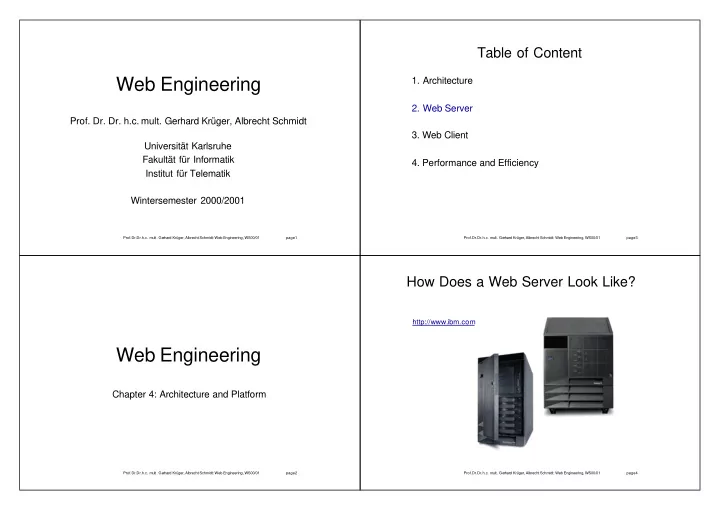
How Does a Web Server Look Like?

http://www.ibm.com

slide-2
SLIDE 2

Prof. Dr. Dr. h.c. mult. Ger hard Krüger, Albrecht Schmidt: Web Engineering, WS00/01 page5

How Does a Web Server Look Like?

http://www.sony.de http://www.dell.de

Prof. Dr. Dr. h.c. mult. Ger hard Krüger, Albrecht Schmidt: Web Engineering, WS00/01 page6

How Does a Web Server Look Like?

http://www.brodel.de/

Prof. Dr. Dr. h.c. mult. Ger hard Krüger, Albrecht Schmidt: Web Engineering, WS00/01 page7

How Does a Web Server Look Like?

http://www. earthcam .com/Solutions/ether.html http://www.axis.com/products/cam_2100/

Prof. Dr. Dr. h.c. mult. Ger hard Krüger, Albrecht Schmidt: Web Engineering, WS00/01 page8

How Does a Web Server Look Like?

http://www.palm.com / http://www.handspring.com

slide-3
SLIDE 3

Prof. Dr. Dr. h.c. mult. Ger hard Krüger, Albrecht Schmidt: Web Engineering, WS00/01 page9

How Does a Web Server Look Like?

http://www.margherita2000.com/

Prof. Dr. Dr. h.c. mult. Ge rhard Krüger, Albrecht Schmidt: Web Engineering, WS00/01 page10

How Does a Web Server Look Like?

http://wearables.stanford.edu/

Prof. Dr. Dr. h.c. mult. Ge rhard Krüger, Albrecht Schmidt: Web Engineering, WS00/01 page11

How Does a Web Server Look Like?

http://www-ccs.cs.umass.edu/~shri/iPic.html

Hewlett Packard

WebACE U Mass http://world.std.com/~fwhite/ace/ http://world.std.com/~fwhite/ace/ http://www.ibutton .com/TINI/ http://www.mycal.net/wsweb/

Prof. Dr. Dr. h.c. mult. Ge rhard Krüger, Albrecht Schmidt: Web Engineering, WS00/01 page12

Common Properties of Web Servers

Communication e.g. ethernet, modem, serial line, GSM permanent line connection on demand

server initiated client initiated

communicates using the HTTP-Protocol accepts requests sends replies has access to resources e.g. HTML, images, etc. potentially manipulation of resources, side effects

slide-4
SLIDE 4

Prof. Dr. Dr. h.c. mult. Ge rhard Krüger, Albrecht Schmidt: Web Engineering, WS00/01 page13

Web Server – Functional Units

waiting for an HTTP request server socket analyzing of HTTP Request parser process request access to file system or resources delegation to other system answer with HTTP Reply generate HTTP-header send resource to client

Prof. Dr. Dr. h.c. mult. Ge rhard Krüger, Albrecht Schmidt: Web Engineering, WS00/01 page14

Server - Basics

connection oriented transport system e.g. TCP/IP iterative server One request after another no concurrency concurrent server multi process server

new process per request (e.g. fork())

multi threaded server

new thread per request (e.g. new_thread.run())

thread pool

fixed number of threads dispatcher/worker-model Prof. Dr. Dr. h.c. mult. Ge rhard Krüger, Albrecht Schmidt: Web Engineering, WS00/01 page15

Single Thread/Process Server

Server-Loop:

wait for connection request accept connection extract resource name from request (e.g. path and file name) access resource (e.g. read file from file system) send HTTP-Header send resource (e.g. sent byte stream) close connection

Goto Server-Loop

Prof. Dr. Dr. h.c. mult. Ge rhard Krüger, Albrecht Schmidt: Web Engineering, WS00/01 page16

Minimal Web Server in C I

#include <stdio.h> #include <sys/types.h> #include <sys/socket.h> #include <strings.h> #include <netinet/in.h> #include <sys/stat.h> #include <fcntl.h> #define SERVER_PORT 8080 /* Server Port */ #define TRUE 1 add_header(char *ret) { strcat(ret, "Server: TecO_Mini Server(WebE/01)\n"); strcat(ret, "Content Type: text/html\n\n"); } main() { int sd, nsd; /* socket descriptors */ struct sockaddr_in server; /* address for socket structur */ char buf[1024], ret[1024]; /* buffer for request and reply*/ char *method, *filename; char *cursor; int read_bytes,fd; int server_port=SERVER_PORT;

slide-5
SLIDE 5

Prof. Dr. Dr. h.c. mult. Ge rhard Krüger, Albrecht Schmidt: Web Engineering, WS00/01 page17

Minimal Web Server in C II

sd = socket(AF_INET, SOCK_STREAM, 0); /* create socket */ /* put addresse in structur */ server.sin_family = AF_INET; /* Internet */ server.sin_addr.s_addr = htonl(INADDR_ANY); /* all addresses */ server.sin_port = htons(server_port); /* Server Port */ /* bind socket to address */ while(bind(sd, (struct sockaddr *) & server, sizeof(server))!=0) { printf("Port %d is already bound, trying next\n",server_port); server.sin_port = htons(++server_port); /* Server Port */ } listen(sd, 5); /* wait for request */ printf("Wait for Requests on port %i\n", server_port);

Prof. Dr. Dr. h.c. mult. Ge rhard Krüger, Albrecht Schmidt: Web Engineering, WS00/01 page18

Minimal Web Server in C III

while (TRUE) { /* loop for ever */ /* accept requests */ nsd = accept(sd, (struct sockaddr *) 0, (int *) 0); bzero(buf, sizeof(buf)); /* clear buffer */ read(nsd,buf,sizeof(buf)); /* read request */ /* get the file name – pointers are cool ;-) */ /* no security concerns ... */ filename=&buf[5]; cursor=filename; while(!isspace(*cursor)) { cursor++; } *cursor='\0';

Prof. Dr. Dr. h.c. mult. Ge rhard Krüger, Albrecht Schmidt: Web Engineering, WS00/01 page19

Minimal Web Server in C IV

/* if no file, path is given read index.html */ if ((strlen(filename)==0)||(cursor[-1]=='/')) strcat(filename,"index.html"); /* file name given */ printf("asks for file %s\n", filename); fd=open(filename,O_RDONLY,0); if(fd==-1) { sprintf(ret, "HTTP/1.0 404 ERROR\n"); add_header(ret); strcat(ret, "<h1>File \n"); strcat(ret, filename); strcat(ret, " not Found</h1>\n"); write(nsd, ret, strlen(ret)); /* sent error 404 */ }

Prof. Dr. Dr. h.c. mult. Ge rhard Krüger, Albrecht Schmidt: Web Engineering, WS00/01 page20

Minimal Web Server in C V

else { sprintf(ret, "HTTP/1.0 200 OK\n"); add_header(ret); write(nsd, ret, strlen(ret)); /* send header */ while((read_bytes=read(fd,ret,sizeof(ret)))!=0) { write(nsd, ret, read_bytes); /* send buffer */ } } close(nsd); /* close connection */ printf(" - Requests handled!\n"); } }

see:

http://www.teco.uni-karlsruhe.de/lehre/webe/unterlagen/webserver _in_c.pdf

slide-6
SLIDE 6

Prof. Dr. Dr. h.c. mult. Ge rhard Krüger, Albrecht Schmidt: Web Engineering, WS00/01 page21

Multi Thread/Process Server

Server-Loop:

wait for connection request accept connection create Thread/Process

Goto Server-Loop

Thread/Process:

extract resource name from request (e.g. path and file name) access resource (e.g. read file from file system) send HTTP-Header send resource (e.g. sent byte stream) close connection terminate Prof. Dr. Dr. h.c. mult. Ge rhard Krüger, Albrecht Schmidt: Web Engineering, WS00/01 page22

Small Web Server in Java I

import java.net.*; import java.io.*; import java.util.*; public class jhttp extends Thread { Socket theConnection; static File docroot; static String indexfile = "index.html"; public jhttp(Socket s) { theConnection = s; } public static void main(String[] args) { int thePort; ServerSocket ss; // get the Document root try { docroot = new File(args[0]); } catch (Exception e) { docroot = new File("."); }

Prof. Dr. Dr. h.c. mult. Ge rhard Krüger, Albrecht Schmidt: Web Engineering, WS00/01 page23

Small Web Server in Java II

// set the port to listen on try { thePort = Integer.parseInt(args[1]); if ( thePort < 0 || thePort > 65535) thePort = 80; } catch (Exception e) { thePort = 80; } try { ss = new ServerSocket(thePort); System.out.println("Accepting connections on port " + ss.getLocalPort()); System.out.println("Document Root:" + docroot); while (true) { jhttp j = new jhttp(ss.accept()); j.start(); } } catch (IOException e) { System.err.println("Server aborted prematurely"); } }

Prof. Dr. Dr. h.c. mult. Ge rhard Krüger, Albrecht Schmidt: Web Engineering, WS00/01 page24

Small Web Server in Java III

public void run() { String method; String ct; String version = ""; File theFile; try { PrintStream os = new PrintStream(theConnection.getOutputStream()); DataInputStream is = new DataInputStream (theConnection.getInputStream()); String get = is.readLine(); StringTokenizer st = new StringTokenizer (get); method = st.nextToken(); if (method.equals("GET")) { String file = st.nextToken (); if (file.endsWith("/")) file += indexfile; ct = guessContentTypeFromName(file); if (st.hasMoreTokens()) { version = st.nextToken(); } // loop through the rest of the input lines while ((get = is.readLine()) != null) { if (get.trim().equals("")) break; }

slide-7
SLIDE 7

Prof. Dr. Dr. h.c. mult. Ge rhard Krüger, Albrecht Schmidt: Web Engineering, WS00/01 page25

Small Web Server in Java IV

try { theFile = new File(docroot, file.substring(1,file.length())); FileInputStream fis = new FileInputStream(theFile); byte[] theData = new byte[(int) theFile.length()]; // need to check the number of bytes read here fis.read(theData); fis.close(); if (version. startsWith("HTTP/")) { // send a MIME header

  • s.print("HTTP/1.0 200 OK\r\n");

Date now = new Date();

  • s.print("Date: " + now + "\r\n");
  • s.print("Server: jhttp 1.0\r\n");
  • s.print("Content-length: " + theData.length + "\r\n");
  • s.print("Content-type: " + ct + "\r\n\r\n");

} // end if // send the file

  • s.write(theData);
  • s.close();

} // end try

Prof. Dr. Dr. h.c. mult. Ge rhard Krüger, Albrecht Schmidt: Web Engineering, WS00/01 page26

Small Web Server in Java V

catch (IOException e) { // can't find the file if (version.startsWith("HTTP/")) { // send a MIME header

  • s.print("HTTP/1.0 404 File Not Found\r\n");

Date now = new Date();

  • s.print("Date: " + now + "\r\n");
  • s.print("Server: jhttp 1.0\r\n");
  • s.print("Content-type: text/html" + "\r\n\r\n");

}

  • s.println("<HTML><HEAD><TITLE>File Not

Found</TITLE></HEAD>");

  • s.println("<BODY><H1>HTTP Error 404: File Not

Found</H1></BODY></HTML>");

  • s.close();

} }

Prof. Dr. Dr. h.c. mult. Ge rhard Krüger, Albrecht Schmidt: Web Engineering, WS00/01 page27

Small Web Server in Java VI

else { // method does not equal "GET" if (version.startsWith("HTTP/")) { // send a MIME header

  • s.print("HTTP/1.0 501 Not Implemented\r\n");

Date now = new Date();

  • s.print("Date: " + now + "\r\n");
  • s.print("Server: jhttp 1.0\r\n");
  • s.print("Content-type: text/html" + "\r\n\r\n");

}

  • s.println("<HTML><HEAD><TITLE>Not

Implemented</TITLE></HEAD>");

  • s.println("<BODY><H1>HTTP Error 501: Not

Implemented</H1></BODY></HTML>");

  • s.close();

} }

Prof. Dr. Dr. h.c. mult. Ge rhard Krüger, Albrecht Schmidt: Web Engineering, WS00/01 page28

Small Web Server in Java VII

catch (IOException e) { } try { theConnection.close(); } catch (IOException e) { } } public String guessContentTypeFromName (String name) { if (name.endsWith(".html") || name.endsWith(".htm")) return "text/html"; else if (name.endsWith(".txt") || name.endsWith(".java")) return "text/plain"; else if (name.endsWith(".gif") ) return "image/gif"; else if (name.endsWith(".class") ) return "application/octet-stream"; else if (name.endsWith(".jpg") || name.endsWith(".jpeg")) return "image/jpeg"; else return "text/plain"; } }

see:

http://www.teco.uni-karlsruhe.de/lehre/webe/unterlagen/webserver_in_java.pdf

slide-8
SLIDE 8

Prof. Dr. Dr. h.c. mult. Ge rhard Krüger, Albrecht Schmidt: Web Engineering, WS00/01 page29

Design Issues for High Performance Server I

scalability large number of concurrent clients high request rate large web spaces, great amount of data content negotiation HTTP 1.1 implies if-conditions HTML parsing as a bottle neck ignore typos dynamic filters (e.g authentication) automated indexes data base for meta information

Prof. Dr. Dr. h.c. mult. Ge rhard Krüger, Albrecht Schmidt: Web Engineering, WS00/01 page30

Design Issues for High Performance Server II

life cycle long uptime server configuration at runtime strategies to deal with memory leaks and garbage collection support for sessions e.g. e-commerce, servers that support states caching difficult for multiprocessor systems

Prof. Dr. Dr. h.c. mult. Ge rhard Krüger, Albrecht Schmidt: Web Engineering, WS00/01 page31

Available Web Servers

Apache Microsoft IIS many others... see http://www.netcraft.com/survey/servers.html

  • r http://serverwatch.internet.com/

Source 01/2001, http://www.netcraft.com/survey/

Prof. Dr. Dr. h.c. mult. Ge rhard Krüger, Albrecht Schmidt: Web Engineering, WS00/01 page32

httpd

CERN Web Server [W3C 1996] first reference server of W3C from 1996 replaced by Jigsaw fairly simple server Version 3.0

HTTP 1.1 configuration as proxy with caching CGI image maps forms authorization

http://www.w3.org/Daemon/User/

slide-9
SLIDE 9

Prof. Dr. Dr. h.c. mult. Ge rhard Krüger, Albrecht Schmidt: Web Engineering, WS00/01 page33

Jigsaw

successor of httpd [W3C 1999] implemented in pure Java meta information store automatically created index configuration is browser based filter modifying resources (e.g. for Authentication) persistent object store Web as read/write system support for PUT with update for meta information http://www.w3.org/Jigsaw/Doc/Programmer/design.html

Prof. Dr. Dr. h.c. mult. Ge rhard Krüger, Albrecht Schmidt: Web Engineering, WS00/01 page34

Apache Web Server

http://www.apache.org/

free Web Server (Open Source) available for Unix, OS/2, Win32 robust and fast HTTP 1.1 support server API, server modules configuration file Powerful configuration (e.g. PERL-commands in the

config-file, one config-file for different machines)

security Windows-Version still young!

Prof. Dr. Dr. h.c. mult. Ge rhard Krüger, Albrecht Schmidt: Web Engineering, WS00/01 page35

Microsoft Internet Information Server

http://msdn.microsoft.com/workshop/server/default.asp

free Web server available for Windows NT/2000 HTTP 1.1 support server API configuration with a GUI Active-Server-Page (ASP) support powerful configuration (central, server, operating

system, directory)

NT/2000 user management

Prof. Dr. Dr. h.c. mult. Ge rhard Krüger, Albrecht Schmidt: Web Engineering, WS00/01 page36

Configuration of Web Servers I

...

# a CustomLog directive (see below). # LogFormat "%h %l %u %t \"%r\" %>s %b" common LogFormat "%{ Referer}i

  • > %U" referer

LogFormat "%{User-agent}i" agent # # The location and format of the access logfile # (Common Logfile Format). # If you do not define any access logfiles within a < VirtualHost> # container, they will be logged here. Contrariwise, if you *do * # define per-<VirtualHost> access logfiles , transactions will be # logged therein and *not* in this file. # CustomLog logs/access.log common ...

slide-10
SLIDE 10

Prof. Dr. Dr. h.c. mult. Ge rhard Krüger, Albrecht Schmidt: Web Engineering, WS00/01 page37

Configuration of Web Servers II

local vs. remote (e.g. using HTTP) GUI vs. config-file

  • GUI is in general easier to use
  • config-files allow to keep old configurations (test new configurations,

go back to old configuration, check for differences)

  • combining GUI and config-file is a preferable solution (using a GUI for

the user that manipulates a config-file)

  • config-file with statements that are executed/replaced (e.g. mod_perl

in the Apache Server allows to uses arbitrary PERL commands in the config file, to uses the same file on different servers)

access rights, security files, media type – content type executable programs

  • security risks!

granularity for configuration

  • file, directory, virtual host, server

integration with the operating system

  • security
  • performance

Prof. Dr. Dr. h.c. mult. Ge rhard Krüger, Albrecht Schmidt: Web Engineering, WS00/01 page38

Information in a Web Server

what information is available? (e.g. Apache)

  • %...b:Bytes

sent, excluding HTTP headers.

  • %...f: Filename
  • %...{FOOBAR}e: The

contents

  • f

the environment variable FOOBAR– see CGI Programming

  • %...h: Remote host
  • %...{Foobar}i:The

contents

  • fFoobar:

header line(s) in the request sent to the server.

  • %...l: Remote logname (fromidentd,

if supplied)

  • %...{Foobar}n:

The contents

  • f

note "Foobar" from another module.

  • %...{Foobar}o:The

contents

  • fFoobar:

header line(s) in the reply.

  • %...p: The

port the request was served to

  • %...P:

The process ID

  • f

the child that serviced the request.

  • %...r:

First line

  • f

request

  • %...s:

Status. For requests that got internally redirected, this is status

  • f

the *original* request ---

  • %...>s for the last. %...t: Time, in common log format time format
  • %...{format}t: The time, in the form given by format, which should

be in strftime(3) format.

  • %...T: The

time taken to serve the request, in seconds.

  • %...u: Remote

user (from auth; may be bogus if return status (%s) is 4 01) %...U: The URL path requested.

  • %...v:

The name

  • f

the server (i.e. which virtual host?)

examples

  • %h %r %s %b ...

Hostname First-line-of-request Status Bytes-sent

  • %!200,304,302{Referer}i ...

If the State is 200, 302

  • r

304 than log the Referer

http://www.apache.org/docs-1.2/mod/mod_log_config.html

Prof. Dr. Dr. h.c. mult. Ge rhard Krüger, Albrecht Schmidt: Web Engineering, WS00/01 page39

Logfiles of Web Servers

log access common logfile format extended logfile format custom logfile multiple logfiles log errors and warnings error logfile for maintenance and monitoring cookielogfile to analyze user behavior

Prof. Dr. Dr. h.c. mult. Ge rhard Krüger, Albrecht Schmidt: Web Engineering, WS00/01 page40

Error Messages I

categories of errors (see HTTP) most often : 404 (file not found) 4xx – error on client side 5xx – error on server side specific errors, e.g. 401.X with Microsoft IIS errors should be intercepted define useful reaction make specific pages for errors e.g. 404 – file not found

possible reasons: file does not exist (anymore), typos, ... some possible solutions

a) show am error page – tell the user that the page is not available :-( b) show the main page of the server c) show a search page on the server, tell the user to search d) try to find with the filename and the path the page or a related page in the internal search engine and show this page :-)
slide-11
SLIDE 11

Prof. Dr. Dr. h.c. mult. Ge rhard Krüger, Albrecht Schmidt: Web Engineering, WS00/01 page41

Error Messages II

errors should be intercepted! e.g. 500 – server error

possible reasons: CGI-program crashed, hard drive full, database

down, permissions changes, gateway not available, ...

some possible solutions

a) show CGI/Server error messages :-(

SoftArtisans.SAFile.1 error '80020009' Error occurred when moving cached file to final destination. Please check the NTFS permissions for the directory "C:\WINNT\" and the directory containing the file "D:\CMTLibrary\SIGCHIShort\523_admin.pdf". These directories require Read, Write and Delete permissions by the anonymous user ( NT account: IUSR_computername ) as well as for your authenticated users. /sigchishort/PaperEditProcess.asp, line 107

b) give the user an alternative: e.g. „Sorry our WWW online ordering system is currently not available. Please print out your order an send us a fax (0815/007007) or order by email (orders@shop.com). The system will be online in a minute. Sorry for any inconvenience “

Prof. Dr. Dr. h.c. mult. Ge rhard Krüger, Albrecht Schmidt: Web Engineering, WS00/01 page42

Web Server Software I

collection of many web servers available (with reviews) http://serverwatch.iworld.com/ common features of high end server support for HTTP 1.1, CGI, Servlets, Server Side Scripting, ... multithreading dynamic filters, authentication, content negotiation, ... API for server extensions Configuration as server or proxy (e.g. with caching) middleware connection (COM, Corba ) database connection, transactions Secure Socket Layer SSL

Prof. Dr. Dr. h.c. mult. Ge rhard Krüger, Albrecht Schmidt: Web Engineering, WS00/01 page43

Web Server Software II Operating Systems

Source: December 2000 http://www.netcraft.com/survey/ different results at: www.securityspace.com/s_survey/

Prof. Dr. Dr. h.c. mult. Ge rhard Krüger, Albrecht Schmidt: Web Engineering, WS00/01 page44

High Performance Server I

for a large number of clients (~10000) simultaneously typical servers only serve 500-1500 clients at the same time

Kernel Server

  • kHTTPd
  • TUX

Source: www.fenrus.demon.nl

slide-12
SLIDE 12

Prof. Dr. Dr. h.c. mult. Ge rhard Krüger, Albrecht Schmidt: Web Engineering, WS00/01 page45

High Performance Server II

Zeus web server

Source: http://www.zeus.co.uk/

Prof. Dr. Dr. h.c. mult. Ge rhard Krüger, Albrecht Schmidt: Web Engineering, WS00/01 page46

High Performance Server III

mostly designed for static pages see http://www.kegel.com/c10k.html (the 10k problem) concept

reply static pages directly and very fast pass on requests for dynamic pages to a other server

Source: http://www.fenrus.demon.nl/architecture.html

Examples:

kHTTPd www.fenrus.demon.nl phHTTPd http://www. zabbo.net/phhttpd/

Prof. Dr. Dr. h.c. mult. Ge rhard Krüger, Albrecht Schmidt: Web Engineering, WS00/01 page47

High Performance Server IV

TUX „This is the first binary release of TUX. TUX is a kernel-based,

threaded, extremely high performance HTTP server. It is able to efficiently and safely serve both static and dynamic data. TUX moves the HTTP protocol stack to the kernel, and can handle requests for data with both kernel-space and user-space modules “ (http://www.redhat.com/tux/)

about 3 times faster than Microsoft IIS 5.0 and Apache ??? http://www.spec.org/osg/web99/results/res2000q2/web99-20000626-00054.html http://www.spec.org/osg/web99/results/res2000q2/web99-20000501-00028.html

Prof. Dr. Dr. h.c. mult. Ge rhard Krüger, Albrecht Schmidt: Web Engineering, WS00/01 page48

Specific Servers

push server e.g. www.infogate.com streaming server for audio/video for web cams, e.g. www.axis.com RealMedia architecture, RMA [Real 1999] RealAudio,RealVideo, RealPlayer formerly proprietary Real Time Session Language, RTSL from G2: Synchronized Multimedia Integration Language, SMIL Real Time Protocol (RTP) as transport protocol [RFC 1889] Real Time Streaming Protocol (RTSP) as control protocol [RFC 2326]

  • ften designed for specific clients
slide-13
SLIDE 13

Prof. Dr. Dr. h.c. mult. Ge rhard Krüger, Albrecht Schmidt: Web Engineering, WS00/01 page49

Availability

E-Commerce (simplified) server down = sales down availability and reliability = money large global enterprises, e.g.

www.amazone.com

the shop is populated by customers 24h a day customers are geographically distributed at specific times large numbers of customers access the shop availability in % 98,3% ~ the server is about 6,2 days per year not available 99,9% ~ the server is about 8,76 hours per year not available 99,999% ~ the server is about 5,3 minutes per year not available

Prof. Dr. Dr. h.c. mult. Ge rhard Krüger, Albrecht Schmidt: Web Engineering, WS00/01 page50

Why are Servers not available?

server failure

  • Hardware
  • perating system

software failure

  • Web

server software

  • modules
  • databases

network failure

  • parts of the internet are not available
  • network partitions

content failure

  • e.g. file not found 404
  • documents are only partly transferred

request load to high (to many requests)

  • network bandwidth too small
  • server performance to small (RAM, processor,

hard drives, ... )

maintenance

Prof. Dr. Dr. h.c. mult. Ge rhard Krüger, Albrecht Schmidt: Web Engineering, WS00/01 page51

Solutions: Hardware/Software/Content Failure

redundant servers server cluster, geographically distributed redundancy in server hardware uninterruptible power supply (UPS) hard drives (RAID) network interfaces hot swap (change broken parts while system is running) monitor systems reply time, completeness of answer automated action in the case of a problem (mount other drive, reboot the system, start an other machine, ...) monitor the environment temperature staff must not be a „single point of failure“ system administrator, webmaster, editor

Prof. Dr. Dr. h.c. mult. Ge rhard Krüger, Albrecht Schmidt: Web Engineering, WS00/01 page52

Solution: Request Load is to High

increase server performance split the domains into sub-domains

put each sub-domain on a separate machine

example 1: on content transform www.shop.com into www.cd.shop.com www.video.shop.com www.software.shop.com example 2: on location transform www.company.com to www.us.company.com www.asia.company.com www.eu.company.com make a cluster of servers – web-farms, load balancing

slide-14
SLIDE 14

Prof. Dr. Dr. h.c. mult. Ge rhard Krüger, Albrecht Schmidt: Web Engineering, WS00/01 page53

Solution: Network Partitions

replicate content geographically distributed servers server on different continents

  • rganizational distributed servers

server in different backbones servers distributed in different judicial systems ???

Prof. Dr. Dr. h.c. mult. Ge rhard Krüger, Albrecht Schmidt: Web Engineering, WS00/01 page54

Load Balancing

  • algorithm

s

  • Round

Robin

  • predefined
  • rder
  • Least

Connection

  • server

with minimal number

  • f

connections is selected

  • Observed
  • n

each server runs an agent that monitors the load – server with minimal load is selected

  • Priority
  • request/content

has an assigned priority (e.g. preference for

  • rders,

low priority for support)

  • Ratio
  • server

and request have assigned weights (e.g. capabilities/perf ormance

  • f

a server, cost to handle a request)

  • Fastest
  • server

that react first gets the request

  • Predictive
  • using

statistics the load

  • f

a server is predicted – based on that a server is selected

  • geographical distribution
  • the nearest server is selected
  • the server with the cheapest link is selected

Prof. Dr. Dr. h.c. mult. Ge rhard Krüger, Albrecht Schmidt: Web Engineering, WS00/01 page55

Load Balancing and Sessions

session / state / cookies in distributed architectures preserve

sessions – approaches:

do not use / support sessions requests from one client are always sent to the same server (at least during a session) replicating session / state information within the server cluster or farm specific distribution hardware that supports state / cookies

Prof. Dr. Dr. h.c. mult. Ge rhard Krüger, Albrecht Schmidt: Web Engineering, WS00/01 page56

Server Farm

a number of servers provide one side to cope with a large number of requests to minimize the mean reply time to increase fault tolerance replicating the side group of servers with identical resources load balanced dispatching of incoming requests distribution algorithms partitioning the side group of servers with disjunctive / exclusive resources dispatching based on the requested URL

slide-15
SLIDE 15

Prof. Dr. Dr. h.c. mult. Ge rhard Krüger, Albrecht Schmidt: Web Engineering, WS00/01 page57

Server Farm – Basis Architecture

Web Server 1 File Server File Server File Server Web Server 2 Web Server 3 File Server Internet LAN Farm LAN

Prof. Dr. Dr. h.c. mult. Ge rhard Krüger, Albrecht Schmidt: Web Engineering, WS00/01 page58

Solution: Example Big/IP

http://www.f5labs.com/bigip/index.html 8000 connections/s 90 Mbps

Prof. Dr. Dr. h.c. mult. Ge rhard Krüger, Albrecht Schmidt: Web Engineering, WS00/01 page59

Solution: Example 3DNS Geographically Distributed Server I

http://www.f5labs.com/3dns/index.html

Prof. Dr. Dr. h.c. mult. Ge rhard Krüger, Albrecht Schmidt: Web Engineering, WS00/01 page60

Solution: Example 3DNS Geographically Distributed Server II

http://www.f5labs.com/3dns/index.html

slide-16
SLIDE 16

Prof. Dr. Dr. h.c. mult. Ge rhard Krüger, Albrecht Schmidt: Web Engineering, WS00/01 page61

Proxy Server

server and client looks like a server for the browser looks like a client for the server cache reduce the transfer volume keep a log file (who has visited which sites? when?) check and filter certain content is no handed on (e.g. based on URLs, keyword, ...) documents are filtered, parts removed e.g. www.webwasher.com virus check for downloads on the fly pages are extended with additional information and functionality (e.g. advertisements, banners, ...)

Prof. Dr. Dr. h.c. mult. Ge rhard Krüger, Albrecht Schmidt: Web Engineering, WS00/01 page62

Proxy Performance

caching hard drive RAM processor performance (comparison) firewall, virus detection processing power I/O throughput