UNIX Process Control Its CPU state (register values). Bach 7 Its - - PDF document

unix process control
SMART_READER_LITE
LIVE PREVIEW

UNIX Process Control Its CPU state (register values). Bach 7 Its - - PDF document

Process: A Context for Computation A process is largely defined by: UNIX Process Control Its CPU state (register values). Bach 7 Its address space (memory contents). Its environment (as reflected in Operating Systems Course


slide-1
SLIDE 1

UNIX Process Control Bach 7

Operating Systems Course Hebrew University Spring 2007

Process: A Context for Computation

A process is largely defined by:

  • Its CPU state (register values).
  • Its address space (memory contents).
  • Its environment (as reflected in
  • perating system tables).

Process layout

Process Creation Bach 7.1

  • System call:

– Child - 0. – Parent - PID of the child.

  • System call algorithm:

– Allocate a slot in process table. – Allocate PID. – Create a logical copy of the parent context. – Return values.

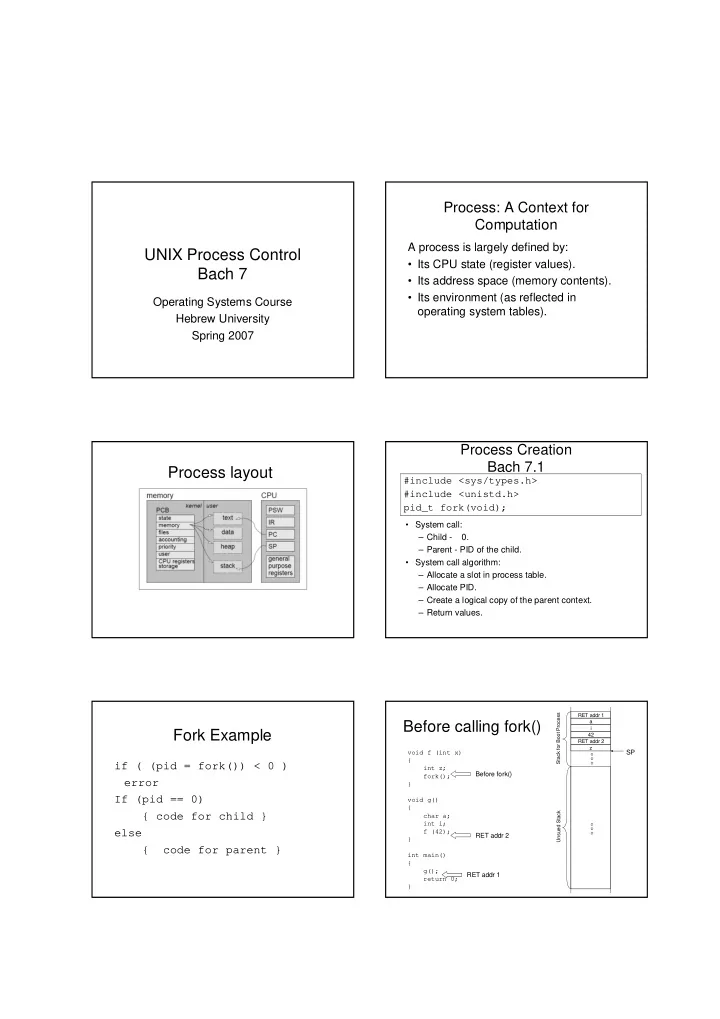
#include <sys/types.h> #include <unistd.h> pid_t fork(void);

Fork Example

if ( (pid = fork()) < 0 ) error If (pid == 0) { code for child } else { code for parent }

Before calling fork()

void f (int x) { int z; fork(); } void g() { char a; int i; f (42); } int main() { g(); return 0; } RET addr 1 RET addr 2 Before fork()

RET addr 1 a i 42 RET addr 2 z

SP

Unsued Stack Stack for Boot Process

slide-2
SLIDE 2

After calling fork()

void f (int x) { int z; fork(); } void g() { char a; int i; f (42); } int main () { g(); return 0; } RET addr 1 RET addr 2 Location 3

RET addr 1 a i 42 RET addr 2 z

SP

Stack for new Process

Child SP

RET addr 1 a i 42 RET addr 2 z Stack for Boot Process

Example: Race Conditions

#include <iostream> #include <unistd.h> #include <sys/types.h> int main() { pid_t pid; if ((pid = fork()) < 0 ) exit(1); //error if(pid != 0) { for(int i = 0; i < 100; i++) cout<<"Parent process "<< i <<endl; } else { for(int i = 100; i < 200; i++) cout <<"Child process "<< i << endl; } return 0; }

Process Termination Bach 7.3

  • Normal Termination:

– Executing a return from the main function. – Calling the exit function. (ANSI C) – Calling the _exit function. (Sys call)

  • Abnormal Termination:

– When a process receives certain signals.

Normal Process Termination

  • System call:

– Status: IPC. – NEVER returns.

  • System call algorithm:

– Mask Signals. – Close open files. – Release memory. – Save the process exit status. – Set the process state to ZOMBIE.

#include <stdlib.h> void exit (int status);

Awaiting Process Termination Bach 7.4

#include <sys/types.h> #include <sys/wait.h> pid_t wait(int *status);

  • System call:

– Returns the PID of a zombie child -1 when no children exist. – Status is the exit status of the child process. – Wait can block the caller until a child process terminates.

  • System call algorithm:

– Search for a zombie child of the process. – Extract PID and status of the zombie child. – Release the process table slot.

Orphans and Zombies

  • When a child exits when its parent is not

currently executing a wait(), a zombie emerges.

– A zombie is not really a process as it has terminated but the system retains an entry in the process table. – A zombie is put to rest when the parent finally executes a wait().

  • A child process whose parent has terminated

is referred to as orphan.

  • When a parent terminates, orphans and

zombies are adopted by the init process (prosess-id:0) of the system.

slide-3
SLIDE 3

Invoking other programs Bach 7.5

  • The exec invokes another program,
  • verlaying the memory space with a

copy executable file.

  • The contents of the user-level context is

accessible through exec parameters.

exec(filename, argv, envp);

notable exec properties

  • an exec call transforms the calling

process by loading a new program in its memory space.

  • the exec does not create a new sub-

process.

  • unlike the fork there is no return from a

successful exec.

System call algorithm

  • Determine the file properties

– Determine If the file is an executable. – Determine if the user has permissions. – Determine the file’s layout.

  • Copy exec arguments to system space.
  • Detach old memory regions.
  • Allocate new regions.
  • Copy exec arguments.

Exec example

If((pid = fork()) < 0) error; if (pid== 0 ){ exec( arguments ); exit(-1); } // parent continues here

fork/wait/execv Example

#include <iostream> #include <unistd.h> #include <sys/wait.h> using namespace std; int main() { int x = 42; pid_t pid; if ((pid = fork()) < 0 ) exit(1); if(pid != 0) { int status; cout << "Parent process. x=" << x << endl; wait (&status); } else { cout << "Child process. x=" << x << endl; char* args[] = {"ls", NULL}; execv ("/bin/ls", args); cout << "Never reached" << endl; } return 0; }

The Shell Bach 7.8

  • The shell read a command line from

STDIN and execute.

  • The shell has to main commands:

– Internal commands. (cd) – External commands. (cp)

  • External commands may run

foreground/background.

slide-4
SLIDE 4

Signals Bach 7.2

  • Signals are notifications sent to a process in
  • rder to notify the process of events.

– Kernel. – Processes (system call kill)

  • The kernel send a signal by setting a bit in

the field of the process table entry.

  • A process can remember different types of

signals, but not the number of signals from each type.

Sending Signals

Using the keyboard:

– Ctrl-C: Causes the system to send an INT signal (SIGINT) to the running process.

Using shell kill command:

– The kill command has the following format: kill [options] pid

Handling Signals

  • The kernel handles signals in the context
  • f the process that receives them so

process must run to handle signals.

  • There are three case for handling

signals:

– The process exits. (default action) – The process ignores. – The process execute particular function.

  • ldfun = signal(signum,newfun);

Non-Catchable Signals

  • Most signals may be caught by the process, but

there are a few signals that the process cannot catch, and cause the process to terminate. – For example: KILL and STOP.

  • If you install no signal handlers of your own the

runtime environment sets up a set of default signal handlers. – For example:

  • The default signal handler for the TERM

signal calls the exit().

  • The default handler for the ABRT is to dump

the process's memory image into a file, and then exit.

Summary

  • 1. Each signal may have a signal handler,

which is a function that gets called when the process receives that signal.

  • 2. When the signal is sent to the process, the
  • perating system stops the execution of the

process, and "forces" it to call the signal handler function.

  • 3. When that signal handler function returns,

the process continues execution from wherever it happened to be before the signal was received, as if this interruption never

  • ccurred.

Signal Handlers - Example

#include <stdio.h> #include <unistd.h> #include <signal.h> void catch_int(int sig_num) { signal(SIGINT, catch_int); //install again! printf("Don't do that\n"); fflush(stdout); } int main(int argc, char* argv[]) { signal(SIGINT, catch_int); for ( ;; ) pause();//wait till receives a signal. }

slide-5
SLIDE 5

Avoiding Signal Races - Masking Signals

  • The occurrence of a second signal while the

signal handler function executes.

– The second signal can be of different type than the one being handled, or even of the same type.

  • The system also contains some features that

will allow us to block signals from being processed.

– A global context which affects all signal handlers,

  • r a per-signal type context.