UCCS Cycling & Bone Health Study About the study: Endurance - - PDF document

uccs cycling bone health
SMART_READER_LITE
LIVE PREVIEW

UCCS Cycling & Bone Health Study About the study: Endurance - - PDF document

5/12/2011 UCCS Cycling & Bone Health Study About the study: Endurance athletes, and cyclists in particular, have recently been identified as at-risk for osteoporosis and fractures despite their immensely active lifestyle (Smathers,2009).


slide-1
SLIDE 1

5/12/2011 1

UCCS Cycling & Bone Health Study

About the study:

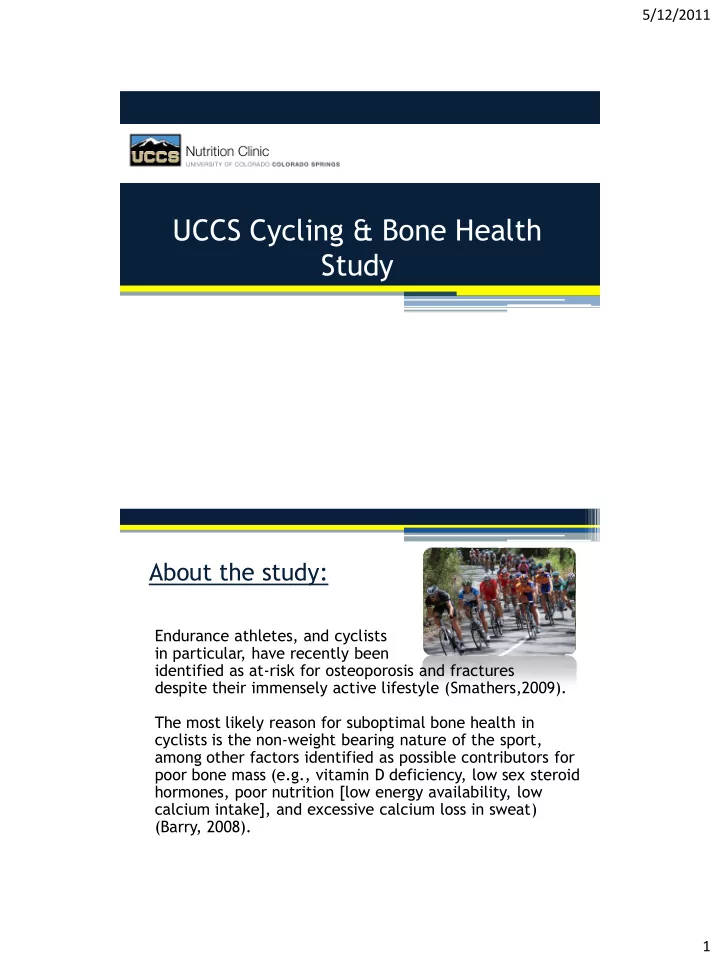
Endurance athletes, and cyclists in particular, have recently been identified as at-risk for osteoporosis and fractures despite their immensely active lifestyle (Smathers,2009). The most likely reason for suboptimal bone health in cyclists is the non-weight bearing nature of the sport, among other factors identified as possible contributors for poor bone mass (e.g., vitamin D deficiency, low sex steroid hormones, poor nutrition [low energy availability, low calcium intake], and excessive calcium loss in sweat) (Barry, 2008).

slide-2
SLIDE 2

5/12/2011 2

Aim of the study:

1) To examine the effect of a 4-month jumping program on Areal BMD in male and female cyclists 2) To examine whether other factors:

  • Low energy availability [EA],
  • Insulin like growth factor-1 [IGF-1],
  • vitamin D status [25(OH) D],
  • dietary/supplemental calcium and vitamin D intake

are associated with the changes in aBMD as a result of jumping.

My role in the UCCS Cycling & Bone Health Study:

  • Meet with subjects to introduce them to Training Peaks.

This included: ▫ Creating their personal accounts and teaching them how to log meals, exercise, and jumping workouts

  • Educate how to track their food intake (estimate

serving & portion size)

  • Monitor food & exercise logs for accuracy and

adherence to protocol

  • Provide feedback, support, and motivation for subjects

to encourage thorough reporting and commitment to the study

slide-3
SLIDE 3

5/12/2011 3

What this presentation is going to cover: 1. About Training Peaks 2. Nutrition functionality of Training Peaks

  • Weekly view of our pre-set meals and jumping library
  • Entering food items into meals
  • General information on estimating portion & serving sizes
  • View the dashboard; various metrics & nutrition analysis

(macro/micronutrient amounts, pie charts, intake charts) 3. Logging workouts 4. Calculating Energy Expenditure

5. Does Training Peaks work for our needs? 6. Final thoughts  Monitor fitness and health trends over time  Track exercise, nutrition, weight, stress & more  Upload heart rate, power meter & GPS workouts  Apply exercise programs and meal plans  Plan and schedule your own exercise & meals

slide-4
SLIDE 4

5/12/2011 4

Plan and Track Your Meals

  • Search the USDA, Packaged Foods, and community databases for quick

access to nutritional data for over 50,000 foods.

  • Recording or planning a meal is as simple as dragging and dropping.

Track important stats like the number of calories per meal and total number consumed (even break them down by macronutrient type). Create recipes and meals (even add favorites!) to fully customize the software and make logging even simpler. Visual Feedback from charts and graphs that provide instant feedback for tracking your progress.

Recording Nutrition

  • Use the USDA food

database to search for foods.

  • Drag and drop food

items to create a meal.

  • View CHO, Fat, and

PRO Stats.

Training Peaks Nutrition Functionality Overview:

slide-5
SLIDE 5

5/12/2011 5

Nutrition Logging Goals:

  • Analyze overall macro &

micronutrient intake

  • Calculate Total Energy Expenditure
  • Calculate Energy Input: Energy Output for possible energy deficit

Then:

  • Create individualized meal plans to optimize bone health &

increase energy intake (if necessary)

Weekly Calendar View – Meals & Jumping Workouts

  • Breakfast
  • Pre-Workout: <60 min prior

to training

  • During Workout
  • Post-Workout: <60 min post

training

  • Lunch
  • Snack
  • Dinner
  • Other: Supplements, Water,

Medications Jumping Library:

  • Jumps Week 1
  • Jumps Week 2
  • Jumps Week 3-16
slide-6
SLIDE 6

5/12/2011 6 Log your Meals – Enter food items

Tips:

  • Be as specific as

possible

  • Use as many

adjectives as possible

  • Include brand

name, restaurant name, meal name

  • Low-fat, non-fat,

reduced fat, 1%, 2%

Log your Meals: Tips for Estimating Serving & Portion Size

Print out the serving size guide from the National Heart Lung and Blood Institute http://hp2010.nhlbihin.net/portion/servingcard7.pdf

Grains Vegetables & Fruit

  • 1 cup cereal flakes = 1 fist
  • 1 pancake = 1 compact disc
  • 1/2 cup cooked rice, pasta or potato = 1/2

baseball

  • 1 oz slice of bread = 1 cassette tape
  • 1 cup of salad greens = 1 baseball
  • 1 medium piece fruit = 1 baseball
  • 1/2 cup fresh fruit = 1/2 baseball
  • 1/4 cup raisins = 1 large egg

Dairy & Cheese Meat & Protein

  • 1 1/2 oz cheese = 4 stacked dice
  • 1/2 cup ice cream = 1/2 baseball
  • 3 oz meat, fish, or poultry = 1 deck of cards
  • 3 oz grilled/baked fish fillet = 1 checkbook
  • 2 tablespoons peanut butter = 1 ping pong

ball

Fats Snacks

  • 1 teaspoon margarine, butter, or spreads =

1 dice or the tip of a woman's thumb

  • 1 ounce of nuts = one handful
  • 1 ounce of pretzels = two handfuls
  • 1/2 cup of popcorn = one man's handful &

1/3 cup of popcorn = one woman's handful

slide-7
SLIDE 7

5/12/2011 7

Controlling Portion & Serving Size

High Calorie Foods most often under- estimated in measurement: Fats and oils Nuts and seeds Avocado, guacamole, pesto, dips, and salad dressings Dried fruit and fruit juices Syrups and honey Chocolate Foods most often eaten mindlessly; watch serving size: Cake, pie, cookies, doughnuts, pastries, croissants Gourmet ice cream (e.g. Haagen Dazs, Ben & Jerry's) Sweetened beverages

  • f any type

Deep-fat fried food. Very high-fat meats such as ribs, bacon, and pork sausage When Eating Out: Assume shrinkage

  • f meat by 25%

during cooking (i.e. raw 4 oz beef patty=3 oz when cooked. We underestimate portion size when food is served on large plates or when drinks are served in short deep glasses.

Log your Meals: Training Peaks USDA Food Database

slide-8
SLIDE 8

5/12/2011 8

Macronutrient Calories Daily Calories Daily Grams Micronutrient Amounts Cumulative Training Time

Training Peaks Nutrition Dashboard: Nutrient Analysis

Micronutrient Total Amt/ Amt per day % Goal

slide-9
SLIDE 9

5/12/2011 9 Daily Calories

Macronutrient: Calories Macronutrient: Grams

slide-10
SLIDE 10

5/12/2011 10 Log your Training – Create a Workout

1. To log workouts simply click on the date of the workout and choose “Add new workout.” 2. This will launch a window as seen to the right that asks you to select a workout type.

  • 4. If you have a workout file from a GPS,

Heart Rate Monitor, please upload this file using the “Upload new device file” button visible at the bottom left of the window.

  • 3. From the dropdown

window, choose the type

  • f workout (Bike, Mtn.

Bike), then fill in the Duration, Distance, Description, and Post- Activity Comments.

Energy Expenditure: RMR, TDEE

  • Can calculate RMR using

Cunningham(LBM) or Harris Benedict (gender, age, height, weight).

  • Can calculate Daily

Energy Expenditure based upon Harris Benedict RMR & Activity Factor.

  • Can calculate Calories

Burned per activity based upon METS from the Physical Activity Compendium Selection.

slide-11
SLIDE 11

5/12/2011 11

To truly utilize sports nutrition, it needs to be periodized to match a periodized training plan. Working within Training Peaks allows the Sports Nutritionist to accomplish this by seeing the whole picture: Timing of meals (to prepare for & recover from training) Analyze their training volume & intensity over a period of time to determine energy expenditure Insert meals directly into a day for a specific workout (i.e. add a recovery meal directly after a 4-hr bike ride that is created with CHO & PRO amounts based upon that athletes kgbw) For Athletes, the easy access to nutritional data:

  • Increases awareness of how much/little they are eating
  • Gives them control of interpreting & entering their food via the

database

  • Empowers them to be their own judge
  • Be careful that they do not become obsessive about their intake

Training Peaks: Yes, it works, but...

Training Peaks works for overall nutrition analysis (pie & column charts), however it lacks the granular level of micronutrient analysis that ESHA provides.

ESHA reports are more robust:

  • Includes pie chart that analyzes %fat intake by

types of fat (SFA, MUFA, PUFA,TF , Other)

  • Includes alcohol in distribution of total calories
  • Includes more micronutrients
  • (Vitamin K, Vitamin A,Omega-3 & 6)
  • Includes MyPyramid comparison
  • Includes Spreadsheet (whole view of all nutrients in food item; you

can only see this information in TP if you create the food item)

Training Peaks: Limitations.

slide-12
SLIDE 12

5/12/2011 12

To best utilize Training Peaks, I recommend using it for maintenance of nutrition analysis and food tracking.

  • 1. Use ESHA for the most comprehensive breakdown of nutrition intake and

analysis to determine nutrient deficiencies.

  • 2. Create nutrition meal plan for training /racing based upon ESHA information.
  • 3. Use Training Peaks for on-going tracking of food intake.
  • 4. Use Training Peaks database to create meals for specific workouts and

training.

  • 5. Use Training Peaks to add meals to training calendar so an athlete knows

what to eat and when to eat it.

Training Peaks: Best Use.