Tour de (PostgreSQL) Data Types Andreas Scherbaum Picture: SCHEMA - - PowerPoint PPT Presentation

tour de postgresql data types
SMART_READER_LITE
LIVE PREVIEW

Tour de (PostgreSQL) Data Types Andreas Scherbaum Picture: SCHEMA - - PowerPoint PPT Presentation

Tour de (PostgreSQL) Data Types Andreas Scherbaum Picture: SCHEMA ELEPHANTI Author: Jean Boch (Belgian, 1545-1608) Date: 1595 Book: Descriptio pbvlicae gratvlationis, spectacvlorvm et lvdorvm, in aventv sereniss: Principis Ernesti Archidvcis


slide-1
SLIDE 1

Tour de (PostgreSQL) Data Types

Andreas Scherbaum

1

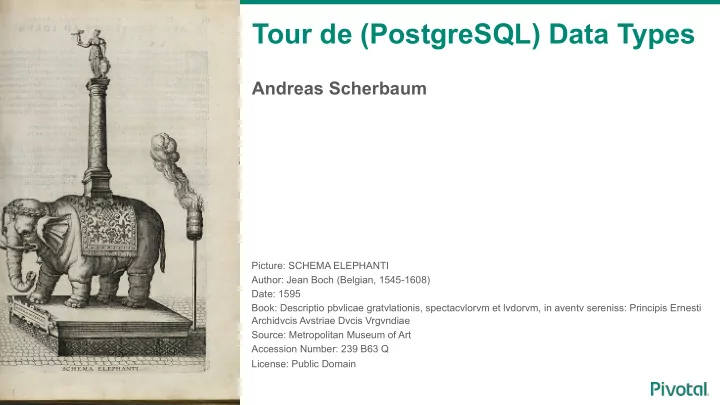
Picture: SCHEMA ELEPHANTI Author: Jean Boch (Belgian, 1545-1608) Date: 1595 Book: Descriptio pbvlicae gratvlationis, spectacvlorvm et lvdorvm, in aventv sereniss: Principis Ernesti Archidvcis Avstriae Dvcis Vrgvndiae Source: Metropolitan Museum of Art Accession Number: 239 B63 Q License: Public Domain

slide-2
SLIDE 2

Andreas Scherbaum

  • Works with databases since ~1997, with PostgreSQL since ~1998
  • Founding member of PGEU
  • Board of Directors: PGEU, Orga team for pgconf.[eu|de], FOSDEM
  • PostgreSQL Regional Contact for Germany
  • Ran my own company around PostgreSQL for 7+ years
  • Joined EMC in 2011
  • then Pivotal, then EMC, then Pivotal
  • working on PostgreSQL and Greenplum projects
slide-3
SLIDE 3

Target audience for this talk

3

This talk is for you This talk is not for you

  • Migrate from another database
  • Basic experience with data types
  • Want to learn something new
  • Just want a seat for the next talk
  • Read -hackers daily
  • Already use more than 7-10

different data types

slide-4
SLIDE 4

What is PostgreSQL?

4

  • (Most advanced) (Open Source) relational database, under BSD license.
  • World-wide active community
  • Many features, like Foreign Keys, Transactions, Trigger
  • Runs on many platforms
  • Aims for SQL standard compatibility
  • About one major release per year
  • 9.6 is the current version, next is 10
slide-5
SLIDE 5

Behavioral Notes

5

  • No WhatsApp/Twitter/… sounds, please
  • Sleep only from row 5 (no snoring, please)
  • Computer games and coding only from row 10 (please avoid rapid key clicks)
  • Throwing blue Elephant stressballs is OK
slide-6
SLIDE 6

Data Types in PostgreSQL

6

Quick poll (1): how many data types in PostgreSQL?

slide-7
SLIDE 7

Data Types in PostgreSQL

7

SELECT COUNT(*) AS "Number Data Types" FROM pg_catalog.pg_type; Number Data Types

  • 361
slide-8
SLIDE 8

Data Types in PostgreSQL

8

SELECT COUNT(*) AS "Number Data Types" FROM pg_catalog.pg_type WHERE typelem = 0 AND typrelid = 0; Number Data Types

  • 82

> 0 references another type > 0 references pg_class (table types)

slide-9
SLIDE 9

Data Types in PostgreSQL

9

SELECT STRING_AGG(typname, ' ') AS "Data Types" FROM pg_catalog.pg_type WHERE typelem = 0 AND typrelid = 0; Data Types

  • bool bytea char int8 int2 int4 regproc text oid tid xid cid json xml pg_node_tree smgr path polygon

float4 float8 abstime reltime tinterval unknown circle money macaddr inet cidr aclitem bpchar varchar date time timestamp timestamptz interval timetz bit varbit numeric refcursor regprocedure regoper regoperator regclass regtype uuid pg_lsn tsvector gtsvector tsquery regconfig regdictionary jsonb txid_snapshot int4range numrange tsrange tstzrange daterange int8range record cstring any anyarray void trigger event_trigger language_handler internal opaque anyelement anynonarray anyenum fdw_handler anyrange cardinal_number character_data sql_identifier time_stamp yes_or_no

slide-10
SLIDE 10

Data Types in PostgreSQL

10

General-purpose data types: 41

slide-11
SLIDE 11

Data Types in PostgreSQL

11

Another poll (2): how many different data types are you using?

slide-12
SLIDE 12

Agenda

12

  • Text Types
  • Numeric Types
  • Dates and Times
  • XML
  • JSON
  • Boolean
  • Bits
  • Binary Data
  • Network
  • Create your own Data Type
slide-13
SLIDE 13

Agenda

13

  • Text Types
  • Numeric Types
  • Dates and Times
  • XML
  • JSON
  • Boolean
  • Bits
  • Binary Data
  • Network
  • Create your own Data Type
slide-14
SLIDE 14

Text Types

14

  • VARCHAR (optional: length)
  • CHAR (optional: length)
  • TEXT
  • Internally: it’s the same
  • Note: text types are case sensitive
slide-15
SLIDE 15

Text Types

15

  • VARCHAR: string up to ~1GB
  • VARCHAR(n): string up to length ‘n’, except whitespaces
  • CHAR: 1 byte string
  • CHAR(n): string with length ‘n’
  • TEXT: string up to ~1GB
slide-16
SLIDE 16

Text Types: VARCHAR versus CHAR

16

SELECT octet_length(' '::VARCHAR(1)) as "vc_1",

  • ctet_length(' '::VARCHAR(5)) as "vc_5",
  • ctet_length(' '::VARCHAR(10)) as "vc_10",
  • ctet_length(' '::CHAR(1)) as "c_1",
  • ctet_length(' '::CHAR(5)) as "c_5",
  • ctet_length(' '::CHAR(10)) as "c_10";

vc_1 | vc_5 | vc_10 | c_1 | c_5 | c_10

  • -----+------+-------+-----+-----+------

1 | 5 | 5 | 1 | 5 | 10 (1 row)

5x Whitespace

LENGTH() and CHAR_LENGTH() return ‘0’

slide-17
SLIDE 17

Page Header

Internals: Pages & TOAST

17

Page 8 kB Page 8 kB Page 8 kB Page 8 kB

BLCKSZ = 8192 (src/include/pg_config.h)

Row Row Row Row

TOAST_TUPLES_PER_PAGE = 4 TOAST_TUPLE_THRESHOLD = 2032 TOAST_TUPLE_TARGET = 2032 (src/include/access/tuptoaster.h)

slide-18
SLIDE 18

TOAST Page Header Row Header

Internals: Pages & TOAST

18

TOAST Page 8 kB Row TEXT INT Row Page 8 kB INT

4 Byte Pointer

slide-19
SLIDE 19

What about CHAR(255)?

19

slide-20
SLIDE 20

What about CHAR(255)?

20

  • Does not apply to PostgreSQL
  • Probably arbitrary choice: 255 = 28 -1 = FF16 = 111111112
  • Back in the old days: some databases could only handle strings up to 255 bytes
  • MySQL (without innodb_large_prefix) limits the index key to 767 bytes: 255

characters * 3 bytes for UTF-8 = 765 bytes

slide-21
SLIDE 21

Agenda

21

  • Text Types
  • Numeric Types
  • Dates and Times
  • XML
  • JSON
  • Boolean
  • Bits
  • Binary Data
  • Network
  • Create your own Data Type
slide-22
SLIDE 22

Numeric Types

22

  • Integer (Smallint / INT2, Integer / INT4, Bigint / INT8)
  • Floating Point (Real, Double Precision)
  • Numeric
  • Sequence (Smallserial, Serial, Bigserial)
slide-23
SLIDE 23

Numeric Types: Integers

23

Name Storage Size Range SMALLINT / INT2 2 Bytes

  • 32.768 to +32.767

INTEGER / INT4 4 Bytes

  • 2.147.483.648 to

+2.147.483.647 BIGINT / INT8 8 Bytes

  • 9.223.372.036.854.775.808 to

+9.223.372.036.854.775.807 Note: Alignment might ruin your day: Smallint / Integer / Smallint / Integer = 16 Bytes Smallint / Smallint / Integer / Integer = 12 Bytes

slide-24
SLIDE 24

Numeric Types: Floating Point

24

Name Storage Size Precision REAL 4 Bytes 6 decimal digits DOUBLE PRECISION 8 Bytes 15 decimal digits Note: Values can be inaccurate (rounded), even if shown exact

slide-25
SLIDE 25

Numeric Types: Floating Point

25

SELECT '100001'::REAL AS real; real

  • 100001

SELECT '10000001'::REAL AS real; real

  • 1e+07

SELECT '100001.5'::REAL AS real; real

  • 100002

6 decimal digits 7 decimal digits 6+1 decimal digits

slide-26
SLIDE 26

Numeric Types: Floating Point

26

SELECT '100000000000001'::DOUBLE PRECISION AS double; double

  • 100000000000001

SELECT '1000000000000001'::DOUBLE PRECISION AS double; double

  • 1e+15

SELECT '100000000000001.5'::DOUBLE PRECISION AS double; double

  • 100000000000002

15 decimal digits 16 decimal digits 15+1 decimal digits

slide-27
SLIDE 27

Numeric Types: Floating Point

27

Conclusions:

  • Floating point numbers are imprecise
  • Never to use for exact values (like €€€ or $$$)
  • Ok for something like gauges in monitoring (but better round the result)
slide-28
SLIDE 28

Money Type

28

PostgreSQL has a Money type:

  • Only one currency ($lc_monetary), always shown
  • Can be represented with NUMERIC + formatting as well
  • Uses 8 bytes of storage
  • Handles: -92233720368547758.08 to +92233720368547758.07 (92 Quadrillion)
  • Current US depth (Jan 2017): 19,939,760,263,983.42 ($19 Trillion)
  • Maybe 2 users in the world
  • Deprecated twice, resurrected
slide-29
SLIDE 29

Numeric Types: Numeric

29

  • Up to 1000 numbers precision
  • Definition: NUMERIC(10, 3) = 1234567.123
  • Handled in software (no hardware support)
slide-30
SLIDE 30

Do you know Sissa ibn Dahir?

30

Hint: lived in India, in 3rd or 4th century The king’s name at this time was: Shihram

slide-31
SLIDE 31

Numeric Types: Numeric

31

Number of rice grains:

1+2+2^2+2^4...2^63 = 2^64 - 1 SELECT power(2::DOUBLE PRECISION, 64::DOUBLE PRECISION) - 1; ?column?

  • 1.84467440737096e+19

SELECT power(2::NUMERIC, 64::NUMERIC) - 1; ?column?

  • 18446744073709551615.0000000000000000

20 decimal digits (980 left)

slide-32
SLIDE 32

Data Types: Sequences

32

Name Storage Size Numeric Type SMALLSERIAL 2 Bytes INT2 SERIAL 4 Bytes INT4 BIGSERIAL 8 Bytes INT8

  • Sequences start (by default) with “1”
  • Step “1” (by default) forward (by default)
  • Sequence can cycle (default: no)
  • Sequence name can be used in multiple tables
  • Sequence can only be owned by one table
  • Sequence is NOT transactional
slide-33
SLIDE 33

Data Types: Sequences

33

SELECT currval(’my_sequence’); -- current value currval

  • 23

SELECT nextval(’my_sequence’); -- next value nextval

  • 24

Sequence must be used before in current session

slide-34
SLIDE 34

Data Types: Sequences

34

SELECT setval(’my_sequence’, 50); -- set new value SELECT setval(’my_sequence’, (SELECT MAX(id) FROM table));

slide-35
SLIDE 35

Data Types: Sequences

35

CREATE TABLE public.seq ( id SERIAL PRIMARY KEY ); SELECT pg_get_serial_sequence('public.seq', 'id'); pg_get_serial_sequence

  • public.seq_id_seq

(1 row)

Table name (with or without schema) Column name

slide-36
SLIDE 36

Data Types: Sequences

36

SELECT * FROM public.seq_id_seq;

  • [ RECORD 1 ]-+--------------------

sequence_name | seq_id_seq last_value | 1 start_value | 1 increment_by | 1 max_value | 9223372036854775807 min_value | 1 cache_value | 1 log_cnt | 0 is_cycled | f is_called | f

slide-37
SLIDE 37

Agenda

37

  • Text Types
  • Numeric Types
  • Dates and Times
  • XML
  • JSON
  • Boolean
  • Bits
  • Binary Data
  • Network
  • Create your own Data Type
slide-38
SLIDE 38

What’s shown in this picture?

38

slide-39
SLIDE 39

Question

39

  • What’s the time at South Pole right now?
slide-40
SLIDE 40

Date and Time Types

40

  • TIMESTAMP WITHOUT TIME ZONE (short: TIMESTAMP): stores date and time
  • TIMESTAMP WITH TIME ZONE (short: TIMESTAMPTZ): stores date and time

plus time zone

  • TIME WITHOUT TIME ZONE (short: TIME): stores a time
  • TIME WITH TIME ZONE (short: TIMETZ): stores a time plus time zone
  • DATE: stores a date
  • INTERVAL: stores a time difference (between two times)
  • Note: TZ types will deal with DST
  • Note: will NOT deal with leap seconds
slide-41
SLIDE 41

Date and Time examples

41

SELECT ’2016-10-11’::TIMESTAMP; -- simple timestamp timestamp

  • 2016-10-11 00:00:00

SELECT ’January 5 2017’::TIMESTAMP; -- silly US format timestamp

  • 2017-01-05 00:00:00

Shown as time, because

  • f the TIMESTAMP cast
slide-42
SLIDE 42

Date and Time examples

42

SELECT ’2016-08-10 03:25:00PM UTC’::TIMESTAMPTZ; -- Summer timestamptz

  • 2016-08-10 17:25:00+02

SELECT ’2016-12-12 10:23:00 UTC’::TIMESTAMPTZ; -- Winter timestamptz

  • 2016-12-12 11:23:00+01

Shown as local time (to the database server)

slide-43
SLIDE 43

Date and Time examples

43

SELECT ’2016-04-12 00:00:00 Europe/Moscow’::TIMESTAMPTZ; timestamptz

  • 2016-04-11 22:00:00+02

SELECT ’2016-04-12 00:00:00 +4’::TIMESTAMPTZ; timestamptz

  • 2016-04-11 22:00:00+02

Time Zone number No DST handling Time zone name DTS handling

slide-44
SLIDE 44

Date and Time examples

44

BEGIN; SELECT NOW(); now

  • 2017-01-11 13:55:57.162307+01

SET TIME ZONE ’Europe/Moscow’; SELECT NOW(); now

  • 2017-01-11 15:55:57.162307+03

Transaction stops time

slide-45
SLIDE 45

Date and Time examples

45

SELECT NOW() AT TIME ZONE ’Europe/Moscow’; now

  • 2017-01-11 15:55:57.162307

Just for this query

slide-46
SLIDE 46

Interval examples

46

SELECT ’2000-01-05’::TIMESTAMP - ’2000-01-01’::TIMESTAMP; ?column?

  • 4 days

(1 row) SELECT ’2000-01-01’::TIMESTAMP - ’2000-01-04’::TIMESTAMP; ?column?

  • 3 days

Interval

slide-47
SLIDE 47

Interval examples

47

SELECT ’2016-10-23 00:23:12’::TIMESTAMP - ’2016-10-12 07:05:25’::TIMESTAMP; ?column?

  • 10 days 17:17:47

Interval

slide-48
SLIDE 48

Interval examples

48

SELECT ’2000-02-28 00:00:00’::TIMESTAMP + INTERVAL ’1 day 02:00:00’; ?column?

  • 2000-02-29 02:00:00

Leap year

slide-49
SLIDE 49

Interval examples

49

SELECT ’2001-01-01’::DATE - ’2000-01-01’::DATE; ?column?

  • 366

SELECT ’2002-01-01’::DATE - ’2001-01-01’::DATE; ?column?

  • 365

2000 is a leap year 2001 is not a leap year

slide-50
SLIDE 50

What’s the time at South Pole?

50

  • In theory, North Pole and South Pole have all times of the day
  • Depending on the direction where one is looking
  • Amundsen-Scott Station (USA) is supplied from New Zealand
  • Therefore they use the same time zone (NZ – New Zealand)
slide-51
SLIDE 51

Date and Time types: time at South Pole

51

SELECT NOW() AT TIME ZONE ’NZ’; now

  • 2017-01-12 01:55:57.162307
slide-52
SLIDE 52

Date and Time types: time at South Pole

52

SELECT NOW() AT TIME ZONE ’Antarctica/South_Pole’; now

  • 2017-01-12 01:55:57.162307

Depends on what time zones your OS knows

slide-53
SLIDE 53

Agenda

53

  • Text Types
  • Numeric Types
  • Dates and Times
  • XML
  • JSON
  • Boolean
  • Bits
  • Binary Data
  • Network
  • Create your own Data Type
slide-54
SLIDE 54

XML Type

54

  • XML (Extensible Markup Language) defines a document structure
  • Hot stuff from the 90s … so last century
  • PostgreSQL does simple validation (like correct syntax), but no DTD validation
  • Content can be a XML document, or a XML fragment
  • Encoding is assumed to be in “client_encoding”, encoding specification in XML is

ignored

  • Exception: binary mode (encoding specification is observed, or UTF-8 is

assumed)

  • It is not possible to directly search in XML types
slide-55
SLIDE 55

XML Type

55

SELECT XMLPARSE (DOCUMENT '<?xml version="1.0"? ><database><name>PostgreSQL</name><vendor>PostgreSQL Global Development Group</vendor></database>'); xmlparse

  • <database><name>PostgreSQL</name><vendor>PostgreSQL Global

Development Group</vendor></database>

slide-56
SLIDE 56

XML Type

56

SELECT XMLPARSE (CONTENT '<name>PostgreSQL</name>'); xmlparse

  • <name>PostgreSQL</name>
slide-57
SLIDE 57

XML Type

57

SELECT XMLSERIALIZE (CONTENT '<name>PostgreSQL</name>' AS TEXT); xmlserialize

  • <name>PostgreSQL</name>

That’s a string now

slide-58
SLIDE 58

Agenda

58

  • Text Types
  • Numeric Types
  • Dates and Times
  • XML
  • JSON
  • Boolean
  • Bits
  • Binary Data
  • Network
  • Create your own Data Type
slide-59
SLIDE 59

JSON Type

59

  • JSON (JavaScript Object Notation) defines an open format to exchange attribute-

value pairs

  • Used in many web frameworks and IoT data exchange, among others
  • Many NoSQL databases use JSON as native format
  • PostgreSQL offers two JSON data types:
  • JSONB: stores data in decomposed binary, supports indexing
  • JSON: stores raw data, must be processed on each request
  • Uses regular transactions
slide-60
SLIDE 60

JSONB Type

60

SELECT '"abc"'::jsonb; jsonb

  • "abc”

Extra quotes for text in JSON

slide-61
SLIDE 61

JSONB Type

61

SELECT '["abc", "def", "ghi"]'::jsonb; jsonb

  • ["abc", "def", "ghi"]

SELECT '{"1": "abc", "2": "def", "3": "ghi"}'::jsonb; jsonb

  • {"1": "abc", "2": "def", "3": "ghi"}

Array Key/Value Pairs

slide-62
SLIDE 62

JSONB Type

62

SELECT '{"1": "abc", "2": "def", "3": "ghi"}'::jsonb->'2'; ?column?

  • "def"

Access Element with key “2”

slide-63
SLIDE 63

JSONB Type

63

SELECT '["abc", "def", "ghi"]'::jsonb @> '["ghi"]'::jsonb; ?column?

  • t

Is the right element in the left?

slide-64
SLIDE 64

JSONB Type

64

SELECT '["abc", "def", "ghi"]'::jsonb ? 'def'; ?column?

  • t

SELECT '{"1": "abc", "2": "def", "3": "ghi"}'::jsonb ? '2'; ?column?

  • t

Is the right value in the left data? Is the right key in the left data?

slide-65
SLIDE 65

JSON Type with GIN index

65

  • The GIN index supports JSON queries
  • Only works with JSONB, not the JSON type
slide-66
SLIDE 66

JSON Type with GIN index

66

CREATE INDEX idx_gin ON nosqltable USING gin ((data->’name’)); SELECT * FROM nosqltable WHERE data->’name’ ? ‘Scherbaum’;

Search directly in JSON data

slide-67
SLIDE 67

Agenda

67

  • Text Types
  • Numeric Types
  • Dates and Times
  • XML
  • JSON
  • Boolean
  • Bits
  • Binary Data
  • Network
  • Create your own Data Type
slide-68
SLIDE 68

Boolean Type

68

  • PostgreSQL supports a real Boolean type – please use it!
  • Values for True: TRUE, true, 1, ’t’, ’y’ and ’yes’
  • Values for False: FALSE, false, 0, ’f’, ’n’ and ’no’
slide-69
SLIDE 69

Boolean Type

69

SELECT true::BOOLEAN; bool

  • t

SELECT false::BOOLEAN; bool

  • f
slide-70
SLIDE 70

Boolean Type: Partial Index

70

CREATE TABLE boolean_index ( id INTEGER NOT NULL PRIMARY KEY, content FLOAT NOT NULL, error BOOLEAN NOT NULL ); INSERT INTO boolean_index (id, content, error) SELECT generate_series (1, 1000000), RANDOM(), CASE WHEN RANDOM() < 0.02 THEN TRUE ELSE FALSE END;

slide-71
SLIDE 71

Boolean Type: Partial Index

71

EXPLAIN SELECT COUNT(*) FROM boolean_index WHERE error = TRUE; QUERY PLAN

  • Aggregate (cost=16422.42..16422.43 rows=1 width=0)
  • > Seq Scan on boolean_index (cost=0.00..16370.00

rows=20967 width=0) Filter: error (3 rows)

slide-72
SLIDE 72

Boolean Type: Partial Index

72

CREATE INDEX planer_index_test_fehler ON boolean_index (error) WHERE error = TRUE; EXPLAIN SELECT COUNT(*) FROM boolean_index WHERE error = TRUE; QUERY PLAN

  • Aggregate (cost=68.41..68.42 rows=1 width=0)
  • > Index Only Scan using planer_index_test_fehler on

boolean_index (cost=0.29..15.99 rows=20967 width=0) Index Cond: (error = true) (3 rows)

slide-73
SLIDE 73

Boolean Type: Partial Index

73

CREATE INDEX planer_index_test_fehler_komplett ON boolean_index (error); SELECT pg_relation_size('boolean_index') / 8192 AS "Pages", pg_relation_size('planer_index_test_fehler') / 8192 AS "Pages partial Index", pg_relation_size('planer_index_test_fehler_komplett') / 8192 AS "Pages full Index"; Pages | Pages partial Index | Pages full Index

  • ------+---------------------+------------------

6370 | 57 | 2745

slide-74
SLIDE 74

Agenda

74

  • Text Types
  • Numeric Types
  • Dates and Times
  • XML
  • JSON
  • Boolean
  • Bits
  • Binary Data
  • Network
  • Create your own Data Type
slide-75
SLIDE 75

Bits

75

  • BIT(n): stores a bit string with length ‘n’
  • BIT VARYING(n): stores a bit string up to the length of ‘n’
  • BIT: equals BIT(1)
  • Logical operations like AND, OR, XOR possible
slide-76
SLIDE 76

Bits

76

CREATE TABLE bit_test (id SERIAL, data BIT(5)); INSERT INTO bit_test (data) VALUES (B’10101’); SELECT id, data FROM bit_test; id | data

  • ----+-------

1 | 10101

B modifier allows specifying Bits

slide-77
SLIDE 77

Bits

77

SELECT id, data & B’00001’ FROM bit_test; id | data

  • ---+-------

1 | 00001 SELECT id, data | B’01011’ FROM bit_test; id | data

  • ---+-------

1 | 11111

AND OR

slide-78
SLIDE 78

Bits

78

SELECT id, data # B’11111’ FROM bit_test; id | data

  • ---+-------

1 | 01010 SELECT id, data << 1, data FROM bit_test; id | ?column? | data

  • ---+----------+-------

1 | 101010 | 10101

XOR Shift left: * 2 21 42

slide-79
SLIDE 79

Bits

79

SELECT id, data FROM bit_test WHERE (data & B’00001’)::INTEGER > 0; id | data

  • ---+-------

1 | 10101 SELECT id, data FROM bit_test WHERE (data & B’00010’)::INTEGER > 0; id | data

  • ---+------

Search for Bit

slide-80
SLIDE 80

Bits

80

SELECT 23::BIT(5); bit

  • 10111

SELECT B’10101’::BIT(5)::INTEGER, X’FE’::BIT(8)::INTEGER; int4 | int4

  • -----+------

21 | 254

Cast INT to BIT

slide-81
SLIDE 81

Agenda

81

  • Text Types
  • Numeric Types
  • Dates and Times
  • XML
  • JSON
  • Boolean
  • Bits
  • Binary Data
  • Network
  • Create your own Data Type
slide-82
SLIDE 82

Binary Data: ByteA

82

  • Binary data (unprintable characters) can’t be stored in TEXT types
  • Data which does not fit into the available encodings can’t be stored in TEXT types
  • Binary data might contain 0 bytes (no bits set), however that is the “end of string”

sign in C

  • PostgreSQL offers ByteA for binary data
  • PostgreSQL understands 2 output formats: HEX (new) and ESCAPE (old)
  • Please use functions in your programming language to transfer data
slide-83
SLIDE 83

Binary Data: ByteA

83

SET bytea_output TO hex; SELECT E'\\000'::bytea; bytea

  • \x00

SET bytea_output TO escape; SELECT E'\\000'::bytea; bytea

  • \000

The E is for Escape

slide-84
SLIDE 84

Agenda

84

  • Text Types
  • Numeric Types
  • Dates and Times
  • XML
  • JSON
  • Boolean
  • Bits
  • Binary Data
  • Network
  • Create your own Data Type
slide-85
SLIDE 85

Data Types: Network Address Types

85

Name Storage Size Stores INET 7 / 19 Bytes IPv4 / IPv6 host/network CIDR 7 / 19 Bytes IPv4 / IPv6 network MACADDR 6 Bytes MAC Ethernet address

  • Uses classless routing convention
slide-86
SLIDE 86

Data Types: Network Address Types

86

SELECT '192.168.0.1/24'::INET; -- store address and network inet

  • 192.168.0.1/24

SELECT '192.168.0.1'::CIDR; -- assume network mask cidr

  • 192.168.0.1/32

SELECT '192.168.5'::CIDR; -- assume network mask cidr

  • 192.168.5.0/24
slide-87
SLIDE 87

Data Types: Network Address Types

87

CREATE TABLE idr ( idr INET PRIMARY KEY ); CREATE INDEX idr_idr ON idr(idr); INSERT INTO idr (idr) VALUES ('192.168.0.1'), ('192.168.0.99'), ('10.0.0.1');

slide-88
SLIDE 88

Data Types: Network Address Types

88

SELECT * FROM idr WHERE idr << '192.168.0.0/24'::CIDR; idr

  • 192.168.0.1

192.168.0.99

Limit to certain network range

slide-89
SLIDE 89

Data Types: Network Address Types

89

EXPLAIN SELECT * FROM idr WHERE idr << '192.168.0.0/24'::CIDR; QUERY PLAN

  • Bitmap Heap Scan on idr (cost=4.22..14.37 rows=1 width=32)

Filter: (idr << '192.168.0.0/24'::inet)

  • > Bitmap Index Scan on idr_idr (cost=0.00..4.22 rows=7 width=0)

Index Cond: ((idr > '192.168.0.0/24'::inet) AND (idr <= '192.168.0.255'::inet))

Will use Index

slide-90
SLIDE 90

Agenda

90

  • Text Types
  • Numeric Types
  • Dates and Times
  • XML
  • JSON
  • Boolean
  • Bits
  • Binary Data
  • Network
  • Create your own Data Type
slide-91
SLIDE 91

Create your own data type

91

  • Composite type
  • Enumerations (ENUM)
  • WYODT – Write your own base data type
  • Use EXTENSIONs (like PostGIS)
slide-92
SLIDE 92

Enumerations

92

  • Predefined list with values
  • List is (should) not to change
  • If the list is to chance, consider a 1:n table instead
slide-93
SLIDE 93

Question

93

  • ENUM is often used for gender
  • How many different gender value do you know?
slide-94
SLIDE 94

Gender types

94

  • male/female
  • unknown
  • hybrid
  • today male/female
  • denied (different from “unknown”)
  • not applicable
  • See ISO/IEC 5218
  • Facebook currently allows 56 different gender types
  • Conclusion: Think beforehand if your data type really is an ENUM or might change

in the future.

slide-95
SLIDE 95

Enumerations

95

CREATE TYPE card_colors AS ENUM (’Diamonds’, ’Hearts’, ’Spades’, ’Clubs’); CREATE TABLE card_results ( id SERIAL PRIMARY KEY, color card_colors NOT NULL, winner TEXT NOT NULL );

slide-96
SLIDE 96

Enumerations

96

INSERT INTO card_results (color, winner) VALUES (’Hearts’, ’Paul’); INSERT INTO card_results (color, winner) VALUES (’Diamonds’, ’Jim’); SELECT id, color, winner FROM card_results WHERE color = ’Hearts’; id | color | winner

  • ---+--------+--------

1 | Hearts | Paul

slide-97
SLIDE 97

What’s missing?

97

  • Arrays
  • Composite Types
  • Range Types
  • Geometric Types
  • UUID Type
  • OID
  • Create your very own types (write some code)
slide-98
SLIDE 98

The End

THE END