TELEKOM MALAYSIAS INITIATIVES FOR PERSON WITH DISABILITIES IN - - PowerPoint PPT Presentation

telekom malaysia s initiatives
SMART_READER_LITE
LIVE PREVIEW

TELEKOM MALAYSIAS INITIATIVES FOR PERSON WITH DISABILITIES IN - - PowerPoint PPT Presentation

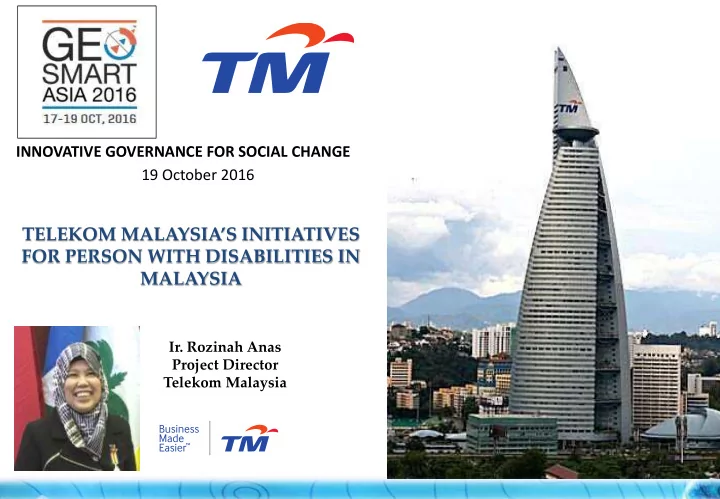
INNOVATIVE GOVERNANCE FOR SOCIAL CHANGE 19 October 2016 TELEKOM MALAYSIAS INITIATIVES FOR PERSON WITH DISABILITIES IN MALAYSIA Ir. Rozinah Anas Project Director Telekom Malaysia 1 1. Introduction 2. World Trend Initiatives Towards PwD

slide-1
SLIDE 1

1

  • Ir. Rozinah Anas

Project Director Telekom Malaysia

TELEKOM MALAYSIA’S INITIATIVES FOR PERSON WITH DISABILITIES IN MALAYSIA

19 October 2016 INNOVATIVE GOVERNANCE FOR SOCIAL CHANGE

slide-2
SLIDE 2
  • 1. Introduction
  • 2. World Trend – Initiatives Towards PwD
  • 3. PwD in Malaysia
  • 4. TM’s Initiatives For PwD In Malaysia

2

slide-3
SLIDE 3

3

Life fe Made de Easi sier er with th TM

slide-4
SLIDE 4

4

Busi siness ness Made de Easi sier er with th TM

slide-5
SLIDE 5
  • 1. Introduction
  • 2. World Trend – Initiatives Towards PwD
  • 3. PwD in Malaysia
  • 4. TM’s Initiatives For PwD In Malaysia

5

slide-6
SLIDE 6

6

World Trend – Inititives Towards PwD’s

Source: (1) Swiss Air Rescue (http://www.rega.ch/en/multimedia/mobile-app.aspx) (2) American Red Cross Mobile Apps (http://www.redcross.org/prepare/mobile-apps) (3) AtHoc Notifier Mobile Application (http://www.athoc.com/)

USA – the American Red Cross USA – AtHoc Notifier Mobile Apps

Interactive Apps for sending picture, text and video

slide-7
SLIDE 7
  • 1. Introduction
  • 2. World Trend – Initiatives Towards PwD
  • 3. PwD in Malaysia
  • 4. TM’s Initiatives For PwD In Malaysia

7

slide-8
SLIDE 8

Akta 685 : Akta Orang Kurang Upaya 2008

8

Government Responsibility for PwD…

slide-9
SLIDE 9

Responsibility for all to assist PwD in emergency…

9

Communications and Multimedia Act – 1998

  • Required Applications Service
slide-10
SLIDE 10

10

Learning Physical Hearing Visual [CATEGORY NAME], [VALUE], ([PERCENTAGE]) [CATEGORY NAME], [VALUE], ([PERCENTAGE]) [CATEGORY NAME], [VALUE], ([PERCENTAGE]) [CATEGORY NAME], [VALUE], ([PERCENTAGE]) [CATEGORY AME], [VALUE], [PERCENTAGE]) [CATEGORY NAME], [VALUE], ([PERCENTAGE]) [CATEGORY NAME], [VALUE], ([PERCENTAGE])

Source: Jabatan Kebajikan Masyarakat – September 2015

72,563 43,519 45,870 25,435 29,256 35,068 52,084 8,067 35,403 35,693 27,317 80,918 31,607 33,676 1,155

  • 10,000

20,000 30,000 40,000 50,000 60,000 70,000 80,000 90,000

Type of Disabilites Total by State

We are working to reach more PwD’s in Malaysia…

slide-11
SLIDE 11

53,929 64,355 1,83,186 1,95,799 4,235 27,338 28,789

50,000 1,00,000 1,50,000 2,00,000 2,50,000

Visual Hearing Physical Learning Speech Mental Others

This is our focus group….

11

Deaf & Mute : 68,590 Blind : 53,929

Source: Jabatan Kebajikan Masyarakat – September 2015

slide-12
SLIDE 12

…TM’s initiatives towards PwD’s communities

  • 1. VIDEO RELAY SERVICE
  • 2. SMART APPLICATION FOR THE BLIND

SaveME 999 BLIND - FOR SIGHT-IMPAIRED COMMUNITIES

2016

2015

2013

SaveME 999 DEAF - FOR HEARING-IMPAIRED COMMUNITIES

12

slide-13
SLIDE 13
  • 1. Introduction
  • 2. World Trend – Initiatives Towards PwD
  • 3. PwD in Malaysia
  • 4. TM’s Initiatives For PwD In Malaysia

13

slide-14
SLIDE 14

…TM’s initiatives towards PwD’s communities

VIDEO RELAY SERVICE (VRS) APPLICATION FOR THE DEAF SMART APPLICATION FOR THE BLIND SaveME 999 DEAF – FOR HEARING- IMPAIRED COMMUNITIES SaveME 999 BLIND – FOR SIGHT-IMPAIRED COMMUNITIES

14

slide-15
SLIDE 15

15

…TM’s initiatives towards PwD’s communities

SaveME 999 DEAF SaveME 999 BLIND

 Launched on 9th September 2013.  Accessible to all emergency agencies (Police, Fire Department, Hospital / Ambulance, Civil Defence and Maritime Enforcement).  Display the nearest emergency agencies for assistance.  Will be launched soon.  Using Voice Over Screen features.  Accessible to all emergency agencies (Police, Fire Department, Hospital / Ambulance, Civil Defence and Maritime Enforcement).  Screen colors can be configured to adapt the user’s visual setting.  Voice recording features  “Where am I” features

slide-16
SLIDE 16

16

…feedback on SaveME 999 apps…

slide-17
SLIDE 17

Form of Communication

  • Communicate with each other in sign language.

Interpreter

  • The interpreter relays the conversation back and forth

between the parties -- in sign language with the VRS user, and by voice with the called party.

Conversations With Video Access

  • Easy and effective.

17

Video Relay Service is …

slide-18
SLIDE 18

18

Video Relay Service (VRS) …

slide-19
SLIDE 19

Interpreter speaks to the phone user Phone user responds

Interpreter signs the response

Using smart phone, tablet or computer

19

Video relay user

Video relay user contact the interpreter.

VRS Call Center (Interpreters) Phone User

How to communicate using VRS…

slide-20
SLIDE 20

Communicate effectively instead

  • f having to type what they want

to say… able to fully express themselves through facial expressions and body language

telephone conversation between two normal person...

service without any help from anyone and easy to access to the call center interpreter.

20

In helping the PwD’s, here are the benefits of VRS…

slide-21
SLIDE 21

21

Using smart phone, tablet or computer. Available in Android and iOS for free.. Web version for computer user. Available for data plan user or wifi internet connection Tablet Smart phone Laptop / computer

Easy access, anywhere, anytime…

slide-22
SLIDE 22

22

VRS VRS Sign Language Voice Communication

PWD activate VRS Interpreter will interpret the sign language and relay it to Service Provider via voice communication Service Provider

Professionals i.e. Doctor, Lawyer, Lecturer and etc

Communication using VRS…

Telcos Banks Utilities Emergency Education Call Center

slide-23
SLIDE 23

23

VRI Booking User Profile Contact VRS Call Centre Call Emergency 999

VRS also available in smartApps…

slide-24
SLIDE 24

24

Display Pre- Defined Contact List Click Here The caller will be automatically call to VRS Contact Centre

slide-25
SLIDE 25

View from caller tablet / smartphone

Chat as backup communication Caller Interpreter

25

slide-26
SLIDE 26

Interpreter Caller

26

slide-27
SLIDE 27

28

SMART APPLICATION FOR THE BLIND

Navigation

Explore Location Search Destination

Text to Speech

Extracts text from images and then it will be read by Voice Over smartphone

Read Barcode

Enable to scan bar codes to provides instant identification

  • f products

Explore new areas and navigate to selected destination Provide a navigation service through voice

slide-28
SLIDE 28

All applications and initiatives towards PwD’s are using the Geospatial Data extensively and inherent in every aspect

  • f the service…

29

slide-29
SLIDE 29

Way Forward

1. Recommendations for future Apps not just in Malaysia, but can be used in ASEAN countries.

  • Common platform

2. Data Sharing for analysis

  • Confidentiality issues
  • Security issues

30

slide-30
SLIDE 30

31

slide-31
SLIDE 31

Thank you

32