
SLIDE 1
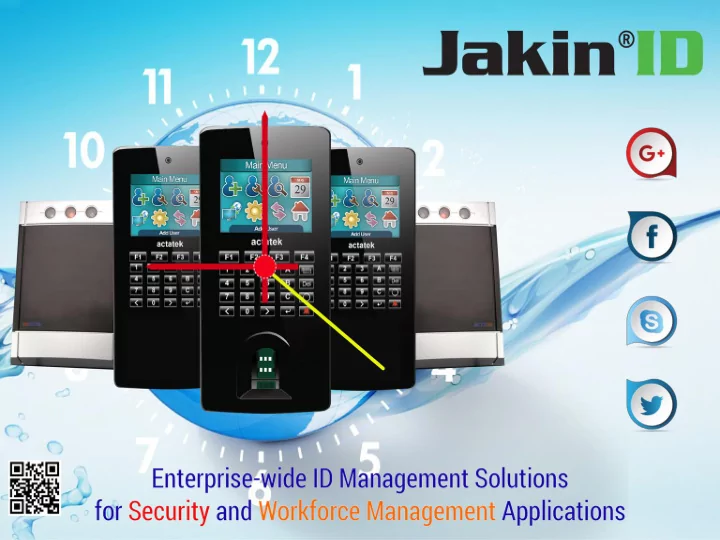
Technical training agenda Compan any Overvie view w Ke Key - - PowerPoint PPT Presentation
Technical training agenda Compan any Overvie view w Ke Key Featu ture res s and d Benefits its Product oduct Overvi view ew Accessorie sories ACTA3 A3 Model l and Legend Back k Pa Panel l Int nternal
Compan any Overvie view w Product
view ew ACTA3 A3 Model l and Legend Back k Pa Panel l – Int nternal ernal St Structur ucture and Conne nnectio ctions ns ACTA3 A3 Terminal inal GUI FingerPr gerPrint int Enrollm
ent t ACTA3 A3 Web UI Door
nnectio ction n ACTA3 A3 CMOS/ Video
era a
friendly ly RFID ID biome metric trics s fingerprint int Authe thent nticat cation ion IOT cloud ud-base ased ID manag nagem emen ent t platf tfor
m and solutions utions With h 15 ye years of experi rien ence ce in provid viding ing RFID ID fingerprint nt biome metr trics cs IOT T solutions utions or the enter erprise rise ID manag ageme ment nt appli licat ations ions for r security rity and work k force manag nagement, ment, our r worldwi ldwide e instal allat lations ions in Fortu tune ne 500 companies anies plus over r 100 million ion users s daily ly of our r devices s and IOT platf atform
nstr trate ate our r success ss in the field. St Star arted ed by a team m of hi-tech h professionals ssionals with h wide range ge of experie rienc nces es in semicondu
ctor
s, RFID, ID, software are and cloud ud developm
nt, embedded devices s and manuf nufactur acturing ng in 2001.W .We are the only y compan any y starte ted with h the sole aim of developing
T and cloud ud solutions utions using ng finger erprint rint biometr trics cs and RFID D cards The Group up has s operational tional offices es in the Canad ada, a, USA, , EMEA EA, , UK, Thail iland and (Bang ngkok
), Singapore apore, , Hong Ko Kong ng, , Taiwa wan, n, and Sri Lank nka. a. Made in Hong g Ko Kong Origin in : U. U.K R&D: : U. U.K and Hong Ko Kong ng Websit ite: : Products
: www.act actatek atek.com .com Solut utions ions: : www.jak jakini inid.com .com
Biometr tric c Vertica tical Market t Pe Penetr tration ation Leader ershi ship Awa ward by Frost t Sulliva ivan n 2010 "5 St Star ar Rating ting of Best Buy"- ACTA3 A3 Combination ination Model el (SC Magazi azine ne,J ,Janua anuary.I .Issue,20 sue,2010) 0) Best Of 2009"- ACTA3 A3 Combination Model” (SC Magazine,January.Issue,2010) Product
novations ations awa ward (Networ
uct Guide,200 e,2008) 8) High-tech h Innov novations ations Awa ward 2006/ 6/20 2007 7 from m Americ ican an Electr tron
cs Assoc
iation, ion, USA
T 256k 56k colour ur scre reen en with slim m and compact ct design n
ware, e, no softwar ware e installat ation
ssary. .
State of the art embedded ed, , encrypted Linux x web server r technology
gure e & a admini nistrate e via web browser ser
ypted ed commun municati tion n between en units & browser er
em update & configu gurati tion n
0 DPI optical al scanner er
match support t up to 20,000 ,000 users (1:N) N) FLI model
es in St Standalone ne or Netwo work modes s
Robust t and scalable able for enterpri rise se-wi wide e deploymen
t
t notifica cation
creen een (*require re configu gurat ation n and SMS s service ce subsc script ription
)
gn for IP 65 rated, , weather er & impact ct resistan ant t casing ng (flui uid ingress, ss, dust, salt, fog protect ction) n)
n Video/CMOS OS camera (option
al)
0 photos (FIFO O off-line e storag age) e)
000, 3,000 00 , 5 5,000 000 ,10,000 0,000, 15,000 ,000 or 50,00 000 0 users
000 0 off-line ne event logs
tica cati tion n : Finger gerprint nt only / Smart Card only / S Smart Card + Fingerpri rint t / I ID + Fingerpri rint, t, and ID + PIN.
ngua ual interfac ace (LCD LCD & W Web)
and 26-bit t output (*On demand nd basis) s)
Mode del l Numb mber er Descr scrip iptio tion ACT ACTA3 A3-[Mo [Model] el]-[Op [Optio tion] n]-[Oth [Other ers] s] Embed bedded ed TLS LS-Web eb Server ver With h PIN IN/ Camer mera/ a/ Smar art t Card/ d/ Finger ger Print int
ACTA3-50K-FLI-SM-C
Model del Descr scrip iption tion 1K (Sma Smart t Card d Finger ger Print) nt) Embed bedded ed TLS-Web eb Server ver up to 1000 000 users 10K 0K Embe bedded ed TLS-Web eb Server ver up to 100 0000 0 users 15K 5K Embe bedded ed TLS-Web eb Server ver up to 150 5000 00 users 30K 0K Embe bedded ed TLS-Web eb Server ver up to 300 0000 0 users 50K 0K Embe bedded ed TLS-Web eb Server ver up to 500 0000 0 users
Sample Model ID’s
Model del Numb mber er Descr scrip iption tion AC ACTA3 A3-1K 1K-PC PC 100 000 0 User r + PIN N + Cam amera a Mod
el AC ACTA3 A3-3K 3K-SM SM 100 000 0 User r + Smar art Card d Mode del l (Mif ifare re) ACT ACTA3 A3-50 50K-FLI FLI-SM SM-C 5000 0000 0 User er + Finger ger Print nt [FLI] I] + Sma mart t Card d [SM] M] + Camer mera a Model del
PoE
ready
PoE
ready
PoE
ready
Pa Part t No : ACT ACTA3 A3-1K 1K-FLI FLI-SM SM-C
Shortcut Keys for Event Triggers Admin Log IN Delete Back/Home Door Bell Enter Key Right Scroll to select Event Triggers Left Scroll to select Event Triggers
T9 with A/B/C keys
Statu atus Icon
Event/ nt/Trigge rigger r Name Displa lay y Full l Date Offline ne Mode Part No ACTA3-1K-FLI-SM-C
A good fingerpri rint t image e is one in which the core of the fingerprint rint is well-define ned and easily y recogni nizable. . The core of a finger is defined as the “point located within the inner most recurring ridge”, it is normally located in the MIDDLE LE of the fingerprint nt. . It is therefore re critica cal when enrolling g that you place the finger on the scanner er where the entire core can clearly y be seen. . Good Image: : The whole fingerprint core can be seen clearly. Bad Image: e: An image where the crackles & displacement
After each placement, wait for the message “Please Remove Finger”
3rd time FP template enrollment.
er Supporte ted: IE; Chrome; Firefox; Safari and any other browser available.
ult User ID “A999” password “1”
Scan an QR code e to Acces cess s Our Live ve Demo mo Unit
Default IP address: 192.168.1.100
SNTP
Scan an QR code e to Acces cess s Our Live ve Demo mo Unit
User r Administra trati tion
Acces ess s Contro trol
Termi rminal Setti tings gs
Tools
Access Manager Suite
IIS 7.0
T prov
ider and enable ler r for r Big Data a anal alysis. sis.
A series es of devices s and Middle-war ware enables les: : Integr egrated ed cloud ud-re read ady finger erprint rint and RFID ID PSIM IM (Phy hysi sical cal Security rity and Inform
tion Manag ageme ment nt) and Work k Force ce Manag ageme ment nt. * Full l web-and and cloud ud IOT and softwar ware archit hitectu cture. re. * All-in in-one
atform
s Contr ntrol, l, Video
veillance illance, , Time Att ttend ndant, ant, HR and Pay Payroll
* All devices s service, ice, mainte ntenan nance e and manag age over r the web. * An integrated d platf tform
nger erprint rint Templat late e files are encryp ypte ted with h AES (256bit), it), and standa ndards complian liant t with h ANSI/ I/INC NCIT ITS S 378, 8, ISO 19794 94-2 2 AND ILO LO SID. D.
ing free middle le-ware, are, SOAP/API P/API for simple le integrations tions with h thir ird party ty software tware. 6.Dat ata a communic municat ation ion via 3G/4G modem, , WiFi, i,VPN VPN / / Wiegand and outp tput ut with h thir ird party ty contr ntroller
ation Tampere ere -20 C to 60C 60C.
Punc nching hing’: Use Biometric Verification for access as well as time & attendance
antom-Wor
ers’: Use CMOS Camera photos taken or videos recorded at DVR to compare for isolating lating access s events ts by suspici cious
egistered red personnel sonnel
Control
r existing ing IP networ works, s, Simplify lify and Automat
access s repor
ting, , time/atte ttenda ndanc nce e repor
ts and integr gration ation into
ayroll l system ems s
ssibil ibilit ity and Utiliza ization tion’: Obtain decision making information over Ethernet/Wireless, Internet ernet/3G, 3G, anyt nytime ime/an anywhe where re on Laptop,
tphone
let-pc c using g a true ue real-time, time, multi lti- door
ti-loc location ation at one system m .
lete Security rity, ‘Anyt nytime me, , Any nywhe where re ‘: Ability ility to manag age all sites es from m one inter erfac ace ,and nd Repor
t centr trally ally, , manag nage e remote
ly
ACTAtek3 guard your doors Video Surveillance 2D Map Viewer Event Logs Viewer Playback Video clip files linked with Event Logs
TM
Key features:
the pre-set alert event happened, a blinking red color icon with alert beep sound will display on the 2-D Map to inform administrators.
the recorded Video clips by defining the search timing. e.g. +/- 10 sec of Event Logs.
Get real time and precise information