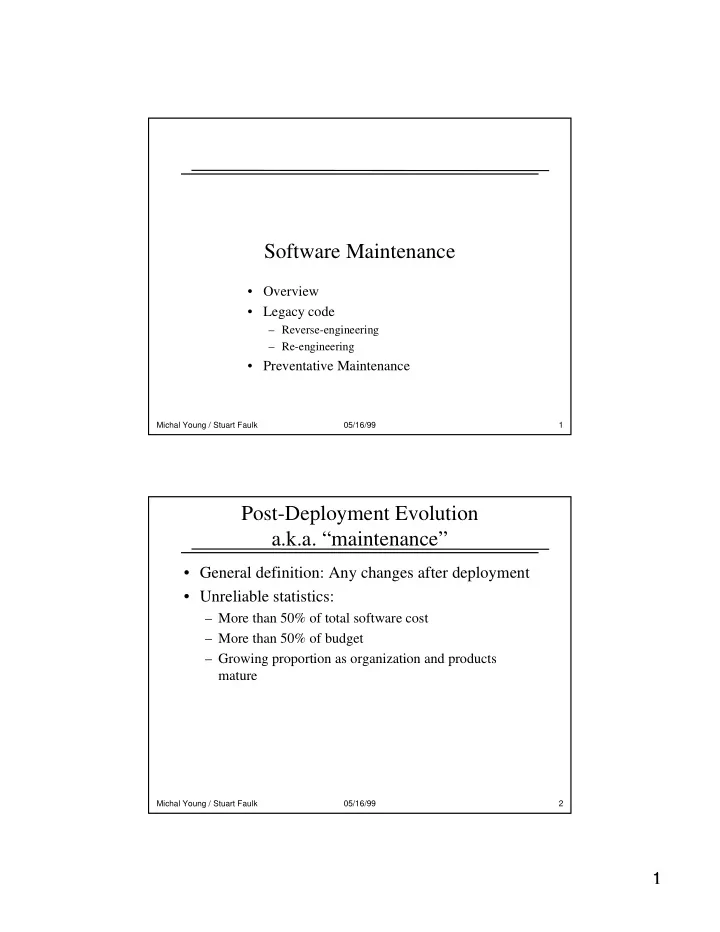
Software Maintenance Overview Legacy code Reverse-engineering - - PDF document

software maintenance
SMART_READER_LITE
LIVE PREVIEW

Software Maintenance Overview Legacy code Reverse-engineering - - PDF document

Software Maintenance Overview Legacy code Reverse-engineering Re-engineering Preventative Maintenance Michal Young / Stuart Faulk 05/16/99 1 Post-Deployment Evolution a.k.a. maintenance General definition:


slide-1
SLIDE 1

1 1

Michal Young / Stuart Faulk 05/16/99 1

Software Maintenance

  • Overview
  • Legacy code

– Reverse-engineering – Re-engineering

  • Preventative Maintenance

Michal Young / Stuart Faulk 05/16/99 2

Post-Deployment Evolution a.k.a. “maintenance”

  • General definition: Any changes after deployment
  • Unreliable statistics:

– More than 50% of total software cost – More than 50% of budget – Growing proportion as organization and products mature

slide-2
SLIDE 2

2 2

Michal Young / Stuart Faulk 05/16/99 3

Why does software need maintenance?

(more old, unreliable statistics)

  • Corrective (bug-fixes): 15%
  • Adaptation: 18%
  • Enhancement: 65%

These numbers are not reliable or consistent across

  • rganizations ... but the basic picture is right: Most

maintenance involves evolution of software function, not fixing bugs.

Michal Young / Stuart Faulk 05/16/99 4

Maintenance is not a “phase”

  • In traditional waterfall model (and some textbooks),

maintenance is treated as the final “phase” of a project

– This might be appropriate if all or most of maintenance were bug fixes

  • What activities are part of “maintenance”?

– To fix a bug? – Add a feature? – Provide a new version?

  • In fact, maintenance involves activities from every other

phase

– AND it may involve adjusting products (documents) from each phase

slide-3
SLIDE 3

3 3

Michal Young / Stuart Faulk 05/16/99 5

Developing Maintainable Software

  • What needs to be done to support maintenance?
  • In requirements phase?

– Document assumptions (things expected not to change) – Document expected changes

  • In design phase?

– Design for ease of change

  • Apply abstraction, information hiding, generalization
  • Architectural structure based on assumptions (stabilities)
  • Encapsulate expected changes

– Document design rationale

  • Post deployment?

– Keep documentation up-to-date

Michal Young / Stuart Faulk 05/16/99 6

Software Decay

  • Observation from OS/360:

– Each new version is more expensive than the previous, and takes longer

  • Belady on software “entropy”

– Software seems to be “decaying” – Original structure is gradually lost through successive changes in maintenance

slide-4
SLIDE 4

4 4

Michal Young / Stuart Faulk 05/16/99 7

How Software Rots

  • Design is lost or out of date
  • Comments are missing or wrong
  • Each change makes it a little worse

– Fossil code accumulates – “Secrets” leak out of modules

  • Eventually there is no design, only an ecology of

code

– “What it should do” is replaced by “What it did before” – Bugs become features

Michal Young / Stuart Faulk 05/16/99 8

Infrastructure Entropy

  • Personnel change

– Original developers move on – New hires have different skills (e.g., methods, languages)

  • Computing environment changes

– New hardware platforms – New computing paradigms

  • e.g., move from mainframe to distributed to intra-net
  • Implies very different program structures
  • Organization evolves

– Processes and procedures change – Needs change

=> Organizational capabilities and needs diverge from legacy assumptions and capabilities.

slide-5
SLIDE 5

5 5

Michal Young / Stuart Faulk 05/16/99 9

Dealing with Legacy Systems

  • Legacy systems

– Old, installed code bases that must be maintained – Embed undocumented business knowledge and procedures – Represent substantial corporate asset and potential liability

  • Reverse-engineering: analyzing software to recover design and

requirements information

– Necessary when design and specifications are poorly maintained – May be preliminary step to re-engineering

  • Re-engineering: re-implementing aspects of a legacy system

– Current system defines initial requirements – Addresses some aspect of system decay

  • Update system
  • Make more maintainable

Michal Young / Stuart Faulk 05/16/99 10

Software Archeology

  • Reverse engineering / visualization

– Extract structural views from existing software, using static (and occasionally dynamic) analysis – Typically semi-automatic, analysis + user-controlled

  • summarization. Main challenge is scale.

– Examples: Rigi system, Murphy’s reflexion models

  • Query systems

– Example: ISI natural language query system How can we make sense of a system without adequate documentation?
slide-6
SLIDE 6

6 6

Michal Young / Stuart Faulk 05/16/99 11

Suggested Exercise

  • Find the GCC source directory, or download it
  • Imagine you are assigned to make a change

– Can you determine which parts are the compiler “front end”, and which parts are the “back end” – Could you find where to add a new control construct to C++? – Could you find where to add profiling code? These things are possible, but they are harder than they should be

  • How much does the GCC “porting and

maintaining” document help?

Michal Young / Stuart Faulk 05/16/99 12

Reflexion Models

  • Comparing a design model to “as-built” system

– Map implementation components to modules in design

  • Many implementation components (e.g., files) may be

associated with a single module

  • Begins with a rough approximation (e.g., from file names and

directory structures), and improves iteratively

– Show augmented design model

  • Where the design connections (e.g., “uses”) correspond to the

implementation

  • Where a design connection is “missing”
  • Where implementation has additional connections
  • G. Murphy & D. Notkin, 1995&
slide-7
SLIDE 7

7 7

Michal Young / Stuart Faulk 05/16/99 13

Re-Engineering

  • Why re-engineering rather than re-develop?

– Perceived as lower risk

  • Need not fully understand requirements
  • Depends on scope of change, quality of documentation and

code

– Can be lower cost

  • Re-engineering can target specific issues

– e.g., move to new platform or language

  • Can scale to available resources
  • But, there’s a practical limit to what can be done

– Cannot change underlying assumptions of architecture – Poorly maintained system may be easier to re-develop

Michal Young / Stuart Faulk 05/16/99 14

Restructuring

  • Ideally, “information hiding” aids maintenance

– If a change was anticipated, it should be confined to the “secret part” of a module – In practice, we can’t always anticipate what will change

  • If change is not contained, we may need to

restructure

– “move the walls” to keep change impact contained

  • Change and restructure, or restructure and change?

– Notkin & Sullivan: restructure first, so regression test is easier

slide-8
SLIDE 8

8 8

Michal Young / Stuart Faulk 05/16/99 15

Perspective: Maintenance as Reuse

  • Maintenance is reuse on a grand scale

– given system X, produce system X’

  • Maintainable systems have reusable parts

– a component that survives much maintenance without change can probably fit in another system as well

  • Evolution should create reusable parts

– goal of restructuring is to facilitate current and future reuse, given evidence of actual change

Michal Young / Stuart Faulk 05/16/99 16

Preventive Maintenance

  • To avoid decay, we must actively maintain

systems to enhance structure

– Contrary to the rule: “If it ain't broke, don’t fix it”

  • Opportunity-based restructuring

– A required change is an opportunity to make other, structure-enhancing changes – Always leave the system better than you found it Note: This is a personal view of good practice, not widely accepted in industry. The more common strategy is occasional “redevelopment” of badly decayed systems.

slide-9
SLIDE 9

9 9

Michal Young / Stuart Faulk 05/16/99 17

Generalizing Software

  • If part of a system requires frequent adaptation or

extension, it is a candidate for generalization

– Mechanism/policy split – Table-driven processing – Application generator – . . .

  • Generalized component may be highly reusable

Michal Young / Stuart Faulk 05/16/99 18

Generalization examples

  • Query language (vs. hard-coded queries)
  • Simulation systems & languages
  • Configuration tables (termcap, mailcap, etc.)
  • Screen & user interface generators
  • Spreadsheets, visual basic, user-programmable

databases

slide-10
SLIDE 10

10 10

Michal Young / Stuart Faulk 05/16/99 19

Traceability

  • Problem: Maintaining integrity of several

documents

– avoiding “shelfware” phenomenon; documents as living, evolving references

  • Hypertext, literate programming, etc.

– none has been really successful

  • Problem: Mapping from requirements to design to

code is not simple

– several parts of code may contribute to one design goal, and one piece of code may be constrained by several requirements

Michal Young / Stuart Faulk 05/16/99 20

Summary

  • Maintenance is inevitable unless the system is

“use once and throw away”

– Plan on it, plan for it, budget and schedule for it

  • Build for maintainability

– Identify expected changes – Build so changes are easy to make (i.e., modularization and information hiding)

  • Be proactive - improve code rather than “fix” it