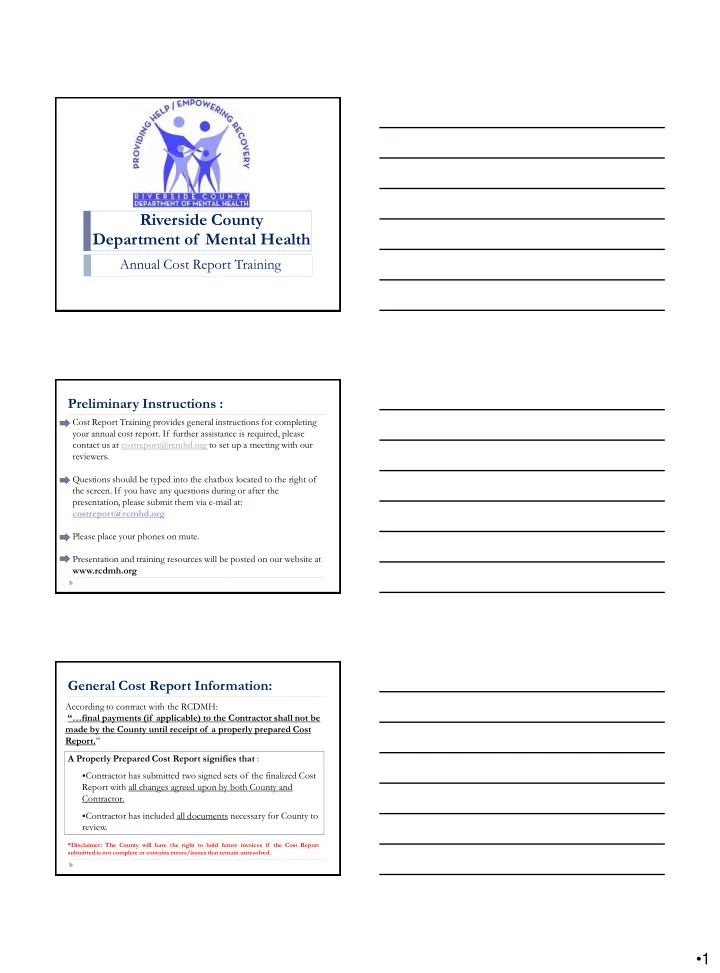
Riverside County Department of Mental Health Annual Cost Report - - PDF document

riverside county department of mental health
SMART_READER_LITE
LIVE PREVIEW

Riverside County Department of Mental Health Annual Cost Report - - PDF document

Riverside County Department of Mental Health Annual Cost Report Training Preliminary Instructions : Cost Report Training provides general instructions for completing your annual cost report. If further assistance is required, please contact us


slide-1
SLIDE 1
  • 1

Riverside County Department of Mental Health

Annual Cost Report Training Preliminary Instructions :

Cost Report Training provides general instructions for completing your annual cost report. If further assistance is required, please contact us at costreport@rcmhd.org to set up a meeting with our reviewers. Questions should be typed into the chatbox located to the right of the screen. If you have any questions during or after the presentation, please submit them via e-mail at: costreport@rcmhd.org Please place your phones on mute. Presentation and training resources will be posted on our website at www.rcdmh.org

General Cost Report Information:

According to contract with the RCDMH: “…final payments (if applicable) to the Contractor shall not be made by the County until receipt of a properly prepared Cost Report.” A Properly Prepared Cost Report signifies that :

  • Contractor has submitted two signed sets of the finalized Cost

Report with all changes agreed upon by both County and Contractor.

  • Contractor has included all documents necessary for County to

review.

*Disclaimer: The County will have the right to hold future invoices if the Cost Report submitted is not complete or contains errors/issues that remain unresolved.

slide-2
SLIDE 2
  • 2
  • If audited Financial Statements are not available by the date of

submission, send the un-audited Financial Statements used to prepare the Cost Report.

  • If your Financial Statements vary from your Cost Report figures,

please submit all supporting schedules to trace numbers from Financial Statements to Cost Report forms.

  • If your fiscal year is not the same as Riverside County’s (July 1,

2014 through June 30, 2015) it is necessary to submit multiple financial statements. EXAMPLE: On a January through December calendar year basis, submit one financial statement from July 1, 2014 through December 31, 2014 and another financial statement from January 1, 2015 through June 30, 2015.

Note on Financial Statements:

Please email to costreport@rcmhd.org:

  • Financial statements and other supporting schedules that tie to

the Cost Report Schedules.

  • Electronic copy of Cost Report Schedules
  • A schedule of your published charges (the rates you charge the

public). TWO (2) original signed sets of complete Cost Report Schedules with original signatures in BLUE ink for each cost report once agreed upon by County and Contractor.

What to submit to Riverside County Department of Mental Health:

Complete a separate set of Cost Report schedules for EACH: Substance Abuse: CADDS your agency has with Riverside County, as per contract Exhibit C. Mental Health: Program Code your agency has with Riverside County, as per contract Exhibit C. Cost Reports submitted with Program Code/CADDS/contracts combined are not considered properly completed and you will be contacted by your accountant for revision.

  • Please be advised that some contracts may contain more than
  • ne Program Code or CADDS and that one contract does not

necessarily equate to one cost report.

How many Cost Reports do I need to complete?

slide-3
SLIDE 3
  • 3

When opening up the Cost Report Schedules in Excel versions 2003 and earlier, a pop up will ask whether to enable macros. YOU MUST “ENABLE MACROS” IN ORDER FOR THESE FORMS TO WORK!

Enabling Macros:

You may also need to adjust the Security Level in order for the Macros to run properly.

  • 1. In Excel, select: Tools Macro Security
  • 2. Set Security Level to Medium.

Enabling Macros (cont.):

When opening up the Cost Report Schedules in Excel 2007, you may need to change settings in order to enable macros.

  • 1. In Excel, if you receive a Security Warning, Macros have been disabled,

click the Options button.

  • 2. Select Enable this

content and click OK.

Enabling Macros (cont.):

slide-4
SLIDE 4
  • 4

Cost Report Instructions & Sample

Navigating the Schedules New for Cost Report FY 2014/2015:

  • A line item for Indirect Administrative Cost has been added to the

Schedule 2. Used to be included under the “Other” Line Item.

General Information on Completing the Schedules:

  • Complete all the appropriate information regarding your agency in

the heading area of Schedule 1 and Schedule 5. Also complete the contact information at the bottom of Schedule 5.

  • All figures that need to be completed by your agency are

highlighted in green.

  • Include cents on all dollar figures on your Cost Report. Do not

round to the nearest dollar.

slide-5
SLIDE 5
  • 5

SCHEDULE 1-METHODOLOGY: The County needs to know how your agency is breaking out expenses and revenues (1) between County and non-County programs and (2) the various service types

  • provided. There are three allocation methods which are generally

used:

  • Direct Allocation: Costs is tracked at the level of the individual

program and/or service type provided.

  • Unit Based Allocation: Weighted average based on actual units

provided multiplied by their rates.

  • Time Study: Weighted Average based on hours worked on County

services.

Cost Report Overview: Schedule 1

SCHEDULE 2-EXPENSES: The County will need your agency to break out the total and county expenses by the line items provided

  • n the Schedule 2 form. Your agency will also need to allocate the

expense across each service type provided based on the break-out explained in Schedule 1. Expenses found on this form should match the expenses on the financial statements provided to the County using the methodology

  • n Schedule 1. Please provide a way for the reviewer to tell what

expenses were placed under each line item so the reviewer could determine if it was appropriately allocated.

Cost Report Overview: Schedule 2

SCHEDULE 3-REVENUES: The County will need your agency to break out the total and county revenues by the line items provided

  • n the Schedule 3 form. Your agency will also need to allocate the

revenue across each service type provided based on the break-out explained in Schedule 1. Revenues found on this form should match the revenue on the financial statements provided to the County using the methodology

  • n Schedule 1.

Cost Report Overview: Schedule 3

slide-6
SLIDE 6
  • 6

SCHEDULE 4-UNITS: Total and County units provided by your agency should be tracked by your agency and will be required to be input on this form. Your units entered on this form should match the unit documentation provided as well as agree with the County units on file. SCHEDULE 5-SUMMARY REPORT: The schedule 5 automatically gathers the information input into the other schedules to provide you with a summary report. You will need to select your contract type, organization type (profit or non-profit), and accounting method (cash, accrual, or modified accrual) at the top of the page and input contact information at the bottom.

Cost Report Overview: Schedule 4 & 5 Substance Abuse

  • Monday, August 3rd, 2015

Mental Health & PEI

  • Monday, August 17th, 2015

Managed Care & DPSS

  • Tuesday, September 15th, 2015

Due Dates:

Cost Report Schedules and Instructions will be emailed soon and will also be available on the Department of Mental Health website at:

http://www.rcdmh.org/Doing-Business/Provider-Connect

Under the Cost Report header on the right side of the screen

slide-7
SLIDE 7
  • 7
  • 3. What color are the cells that need to be completed?
  • One for each CADDS or Program Code.
  • Enable Macros
  • Green
  • 1. How many cost reports should each contractor complete?
  • 2. What is the first thing you need to do when opening the

cost report forms?

  • 4. What rate should a correct weighted average calculation be

based on?

  • Published Charge, RCMAR, Drug Medi-Cal Rate, Negotiated Rate

[Md & SFC Split %=(Units x Rate) / Total Weighted Cost]

REVIEW

  • 6. What are the due dates for the following cost reports?

Substance Abuse Mental Health & PEI Managed Care & DPSS

  • It will affect how the settlement is calculated

September 15, 2015

  • 5. Why is it important to select the correct type of contract on

the top of Schedule 5? August 3, 2015 August 17, 2015

REVIEW

  • 9. What do you need to submit to the DOMH at cost report

time?

  • Cost Report electronically submitted to the DOMH
  • Appropriate Financials and Supporting Documentation
  • 2 signed hard copies of each cost report schedule once agreed

upon by County and Contractor

  • The Director, Administrator or CEO (or designee)
  • Blue
  • 7. What is the correct color of ink for signatures on the cost

report?

  • 8. Who is responsible for signing the cost report?

REVIEW

slide-8
SLIDE 8
  • 8

Questions ?