Presenting a live 90-minute webinar with interactive Q&A Audit - - PowerPoint PPT Presentation

presenting a live 90 minute webinar with interactive q a
SMART_READER_LITE
LIVE PREVIEW

Presenting a live 90-minute webinar with interactive Q&A Audit - - PowerPoint PPT Presentation

Presenting a live 90-minute webinar with interactive Q&A Audit Response Letters and Disclosures: In-House Counsel's Role in Balancing Auditor Demands and Company Privileges Navigating the Scope of Lawyers' Responsibility to Auditors Under


slide-1
SLIDE 1

The audio portion of the conference may be accessed via the telephone or by using your computer's

  • speakers. Please refer to the instructions emailed to registrants for additional information. If you

have any questions, please contact Customer Service at 1-800-926-7926 ext. 10.

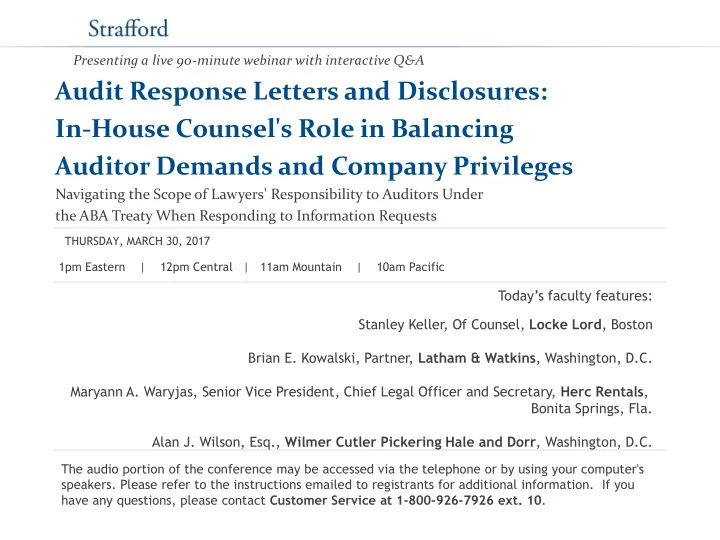
Presenting a live 90-minute webinar with interactive Q&A

Audit Response Letters and Disclosures: In-House Counsel's Role in Balancing Auditor Demands and Company Privileges

Navigating the Scope of Lawyers' Responsibility to Auditors Under the ABA Treaty When Responding to Information Requests

Today’s faculty features:

1pm Eastern | 12pm Central | 11am Mountain | 10am Pacific THURSDAY, MARCH 30, 2017

Stanley Keller, Of Counsel, Locke Lord, Boston Brian E. Kowalski, Partner, Latham & Watkins, Washington, D.C. Maryann A. Waryjas, Senior Vice President, Chief Legal Officer and Secretary, Herc Rentals, Bonita Springs, Fla. Alan J. Wilson, Esq., Wilmer Cutler Pickering Hale and Dorr, Washington, D.C.

slide-2
SLIDE 2

Tips for Optimal Quality

Sound Quality If you are listening via your computer speakers, please note that the quality

  • f your sound will vary depending on the speed and quality of your internet

connection. If the sound quality is not satisfactory, you may listen via the phone: dial 1-866-570-7602 and enter your PIN when prompted. Otherwise, please send us a chat or e-mail sound@straffordpub.com immediately so we can address the problem. If you dialed in and have any difficulties during the call, press *0 for assistance. Viewing Quality To maximize your screen, press the F11 key on your keyboard. To exit full screen, press the F11 key again.

FOR LIVE EVENT ONLY

slide-3
SLIDE 3

Continuing Education Credits

In order for us to process your continuing education credit, you must confirm your participation in this webinar by completing and submitting the Attendance Affirmation/Evaluation after the webinar. A link to the Attendance Affirmation/Evaluation will be in the thank you email that you will receive immediately following the program. For additional information about continuing education, call us at 1-800-926-7926

  • ext. 35.

FOR LIVE EVENT ONLY

slide-4
SLIDE 4

Program Materials

If you have not printed the conference materials for this program, please complete the following steps:

  • Click on the ^ symbol next to “Conference Materials” in the middle of the left-

hand column on your screen.

  • Click on the tab labeled “Handouts” that appears, and there you will see a

PDF of the slides for today's program.

  • Double click on the PDF and a separate page will open.
  • Print the slides by clicking on the printer icon.

FOR LIVE EVENT ONLY

slide-5
SLIDE 5
slide-6
SLIDE 6
slide-7
SLIDE 7
slide-8
SLIDE 8
slide-9
SLIDE 9
slide-10
SLIDE 10
slide-11
SLIDE 11
slide-12
SLIDE 12
slide-13
SLIDE 13
slide-14
SLIDE 14
slide-15
SLIDE 15
slide-16
SLIDE 16
slide-17
SLIDE 17
slide-18
SLIDE 18
slide-19
SLIDE 19
slide-20
SLIDE 20
slide-21
SLIDE 21
slide-22
SLIDE 22
slide-23
SLIDE 23
slide-24
SLIDE 24
slide-25
SLIDE 25
slide-26
SLIDE 26