Persistent storage just like memory, only different Just like - - PowerPoint PPT Presentation

persistent storage
SMART_READER_LITE
LIVE PREVIEW

Persistent storage just like memory, only different Just like - - PowerPoint PPT Presentation

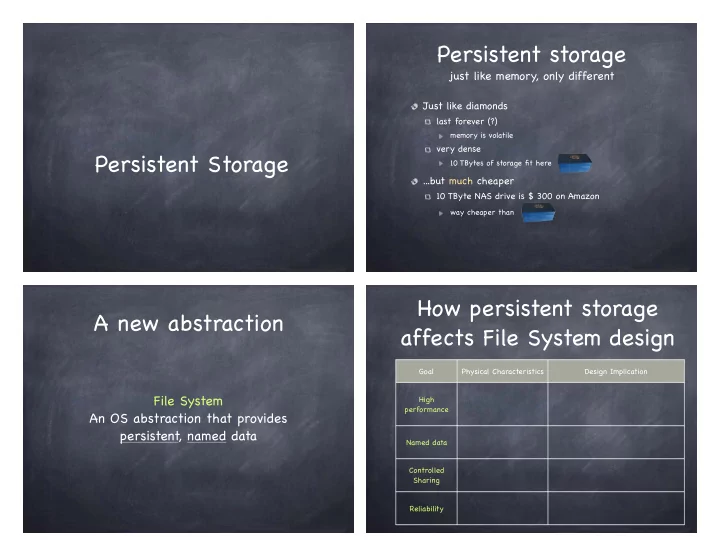
Persistent storage just like memory, only different Just like diamonds last forever (?) memory is volatile very dense Persistent Storage 10 TBytes of storage fit here ...but much cheaper 10 TByte NAS drive is $ 300 on Amazon way cheaper than How


slide-1
SLIDE 1

Persistent Storage Persistent storage

just like memory, only different

Just like diamonds

last forever (?)

memory is volatile

very dense

10 TBytes of storage fit here

...but much cheaper

10 TByte NAS drive is $ 300 on Amazon

way cheaper than

File System An OS abstraction that provides persistent, named data

A new abstraction

Goal Physical Characteristics Design Implication High performance Named data Controlled Sharing Reliability

How persistent storage affects File System design

slide-2
SLIDE 2

How persistent storage affects File System design

Goal Physical Characteristics Design Implication High performance

Large cost to initiate I/O

Named data Controlled Sharing Reliability Goal Physical Characteristics Design Implication High performance

Large cost to initiate I/O Organize storage so that data can be accessed in large sequential units Use caching to avoid accessing persistent storage

Named data Controlled Sharing Reliability

How persistent storage affects File System design

Goal Physical Characteristics Design Implication High performance

Large cost to initiate I/O Organize storage so that data can be accessed in large sequential units Use caching to avoid accessing persistent storage

Named data

Large capacity Survives crashes Shared across programs

Controlled Sharing Reliability

How persistent storage affects File System design

Goal Physical Characteristics Design Implication High performance

Large cost to initiate I/O Organize storage so that data can be accessed in large sequential units Use caching to avoid accessing persistent storage

Named data

Large capacity Survives crashes Shared across programs Support files and directories with meaningful names

Controlled Sharing Reliability

How persistent storage affects File System design

slide-3
SLIDE 3

Goal Physical Characteristics Design Implication High performance

Large cost to initiate I/O Organize storage so that data can be accessed in large sequential units Use caching to avoid accessing persistent storage

Named data

Large capacity Survives crashes Shared across programs Support files and directories with meaningful names

Controlled Sharing

Device may store data from many users

Reliability

How persistent storage affects File System design

Goal Physical Characteristics Design Implication High performance

Large cost to initiate I/O Organize storage so that data can be accessed in large sequential units Use caching to avoid accessing persistent storage

Named data

Large capacity Survives crashes Shared across programs Support files and directories with meaningful names

Controlled Sharing

Device may store data from many users Include with files metadata for access control

Reliability

How persistent storage affects File System design

Goal Physical Characteristics Design Implication High performance

Large cost to initiate I/O Organize storage so that data can be accessed in large sequential units Use caching to avoid accessing persistent storage

Named data

Large capacity Survives crashes Shared across programs Support files and directories with meaningful names

Controlled Sharing

Device may store data from many users Include with files metadata for access control

Reliability

Crash can occur during updates Storage devices can fail Flash memory wears out

How persistent storage affects File System design

Goal Physical Characteristics Design Implication High performance

Large cost to initiate I/O Organize storage so that data can be accessed in large sequential units Use caching to avoid accessing persistent storage

Named data

Large capacity Survives crashes Shared across programs Support files and directories with meaningful names

Controlled Sharing

Device may store data from many users Include with files metadata for access control

Reliability

Crash can occur during updates Storage devices can fail Flash memory wears out

Use transactions to atomically update multiple blocks of persistent storage Use redundancy to detect and correct failures Migrate data to even the wear

How persistent storage affects File System design

slide-4
SLIDE 4

Understanding how File Systems work matters

Example: Word processor with auto-save feature If file is large and application is naive in using the file system

poor performance

may have to overwrite entire file to insert a few bytes!

clever doc format may transform updates in appends

corrupt file

crash while overwriting may leave file in inconsistent state

lost file

Say we write update to a new file; delete original file; copy new file to old file location…untimely crash could leave us with no file!

Storage Devices

We focus on two types of persistent storage

magnetic disks

servers, workstations, laptops

flash memory

smart phones, tablets, cameras, laptops

Other exist(ed)

tapes drums clay tablets

Storage Devices

Magnetic Disks

Rarely becomes corrupted Large capacity at low cost Block level random access Slow performance for random access Better performance for sequential access

Flash Memory

Rarely becomes corrupted Capacity at intermediate cost (8x disk) Block level random access Good performance for reads; worse for random reads

Magnetic disk

Store data magnetically on thin metallic film bonded to rotating disk of glass, ceramic, or aluminum

slide-5
SLIDE 5

Disk Drive Schematic

17

Block/Sector

Typically 512 bytes spare sectors added for fault tolerance

1 2 s–1

. . . Track

data on a track can be read without moving arm track skewing staggers logical address 0 on adjacent one to account for time to move head

Disk Drive Schematic

18

Block/Sector Platter Surface Head Spindle

thin cylinder that holds magnetic material each platter has two surfaces reads by sensing a magnetic field writes by creating one floats on air cushion created by spinning disk

Arm assembly

Typically 512 bytes spare sectors added for fault tolerance set of tracks on different surfaces with same track index

Cylinder

2018: 4200-15000 RPM

1 2 s–1

. . . Track

data on a track can be read without moving arm track skewing staggers logical address 0 on adjacent one to account for time to move head

Disk Read/Write

Present disk with a sector address

Old: CHS = (cylinder, head, sector) New abstraction: Logical Block Address (LBA)

linear addressing 0...N-1

Heads move to appropriate track

seek settle

Appropriate head is enabled Wait for sector to appear under head

rotational latency

Read/Write sector

transfer time

Disk access time:

Disk Read/Write

Present disk with a sector address

Old: CHS = (cylinder, head, sector) New abstraction: Logical Block Address (LBA)

linear addressing 0...N-1

Heads move to appropriate track

seek (and though shalt approximately find) settle (fine adustments)

Appropriate head is enabled Wait for sector to appear under head

rotational latency

Read/Write sector

transfer time

Disk access time: seek time +

slide-6
SLIDE 6

Disk Read/Write

Present disk with a sector address

Old: CHS = (cylinder, head, sector) New abstraction: Logical Block Address (LBA)

linear addressing 0...N-1

Heads move to appropriate track

seek (and though shalt approximately find) settle (fine adustments)

Appropriate head is enabled Wait for sector to appear under head

rotational latency

Read/Write sector

transfer time

Disk access time: seek time + rotation time +

Disk Read/Write

Present disk with a sector address

Old: CHS = (cylinder, head, sector) New abstraction: Logical Block Address (LBA)

linear addressing 0...N-1

Heads move to appropriate track

seek (and though shalt approximately find) settle (fine adustments)

Appropriate head is enabled Wait for sector to appear under head

rotational latency

Read/Write sector

transfer time

Disk access time: seek time + rotation time + transfer time

A closer look: seek time

Minimum: time to go from one track to the next

0.3-1.5 ms

Maximum: time to go from innermost to outermost track

more than 10ms; up to over 20ms

Average: average across seeks between each possible pair of tracks

approximately time to seek 1/3 of the way across disk

Head switch time: time to move from track on one surface to the same track on a different surface

range similar to minimum seek time

i

A closer look: rotation time

Today most disk rotate at 4200 to 15,000 RPM

15ms to 4ms per rotation good estimate for rotational latency is half that amount

Head starts reading as soon as it settles on a track

track buffering to avoid “shoulda coulda” if any of the sectors flying under the head turn out to be needed
slide-7
SLIDE 7

A closer look: transfer time

Surface transfer time

Time to transfer one or more sequential sectors to/ from surface after head reads/writes first sector Much smaller that seek time or rotational latency

512 bytes at 100MB/s ≈ 5µs (0.005 ms)

Lower for outer tracks than inner ones

same RPM, but more sectors/track

Host transfer time

time to transfer data between host memory and disk buffer

60MB/s (USB 2.0) to 2.5GB/s (Fibre Channel 20GFC)

Example: Toshiba MK3254GSY (2008)

Size Platters/Heads 2/ 4 Capacity 320GB Performance Spindle speed 7200 RPM

  • Avg. seek time R/W

10.5/12.0 ms

  • Max. seek time R/W

19 ms Track-to-track 1 ms Surface transfer time 54-128 MB/s Host transfer time 375 MB/s Buffer memory 16MB Power Typical 16.35 W Idle 11.68 W

500 Random Reads

Workload

500 read requests, randomly chosen sector served in FIFO order

How long to service them?

500 times (seek + rotation + transfer) seek time: 10.5 ms (avg) rotation time:

7200 RPM = 120 RPS rotation time 8.3 ms

  • n average, half of that: 4.15 ms

transfer time

at least 54 MB/s 512 bytes transferred in (.5/54,000) seconds = 9.25µs

Total time:

500 x (10.5 + 4.15 + 0.009) ≈ 7 .33 sec Size Platters/Heads 2/ 4 Capacity 320GB Performance Spindle speed 7200 RPM

  • Avg. seek time R/W

10.5/12.0 ms

  • Max. seek time R/W

19 ms Track-to-track 1 ms Surface transfer time 54-128 MB/s Host transfer time 375 MB/s Buffer memory 16MB Power Typical 16.35 W Idle 11.68 W

500 Sequential Reads

Workload

500 read requests for sequential sectors on the same track served in FIFO order

How long to service them?

seek + rotation + 500 times transfer seek time: 10.5 ms (avg, since don’ t know where we are starting from) rotation time:

4.15 ms, as in previous example

transfer time

  • uter track: 500 x (.5/128000) ≈ 2ms

inner track: 500 x (.5/54000) seconds ≈ 4.6ms

Total time is between:

  • uter track: (2 + 4.15 + 10.5) ms ≈ 16.65 ms

inner track: (4.6 + 4.15 + 10.5) ms ≈ 19.25 ms

Size Platters/Heads 2/ 4 Capacity 320GB Performance Spindle speed 7200 RPM

  • Avg. seek time R/W

10.5/12.0 ms

  • Max. seek time R/W

19 ms Track-to-track 1 ms Surface transfer time 54-128 MB/s Host transfer time 375 MB/s Buffer memory 16MB Power Typical 16.35 W Idle 11.68 W

slide-8
SLIDE 8

Other I/O

Disk Head Scheduling

OS maximizes disk I/O throughput by minimizing head movement through disk head scheduling

(surface, track, sector)

CPU

Disk

Ina multiprogramming/time sharing environment, a queue of disk I/Os can form

FCFS

Assume a queue of request exists to read/write tracks

83 72 14 147 16 150

and the head is on track 65

150 125 100 75 50 25 65

FCFS scheduling results in the head moving 550 tracks

15

SSTF: Shortest Seek Time First

Greedy scheduling

Rearrange queue from: to:

83 72 14 147 16 150 83 72 14 147 16 150

150 125 100 75 50 25

SSTF scheduling results in the head moving 221 tracks

65 15

SCAN Scheduling “Elevator”

Move the head in one direction until all requests have been serviced, and then reverse

Rearrange queue from: to:

83 72 14 147 16 150 83 72 14 147 16 150

Head moves 187 tracks.

150 125 100 75 50 25 65 15

slide-9
SLIDE 9

C-SCAN scheduling

Circular SCAN

move the head in one direction until an edge of the disk is reached and then reset to the opposite edge

150 125 100 75 50 25 65 15

More uniform wait time than SCAN

moves head to serve requests that are likely to have waited longer

RAM vs. HDD vs. SSD, 2018

RAM HDD SSD

Typical Size 8GB 1TB 256GB Cost $10/GB $0.05/GB $0.32/GB Power 3W 2.5W 1.5W Read Latency 15ns 15ms 30µs Read Speed (seq) 8000MB/s 175MB/s 550MB/s Read/Write granularity byte sector page Power Reliance volatile non-volatile non-volatile Write Endurance N/A N/A 450TB

[C. Tan, buildcomputers.net, codecapsule.com, crucial.com, wikipedia]

Flash Storage

No moving parts

better random access performance less power more resistant to physical damage

N source N drain Control gate P-Type substrate Floating gate

Bit stored here, surrounded by an insulator No charge = 1 Charge = 0 Fowler-Nordheim tunneling To write 0 apply positive voltage to drain apply even stronger positive voltage to control gate some electrons are tunneled into floating gate Oxide sidewall Oxide tunnel Oxide/Nitride/Oxide ONO inter-poly dielectric (insulator)

+

+

Flash Storage

No moving parts

better random access performance less power more resistant to physical damage

N source N drain Control gate P-Type substrate Floating gate

Bit stored here, surrounded by an insulator No charge = 1 Charge = 0 Fowler-Nordheim tunneling To write 0 apply positive voltage to drain apply even stronger positive voltage to control gate some electrons are tunneled into floating gate To write 1 apply positive voltage to drain apply negative voltage to control gate electrons are forced out of floating gate into source Oxide sidewall Oxide tunnel Oxide/Nitride/Oxide ONO inter-poly dielectric (insulator)

  • +
slide-10
SLIDE 10

Flash Storage

No moving parts

better random access performance less power more resistant to physical damage

N source N drain Control gate P-Type substrate Floating gate

Bit stored here, surrounded by an insulator No charge = 1 Charge = 0 Fowler-Nordheim tunneling To write 0 apply positive voltage to drain apply even stronger positive voltage to control gate some electrons are tunneled into floating gate To write 1 apply positive voltage to drain apply negative voltage to control gate electrons are forced out of floating gate into source To read apply positive (lower than write) voltage to control gate apply positive (lower than write) voltage to drain measure current between source and drain to determine whether electrons in gate measured current can encode more than a single bit Oxide sidewall Oxide tunnel Oxide/Nitride/Oxide ONO inter-poly dielectric (insulator)

+ +

NAND Flash Units

Operations

Erase ”erasure block”

before a block can be written, it needs to be set to logical “1”

  • peration takes several ms

Flash Translation Layer maps logical page to several physical pages; logical page is written to already erased physical page and mapping is adjusted

Write page

tens of µs

Read page

tens of µs

Flash devices can have multiple independent data paths

OS can issue multiple concurrent requests to maximize bandwidth

1 Block = 128 pages = 512KB

4KB Page 512KB Block

1 Plane = 1024 blocks = 512MB

Example: Remapping Flash Drives

Flash drive specs

4 KB page 3ms to erase erasure block 512KB erasure block 50µs read page/write page

How long to naively read/ erase/and write each page?

128 x (50 x 10-3) + 3 + 128 x (50 x 10-3) = 15.8ms per write

Suppose we use remapping, and we always have a free erasure block available. How long now?

3/128 + 50 x 10-3 = 73.4µs

read block; erase; write entire block erasure cost amortized

  • ver 128 writes

Flash durability

Flash memory stops reliably storing a bit

after many erasures (in the order of 103 to 106) after a few years without power after nearby cell is read many times (read disturb)

To improve durability

error correcting codes

extra bytes in every page

management of defective pages/ erasure blocks

firmware marks them as bad

wear leveling

spreads updates to hot logical pages to many physical pages

spares (pages and erasure blocks)

for both wear leveling and managing bad pages and blocks

Transparent to the device user