Overview Course overview and administrative issues 15-441/641: - - PowerPoint PPT Presentation

overview
SMART_READER_LITE
LIVE PREVIEW

Overview Course overview and administrative issues 15-441/641: - - PowerPoint PPT Presentation

8/26/2019 Overview Course overview and administrative issues 15-441/641: Computer Networks Packet-switched networking fundamentals Introduction The Web as a motivating application (P1 preview) How to build an Internet: the


slide-1
SLIDE 1

8/26/2019 1

15-441/641: Computer Networks Introduction

15-441 Fall 2019 Profs Peter Steenkiste & Justine Sherry Fall 2019 https://computer-networks.github.io/fa19/

Overview

  • Course overview and administrative issues
  • Packet-switched networking fundamentals
  • The Web as a motivating application (P1 preview)
  • How to build an Internet: the protocol stack
  • The life of a packet
  • The end-to-end argument

What makes up a network?

  • A communication medium is the means by which information (the

message) is transmitted between a speaker or writer (the sender) and an audience (the receiver).

  • Data transmission is the process of sending digital or analog data
  • ver a communication medium to one or more computing, network,

communication or electronic devices

  • Data encoding is the process of applying a specific code, such as

letters, symbols and numbers, to data for conversion into an equivalent cipher

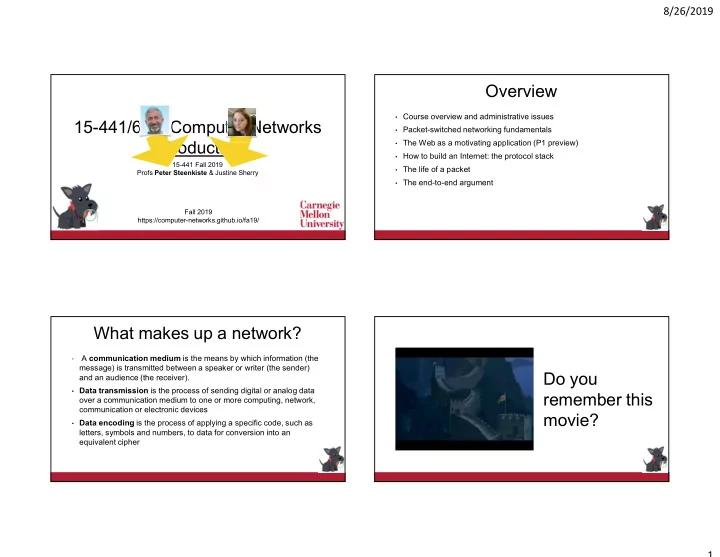
Do you remember this movie?

slide-2
SLIDE 2

8/26/2019 2

Why did I just show you this video?

  • The Great Wall of China used beacon towers to transmit information
  • The communication medium was light and darkness
  • The data encoding had only two values:
  • Light means danger! No light means safe!
  • Data transmission occurrs as the light travels from outpost to
  • utpost — at the speed of light!

A modern communication medium

  • Ethernet over copper
  • What is the medium?
  • How is data encoded?
  • How is data transmitted?

When you connect two or more endpoints with a communication medium, you have a network.

slide-3
SLIDE 3

8/26/2019 3

Modern Networks

Datacenters Low Earth Orbit (LEO) Satellites University Campus How is building each of these networks different from each other? What might make it more challenging to develop, say, web applications for each scenario?

When you connect two or more networks, you have an internetwork.

Why should I care about this class?

Would you rather have a super computer without a network connection, or a simple cell phone with connectivity to the Internet?

slide-4
SLIDE 4

8/26/2019 4

This Class

  • We will learn about lots of kinds of networks.
  • How to implement and manage networks
  • How to design applications that use networks
  • And we will do this in a hands-on way
  • You’re going to write a lot of code (sorry, not sorry!*)

* You’ll really be able to impress recruiters and grad schools after this.

Part 1: Internet Basics

Lectures: Nuts and bolts — how networks work today. A bit of a history lesson, too: how did we get here? Project #1: Build a Web Server “Get your feet wet” with big C projects Think about all the things you rely on in designing applications and services that use the Internet

Part 1: Internet Basics

How does the Internet know where to send my data when I connect to a server in say, Pakistan? Where do domain names like google.com come from? Who decides who gets to own what name? How does my computer make sure data that I send is not lost or corrupted? Why are some networks “slow” or “fast”?

Part 2: Building Applications that Use Networks

Lectures: The Web and HTTP, Content Distribution Networks Network security, quality of service, … Guest lecture from Netflix on video streaming Project #2: Build a transport protocol for basic file transfer Make sure data doesn’t get lost or corrupted, and make sure data is transferred fast! Adapt your protocol for use in: A CDN The moon

slide-5
SLIDE 5

8/26/2019 5

Part 2: Building Applications that Use Networks

What is a CDN and how does it make the web faster? What is the difference between HTTP 1.5 and HTTP 2.0? How do we send data over the Internet privately? Why does the underlying structure of the network impact application performance?

Part 3: Building Network Infrastructure

Lectures: Modern network infrastructure and challenges WiFi vs LTE vs 5G, mobility Datacenter networks, middleboxes Project #3: Build Netflix

Seriously

Integrate everything you learned in Part 2 (online video, CDNs, DNS) with some routing. See how the pieces fit together.

Part 3: Building Network Infrastructure

What happens inside a datacenter at Facebook or Microsoft? What algorithms and architectures make them “fast”? What is the difference between “4G” and “5G” cell service? Why are some wires faster than others?

Any questions about what we will learn in this class?

slide-6
SLIDE 6

8/26/2019 6

Course Policies

Mostly outlined in the syllabus - this is an

  • verview

MOST IMPORTANT WAY TO SUCCED IN THIS CLASS: The majority of your grade comes from class projects

  • 45% for Projects I, II and III
  • 18% for Midterm exam
  • 27% for Final exam
  • 10% for Homework

This means: START EARLY! Use office hours to ask for help! Debug your code with your own testing scripts!

Late Work

  • We will give you two “late days” for free.
  • You don’t need to tell us which days you are using — we calculate

late days at the end of the semester to your advantage (e.g., if you turn in both a project and a homework two days late, we will give you full credit on the project since that is worth more points.)

  • Any other late assignments are penalized 15% per day late. No

assignments are accepted more 48 hours after the deadline.

  • See the syllabus about dealing with emergencies.

Don’t Cheat. Seriously.

  • Working together is important
  • Discuss course material in general terms
  • Work together on program debugging, ..
  • Collaborating on projects P2 and P3
  • Final submission must be your own work
  • Homeworks, midterm, final, projects….
  • Submitting or using someone else’s work is an academic integrity violation (i.e.,

cheating)

  • We will follow the university policy on reporting violations
  • Voluntarily sharing your work is also a policy violation
  • Web page has details, e.g., university policy, etc.
slide-7
SLIDE 7

8/26/2019 7

REALLY don’t cheat on the projects CMU’s Disability Services Office is Great

  • If you need their help — for any reason — we do what they tell us to,

no questions asked (we don’t need to know why you need accommodations).

  • Please email the professors a copy of the accommodations sheet for

us to sign, or bring a paper copy to either of us in Office Hours.

CAPS is also great.

  • Whenever are worried about a student, we call CAPS and they give

great advice.

  • Many people think CAPS is just for people with severe mental health
  • troubles. You can also go just because you’re feeling a little stressed

about anything and you need someone to talk to.

  • Seriously, no problem is too small.
  • If you think about visiting them, just go ahead and do it.

How do I get off of the waitlist?

  • We check the prerequisite and enroll students who meet it
  • But grades for the 513 summer session will only be available later

this week so please be patient

  • If you meet the prerequisite but you are still on the mailing list, email

us when you took 15-213/15-513 and what your grade was

  • If you did not take 213/513 but you think you have equivalent

experience, email us with some information on your background and we will admit you if there is room 213/513 is a pre-requisite for this course – for 641 you need a B or better

slide-8
SLIDE 8

8/26/2019 8

Any policy questions? Your TAs are amazing.

  • Alex Bainbridge
  • Aneek Mukherjee
  • Kartik Chitturi
  • Ines Potier
  • Mingran Yang

Back to technical stuff! (Fun!) Overview

  • Course overview and administrative issues
  • Packet-switched networking fundamentals
  • The Web as a motivating application (P1 preview)
  • How to build an Internet: the protocol stack
  • The life of a packet
  • The end-to-end argument
slide-9
SLIDE 9

8/26/2019 9

What is a Network?

  • An infrastructure that allows distributed “users” to communicate with

each other

  • People, devices, …
  • By means of voice, video, text, …
  • We focus on electrical/optical/RF/.. (not trucks)
  • It is assumed that the infrastructure is shared by many users
  • Value increases with the number of users!

34

What is a Network?

  • An infrastructure that allows (distributed) “users” to communicate with

each other

  • People, devices, …
  • By means of voice, video, text, …
  • We focus on electrical/optical/RF/.. (not trucks)
  • It is assumed that the infrastructure is shared by many users
  • Value increases with the number of users!
  • Our goal: build a network for 4.39 billion users … and growing

35

* Graphic: https://wearesocial.com/blog/2019/01/digital-2019-global-internet-use-accelerates

Basic Building Block: Nodes, Links

  • Simplest example: 2 nodes
  • Sender changes voltage, frequency, …
  • Or maybe it is optical or wireless?
  • But receiver must “understand” sender – protocols
  • More on this later
  • Okay… what about more nodes?
  • How about a million?

36

Node Link Node

Scaling the Network

  • We have switches and

links connecting devices in a toplogy

  • Data needs to travel

along a path from a source node to a destination node

  • Networks are owned

by a person or

  • rganization

37

Or one wire (N2) Wires for everybody! Or how about …

slide-10
SLIDE 10

8/26/2019 10

How about an Internet?

  • An Internet is a network of

networks

  • Network = Domain
  • Domains are ISPs or

client networks (stubs)

  • The Internet infrastructure

is owned by many companies!

  • Paths now traverses two

types of links

  • Inter-domain links and

intra-domain links

How is the Internet Unique?

  • Alllow diverse applications on diverse devices to communicate …
  • Web, peer-to-peer, video streaming, distributed processing, transactions, map-

reduce, video and audio conferencing, …

  • … over very diverse infrastructures
  • The “Internet”, WiFi and cellular, data center networks, corporate networks,

dedicated private networks, …

  • In contrast: previous networks were special purpose and fairly

homogeneous in terms of technology

  • Context: it is the 1960’s and you are asked to design an Internet …
  • … your starting point is the telephone network

39

  • Plain

Network selects route; Sets up circuit; Called party alerted

Telephone network

Pick up phone Dial tone. Dial number Exchange voice signals

1. 2. 3. 4. 5.

Telephone network Telephone network Telephone network Telephone network Telephone network

Hang up.

6. Connection set up Information transfer Connection release

POTS: A Circuit-switched Network

Plain Old Telephone System

Circuit Switching

  • Source first establishes a connection (circuit) to the destination
  • Each switch along the way stores info about the circuit, e.g., two wires are

connected (POTS)

  • Source sends the data over the circuit
  • No need to include the destination address with the data since the switches

know the path

  • The circuit is explicitly torn down
  • The circuit has a fixed, guaranteed bandwidth
  • Example: telephone network (analog – remember 1960’s)

41

slide-11
SLIDE 11

8/26/2019 11

Circuit Switching Discussion

  • Circuits have some very attractive properties.
  • Fast and simple data transfer, once the circuit has been established
  • Predictable performance since the circuit isolate users from each other
  • E.g. guaranteed bandwidth
  • But it also has some shortcomings.
  • How about bursty traffic?
  • Do you need a permanent circuit to Facebook?
  • And are you willing to pay for it
  • Circuit will be idle for significant periods of time
  • In practice you will need circuits to many destinations
  • How about users with different bandwidth needs?

42

Contrast this with Packet Switching (our focus)

  • Source sends information as self-contained messages that have

the address of the destination

  • Source may have to break up single message in multiple packets
  • Each packet travels independently to the destination host.
  • Switches use the address in the packet to determine how to forward packets
  • Store and forward
  • Analogy: a letter in surface mail.

43

Packet Switching Discussion

  • General: Multiple types of applications
  • Efficient: Can send whenever input that is ready
  • Accommodates bursty traffic efficiently
  • Statistical multiplexing (next slides)
  • Store and forward architecture
  • Packets are self contained units with destination addresses
  • Can use alternate paths – potentially more robust
  • Requires buffering to absorb bursts
  • Many challenges, e.g., contention (no isolation)
  • Buffer overflow, congestion, variable delay, high packet rate, …

44

Key Benefit: Statistical Multiplexing

  • Users share the wires at a fine grain - packets
  • Links are never idle when there is traffic - Efficient!
  • Requires queues to buffer packets

45

Packets

slide-12
SLIDE 12

8/26/2019 12

Building an Internet: Talk to me!

  • To support communication two

applications need to be able to talk to each other

  • Also, two switches, …
  • And device-switch, …
  • And two networks, …
  • You can talk to the person

next to you (in English), but talking switches, nodes, software, ..?

46

Protocol: Enable Communication

  • An agreement between parties on how

communication should take place.

  • Protocols have to define many aspects of

the communication:

  • Syntax: data encoding, language, etc.
  • Semantics: data, error, start/end, …
  • Example: Asking for directions
  • English, facial expression, …
  • Example: Buying airline ticket by typing.
  • English, ascii, lines delimited by “\n”

Friendly greeting Friendly reply Where is the Opera? To the left Thank you

Overview

  • Course overview and administrative issues
  • Packet-switched networking fundamentals
  • The Web as a motivating application (P1 preview)
  • How to build an Internet: the protocol stack
  • The life of a packet
  • The end-to-end argument

How Many Protocols do we Need?

  • Social networking web site:
  • http://www.fun.com/my-friends
  • What protocols do we need?
slide-13
SLIDE 13

8/26/2019 13

Transport Layer Security

  • TLS secures the connection:
  • Client authenticates server
  • Needs the help from a

Certificate Authority (CA)

  • Ensures integrity and

confidentiality of the data

  • Crypto magic – covered

later in the course

  • Transparent to application

developers but not to the developer of Web server! Certificate Authority

CGI: Generating Dynamic Content

  • Web server forward request plus additional information to an external

application using a Common Gateway Interface

  • Where the user is connecting from, other user information
  • The CGI can access other data sources, e.g., databases
  • CGI returns a response for the browser, e.g., HTTP document

Graphic: https://www.oreilly.com/openbook/cgi/ch01_01.html

Overview

  • Course overview and administrative issues
  • Packet-switched networking fundamentals
  • The Web as a motivating application (P1 preview)
  • How to build an Internet: the protocol stack
  • The life of a packet
  • The end-to-end argument

Solution #1

53 UDP Ethernet CGI HTTP TLS TCP IP DNS Ethernet CGI TCP IP LTE 3G DNS UDP HTTP TLS TCP IP LTE 3G WiFi DNS

slide-14
SLIDE 14

8/26/2019 14

Solution #2

  • What is absolutely essential: applications and wires!

54

Web FTP Voice Telnet

  • Tw. Pair

Coax Wireless Optical Video

Solution #3

  • Too many interfaces!

55

Web FTP Voice Telnet

  • Tw. Pair

Coax Wireless Optical Intermediate Layer

Solution #4

  • But where are the protocols?

56

Application Application Channel Box to Box Hardware

But we Need an Internet!

57

Application Application Channel Box to Box Hardware Network to Network

Layering: modular approach to network functionality

slide-15
SLIDE 15

8/26/2019 15

Systems Engineering Wisdom

“Modularity based on abstraction is the way things get done.”

Barbara Liskov Turing Award Winner

+ von Neumann Medal, Computer Pioneer Award,… + Pretty much all the things.

A Layer Network Model

The Open Systems Interconnection (OSI) Model

Application 7 Application Presentation 6 Presentation Session 5 Session Transport 4 Transport Data link 2 Data link Data link Data link Network Network 3 Network Physical 1 Physical Physical Physical

OSI Model: 7 Protocol Layers

  • Physical: how to transmit bits
  • Data link: how to transmit frames
  • Network: how to route packets
  • Transport: how to send packets end2end
  • Session: how to tie flows together
  • Presentation: byte ordering, security
  • Application: everything else
  • TCP/IP has been amazingly successful, and it is not based on a rigid

OSI model. The OSI model has been very successful at shaping thought

60

  • The stack has two types of interfaces
  • Service: each layer relies on services from layer below and exports

services to layer above

  • Protocol: defines interaction with peer on other hosts
  • Modules hide implementation - layers can change without disturbing
  • ther layers
  • A layer can implement multiple protocols that offer the same/similar
  • r different services
  • Datalink: Wifi versus Ethernet
  • Transport: TCP versus UDP

Layering Characteristics

61

slide-16
SLIDE 16

8/26/2019 16

The Internet Protocol Suite

62

UDP TCP Data Link Physical Applications

The Hourglass Model

Narrow Waist

The narrow waist facilitates interoperability … but evolution is hard

FTP HTTP DNS SMTP TCP UDP IP NET1 NET2 NETn …

Overview

  • Course overview and administrative issues
  • Packet-switched networking fundamentals
  • The Web as a motivating application (P1 preview)
  • How to build an Internet: the protocol stack
  • The life of a packet
  • The end-to-end argument

Life of Packet

64 Bridge/Switch Router/Gateway Host Host Application Transport Network Data Link Presentation Session Physical

How do Peers Communicate: Headers and Layer Encapsulation

65 Get index.html Connection ID Source/Destination Link Address

User A User B

slide-17
SLIDE 17

8/26/2019 17

Multiplexing and Demultiplexing

  • Multiple choices at each layer:

how does a protocol on receiver know what protocol is next?

  • Headers include a

demultiplexing field that is by receiver used to identify the protocol in the next layer.

  • Filled in by the sender
  • Used by the receiver

IP TCP IP TCP

V/HL TOS Length ID Flags/Offset TTL Prot.

  • H. Checksum

Source IP address Destination IP address Options..

Protocol Demultiplexing

  • What layers do not need a demultiplexing field?

67

TCP/UDP IP

Port Number

Network

Protocol Field Type Field

FTP HTTP DNS SMTP TCP UDP IP NET1 NET2 NETn …

Overview

  • Course overview and administrative issues
  • Packet-switched networking fundamentals
  • The Web as a motivating application (P1 preview)
  • How to build an Internet: the protocol stack
  • The life of a packet
  • The end-to-end argument

So Many Protocols to Choose From!

  • At what layer should we

implement feature X?

  • All layers?
  • The highest?
  • The Lowest?
  • Maybe the Average?
  • We need some

guidelines?

  • Clearly the answer

depends on X!

Application Presentation Session Transport Network Data link Physical 1 2 3 4 5 6 7 Network Data link Physical Application Presentation Session Transport Network Data link Physical Network Data link Physical

slide-18
SLIDE 18

8/26/2019 18

The End-to-End Argument

So Many Protocols to Choose From!

  • At what layer should we

implement feature X?

  • All layers?
  • The highest?
  • The Lowest?
  • Maybe the Average?
  • We need some

guidelines?

  • Clearly the answer

depends on X!

Application Presentation Session Transport Network Data link Physical 1 2 3 4 5 6 7 Network Data link Physical Application Presentation Session Transport Network Data link Physical Network Data link Physical

Example: Reliability

  • At what layer should we

implement reliability?

  • End-to-end?
  • Why the right

answer?

  • When does it fail?
  • “In” the network?
  • Why the wrong

answer?

  • When does it work?

Application Presentation Session Transport Network Data link Physical 1 2 3 4 5 6 7 Network Data link Physical Application Presentation Session Transport Network Data link Physical Network Data link Physical

Example: Security

  • Authentication, integrity,

confidentiality

  • End-to-end?
  • Why the right answer?
  • When does it fail?
  • “In” the network?
  • Why the wrong answer?
  • When does it work?
  • But what about intrusion

detection, firewalls?

Application Presentation Session Transport Network Data link Physical 1 2 3 4 5 6 7 Network Data link Physical Application Presentation Session Transport Network Data link Physical Network Data link Physical

slide-19
SLIDE 19

8/26/2019 19

The Internet Engineering Task Force

  • Standardization is key to network interoperability
  • The hardware/software of communicating parties are often not built by the same

vendor  yet they can communicate because they use the same protocol

  • Internet Engineering Task Force
  • Based on working groups that focus on specific issues
  • Request for Comments
  • Document that provides information or defines standard
  • Requests feedback from the community
  • Can be “promoted” to standard under certain conditions
  • consensus in the committee
  • interoperating implementations
  • In Project 1 will implement the HTTP protocol

74