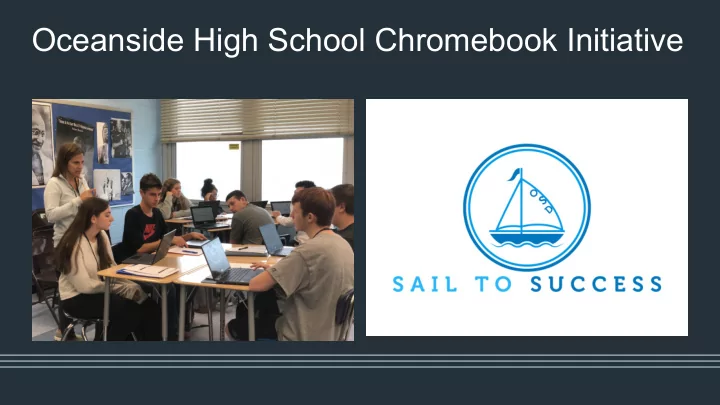
Oceanside High School Chromebook Initiative Oceanside High School - - PowerPoint PPT Presentation

oceanside high school chromebook initiative
SMART_READER_LITE
LIVE PREVIEW

Oceanside High School Chromebook Initiative Oceanside High School - - PowerPoint PPT Presentation

Oceanside High School Chromebook Initiative Oceanside High School Chromebook Initiative 2016-2019 Why? OSD PURPOSE & VISION To enhance student acquisition of lifelong skills and prepare them for future learning and employment


slide-1
SLIDE 1

Oceanside High School Chromebook Initiative

slide-2
SLIDE 2

Oceanside High School Chromebook Initiative 2016-2019

Why?

slide-3
SLIDE 3

OSD PURPOSE & VISION

  • To enhance student acquisition of

lifelong skills and prepare them for future learning and employment experiences

  • To support, complement, and enhance

instruction, as well as model for students the use of technology in post-secondary education and in the workplace

  • To foster individual and cooperative

problem solving, communication, curiosity, critical thinking, and innovation in the learning process

  • To increase accessibility of information

and capacity to research

slide-4
SLIDE 4

21st Century Skills and Attitudes

slide-5
SLIDE 5

Oceanside High School Chromebook Initiative Phase 1 (2016-17): Informed Decision Making

slide-6
SLIDE 6

Challenge 1: Who would be part of the feedback initiative?

slide-7
SLIDE 7

CHALLENGE 2: What do we want to learn from our feedback group and how would we get that information?

slide-8
SLIDE 8

CHALLENGE 3: How would we get the feedback?

  • Regular meetings with

teachers

  • Department ‘share outs’
  • Surveys
slide-9
SLIDE 9

You can’t fake listening. It shows.

Student Round Table

slide-10
SLIDE 10

“I really dislike how the teacher can see what you’re doing.”

“The Chromebook improved my ability to learn because, with the keyboard and a touch screen, there are so many different ways you can learn. Also, since it’s a Google tablet, it has a lot of tricks to use for Google to help me learn more during a lesson.” “The interface was much cleaner, and navigation was much easier than Apple’s OS.”

Student Feedback:

slide-11
SLIDE 11

“ I h a v e n e v e r w i t n e s s e d a g r

  • u

p

  • f

s t u d e n t s s

  • u

t t e r l y f

  • c

u s e d

  • n

a n a s s i g n m e n t a s m i n e w e r e f

  • r

t h e f i v e w e e k s w e u s e d C h r

  • m

e b

  • k

s … . t h e C h r

  • m

e b

  • k

s a r e h e l p i n g t

  • p

r e p a r e t h e s e k i d s f

  • r

c

  • l

l e g e a n d l i f e … ”

“I have been using Go Guardian. I like that I am able to see what the students are working on. I also like that I can block them from certain sites, etc. Overall, it is a good device and I feel will better prepare students for their college experience. Some students are complaining about their ability to use the device because they are not used to it, but that is to be expected.”

“I still cannot use my Chromebook because I can't write on a PDF!!”

“I enjoy the speed of the

  • Chromebook. I also love the
  • keyboard. On the other side, I

do not like taking notes or trying to organize notes in Google.”

Teacher Feedback:

slide-12
SLIDE 12

Oceanside High School Chromebook Initiative Phase 2 (2017-18): Transition to a Decision Made

slide-13
SLIDE 13
slide-14
SLIDE 14

Since Sept 2017-2019:

  • Over 85 PD courses on Google

and/or Chromebook were made available.

  • Over 450 faculty and staff have taken

at least one PD course on Google or Chrome.

  • To date, over 10,000 participants in

the Google/Chrome PD courses over the past two years.

PD Stats PD Courses

  • CHROMEBOOK 101
  • CHROMEBOOK TOOLS TO FOSTER STUDENT

COLLABORATION

  • CHROMEBOOK TOOLS TO INCREASE

ENGAGEMENT

  • GOOGLE CLASSROOM NEW & IMPROVED 2018
  • FLIPPING THE GOOGLE CLASSROOM
  • GOOGLE SUITE FOR BEGINNERS
  • GOOGLE BASICS
  • SECONDARY: SAMR IN THE SOCIAL STUDIES

CLASSROOM

  • GOOGLE LEVEL 1 EDUCATOR
  • GOOGLE LEVEL 2 EDUCATOR
  • DECLUTTER YOUR INBOX
  • GO GUARDIAN
slide-15
SLIDE 15

Oceanside High School Chromebook Initiative Phase 3 (2018-19)

slide-16
SLIDE 16

The Deployment

From June 11th through June 29th the iPad collection and Chromebook distribution took place at the high school

  • 1,427 OHS students returned their iPads.
  • 938 Chromebooks were distributed
  • During this same time frame 474 8th grade iPads were collected
  • Summer hours were scheduled for those students who had not

yet returned their iPad and received their Chromebooks

  • 430 students received their Chromebooks during the August 24th
  • rientation
  • All students were given tutorials through English classes on the first

day(s) of school

slide-17
SLIDE 17
slide-18
SLIDE 18

Support for Teachers and Students

slide-19
SLIDE 19

Supports for students and teachers were provided based upon the survey data, requests and suggestions made by staff, students and parents.

slide-20
SLIDE 20

The First 21 Days

slide-21
SLIDE 21
slide-22
SLIDE 22

Device Management with GoGuardian

❏ Monitor student activity live ❏ Set tab limits ❏ Set tabs to open automatically ❏ Review past on-task activity per student

slide-23
SLIDE 23

Deanna Confredo & Audrey Tenenhaus 9th Grade Conference Program

slide-24
SLIDE 24

Janet Schuellein & Julianne Horowitz 10th Grade Integrated Program

slide-25
SLIDE 25

Jennifer Smith & Kevin Carlock Special Class: Algebra 1B & Geometry Concepts

slide-26
SLIDE 26

Julianne Horowitz Advanced Placement United States History

slide-27
SLIDE 27

Yornell Aguiar 9th Grade Conferencing Program

slide-28
SLIDE 28

Who are we?

  • Deanna Confredo
  • Janet Schuellein
  • Kimberly Epps
  • Lori Gambardella
  • Julianne Horowitz
  • Robert Kiley
  • Audrey Miller
  • Sharri Sandler
  • Jennifer Smith
  • Patricia Valeriano

Chromebook Coaches What do we do?

  • Answer technical questions from

colleagues

  • Teach professional development
  • Suggest ways to implement

technology to enhance instruction

slide-29
SLIDE 29

What’s Next?

slide-30
SLIDE 30
  • Meet monthly to increase their knowledge
  • f the Chromebook environment and

specific products

  • Serve as leaders within respective

departments to support staff

  • Attend training & conferences outside of the

district to bring new resources to OHS staff through professional development courses

  • Provide insight, guidance and voice to the

needs of classroom teachers as they support their students

Chromebook Coaches

slide-31
SLIDE 31
slide-32
SLIDE 32

Thank you!