Objec(ves Defining your own func(ons Control flow Scope, variable - - PDF document

objec ves
SMART_READER_LITE
LIVE PREVIEW

Objec(ves Defining your own func(ons Control flow Scope, variable - - PDF document

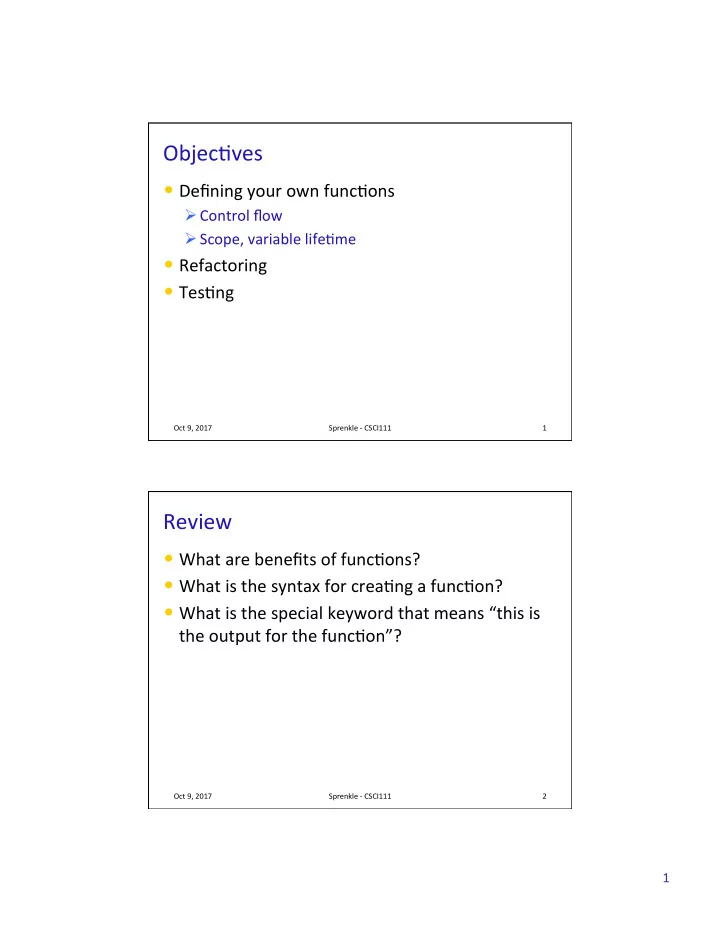
Objec(ves Defining your own func(ons Control flow Scope, variable life(me Refactoring Tes(ng Oct 9, 2017 Sprenkle - CSCI111 1 Review What are benefits of func(ons? What is the syntax for crea(ng a func(on? What is


slide-1
SLIDE 1

1

Objec(ves

  • Defining your own func(ons

Ø Control flow Ø Scope, variable life(me

  • Refactoring
  • Tes(ng

Oct 9, 2017 Sprenkle - CSCI111 1

Review

  • What are benefits of func(ons?
  • What is the syntax for crea(ng a func(on?
  • What is the special keyword that means “this is

the output for the func(on”?

Oct 9, 2017 Sprenkle - CSCI111 2

slide-2
SLIDE 2

2

Review: Syntax of Func(on Defini(on

Oct 9, 2017 Sprenkle - CSCI111 3

def def average2(num1, num2): """ """ Parameters: two numbers to be averaged. Parameters: two numbers to be averaged. Returns the average of two numbers Returns the average of two numbers """ """ average = (num1 + num2)/2 return return average

Keyword Func-on Name Input Name/ Parameter Body (or func-on defini-on) Keyword: How to give output

Func-on header

Output

Func-on documenta-on

Review: Calling your own func(ons

average = average2(100, 50)

Oct 9, 2017 Sprenkle - CSCI111 4

Output is assigned to average average Func-on Name Input

Same as calling someone else’s functions …

average2.py

slide-3
SLIDE 3

3

Review: Func(on Output

  • When the code reaches a statement like

return return x

Ø The func(on stops execu(ng Ø x is the output returned to the place where the func(on was called

  • For func(ons that don't have explicit output,

return does not have a value with it, e.g.,

  • Op(onal: don't need to have return

Ø Func(on automa)cally returns at the end

Oct 9, 2017 Sprenkle - CSCI111 5

return return

Review: Example program with a main()

Oct 9, 2017 Sprenkle - CSCI111 6

def main(): printVerse("dog", "ruff") printVerse("duck", "quack") animal_type = "cow" animal_sound = "moo" printVerse(animal_type, animal_sound) def printVerse(animal, sound): print(BEGIN_END + EIEIO) print("And on that farm he had a " + animal + EIEIO) print("With a " + sound + ", " + sound + " here") print("And a " + sound + ", " + sound + " there") print("Here a", sound) print("There a", sound) print("Everywhere a " + sound + ", " + sound) print(BEGIN_END + EIEIO) print() main()

  • ldmac.py

Constants, comments are in example program In what order does this program execute? What is output from this program?

slide-4
SLIDE 4

4

Review: Example program with a main()

Oct 9, 2017 Sprenkle - CSCI111 7

def main(): printVerse("dog", "ruff") printVerse("duck", "quack") animal_type = "cow" animal_sound = "moo" printVerse(animal_type, animal_sound) def printVerse(animal, sound): print(BEGIN_END + EIEIO) print("And on that farm he had a " + animal + EIEIO) print("With a " + sound + ", " + sound + " here") print("And a " + sound + ", " + sound + " there") print("Here a", sound) print("There a", sound) print("Everywhere a " + sound + ", " + sound) print(BEGIN_END + EIEIO) print() main()

  • ldmac.py
  • 1. Set definition of main
  • 2. Set definition of printVerse
  • 3. Call main function
  • 4. Execute main function
  • 5. Call, execute printVerse

… 1 2 3 4 5

Oct 9, 2017 Sprenkle - CSCI111 8

Review: Program Organiza(on

  • Larger programs require func/ons to maintain

readability

Ø Use main main() () and other func(ons to break up program into smaller, more manageable chunks Ø “Abstract away” the details

  • As before, can s(ll write smaller scripts without any

func(ons

Ø Can try out func(ons using smaller scripts

  • Need the main

main() () func(on when using other func(ons to keep “driver” at top

Ø Otherwise, func(ons need to be defined before use

slide-5
SLIDE 5

5

Words in Different Contexts

  • Output from a func/on

Ø What is returned from the func(on Ø If the func(on prints something, it’s what the func(on displays (rather than outputs).

  • Output from a program

Ø What is displayed by the program

Oct 9, 2017 Sprenkle - CSCI111 9

“Time flies like an arrow. Fruit flies like bananas.” — Groucho Marx.

VARIABLE LIFETIMES AND SCOPE

Oct 9, 2017 Sprenkle - CSCI111 10

slide-6
SLIDE 6

6

What does this program output?

def def main(): 
 x = 10 sum = sumEvens( x ) print("The sum of even #s up to", x, "is", sum) def def sumEvens(limit): total = 0 for for x in in range(0, limit, 2): total += x return return total main()

Oct 9, 2017 Sprenkle - CSCI111 11

mystery.py

Func(on Variables

Oct 9, 2017 Sprenkle - CSCI111 12

def def main(): 
 x = 10 sum = sumEvens( x ) print("The sum of even #s up to", x, "is", sum) def def sumEvens(limit): total = 0 for for x in in range(0, limit, 2): total += x return return total main()

Why can we name two different variables x?

mystery.py

slide-7
SLIDE 7

7

Tracing through Execu(on

Oct 9, 2017 Sprenkle - CSCI111 13

def def main(): 
 x = 10 sum = sumEvens( x ) print("The sum of even #s up to", x, "is", sum) def def sumEvens(limit): total = 0 for for x in in range(0, limit, 2): total += x return return total main()

Defines functions When you call main(), that means you want to execute this function

def def main() : 
 x = 10 sum = sumEvens( x ) print("The sum of even #s up to", x, "is", sum) def def sumEvens(limit) : total = 0 for for x in in range(0, limit, 2): total += x return return total main()

Func(on Variables

Oct 9, 2017 Sprenkle - CSCI111 14

main Memory stack x 10 Function names are like last names Define the SCOPE of the variable Variable names are like first names

slide-8
SLIDE 8

8

def def main() : 
 x = 10 sum = sumEvens( x ) print("The sum of even #s up to", x, "is", sum) def def sumEvens(limit) : total = 0 for for x in in range(0, limit, 2): total += x return return total main()

Func(on Variables

Oct 9, 2017 Sprenkle - CSCI111 15

main x 10 sum Evens limit 10 Called the function sumEvens Add its parameters to the stack

def def main() : 
 x = 10 sum = sumEvens( x ) print("The sum of even #s up to", x, "is", sum) def def sumEvens(limit) : total = 0 for for x in in range(0, limit, 2): total += x return return total main()

Func(on Variables

Oct 9, 2017 Sprenkle - CSCI111 16

main x 10 sum Evens total 0 limit 10

slide-9
SLIDE 9

9

def def main() : 
 x = 10 sum = sumEvens( x ) print("The sum of even #s up to", x, "is", sum) def def sumEvens(limit) : total = 0 for for x in in range(0, limit, 2): total += x return return total main()

Func(on Variables

Oct 9, 2017 Sprenkle - CSCI111 17

main x 10 sum Evens x 0 total 0 limit 10

def def main() : 
 x = 10 sum = sumEvens( x ) print("The sum of even #s up to", x, "is", sum) def def sumEvens(limit) : total = 0 for for x in in range(0, limit, 2): total += x return return total main()

Func(on Variables

Oct 9, 2017 Sprenkle - CSCI111 18

main x 10 sum Evens x 8 total 20 limit 10

slide-10
SLIDE 10

10

def def main() : 
 x = 10 sum = sumEvens( x ) print("The sum of even #s up to", x, "is", sum) def def sumEvens(limit) : total = 0 for for x in in range(0, limit, 2): total += x return return total main()

Func(on Variables

Oct 9, 2017 Sprenkle - CSCI111 19

main sum 20 x 10

Function sumEvens returned

  • no longer have to keep track of

its variables on stack

  • lifetime of those variables is over

def def main() : 
 x = 10 sum = sumEvens( x ) print("The sum of even #s up to", x, "is", sum) def def sumEvens(limit) : total = 0 for for x in in range(0, limit, 2): total += x return return total main()

Func(on Variables

Oct 9, 2017 Sprenkle - CSCI111 20

main x 10 sum 20

slide-11
SLIDE 11

11

Variable Scope

  • Func(ons can have the same parameter and variable

names as other func(ons

Ø Need to look at the variable’s scope to determine which one you’re looking at Ø Use the stack to figure out which variable you’re using

  • Scope levels

Ø Local scope (also called func/on scope)

  • Can only be seen within the func(on

Ø Global scope (also called file scope)

  • Whole program can access
  • More on these later

Oct 9, 2017 Sprenkle - CSCI111 21

Summary: Why Write Func(ons?

  • Allows you to break up a hard problem into smaller,

more manageable parts

  • Makes your code easier to understand
  • Hides implementa(on details (abstrac)on)

Ø Provides interface (input, output)

  • Makes part of the code reusable so that you:

Ø Only have to write func(on code once Ø Can debug it all at once

  • Isolates errors

Ø Can make changes in one func(on (maintainability)

Oct 9, 2017 Sprenkle - CSCI111 22

Similar to benefits of OO Programming

slide-12
SLIDE 12

12

REFACTORING

Oct 9, 2017 Sprenkle - CSCI111 23

Refactoring

  • Ajer you’ve wriken some code and it passes all your test

cases, the code is probably s(ll not perfect

  • Refactoring is the process of improving your code without

changing its func(onality

Ø Organiza(on Ø Abstrac(on

  • Example: Easier to read, change

Ø Easier to test

  • Part of itera(ve design/development process
  • Where to refactor with func(ons

Ø Duplicated code

  • “Code smell”

Ø Reusable code Ø Mul(ple lines of code for one purpose

Oct 9, 2017 Sprenkle - CSCI111 24

slide-13
SLIDE 13

13

Example: PB & J

Oct 9, 2017 Sprenkle - CSCI111 25

  • 1. Gather materials (bread, PB, J, knives, plate)
  • 2. Open bread
  • 3. Put 2 pieces of bread on plate
  • 4. Spread PB on one side of one slice
  • 5. Spread Jelly on one side of other slice
  • 6. Place PB-side facedown on Jelly-side of bread
  • 7. Close bread
  • 8. Clean knife
  • 9. Put away materials
  • Which of these are the “core” part
  • f making a PB & J sandwich?
  • How would you describe the rest of

the parts?

Example: PB & J

Oct 9, 2017 Sprenkle - CSCI111 26

  • 1. Gather materials (bread, PB, J, knives, plate)
  • 2. Open bread
  • 3. Put 2 pieces of bread on plate
  • 4. Spread PB on one side of one slice
  • 5. Spread Jelly on one side of other slice
  • 6. Place PB-side facedown on Jelly-side of bread
  • 7. Close bread
  • 8. Clean knife
  • 9. Put away materials
slide-14
SLIDE 14

14

Example: PB & J as Func(ons

Oct 9, 2017 Sprenkle - CSCI111 27

  • 1. Gather materials (bread, PB, J, knives, plate)
  • 2. Open bread
  • 3. Put 2 pieces of bread on plate
  • 4. Spread PB on one side of one slice
  • 5. Spread Jelly on one side of other slice
  • 6. Place PB-side facedown on Jelly-side of bread
  • 7. Close bread
  • 8. Clean knife
  • 9. Put away materials

def main(): prepare() makePBJSandwich() cleanUpSupplies() main()

How would you make 10 PB&J sandwiches?

Example: PB & J as Func(ons, 10 x

Oct 9, 2017 Sprenkle - CSCI111 28

  • 1. Gather materials (bread, PB, J, knives, plate)
  • 2. Open bread
  • 3. Put 2 pieces of bread on plate
  • 4. Spread PB on one side of one slice
  • 5. Spread Jelly on one side of other slice
  • 6. Place PB-side facedown on Jelly-side of bread
  • 7. Close bread
  • 8. Clean knife
  • 9. Put away materials

def main(): prepare() for sandwich in range(10): makePBJSandwich() cleanUpSupplies() main()

slide-15
SLIDE 15

15

Refactoring: Conver(ng Func(onality into Func(ons

  • 1. Iden(fy func(onality that should be put into a

func(on

Ø What should the func(on do? Ø What is the func(on’s input? Ø What is the func(on’s output (i.e., what is returned)?

  • 2. Define the func(on

Ø Write comments

  • 3. Call the func(on where appropriate
  • 4. Create a main func(on that contains the “driver”

for your program

Ø Put at top of program

  • 5. Call main at bokom of program

Oct 9, 2017 Sprenkle - CSCI111 29

Refactoring Prac(ce

  • circleShiftAnim.py
  • Where are places that we can refactor and add

func(ons?

Ø Look for blocks of several lines of code that are all for a single purpose Ø Don’t want too much

Oct 9, 2017 Sprenkle - CSCI111 30

slide-16
SLIDE 16

16

Animate Circle Shij

  • What it does: circle is animated, moving to a new

posi(on

  • Input: circle, new center point
  • Output: nothing returned

Oct 9, 2017 Sprenkle - CSCI111 31

animateCircleMove animateCircleMove input

  • utput

TESTING FUNCTIONS

Oct 9, 2017 Sprenkle - CSCI111 32

slide-17
SLIDE 17

17

Tes(ng Func(ons

  • Func(ons make it easier for us to test our code
  • We can write code to test the func(ons

Ø Test Case:

  • Input: parameters
  • Expected Output: what we expect to be returned

Ø We can verify the func(on programma(cally

  • “programma(cally” – automa(cally execute test cases

and verify that the actual returned result is what we expected

  • No user input required!

Oct 9, 2017 Sprenkle - CSCI111 33

Example: Tes(ng sumEvens

import test def main(): actual = sumEvens( 10 ) expected = 20 test.testEqual( actual, expected ) def def sumEvens(limit): total = 0 for for x in in range(0, limit, 2): total += x return return total

Oct 9, 2017 Sprenkle - CSCI111 34

testSumEvens.py This is the actual result from our function This is what we expect the result to be

slide-18
SLIDE 18

18

This Week

  • Lab 4

Ø Due Wednesday

  • Prelab due before class tomorrow

Ø Updated by 4 p.m.

  • No broader issues this week

Oct 9, 2017 Sprenkle - CSCI111 35