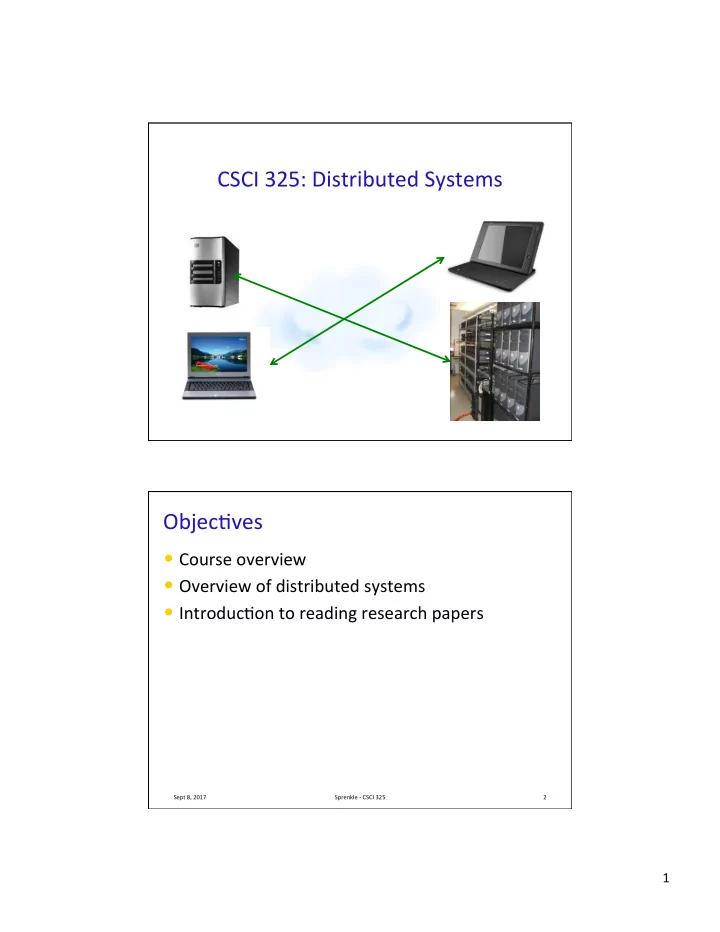
CSCI 325: Distributed Systems Professor Sprenkle Objec?ves Course - - PDF document

csci 325 distributed systems
SMART_READER_LITE
LIVE PREVIEW

CSCI 325: Distributed Systems Professor Sprenkle Objec?ves Course - - PDF document

CSCI 325: Distributed Systems Professor Sprenkle Objec?ves Course overview Overview of distributed systems Introduc?on to reading research papers Sept 8, 2017 Sprenkle - CSCI 325 2 1 Distributed Systems? What is a distributed


slide-1
SLIDE 1

1

CSCI 325: Distributed Systems

Professor Sprenkle

Objec?ves

  • Course overview
  • Overview of distributed systems
  • Introduc?on to reading research papers

Sept 8, 2017 Sprenkle - CSCI 325 2

slide-2
SLIDE 2

2

Distributed Systems?

  • What is a distributed system?
  • Know any examples of distributed systems?

Ø Any used?

Sept 8, 2017 Sprenkle - CSCI 325 3

Distributed Systems?

  • What is a distributed system?

Ø Collec?ons of independent, networked computers working together

  • Examples of distributed systems

Ø Networked printers, storage Ø Internet Ø Peer-to-peer systems Ø Grid compu?ng Ø Games Ø Sensor networks

Sept 8, 2017 Sprenkle - CSCI 325 4

slide-3
SLIDE 3

3

Sept 8, 2017 Sprenkle - CSCI 325 5

Distributed Systems Architectures

  • Two main models

Ø Client-server

  • Most common, and arguably the simplest
  • Mul?-?er client-server

Ø Varia?on on the simple client-server architecture Ø Mul?ple levels of communica?on

Ø Peer-to-peer

  • All processes involved in a task or ac?vity play similar

roles

Sept 8, 2017 Sprenkle - CSCI 325 6

slide-4
SLIDE 4

4

Client-Server Model

Sept 8, 2017 Sprenkle - CSCI 325 7

Client Client Client Client Client Server request r e q u e s t request response r e s p

  • n

s e response

Peer-to-Peer Systems

Peer Peer Peer Peer Peer request request request request request response response r e s p

  • n

s e response

Sept 8, 2017 8 Sprenkle - CSCI 325

Connections between peers

slide-5
SLIDE 5

5

Challenges

  • What are challenges in dealing with distributed

systems?

Sept 8, 2017 Sprenkle - CSCI 325 9

Distributed Systems Challenges

  • Communica?on
  • Naming
  • Distribu?on of workload
  • Distribu?on transparency
  • Consistency
  • Handling failure
  • Security
  • Scaling

Sept 8, 2017 Sprenkle - CSCI 325 10

slide-6
SLIDE 6

6

What This Course is About

  • Networking fundamentals
  • Distributed systems

Ø Challenges of distributed systems Ø Design principles Ø Learn how to build large-scale distributed systems

  • Several programming projects
  • Emerging research issues

Ø Study fundamental research papers

  • Life-skills

Ø Reading, wri?ng, discussion, presenta?on

Sept 8, 2017 Sprenkle - CSCI 325 11

Overall goal: Emphasize “why” and “how” over “what” Bonus: OS

A LITTLE BIT OF HISTORY

What made distributed systems possible?

Sept 8, 2017 Sprenkle - CSCI 325 12

slide-7
SLIDE 7

7

The Internet

  • Connec?on of computer networks using the Internet

Protocol (IP)

Ø Allows network applica?ons, e.g., email, file transfer, world wide web, remote login, …

Sept 8, 2017 Sprenkle - CSCI 325 13

Internet

Vannevar Bush

  • Established the U.S. military/university research

partnership that developed ARPANET

  • Wrote 1st visionary descrip?on of poten?al use

for informa?on technology

Ø inspired many of Internet's creators

Sept 8, 2017 Sprenkle - CSCI 325 14

Source: Livinginternet.com

Could you envision the WWW years before it existed? “Consider a future device for individual use, which is a sort of mechanized

private file and library. It needs a name, and to coin one at random, ‘memex’ will do. A memex is a device in which an individual stores all his books, records, and communications, and which is mechanized so that it may be consulted with exceeding speed and flexibility. It is an enlarged intimate supplement to his memory. “It consists of a desk, and while it can presumably be operated from a distance, it is primarily the piece of furniture at which he works. On the top are slanting translucent screens, on which material can be projected for convenient reading. There is a keyboard, and sets of buttons and levers. Otherwise it looks like an ordinary desk.”

  • Vannevar Bush, “As We May Think,” Atlantic Monthly, July 1945
slide-8
SLIDE 8

8

  • J. C. R. Licklider
  • Joseph Carl Robnef “Lick” Licklider

developed idea of universal network

  • Spread his vision throughout the IPTO

(Informa?on Processing Techniques Office)

  • Inspired his successors to realize his dream

by crea?ng ARPANET

Sept 8, 2017 Sprenkle - CSCI 325 15

Source: Livinginternet.com

“It seems reasonable to envision, for a time 10 or 15 years hence, a ‘thinking center’ that will incorporate the functions of present-day libraries together with anticipated advances in information storage and retrieval. “The picture readily enlarges itself into a network of such centers, connected to one another by wide-band communication lines and to individual users by leased-wire services. In such a system, the speed of the computers would be balanced, and the cost of the gigantic memories and the sophisticated programs would be divided by the number of users.”

  • J.C.R. Licklider, Man-Computer Symbiosis, 1960.

Background

  • 1957: USSR launches Sputnik, first ar?ficial earth

satellite

Ø U.S. responds by forming Advanced Research Projects Agency (ARPA)

  • 1962: Licklider’s Galac?c Network
  • 1966: Marill and Roberts (MIT) paper: “Toward a

Coopera?ve Network of Time-Shared Computers”

Ø hfp://dl.acm.org/cita?on.cfm?id=1464336

  • 1967: Roberts (MIT): ACM SOSP “Mul?ple Computer

Networks and Intercomputer Communica?on”

Ø hfp://dl.acm.org/cita?on.cfm?id=811680

Sept 8, 2017 Sprenkle - CSCI 325 16

slide-9
SLIDE 9

9

1969 Internet Map: ARPANET

Sept 8, 2017 Sprenkle - CSCI 325 17

1st assignment: draw today’s Internet

Stanford Research Institute 1st message: “LO” as in “Lo and Behold” (supposed to be “LOG” but failure!) From UCLA to SRI Oct 29, 1969, 10:30 p.m. SDS Sigma 7

http://www.nsf.gov/news/special_reports/nsf-net/1960s.jsp 
 https://www.nsf.gov/news/special_reports/nsf-net/kleinrockvideopop.html

Sept 8, 2017 Sprenkle - CSCI 325 18

slide-10
SLIDE 10

10

Internet Timeline

Sept 8, 2017 Sprenkle - CSCI 325 19

Year Milestone 1971 Tomlinson develops email program, big hit 1972 Telnet 1973 File Transfer Protocol (FTP) 1974 Transmission Control Protocol (TCP) 1978 TCP split into TCP and IP (Internet Protocol) 1979 USENET (newsgroup) established 1984 1000 hosts connected to Internet, DNS introduced 1988 Internet worm brings down 10% of Internet 1991 WAIS, Gopher, WWW released

Internet Growth Trends

Sept 8, 2017 Sprenkle - CSCI 325 20

Year Hosts on Internet 1977 111 1981 213 1983 562 1984 1000 1986 5000 1987 10,000 1989 100,000 1992 1,000,000 2001 151-175 million 2002 Over 200 million 2014 1.01 billion # of computers connected directly to the Internet increased at a yearly rate >37% across 21 years

https:// www.internetsociety.org/ sites/default/files/ Global_Internet_Report_
 2014_0.pdf

slide-11
SLIDE 11

11

Sta?s?cs from the IITF Report “The Emerging Digital Economy” *

  • To get a market of 50 Million people

par?cipa?ng:

Ø Radio: 38 years Ø TV: 13 years Ø Internet: 4 years

  • Aqer open to general public
  • hfp://govinfo.library.unt.edu/ecommerce/

EDEreprt.pdf

Ø Released on April 15, 1998

Sept 8, 2017 Sprenkle - CSCI 325 21

* Delivered to the President and the U.S. Public on April 15,1998 by Bill Daley, Secretary of Commerce and Chairman of the Information Infrastructure Task Force

Sept 8, 2017 Sprenkle - CSCI 325 22

slide-12
SLIDE 12

12

COURSE INFO

Sept 8, 2017 Sprenkle - CSCI 325 23

My Responsibili?es

  • Prepare useful, interes?ng knowledge
  • Come to class prepared, on ?me
  • Interes?ng, relevant, and challenging

assignments

  • Prompt feedback on assignments

Sept 8, 2017 Sprenkle - CSCI 325 24

slide-13
SLIDE 13

13

Your Responsibili?es

  • Come to class prepared, on ?me, and

PARTICIPATE

  • Turn in assignments on $me
  • When you’re having trouble

Ø Look for help on the Web

  • Find, adapt solu?ons
  • Give credit to where you found solu?on, if novel

enough

Ø Ask me for help!

  • Learn, absorb, synthesize

Ø Extra Credit: take it to the next level

Sept 8, 2017 Sprenkle - CSCI 325 25

Textbook

  • Required: Distributed Systems, by van Steen and

Tanenbaum, 3rd ed.

Ø Provides background for class discussions and projects Ø Available online

  • Op?onal: Distributed Systems, Concepts and

Designs, by Courlouis, Dollimore, Kindberg, 5th ed.

Sept 8, 2017 Sprenkle - CSCI 325 26

slide-14
SLIDE 14

14

Grading

  • 17% Individual programming, reading, wri?ng

assignments

  • 20% Midterm exam
  • 33% Programming projects
  • 25% Final Project

Ø Including paper and presenta?on Ø Start thinking about possible topics

  • 5% Par?cipa?on and afendance

Ø Success of class depends on student par?cipa?on

Sept 8, 2017 Sprenkle - CSCI 325 27

Programming Projects

  • 3 projects spanning the semester

Ø Hands-on construc?on of interes?ng distributed services Ø Approximately 2.5 weeks to complete Ø Work in teams of 2 or 3

  • Use version control

Ø Start early!

Sept 8, 2017 Sprenkle - CSCI 325 28

slide-15
SLIDE 15

15

READING RESEARCH PAPERS

Sept 8, 2017 Sprenkle - CSCI 325 29

What to Look For While Reading

  • Overall problem

Ø How large/important is the problem?

  • Goals
  • Contribu?ons

Ø Keywords: new, novel

  • Technical approach

Ø Key insights (“leverage”, “u?lize”)

  • Evalua?on

Ø Answers all your ques?ons about approach?

  • Limita?ons

Ø May not be a general-purpose solu?on Ø Check assump?ons

Sept 8, 2017 Sprenkle - CSCI 325 30

slide-16
SLIDE 16

16

Some Concrete Ques?ons

  • Statement of the Problem/Goals

Ø Try to state succinctly the overall problem being addressed in this paper. Ø What par?cular goals do these researchers have in addressing this problem? Ø What contribu?on are they seeking to make to the state-of-the-art?

  • Technical Approach

Ø What is the key insight of this group's approach to tackling the stated problem? What is their overall approach/strategy to solving the problem?

  • Discussion/Cri?que

Ø How did the researchers evaluate their efforts? Ø What conclusions did they make from their evalua?on results? Ø What applica?on/useful benefit do the researchers/you see for this work? Ø What limita?ons do the researchers men?on with their approach? Ø What addi?onal limita?ons do you think there are? Ø Write one interes?ng ques?on to ponder with regard to this paper beyond content understanding.

Sept 8, 2017 Sprenkle - CSCI 325 31

SEDA

Sept 8, 2017 Sprenkle - CSCI 325 32

We propose a new design for highly concurrent Internet services, which we call the staged event-driven architecture (SEDA). SEDA is intended to support massive concurrency demands and simplify the construc?on of well-condi?oned services. In SEDA, applica?ons consist of a network of event-driven stages connected by explicit queues. This architecture allows services to be well-condi?oned to load, preven?ng resources from being overcommifed when demand exceeds service

  • capacity. SEDA makes use of a set of dynamic resource controllers to keep stages

within their opera?ng regime despite large fluctua?ons in load. We describe several control mechanisms for automa?c tuning and load condi?oning, including thread pool sizing, event batching, and adap?ve load shedding. We present the SEDA design and an implementa?on of an Internet services plaworm based on this

  • architecture. We evaluate the use of SEDA through two applica?ons: a high-

performance HTTP server and a packet router for the Gnutella peer-to-peer file sharing network. These results show that SEDA applica?ons exhibit higher performance than tradi?onal service designs, and are robust to huge varia?ons in load.

slide-17
SLIDE 17

17

SEDA

  • Problem/Goals

Ø Highly concurrent internet systems

  • Goal: well-behaved under load
  • Technical Approach

Ø Staged, event-driven architecture (SEDA) Ø Automa?c tuning, load condi?oning

  • Discussion

Ø Evalua?on: Used SEDA architecture for web server, P2P packet router

  • Measured performance, robustness to load varia?on

Sept 8, 2017 Sprenkle - CSCI 325 33

Reading Feedback: Annota?ons

  • Perusall: Applica?on accessible through Sakai

Ø Allows you to comment on an ar?cle such that all students and professor can view them

  • You will be expected to make a certain number of

annota?ons on each ar?cle

Ø “Certain number” = 5, typically

  • Annota?ons can be ques?ons or comments

Ø must be substan?ve

  • Each annota?on will be graded as

Ø 2: thoughwul; full-credit Ø 1: par?al-credit Ø 0: thoughtless or not complete; no credit

Sept 8, 2017 Sprenkle - CSCI 325 34

slide-18
SLIDE 18

18

TODO

  • Set up Perusall, through Sakai
  • Explore Course Web Page
  • Check out “Welcome to the Machine”

Ø Reviewing some terms from CSCI210 (plus maybe more)

  • Read E2E Argument paper for Friday

Ø Skim through once, review sec?on headings Ø 3 hours max Ø Review paper

  • Write 5 annota?ons in Perusall

Ø Wed: Discuss paper and ques?ons

Sept 8, 2017

Sprenkle - CSCI 325 35