Outline General Principles of Distributed Virtual Environments: - - PDF document

outline
SMART_READER_LITE
LIVE PREVIEW

Outline General Principles of Distributed Virtual Environments: - - PDF document

Outline General Principles of Distributed Virtual Environments: CSCI 8220 Parallel & Distributed ! What are they? Simulation ! Distributed Virtual Environments (DVE) versus Analytical Simulations Distributed Virtual Environments !


slide-1
SLIDE 1

Maria Hybinette, UGA

CSCI 8220 Parallel & Distributed Simulation

Distributed Virtual Environments Introduction

Maria Hybinette, UGA

2

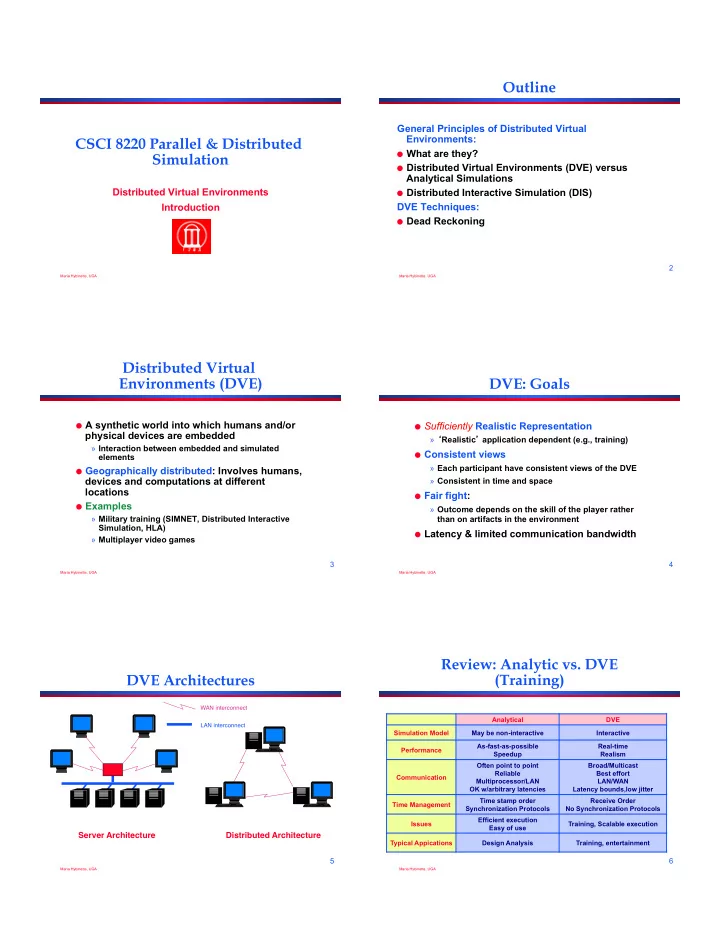
Outline

General Principles of Distributed Virtual Environments:

! What are they? ! Distributed Virtual Environments (DVE) versus

Analytical Simulations

! Distributed Interactive Simulation (DIS)

DVE Techniques:

! Dead Reckoning

Maria Hybinette, UGA

3

Distributed Virtual Environments (DVE)

! A synthetic world into which humans and/or

physical devices are embedded

» Interaction between embedded and simulated elements

! Geographically distributed: Involves humans,

devices and computations at different locations

! Examples

» Military training (SIMNET, Distributed Interactive Simulation, HLA) » Multiplayer video games

Maria Hybinette, UGA

4

DVE: Goals

! Sufficiently Realistic Representation

» ‘Realistic’ application dependent (e.g., training)

! Consistent views

» Each participant have consistent views of the DVE » Consistent in time and space

! Fair fight:

» Outcome depends on the skill of the player rather than on artifacts in the environment

! Latency & limited communication bandwidth

Maria Hybinette, UGA

5

DVE Architectures

WAN interconnect LAN interconnect

Server Architecture Distributed Architecture

Maria Hybinette, UGA

6

Review: Analytic vs. DVE (Training)

Analytical DVE Simulation Model May be non-interactive Interactive Performance As-fast-as-possible Speedup Real-time Realism Communication Often point to point Reliable Multiprocessor/LAN OK w/arbitrary latencies Broad/Multicast Best effort LAN/WAN Latency bounds,low jitter Time Management Time stamp order Synchronization Protocols Receive Order No Synchronization Protocols Issues Efficient execution Easy of use Training, Scalable execution Typical Appications Design Analysis Training, entertainment

slide-2
SLIDE 2

Distributed Interactive Simulation (DIS)

“The primary mission of DIS is to define an infrastructure for linking simulations of various types at multiple locations to create realistic, complex, virtual ‘worlds’ for the simulation of highly interactive activities” [DIS Vision, 1994].

! Developed in U.S. Department of Defense, initially for training ! DVEs widely used in DoD; growing use in other areas

(entertainment, emergency planning, air traffic control)

Maria Hybinette, UGA

8

DIS Design Principles

! Autonomy of simulation nodes

» simulations broadcast events of interest to other simulations; need not determine which others need information » receivers determine if information is relevant to it, and model local effects of new information » simulations may join or leave exercises in progress

! Transmission of “ground truth” information

» each simulation transmits absolute truth about state of its objects » receiver is responsible for appropriately “degrading” information (e.g., due to environment, sensor characteristics)

Maria Hybinette, UGA

9

DIS Design Principles

! Transmission of state change information only

» if behavior “stays the same” (e.g., straight and level flight), state updates drop to a predetermined rate (e.g., every five seconds)

! “Dead Reckoning” algorithms

» extrapolate current position of moving objects based on last reported position

! Simulation time constraints

» many simulations are human-in-the-loop » humans cannot distinguish temporal difference < 100 milliseconds (denotation and explosion) » places constraints on communication latency of simulation platform

A Typical DVE Node Simulator

! receive incoming messages & user inputs update state of remote

vehicles

! update local display ! for each local vehicle

» compute (integrate) new state over current time period » send messages (e.g., broadcast) indicating new state

Image Generator Other Vehicle State Table network interface control/ display interface

  • wn vehicle

dynamics sound generator visual display system terrain database network controls and panels

Execute every 1/30th of a second:

Image Generator Other Vehicle State Table network interface control/ display interface

  • wn vehicle

dynamics sound generator visual display terrain database Image Generator Other Vehicle State Table network interface control/ display interface

  • wn vehicle

dynamics sound generator visual display terrain database Controls/panels Controls/panels

Typical Sequence

1

  • 1. Detect trigger press

2

  • 2. Audio “fire” sound

3

  • 3. Display muzzle flash

4 4

  • 4. Send fire PDU

5

  • 5. Display muzzle flash

6

  • 6. Compute trajectory,

display tracer

7

  • 7. Display shell impact

8 8

  • 8. Send detonation PDU

9

  • 9. Display shell impact

10

  • 10. Compute damage

11

  • 11. Send Entity state PDU

indicating damage

Maria Hybinette, UGA

12

Summary

! Distributed Virtual Environments have

different requirements compared to analytic simulations, leading to different solution approaches

» May be acceptable to sacrifice accuracy to achieve better visual realism » Limits of human perception can often be exploited

! Distributed Interactive Simulation (DIS)

representative of approach used in building DVEs

slide-3
SLIDE 3

Maria Hybinette, UGA

PDES: Distributed Virtual Environments Dead Reckoning

Maria Hybinette, UGA

14

Outline

! Basic Dead Reckoning Model (DRM)

» Generating state updates » Position extrapolation

! Refinements

» Time compensation » Smoothing

Maria Hybinette, UGA

15

Distributed Simulation Example

! Virtual environment simulation containing

two moving vehicles

! One vehicle per federate (simulator) ! Each vehicle simulator must track location of

  • ther vehicle and produce local display (as

seen from the local vehicle)

! Approach 1: Every 1/30th of a second:

» Each vehicle sends a message to other vehicle indicating its current position » Each vehicle receives message from other vehicle, updates its local display

Maria Hybinette, UGA

16

Communication Requirements

! Multiple players on 10 Mbits/sec Ethernet LAN ! DIS: PDU contains 144 bytes (1152 bits) ! Each vehicle generates position update every 1/30th second (33msec)

» 34,560 bits per second

! Upper bound: support 289 entities (10x106/34,560 ) ! Above is very optimistic

» Cannot utilize all of the Ethernet’s bandwidth » Entities generate other PDUs (e.g., weapon fires) » Multiple entities per human player (synthetic forces)

! 56 Kbits/sec modem: at best, only one vehicle!

Player N Player 3 Player 2 Player 1

Maria Hybinette, UGA

17 ! http://www.worldwidewords.org/qa/qa-

dea7.htm

Maria Hybinette, UGA

18

Issues

! Requires generating many messages if there

are many vehicles; we need ways to economize on communication bandwidth

! Position information corresponds to location

when the message was sent; doesn’t take into account delays in sending message over the network Dead reckoning is one technique that attempts to address each of these issues

slide-4
SLIDE 4

Maria Hybinette, UGA

19

Dead Reckoning

! Send position update messages less frequently ! Local dead reckoning model predicts the position of remote

entities between updates

1000 1050 1000 (1050,1000) last reported state: position = (1000,1000) traveling east @ 50 feet/sec predicted position

  • ne second later

! When are updates sent? ! How does the DRM predict vehicle position? Image Generator Dead reckoning model visual display system terrain database “infrequent” position update messages get position at frame rate

Maria Hybinette, UGA

20

Re-synchronizing the DRM

When are position update messages generated?

! Compare DRM position with exact position, and generate an update

message if error is too large

! Generate updates at some minimum rate, e.g., 5 seconds (heart beats)

High Fidelity Model aircraft 1

DRM aircraft 1

  • ver threshold
  • r timeout

close enough? timeout?

entity state update PDU simulator for aircraft 1 DRM aircraft 2 simulator for aircraft 2 DRM aircraft 1 Sample DRM at frame rate display

Maria Hybinette, UGA

21

Dead Reckoning Models

! P(t) = precise position of entity at time t ! Position update messages: P(t1), P(t2), P(t3) ! ! v(ti), a(ti) = ith velocity, acceleration update ! DRM: estimate D(t) , position at time t

» ti = time of last update preceding t » !t = ti - t

! Zeroth order DRM:

» D(t) = P(ti)

! First order DRM:

» D(t) = P(ti) + v(ti)*!t

! Second order DRM:

» D(t) = P(ti) + v(ti)*!t + 0.5*a(ti)*(!t)2

Maria Hybinette, UGA

22

t2

generate state update message

true position DRM estimate of true position state update display update message E t1

DRM Example

Potential problems:

! Discontinuity may occur when position update arrives; may produce

“jumps” in display

! Does not take into account message latency

» Update position is already ‘out of date’

B C A

DRM estimates position

D

receive message just before screen update

Maria Hybinette, UGA

23

Time Compensation

Taking into account message latency

! Add time stamp to message when update is generated

(sender time stamp)

! Dead reckon based on message time stamp

update with time compensation D E t2 t1 true position DRM estimate of true position state update display update message A B C

Maria Hybinette, UGA

24

Smoothing

Reduce discontinuities after updates occur

! “phase in” position updates ! After update arrives

» Use DRM to project next k positions » Interpolate position of next update

interpolated position D extrapolated position used for smoothing E t2 t1 true position DRM estimate of true position state update display update message

Accuracy is reduced to create a more natural display

A B C

slide-5
SLIDE 5

Maria Hybinette, UGA

25

Summary

! Managing communications is a major issue in

implementing distributed simulations

! Dead reckoning model (DRM)

» Extrapolate current position based on past updates » Send update messages when DRM error becoming too large » Reduces interprocessor communication

! DRM based on equations of motion ! Time compensation to account for message latency ! Smoothing to avoid “jumps” in display