Microprocessors & Interfacing Interrupt system specifications - - PowerPoint PPT Presentation

microprocessors interfacing
SMART_READER_LITE
LIVE PREVIEW

Microprocessors & Interfacing Interrupt system specifications - - PowerPoint PPT Presentation

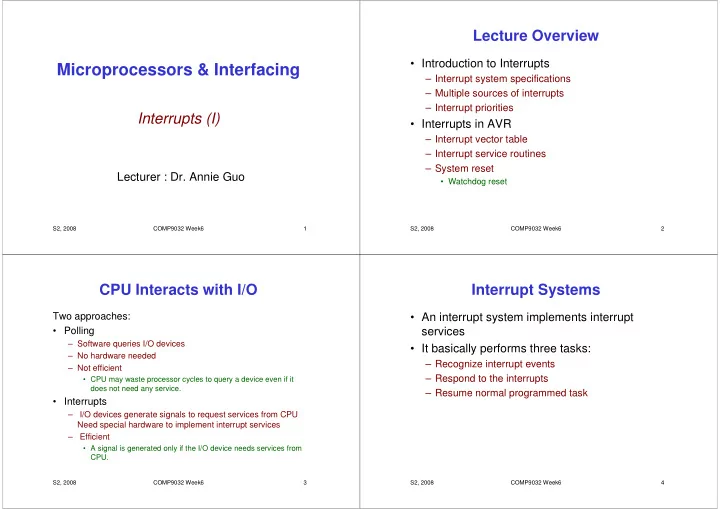
Lecture Overview Introduction to Interrupts Microprocessors & Interfacing Interrupt system specifications Multiple sources of interrupts Interrupt priorities Interrupts (I) Interrupts in AVR Interrupt vector table


slide-1
SLIDE 1

S2, 2008 COMP9032 Week6 1

Microprocessors & Interfacing

Interrupts (I)

Lecturer : Dr. Annie Guo

S2, 2008 COMP9032 Week6 2

Lecture Overview

  • Introduction to Interrupts

– Interrupt system specifications – Multiple sources of interrupts – Interrupt priorities

  • Interrupts in AVR

– Interrupt vector table – Interrupt service routines – System reset

  • Watchdog reset

S2, 2008 COMP9032 Week6 3

CPU Interacts with I/O

Two approaches:

  • Polling

– Software queries I/O devices – No hardware needed – Not efficient

  • CPU may waste processor cycles to query a device even if it

does not need any service.

  • Interrupts

– I/O devices generate signals to request services from CPU Need special hardware to implement interrupt services – Efficient

  • A signal is generated only if the I/O device needs services from

CPU.

S2, 2008 COMP9032 Week6 4

Interrupt Systems

  • An interrupt system implements interrupt

services

  • It basically performs three tasks:

– Recognize interrupt events – Respond to the interrupts – Resume normal programmed task

slide-2
SLIDE 2

S2, 2008 COMP9032 Week6 5

Recognize Interrupt Events

  • Interrupt events

– Associated with interrupt signals:

  • In different forms, including signal levels and edges.

– Can be multiple and synchronous

  • Namely, there may be many sources to generate an

interrupts; a number of interrupts can be generated at the same time.

  • Approaches are required to

– Identify an interrupt event among multiple sources – Determine which interrupts to serve if there are multiple simultaneous interrupts

S2, 2008 COMP9032 Week6 6

Respond to Interrupts

  • Handling interrupt

– Wait for the current instruction to finish. – Acknowledge the interrupting device. – Branch to the correct interrupt service routine (interrupt handler) to service interrupting device.

S2, 2008 COMP9032 Week6 7

Resume Normal Task

  • Return to the interrupted program at the point

it was interrupted.

S2, 2008 COMP9032 Week6 8

Interrupt Process Control

  • Interrupts can be enabled or disabled
  • Can be controlled in two ways:

– Software control

  • Allow programmers to enable and disable selected/all

interrupts.

– Hardware control

  • Disable further interrupts while an interrupt is being

serviced

slide-3
SLIDE 3

S2, 2008 COMP9032 Week6 9

Interrupt Recognition and Acknowledgement Hardware

Interrupt signal to sequence controller Interrupt ack from sequence controller

SEQUENCE CONTROLLER

Disable interrupt instruction Enable interrupt instruction Return from interrupt instruction INTERR- UPTING DEVICE Signal conditioning IRQ-FF Set Reset INTE-FF Set Reset IRQ Interrupt Enable CPU Pending Interrupt S2, 2008 COMP9032 Week6 10

Interrupt Recognition and Ack.

  • An Interrupt Request (IRQ) may occur at any time.

– It may have rising or falling edges or high or low levels. – Frequently it is an active-low signal

  • multiple devices are wire-ORed together.
  • Signal Conditioning Circuit detects these different

types of signals.

  • Interrupt Request Flip-Flop (IRQ-FF) records the

interrupt request until it is acknowledged.

– When IRQ-FF is set, it generates a pending interrupt signal that goes towards the Sequence Controller. – IRQ-FF is reset when CPU acknowledges the interrupt with INTA signal.

S2, 2008 COMP9032 Week6 11

Interrupt Recognition and Ack. (cont.)

  • Interrupts can be enabled and disabled by software

instructions, which is supported by the hardware Interrupt Enable Flip-Flop (INTE-FF).

  • When the INTE-FF is set, all interrupts are enabled

and the pending interrupt is allowed through the AND gate to the sequence controller.

  • The INTE-FF is reset in the following cases.

– CPU acknowledges the interrupt. – CPU is reset. – the Disable Interrupt Instruction is executed.

S2, 2008 COMP9032 Week6 12

Interrupt Recognition and Ack. (cont.)

  • An interrupt acknowledge signal is generated by the

CPU when the current instruction has finished execution and CPU has detected the IRQ.

– This resets the IRQ-FF and INTE-FF and signals the interrupting device that CPU is ready to execute the interrupting device routine.

  • At the end of the interrupt service routine, CPU

executes a return-from-interrupt instruction.

– Part of this instruction’s job is to set the INTE-FF to re- enable interrupts.

  • Nested interrupts can happen If the INTE-FF is set

during an interrupt service routine

– An interrupt can therefore interrupt interrupting interrupts.

slide-4
SLIDE 4

S2, 2008 COMP9032 Week6 13

Multiple Sources of Interrupts

  • To handle multiple sources of interrupts, the

interrupt system must

– Identify which device has generated the IRQ.

  • Using polling approach
  • Using vectoring approach

– Resolve simultaneous interrupt requests

  • using prioritization schemes.

S2, 2008 COMP9032 Week6 14

Polled Interrupts

  • Software, instead of hardware, is responsible

for finding the interrupting source.

– The device must have logic to generate the IRQ signal and to set an “I did it” bit in a status register that is read by CPU. – The bit is reset after the register has been read.

S2, 2008 COMP9032 Week6 15

Device generates IRQ CPU polls status registers

  • f all devices

CPU found the interrupting device CPU executes the service routine for that device

SW

Polled Interrupt Execution Flow

S2, 2008 COMP9032 Week6 16

Polled Interrupt Logic

Logic to generate IRQ Logic to reset IRQ when status register is read Logic to read status register and reset “I did it” bit Logic to set “I did it” bit Status register Data Address Control IRQ

slide-5
SLIDE 5

S2, 2008 COMP9032 Week6 17

Vectored Interrupts

  • CPU’s response to IRQ is to assert INTA.
  • The interrupting device uses INTA to place

information that identifies itself, called vector,

  • nto the data bus for CPU to read.
  • CPU uses the vector to execute the interrupt

service routine.

S2, 2008 COMP9032 Week6 18

Vectored Interrupting Device Hardware

Logic to generate IRQ Logic to reset IRQ Vector Information Three-State Driver Data Address Control INTA IRQ

HW

S2, 2008 COMP9032 Week6 19

Multiple Interrupt Masking

  • CPU has multiple IRQ input pins.
  • Masking enables some interrupts and

disables other interrupts

  • CPU designers reserve specific memory

locations for a vector associated with each IRQ line.

  • Individual disable/enable bit is assigned to

each interrupting source.

S2, 2008 COMP9032 Week6 20

Multiple Interrupt Masking Circuit

CPU

  • IRQ 0

IRQ 1 IRQ 2 IRQ n

slide-6
SLIDE 6

S2, 2008 COMP9032 Week6 21

Interrupt Priorities

  • When multiple interrupts occur at the same

time, which one will be serviced first?

  • Two resolution approaches:

– Software resolution

  • Polling software determines which interrupting source is

serviced first.

– Hardware resolution

  • Daisy chain.
  • Others

S2, 2008 COMP9032 Week6 22

Selection Algorithm Device generates IRQ CPU polls status registers

  • f all devices

CPU found the interrupting device CPU executes the service routine for that device

SW

Software Resolution

S2, 2008 COMP9032 Week6 23

Daisy Chain Priority Resolution

CPU Device 1 Device 2 Device n

  • • •

IRQ INTA INTA INTA INTA Data Address Control

S2, 2008 COMP9032 Week6 24

Daisy Chain Priority Resolution (cont.)

  • CPU asserts INTA that is passed down the

chain from device to device. The higher- priority device is closer to CPU.

  • When the INTA reaches a device that

generated the IRQ, that device puts its vector

  • n the data bus and does not pass along the
  • INTA. So lower-priority devices do NOT

receive the INTA.

slide-7
SLIDE 7

S2, 2008 COMP9032 Week6 25

Transferring Control to Interrupt Service Routine

  • Hardware needs to save the return address.

– Most processors save the return address on the stack.

  • Hardware may also save some registers such

as program status register.

– AVR does not save any register. It is programmers’ responsibility to save program status register and conflict registers.

  • The delay from the time the IRQ is generated

by the interrupting device to the time the Interrupt Service Routine (ISR) starts to execute is called interrupt latency.

S2, 2008 COMP9032 Week6 26

Interrupt Service Routine

  • A sequence of code to be executed when the

corresponding interrupt is responded by CPU.

  • Interrupt service routine is a special

subroutine, therefore can be constructed with three parts:

– Prologue:

  • Code for saving conflict registers on the stack.

– Body:

  • Code for doing the required task.

– Epilogue:

  • Code for restoring all saved registers from the stack.
  • The last instruction is the return-from-interrupt instruction.

S2, 2008 COMP9032 Week6 27

Software Interrupt

  • Software interrupt is the interrupt generated by

software without a hardware-generated-IRQ.

  • Software interrupt is typically used to implement

system calls in OS.

  • Some processors have a special machine instruction

to generate software interrupt.

– SWI in ARM.

  • AVR does NOT provide a software interrupt

instruction.

– Programmers can use External Interrupts to implement software interrupts.

S2, 2008 COMP9032 Week6 28

Exceptions

  • Abnormalities that occur during the normal
  • peration of the processor.

– Examples are internal bus error, memory access error and attempts to execute illegal instructions.

  • Some processors handle exceptions in the

same way as interrupts.

– AVR does not handle exceptions.

slide-8
SLIDE 8

S2, 2008 COMP9032 Week6 29

Reset

  • Reset is a type of of interrupt in most

processors (including AVR).

  • Nonmaskable.
  • It does not do other interrupt processes, such

as saving conflict registers. It initialize the system to some initial state.

S2, 2008 COMP9032 Week6 30

Non-Nested Interrupts

  • Interrupt service routines cannot be

interrupted by another interrupt.

Main program Interrupt service routine

S2, 2008 COMP9032 Week6 31

Nested Interrupts

  • Interrupt service routines can be interrupted

by another interrupt.

Main program ISR1 ISR2 ISR3

S2, 2008 COMP9032 Week6 32

AVR Interrupts

  • Basically can be divided into internal and external

interrupts

  • Each has a separated interrupt vector
  • Hardware is used to recognize interrupt
  • To enable an interrupt, two control bits must be set

– the Global Interrupt Enable bit (I bit) in the Status Register

  • Using SEI

– the enable bit for that interrupt

  • To disable all maskable interrupts, reset the I bit in

SREG

– Using CLI instruction

  • Priority of interrupts is used to handle multiple

simultaneous interrupts

slide-9
SLIDE 9

S2, 2008 COMP9032 Week6 33

Set Global Interrupt Flag

  • Syntax: sei
  • Operands: none
  • Operation: I 1.

– Sets the global interrupt flag (I) in SREG. The instruction following SEI will be executed before any pending interrupts.

  • Words: 1
  • Cycles: 1
  • Example:

sei ; set global interrupt enable sleep ; enter sleep state, waiting for an interrupt

S2, 2008 COMP9032 Week6 34

Clear Global Interrupt Flag

  • Syntax: cli
  • Operands: none
  • Operation: I 0

– Clears the Global interrupt flag in SREG. Interrupts will be immediately disabled.

  • Words: 1
  • Cycles: 1
  • Example:

in r18, SREG ; store SREG value cli ; disable interrupts ; do something very important here

  • ut SREG, r18

; restore SREG value

S2, 2008 COMP9032 Week6 35

Interrupt Response Time

  • The interrupt execution response for all the

enabled AVR interrupts is basically four clock cycles minimum.

– For saving the Program Counter (1 clock cycle) – For jumping to the interrupt routine (3 clock cycles)

S2, 2008 COMP9032 Week6 36

Interrupt Vectors

  • Each interrupt has a 4-byte (2-word) interrupt vector,

containing an instruction to be executed after MCU has accepted the interrupt.

  • The lowest addresses in the program memory space

are by default defined as the section for Interrupt Vectors.

  • The priority of an interrupt is based on the position of

its vector in the program memory

– The lower the address the higher is the priority level.

  • RESET has the highest priority
slide-10
SLIDE 10

S2, 2008 COMP9032 Week6 37

Interrupt Vectors in Mega64

S2, 2008 COMP9032 Week6 38

Interrupt Vectors in Mega64 (cont.)

S2, 2008 COMP9032 Week6 39

Interrupt Vectors in Mega64 (cont.)

S2, 2008 COMP9032 Week6 40

Interrupt Process

  • When an interrupt occurs, the Global Interrupt Enable

I-bit is cleared and all interrupts are disabled.

  • The user software can set the I-bit to allow nested

interrupts

  • The I-bit is automatically set when a Return from

Interrupt instruction – RETI – is executed.

  • When the AVR exits from an interrupt, it will always

return to the main program and execute one more instruction before any pending interrupt is served.

– Reset interrupt is an exception

slide-11
SLIDE 11

S2, 2008 COMP9032 Week6 41

Initialization of Interrupt Vector Table in Mega64

  • Typically an interrupt vector contains a

branch instruction (JMP or RJMP) that branches to the first instruction of the interrupt service routine.

  • Or simply RETI (return-from-interrupt) if you

don’t handle this interrupt.

S2, 2008 COMP9032 Week6 42

Example of IVT Initialization in Mega64

.include "m64def.inc" .cseg .org 0x0000 rjmp RESET ; Jump to the start of Reset interrupt service routine ; Relative jump is used assuming RESET is not far jmp IRQ0 ; Long jump is used assuming IRQ0 is very far away reti ; Return to the break point (No handling for this interrupt). … RESET: ; The interrupt service routine for RESET starts here. … IRQ0: ; The interrupt service routine for IRQ0 starts here.

S2, 2008 COMP9032 Week6 43

RESET in Mega64

  • The ATmega64 has five sources of reset:

– Power-on Reset.

  • The MCU is reset when the supply voltage is below the

Power-on Reset threshold (VPOT).

– External Reset.

  • The MCU is reset when a low level is present on the

RESET pin for longer than the minimum pulse length.

– Watchdog Reset.

  • The MCU is reset when the Watchdog Timer period

expires and the Watchdog is enabled.

S2, 2008 COMP9032 Week6 44

RESET in Mega64 (Cont.)

– Brown-out Reset.

  • The MCU is reset when the supply voltage VCC is below

the Brown-out Reset threshold (VBOT) and the Brown-

  • ut Detector is enabled.

– JTAG AVR Reset.

  • The MCU is reset as long as there is a logic one in the

Reset Register, one of the scan chains of the JTAG system.

  • For each reset, there is a flag (bit) in MCU

Control and State Register MCUCSR.

– These bits are used to determine the source of the RESET interrupt.

slide-12
SLIDE 12

S2, 2008 COMP9032 Week6 45

RESET Logic in Mega64

S2, 2008 COMP9032 Week6 46

Atmega64 Pin Configuration

Source: Atmega64 Data Sheet S2, 2008 COMP9032 Week6 47 S2, 2008 COMP9032 Week6 48

Watchdog Timer

  • A peripheral I/O device on the microcontroller.
  • It is really a counter that is clocked from a separate

On-chip Oscillator (1 Mhz at Vcc=5V)

  • It can be controlled to produce different time intervals

– 8 different periods determined by WDP2, WDP1 and WDP0 bits in WDTCR.

  • Can be enabled or disabled by properly updating

WDCE bit and WDE bit in Watchdog Timer Control Register WDTCR.

slide-13
SLIDE 13

S2, 2008 COMP9032 Week6 49

Watchdog Timer (cont.)

  • Often used to detect software crash.

– If enabled, it generates a Watchdog Reset interrupt when its period expires.

  • When its period expires, Watchdog Reset Flag WDRF in

MCU Control Register MCUCSR is set.

– This flag is used to determine if the watchdog timer has generated a RESET interrupt.

– Program needs to reset it before its period expires by executing instruction WDR.

S2, 2008 COMP9032 Week6 50

Watchdog Timer Diagram

Source: Atmega64 Data Sheet

S2, 2008 COMP9032 Week6 51

Watchdog Timer Control Register

  • WDTCR is used to control the scale of the

watchdog timer. It is an I/O register in AVR

Source: Atmega64 Data Sheet

S2, 2008 COMP9032 Week6 52

WDTCR Bit Definition

  • Bits 7-5

– Not in use. Reserved.

  • Bit 4

– Watchdog change enable

  • Named WDCE

– Should be set before any changes to be made

  • Bit 3

– Watchdog enable

  • Named WDE

– Set to enable watchdog; clear to disable the watchdog

  • Bits 2-0

– Prescaler

  • Named WDP2, WDP1, WPD0

– Determine the watchdog time reset intervals

slide-14
SLIDE 14

S2, 2008 COMP9032 Week6 53

Watchdog Timer Prescale

Source: Atmega64 Data Sheet

S2, 2008 COMP9032 Week6 54

Examples

  • Enable watchdog

; Write logical one to WDE ldi r16, (1<<WDE)

  • ut WDTCR, r16

S2, 2008 COMP9032 Week6 55

Examples

  • Disable watchdog

– Refer to the data sheet ; Write logical one to WDCE and WDE ldi r16, (1<<WDCE)|(1<<WDE)

  • ut WDTCR, r16

; Turn off WDT ldi r16, (0<<WDE)

  • ut WDTCR, r16

S2, 2008 COMP9032 Week6 56

Examples

  • Select a prescale

– Refer to the data sheet ; Write logical one to WDCE and WDE ldi r16, (1<<WDCE)|(1<<WDE)

  • ut WDTCR, r16

; set time-out as 1 second ldi r16, (1<<WDP2)|(1<<WDP1)

  • ut WDTCR, r16
slide-15
SLIDE 15

S2, 2008 COMP9032 Week6 57

Watchdog Reset

  • Syntax: wdr
  • Operands: none
  • Operation: reset the watchdog timer.
  • Words: 1
  • Cycles: 1

S2, 2008 COMP9032 Week6 58

Example

  • The program in the next slide is not robust.

May lead to a crash. Why? How to detect the crash?

S2, 2008 COMP9032 Week6 59

; The program returns the length of a string. .include "m64def.inc" .def i=r15 ; store the string length when execution finishes. .def c=r16 ; store s[i], a string character .cseg main: ldi ZL, low(s<<1) ldi ZH, high(s<<1) clr i lpm c, z+ loop: cpi c, 0 breq endloop inc i lpm c, Z+ rjmp loop endloop: … s: .DB 'h', 'e', 'l', 'l', 'o', ',', ' ', 'w', 'o', 'r', 'l', 'd'

S2, 2008 COMP9032 Week6 60

Reading Material

  • Chapter 8: Interrupts and Real-Time Events.

Microcontrollers and Microcomputers by Fredrick M. Cady.

  • Mega64 Data Sheet.

– System Control and Reset. – Watchdog Timer. – Interrupts.

slide-16
SLIDE 16

S2, 2008 COMP9032 Week6 61

Homework

  • 1. Refer to the AVR Instruction Set manual,

study the following instructions:

– Bit operations

  • sei, cli
  • sbi, cbi

– MCU control instructions

  • wdr

S2, 2008 COMP9032 Week6 62

Homework

  • 1. What is the function of the following code?

; Write logical one to WDCE and WDE ldi r16, (1<<WDCE)|(1<<WDE)

  • ut WDTCR, r16

; set time-out as 2.1 second ldi r16, (1<<WDP2)|(1<<WDP1)|(1<<WDP0)

  • ut WDTCR, r16

; enable watchdog ldi r16, (1<<WDE)

  • ut WDTCR, r16

loop:

  • neSecondDelay

; macro for one second delay wdr rjmp loop

S2, 2008 COMP9032 Week6 63

Homework

  • 2. How an I/O device signals the

microprocessor that it needs service?

S2, 2008 COMP9032 Week6 64

Homework

  • 3. Why do you need software to disable

interrupts (except for the non-maskable interrupts)?