Logistics Test e-mail Animation Principles Anyone not get it? - - PDF document

logistics
SMART_READER_LITE
LIVE PREVIEW

Logistics Test e-mail Animation Principles Anyone not get it? - - PDF document

Logistics Test e-mail Animation Principles Anyone not get it? Office Hours Monday 2-3 okay 3-4 cancelled Projects Plan for today Reminders Principles of Animation Reminder that proposal is due before break.


slide-1
SLIDE 1

1

Animation Principles

Logistics

 Test e-mail

 Anyone not get it?

 Office Hours Monday

 2-3 okay  3-4 cancelled

Projects

 Reminders

 Reminder that proposal is due before

break.

 Reminder that Assignment 1 is due before

break.

 Note about Pixar’s RenderMan

Plan for today

 Principles of Animation  Describing object placement

 Transformations, orientations

Motivational Films

 Early works by Pixar.

Motivational Film

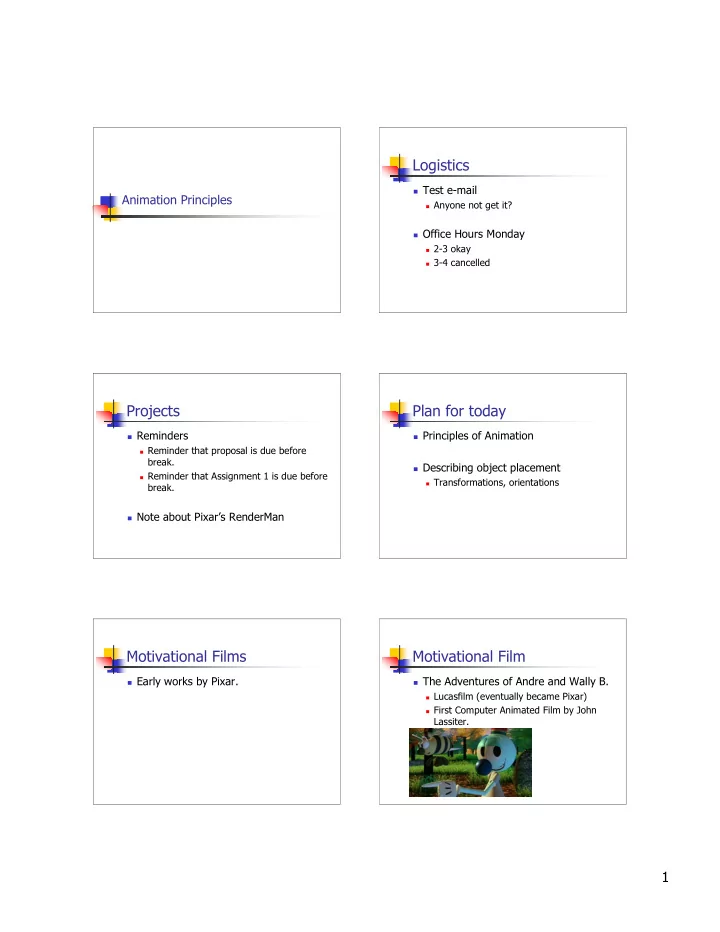
 The Adventures of Andre and Wally B.

 Lucasfilm (eventually became Pixar)  First Computer Animated Film by John

Lassiter.

slide-2
SLIDE 2

2

Motivational Film

 Luxo, Jr.

 Pixar (1986)

Motivational Film

 Luxo, Jr.

 The one that really started it all

 Character far more important than effects  Showed that believable, sympathetic characters

can be created via computer

 They don’t even have to be human

Animation

“There is no particular mystery in animation…it’s really very simple, and like anything that is simple, It is about the hardest thing in the world to do”

  • - Bill Tytla, Disney Animator, 1937

Animation

 Programming animation

 Creating tools for animators

 Good to know the principles by which

animators work

Principles of Animation

 Developed for traditional animation by

Disney.

 Applied to computer animation by John

Lassiter

 Squash & Stretch  Timing  Anticipation  Staging  Follow Through and Overlapping Action  Straight ahead action and Pose-to-pose action

Principles of Animation

 Developed for traditional animation by

Disney:

 Slow in and Slow Out  Arcs  Exaggeration  Secondary Action  Appeal

 We’ll go through each one in turn.

slide-3
SLIDE 3

3

Principles of Animation

 Web Sites (links on course site)

 Ralph A. De Stefano (EVL – Univ Of

Ill).

 SIGGRAPH  Lassiter paper online  Kim Roddy (Naval Postgrad School)  Comet-cartoons.com

  • 1. Squash & Stretch

 “The most important principle”  Most objects in the world are not rigid.  For example, silly putty

 never changes volume or mass

 The amount of squash & stretch gives

indication of rigidity of an object

  • 1. Squash & Stretch

 Object need not deform in order to

squash and stretch

  • 2. Timing

 “More than any other principle, timing

defines the weight of an object”

Which ball is heavier? Another example: SIGGRAPH page

  • 2. Timing

 Timing can also indicate an emotional state

 Start Frame: a head looking over the right shoulder  End Frame: a head looking over the left shoulder

comet-cartoons.com

  • 3. Anticipation

 “Anticipation is often used to explain what the

following action is going to be”

 There are two main uses of anticipation:

  • 1. Prepare for a movement
  • 2. To draw the viewers attention to

something. Example: opening of Luxo Jr.

slide-4
SLIDE 4

4

  • 3. Anticipation

 What is Wally going to do next

  • 3. Anticipation

 Breaking the rules can result in comedy

 Heavy box example

  • 4. Staging

 “Staging is the presentation of an idea

so it is completely and unmistakably clear”

 An important objective of staging is to lead

the viewers eye to where the action will

  • ccur so that they do not miss anything.

 Example: Luxo Jr…Jr is always focus when

Dad & Jr on stage

  • 4. Staging

 Staging in silhouette

Andre’s itch is on side, If on belly, action would be in front of body and might be missed

  • 4. Staging

 Luxo Jr. was staged to the side for

clarity

  • 4. Staging

 Busy vs Still.

 Link

slide-5
SLIDE 5

5

  • 5. Follow Through and Overlapping Action

 “Follow through is the termination of an

  • action. Actions very rarely come to a sudden

and complete stop, but are generally carried past their termination point.”

 The motion in most animation can be broken

down in to three sections:

 1. Anticipation of an Action – the setup for an

action

  • 2. The Action – the actual action
  • 3. The Follow Through- the movement at the end
  • f a motion
  • 5. Follow Through and Overlapping Action

 Overlapping Action

 “An action should never be brought to a

complete stop before starting another action, and the second action should

  • verlap the first.”

 Disney quote

  • 6. Straight ahead action and Pose-to-pose

action

 The two main approaches to hand drawn

animation.

 Straight ahead action

 “the animator works straight ahead from his first drawing

in the scene.”

 Pose-to-pose (keyframing)

 the animator plans his actions, figures out just what

drawings will be needed to animate the business, makes the drawings concentrating on the poses, ... and then draws the inbetweens.”

 Link

  • 6. Straight ahead action and Pose-to-pose

action

 Most animator defined computer

animation is keyframed.

 Keyframing implies Interpolation  Next several lectures will be on key

framing

  • 7. Slow In and Slow Out

 Refers to the spacing of the inbetween

frames at maximum positions.

 Example:

 a bouncing ball moves faster as it

approaches or leaves the ground and slower as it approaches leaves its maximum position

  • 7. Slow In and Slow Out

 Keyframing / Interpolation have no

basis in physics.
slide-6
SLIDE 6

6

  • 8. Arcs

 “The visual path of action from one

extreme to another is always described by an arc.”

 Splines for interpolation

  • 9. Exaggeration

 The key to proper use of exaggeration lies in

exploring the essence of the action or idea, understanding the reason for it, so that the audience will also understand it.

 Choose carefully what you wish to

exaggerate.

 If only one thing is exaggerated then it may stand

  • ut too much.

 If everything is exaggerated, then the entire scene

may appear too unrealistic.

  • 10. Secondary Action

 This is an action that directly results

from another action.

 Examples:

 Facial expression on a character.  Wiley Coyote

  • 10. Secondary Action

 Luxo Jr example

 Electrical Cord

  • 11. Appeal

 Make the animation something that the

audience wants to see

 Appeal != cute

 Darth Vader has appeal even though he is evil.

 The characters should be real  W here the live action actor has

charism a the anim ated character has appeal.

Principles of Animation – Wrap Up

 Animation is an art.

 Tools will be built for artists

 Physical laws apply just as much in an

animated world as they do in the real

  • world. Although animators can get

away with not understanding the math

 Know when to use math and when not to.

slide-7
SLIDE 7

7 Principles of Animation – Wrap Up

 In character anim ation, all actions

and m ovem ents of a character are the result of its thoug ht processes.

 "The thinking anim ation character

becom es a character."

 Creating an effective character involves

all of the principles.

 Also true: ignoring one or more principles

will result in unconvincing characters

Principles of Animation

 Questions?

Break time