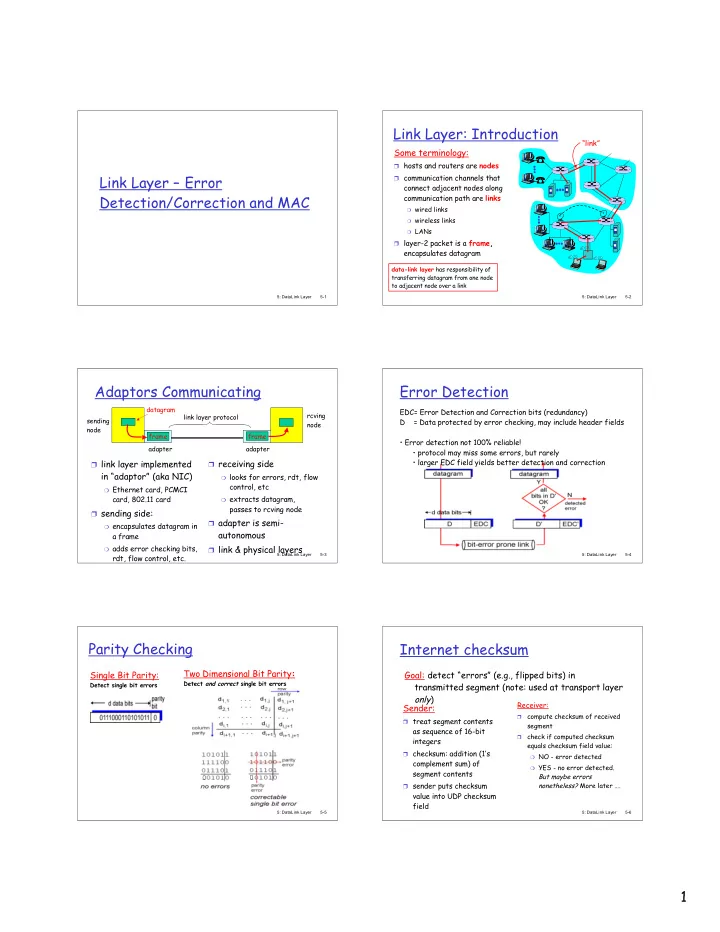
Link Layer: Introduction link Some terminology: hosts and routers - - PDF document

link layer introduction
SMART_READER_LITE
LIVE PREVIEW

Link Layer: Introduction link Some terminology: hosts and routers - - PDF document

Link Layer: Introduction link Some terminology: hosts and routers are nodes Link Layer Error communication channels that connect adjacent nodes along Detection/Correction and MAC communication path are links wired links


slide-1
SLIDE 1

1

5: DataLink Layer 5-1

Link Layer – Error Detection/Correction and MAC

5: DataLink Layer 5-2

Link Layer: Introduction

Some terminology:

❒ hosts and routers are nodes ❒ communication channels that

connect adjacent nodes along communication path are links

❍ wired links ❍ wireless links ❍ LANs

❒ layer-2 packet is a frame,

encapsulates datagram “link”

data-link layer has responsibility of transferring datagram from one node to adjacent node over a link

5: DataLink Layer 5-3

Adaptors Communicating

❒ link layer implemented

in “adaptor” (aka NIC)

❍ Ethernet card, PCMCI

card, 802.11 card ❒ sending side:

❍ encapsulates datagram in

a frame

❍ adds error checking bits,

rdt, flow control, etc. ❒ receiving side

❍ looks for errors, rdt, flow

control, etc

❍ extracts datagram,

passes to rcving node ❒ adapter is semi-

autonomous

❒ link & physical layers

sending node frame rcving node datagram frame adapter adapter link layer protocol

5: DataLink Layer 5-4

Error Detection

EDC= Error Detection and Correction bits (redundancy) D = Data protected by error checking, may include header fields

  • Error detection not 100% reliable!
  • protocol may miss some errors, but rarely
  • larger EDC field yields better detection and correction

5: DataLink Layer 5-5

Parity Checking

Single Bit Parity:

Detect single bit errors

Two Dimensional Bit Parity:

Detect and correct single bit errors

5: DataLink Layer 5-6

Internet checksum

Sender:

❒ treat segment contents

as sequence of 16-bit integers

❒ checksum: addition (1’s

complement sum) of segment contents

❒ sender puts checksum

value into UDP checksum field Receiver:

compute checksum of received segment

check if computed checksum equals checksum field value:

❍ NO - error detected ❍ YES - no error detected.

But maybe errors nonetheless? More later ….

Goal: detect “errors” (e.g., flipped bits) in transmitted segment (note: used at transport layer

  • nly)
slide-2
SLIDE 2

2

5: DataLink Layer 5-7

Checksumming: Cyclic Redundancy Check

❒ view data bits, D, as a binary number ❒ choose r+1 bit pattern (generator), G ❒ goal: choose r CRC bits, R, such that

❍ <D,R> exactly divisible by G (modulo 2) ❍ receiver knows G, divides <D,R> by G. If non-zero remainder:

error detected!

❍ can detect all burst errors less than r+1 bits

❒ widely used in practice (ATM, HDCL)

5: DataLink Layer 5-8

CRC Example

Want: D.2r XOR R = nG equivalently: D.2r = nG XOR R equivalently: if we divide D.2r by G, want remainder R R = remainder[ ] D.2r G

5: DataLink Layer 5-9

Multiple Access Links and Protocols

Two types of “links”:

❒ point-to-point

❍ PPP for dial-up access ❍ point-to-point link between Ethernet switch and host

❒ broadcast (shared wire or medium)

❍ traditional Ethernet ❍ upstream HFC ❍ 802.11 wireless LAN

5: DataLink Layer 5-10

Multiple Access protocols

❒ single shared broadcast channel ❒ two or more simultaneous transmissions by nodes:

interference

❍ collision if node receives two or more signals at the same time

multiple access protocol

❒ distributed algorithm that determines how nodes

share channel, i.e., determine when node can transmit

❒ communication about channel sharing must use channel

itself!

❍ no out-of-band channel for coordination

5: DataLink Layer 5-11

Ideal Mulitple Access Protocol

Broadcast channel of rate R bps

  • 1. When one node wants to transmit, it can send at

rate R.

  • 2. When M nodes want to transmit, each can send at

average rate R/M

  • 3. Fully decentralized:

❍ no special node to coordinate transmissions ❍ no synchronization of clocks, slots

  • 4. Simple

5: DataLink Layer 5-12

MAC Protocols: a taxonomy

Three broad classes:

❒ Channel Partitioning

❍ divide channel into smaller “pieces” (time slots,

frequency, code)

❍ allocate piece to node for exclusive use

❒ Random Access

❍ channel not divided, allow collisions ❍ “recover” from collisions

❒ “Taking turns”

❍ Nodes take turns, but nodes with more to send can take

longer turns

slide-3
SLIDE 3

3

5: DataLink Layer 5-13

Channel Partitioning MAC protocols: TDMA

TDMA: time division multiple access

❒ access to channel in "rounds" ❒ each station gets fixed length slot (length = pkt

trans time) in each round

❒ unused slots go idle ❒ example: 6-station LAN, 1,3,4 have pkt, slots

2,5,6 idle

5: DataLink Layer 5-14

Channel Partitioning MAC protocols: FDMA

FDMA: frequency division multiple access

❒ channel spectrum divided into frequency bands ❒ each station assigned fixed frequency band ❒ unused transmission time in frequency bands go idle ❒ example: 6-station LAN, 1,3,4 have pkt, frequency

bands 2,5,6 idle

frequency bands time

5: DataLink Layer 5-15

Random Access Protocols

❒ When node has packet to send

❍ transmit at full channel data rate R. ❍ no a priori coordination among nodes

❒ two or more transmitting nodes ➜ “collision”, ❒ random access MAC protocol specifies:

❍ how to detect collisions ❍ how to recover from collisions (e.g., via delayed

retransmissions) ❒ Examples of random access MAC protocols:

❍ slotted ALOHA ❍ ALOHA ❍ CSMA, CSMA/CD, CSMA/CA

5: DataLink Layer 5-16

Slotted ALOHA

Assumptions

❒ all frames same size ❒ time is divided into equal

size slots, time to transmit 1 frame

❒ nodes start to transmit

frames only at beginning of slots

❒ nodes are synchronized ❒ if 2 or more nodes transmit

in slot, all nodes detect collision Operation

❒ when node obtains fresh

frame, it transmits in next slot

❒ no collision, node can send new

frame in next slot

❒ if collision, node retransmits

frame in each subsequent slot with prob. p until success

5: DataLink Layer 5-17

Slotted ALOHA

Pros

single active node can continuously transmit at full rate of channel

highly decentralized: only slots in nodes need to be in sync

simple

Cons

❒ collisions, wasting slots ❒ idle slots ❒ nodes may be able to

detect collision in less than time to transmit packet

❒ clock synchronization

5: DataLink Layer 5-18

Slotted Aloha efficiency

Suppose N nodes with many frames to send, each transmits in slot with probability p

prob that node 1 has success in a slot = p(1-p)N-1

prob that any node has a success = Np(1-p)N-1 ❒ For max efficiency with N

nodes, find p* that maximizes Np(1-p)N-1

❒ For many nodes, take limit

  • f Np*(1-p*)N-1 as N goes

to infinity, gives 1/e = .37 Efficiency is the long-run fraction of successful slots when there are many nodes, each with many frames to send At best: channel used for useful transmissions 37%

  • f time!
slide-4
SLIDE 4

4

5: DataLink Layer 5-19

Pure (unslotted) ALOHA

❒ unslotted Aloha: simpler, no synchronization ❒ when frame first arrives

❍ transmit immediately

❒ collision probability increases:

❍ frame sent at t0 collides with other frames sent in [t0-1,t0+1]

5: DataLink Layer 5-20

CSMA (Carrier Sense Multiple Access)

CSMA: listen before transmit: If channel sensed idle: transmit entire frame

❒ If channel sensed busy, defer transmission ❒ Human analogy: don’t interrupt others!

5: DataLink Layer 5-21

CSMA collisions

collisions can still occur:

propagation delay means two nodes may not hear each other’s transmission

collision:

entire packet transmission time wasted

spatial layout of nodes

note:

role of distance & propagation delay in determining collision probability

5: DataLink Layer 5-22

CSMA/CD (Collision Detection)

CSMA/CD: carrier sensing, deferral as in CSMA

❍ collisions detected within short time ❍ colliding transmissions aborted, reducing channel

wastage ❒ collision detection:

❍ easy in wired LANs: measure signal strengths,

compare transmitted, received signals

❍ difficult in wireless LANs: receiver shut off while

transmitting ❒ human analogy: the polite conversationalist

5: DataLink Layer 5-23

CSMA/CD collision detection

5: DataLink Layer 5-24

“Taking Turns” MAC protocols

channel partitioning MAC protocols:

❍ share channel efficiently and fairly at high load ❍ inefficient at low load: delay in channel access, 1/N

bandwidth allocated even if only 1 active node! Random access MAC protocols

❍ efficient at low load: single node can fully utilize channel ❍ high load: collision overhead

“taking turns” protocols look for best of both worlds!

slide-5
SLIDE 5

5

5: DataLink Layer 5-25

“Taking Turns” MAC protocols

Polling:

❒ master node

“invites” slave nodes to transmit in turn

❒ concerns:

❍ polling overhead ❍ latency ❍ single point of

failure (master) Token passing:

❒ control token passed from one

node to next sequentially.

❒ token message ❒ concerns:

❍ token overhead ❍ latency ❍ single point of failure (token)

5: DataLink Layer 5-26

Summary of MAC protocols

❒ What do you do with a shared media?

❍ Channel Partitioning, by time, frequency or code

  • Time Division, Frequency Division

❍ Random partitioning (dynamic),

  • ALOHA, S-ALOHA, CSMA, CSMA/CD
  • carrier sensing: easy in some technologies (wire),

hard in others (wireless)

  • CSMA/CD used in Ethernet
  • CSMA/CA used in 802.11

❍ Taking Turns

  • polling from a central site, token passing