Lecture 6: Compilers, the SPIM Simulator Todays topics: SPIM - - PowerPoint PPT Presentation

lecture 6 compilers the spim simulator
SMART_READER_LITE
LIVE PREVIEW

Lecture 6: Compilers, the SPIM Simulator Todays topics: SPIM - - PowerPoint PPT Presentation

Lecture 6: Compilers, the SPIM Simulator Todays topics: SPIM simulator The compilation process Additional TA hours: Liqun Cheng, email legion at cs, Office: MEB 2162 Office hours: Mon/Wed 11-12 TA hours for Josh: Wed


slide-1
SLIDE 1

1

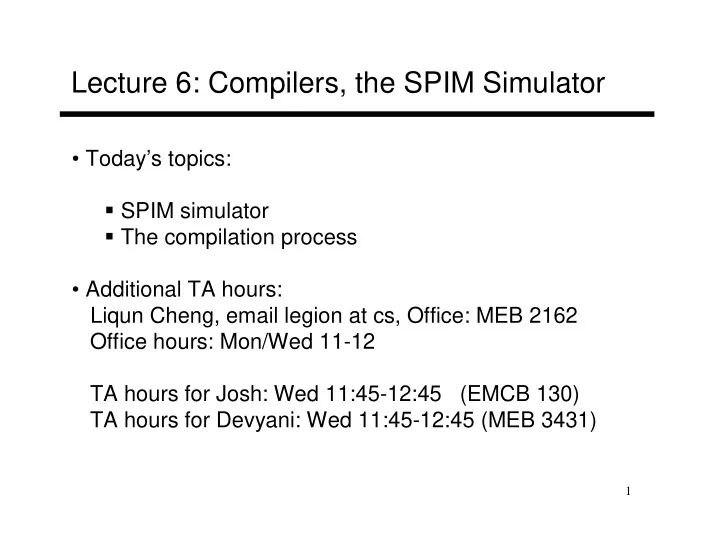
Lecture 6: Compilers, the SPIM Simulator

  • Today’s topics:

SPIM simulator The compilation process

  • Additional TA hours:

Liqun Cheng, email legion at cs, Office: MEB 2162 Office hours: Mon/Wed 11-12 TA hours for Josh: Wed 11:45-12:45 (EMCB 130) TA hours for Devyani: Wed 11:45-12:45 (MEB 3431)

slide-2
SLIDE 2

2

IA-32 Instruction Set

  • Intel’s IA-32 instruction set has evolved over 20 years –
  • ld features are preserved for software compatibility
  • Numerous complex instructions – complicates hardware

design (Complex Instruction Set Computer – CISC)

  • Instructions have different sizes, operands can be in

registers or memory, only 8 general-purpose registers,

  • ne of the operands is over-written
  • RISC instructions are more amenable to high performance

(clock speed and parallelism) – modern Intel processors convert IA-32 instructions into simpler micro-operations

slide-3
SLIDE 3

3

SPIM

  • SPIM is a simulator that reads in an assembly program

and models its behavior on a MIPS processor

  • Note that a “MIPS add instruction” will eventually be

converted to an add instruction for the host computer’s architecture – this translation happens under the hood

  • To simplify the programmer’s task, it accepts

pseudo-instructions, large constants, constants in decimal/hex formats, labels, etc.

  • The simulator allows us to inspect register/memory

values to confirm that our program is behaving correctly

slide-4
SLIDE 4

4

Example

This simple program (similar to what we’ve written in class) will run

  • n SPIM (a “main” label is introduced so SPIM knows where to start)

main: addi $t0, $zero, 5 addi $t1, $zero, 7 add $t2, $t0, $t1 If we inspect the contents of $t2, we’ll find the number 12

slide-5
SLIDE 5

5

User Interface

main: addi $t0, $zero, 5 addi $t1, $zero, 7 add $t2, $t0, $t1 File add.s rajeev@trust > Spim (spim) read “add.s” (spim) run (spim) print $10 Reg 10 = 0x0000000c (12) (spim) reinitialize (spim) read “add.s” (spim) step (spim) print $8 Reg 8 = 0x00000005 (5) (spim) print $9 Reg 9 = 0x00000000 (0) (spim) step (spim) print $9 Reg 9 = 0x00000007 (7) (spim) exit

slide-6
SLIDE 6

6

Directives

.text .globl main main: addi $t0, $zero, 5 addi $t1, $zero, 7 add $t2, $t0, $t1 … jal swap_proc jr $ra .globl swap_proc swap_proc: … File add.s Stack Dynamic data (heap) Static data (globals) Text (instructions) This function is visible to other files

slide-7
SLIDE 7

7

Directives

.data .word 5 .word 7 .byte 25 .asciiz “the answer is” .text .globl main main: lw $t0, 0($gp) lw $t1, 4($gp) add $t2, $t0, $t1 … jal swap_proc jr $ra File add.s Stack Dynamic data (heap) Static data (globals) Text (instructions)

slide-8
SLIDE 8

8

Labels

.data in1 .word 5 in2 .word 7 c1 .byte 25 str .asciiz “the answer is” .text .globl main main: lw $t0, in1 lw $t1, in2 add $t2, $t0, $t1 … jal swap_proc jr $ra File add.s Stack Dynamic data (heap) Static data (globals) Text (instructions)

slide-9
SLIDE 9

9

Endian-ness

Two major formats for transferring values between registers and memory Memory: low address 45 7b 87 7f high address Little-endian register: the first byte read goes in the low end of the register Register: 7f 87 7b 45 Most-significant bit Least-significant bit Big-endian register: the first byte read goes in the big end of the register Register: 45 7b 87 7f Most-significant bit Least-significant bit

slide-10
SLIDE 10

10

System Calls

  • SPIM provides some OS services: most useful are
  • perations for I/O: read, write, file open, file close
  • The arguments for the syscall are placed in $a0-$a3
  • The type of syscall is identified by placing the appropriate

number in $v0 – 1 for print_int, 4 for print_string, 5 for read_int, etc.

  • $v0 is also used for the syscall’s return value
slide-11
SLIDE 11

11

Example Print Routine

.data str: .ascii “the answer is” .text li $v0, 4 # load immediate; 4 is the code for print_string la $a0, str # the print_string syscall expects the string # address as the argument; la is the instruction # to load the address of the operand (str) syscall # SPIM will now invoke syscall-4 li $v0, 1 # syscall-1 corresponds to print_int li $a0, 5 # print_int expects the integer as its argument syscall # SPIM will now invoke syscall-1

slide-12
SLIDE 12

12

Example

  • Write an assembly program to prompt the user for two numbers and

print the sum of the two numbers

slide-13
SLIDE 13

13

Example

.text .data .globl main str1: .asciiz “Enter 2 numbers:” main: str2: .asciiz “The sum is ” li $v0, 4 la $a0, str1 syscall li $v0, 5 syscall add $t0, $v0, $zero li $v0, 5 syscall add $t1, $v0, $zero li $v0, 4 la $a0, str2 syscall li $v0, 1 add $a0, $t1, $t0 syscall

slide-14
SLIDE 14

14

Compilation Steps

  • The front-end: deals mostly with language specific actions

Scanning: reads characters and breaks them into tokens Parsing: checks syntax Semantic analysis: makes sure operations/types are meaningful Intermediate representation: simple instructions, infinite registers, makes few assumptions about hw

  • The back-end: optimizations and code generation

Local optimizations: within a basic block Global optimizations: across basic blocks Register allocation

slide-15
SLIDE 15

15

Dataflow

  • Control flow graph: each box represents a basic block and

arcs represent potential jumps between instructions

  • For each block, the compiler computes values that were

defined (written to) and used (read from)

  • Such dataflow analysis is key to several optimizations:

for example, moving code around, eliminating dead code, removing redundant computations, etc.

slide-16
SLIDE 16

16

Register Allocation

  • The IR contains infinite virtual registers – these must be mapped to

the architecture’s finite set of registers (say, 32 registers)

  • For each virtual register, its live range is computed (the range

between which the register is defined and used)

  • We must now assign one of 32 colors to each virtual register so that

intersecting live ranges are colored differently – can be mapped to the famous graph coloring problem

  • If this is not possible, some values will have to be temporarily spilled

to memory and restored (this is equivalent to breaking a single live range into smaller live ranges)

slide-17
SLIDE 17

17

High-Level Optimizations

High-level optimizations are usually hardware independent

  • Procedure inlining
  • Loop unrolling
  • Loop interchange, blocking (more on this later when we

study cache/memory organization)

slide-18
SLIDE 18

18

Low-Level Optimizations

  • Common sub-expression elimination
  • Constant propagation
  • Copy propagation
  • Dead store/code elimination
  • Code motion
  • Induction variable elimination
  • Strength reduction
  • Pipeline scheduling
slide-19
SLIDE 19

19

Title

  • Bullet