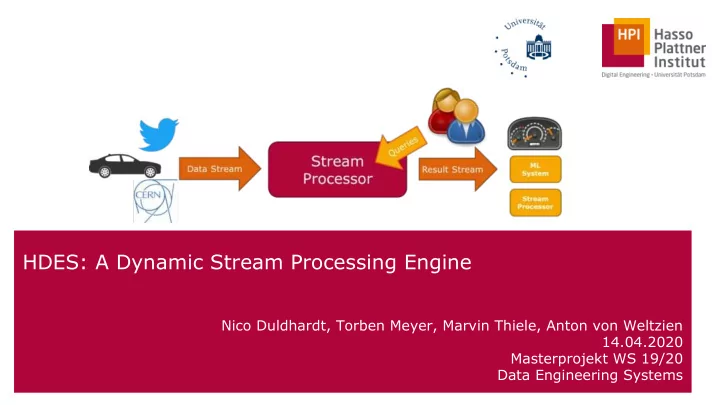
HDES: A Dynamic Stream Processing Engine Nico Duldhardt, Torben - - PowerPoint PPT Presentation

hdes a dynamic stream processing engine
SMART_READER_LITE
LIVE PREVIEW

HDES: A Dynamic Stream Processing Engine Nico Duldhardt, Torben - - PowerPoint PPT Presentation

HDES: A Dynamic Stream Processing Engine Nico Duldhardt, Torben Meyer, Marvin Thiele, Anton von Weltzien 14.04.2020 Masterprojekt WS 19/20 Data Engineering Systems 1 Agenda 1. Goals 2. Features 3. Architecture Overview 4. Query


slide-1
SLIDE 1

HDES: A Dynamic Stream Processing Engine

Nico Duldhardt, Torben Meyer, Marvin Thiele, Anton von Weltzien 14.04.2020 Masterprojekt WS 19/20 Data Engineering Systems

1

slide-2
SLIDE 2

Agenda

1. Goals 2. Features 3. Architecture Overview 4. Query Transformation 5. Query Execution 6. Ad-hoc join processing 7. Benchmark Results

Chart 2

slide-3
SLIDE 3

1. Build a standalone prototype of a stream processing engine that has first class support for dynamic query deployment and removal 2. Support processing simple queries and streams 3. Support online optimizations for efficient multi-query processing

Goals

Chart 3

slide-4
SLIDE 4
  • Stream Processing Framework written in Java 11
  • Ad-hoc addition and removal of arbitrary queries
  • Single node, multi-threaded execution
  • Optimization for Joins and Aggregations in multi-query execution
  • Queries are defined in a Flink-like dataflow language
  • Support for Sliding- and Tumbling-Windows both with Event- and

Processing-Time

Features

Chart 4

slide-5
SLIDE 5

Chart 5

Dataflow API Overview

slide-6
SLIDE 6

JobManager jobManager = new JobManager(); jobManager.runEngine(); NetworkSource nws1 = new NetworkSource(7001, ...); NetworkSource nws2 = new NetworkSource(7002, ...); TopologyBuilder builder = TopologyBuilder.newQuery(); AStream<Tuple3<String,Float,Long>> s1 = builder.streamOf(nws1); AStream<Tuple3<String,Float,Long>> s2 = builder.streamOf(nws2); s1.window(TumblingWindow.ofEventTime(Time.seconds(5))) .join(s2, (t1, t2) -> new Tuple4<>(t1.v1,t1.v2,t2.v2,t1.v3), Tuple3::v1, Tuple3::v1, WatermarkGenerator.seconds(1, 1_000), t3 -> t3.v4 ) .to(new FileSink("join")); Query joinQuery = builder.buildAsQuery(); jobManager.addQuery(joinQuery, 50, ChronoUnit.Seconds);

Code Example

Chart 6

slide-7
SLIDE 7

JobManager jobManager = new JobManager(); jobManager.runEngine(); NetworkSource nws1 = new NetworkSource(7001, ...); NetworkSource nws2 = new NetworkSource(7002, ...); TopologyBuilder builder = TopologyBuilder.newQuery(); AStream<Tuple3<String,Float,Long>> s1 = builder.streamOf(nws1); AStream<Tuple3<String,Float,Long>> s2 = builder.streamOf(nws2); s1.window(TumblingWindow.ofEventTime(Time.seconds(5))) .join(s2, (t1, t2) -> new Tuple4<>(t1.v1,t1.v2,t2.v2,t1.v3), Tuple3::v1, Tuple3::v1, WatermarkGenerator.seconds(1, 1_000), t3 -> t3.v4 ) .to(new FileSink("join")); Query joinQuery = builder.buildAsQuery(); jobManager.addQuery(joinQuery, 50, ChronoUnit.Seconds);

Code Example

Chart 7

Create JobManager and start engine

slide-8
SLIDE 8

JobManager jobManager = new JobManager(); jobManager.runEngine(); NetworkSource nws1 = new NetworkSource(7001, ...); NetworkSource nws2 = new NetworkSource(7002, ...); TopologyBuilder builder = TopologyBuilder.newQuery(); AStream<Tuple3<String,Float,Long>> s1 = builder.streamOf(nws1); AStream<Tuple3<String,Float,Long>> s2 = builder.streamOf(nws2); s1.window(TumblingWindow.ofEventTime(Time.seconds(5))) .join(s2, (t1, t2) -> new Tuple4<>(t1.v1,t1.v2,t2.v2,t1.v3), Tuple3::v1, Tuple3::v1, WatermarkGenerator.seconds(1, 1_000), t3 -> t3.v4 ) .to(new FileSink("join")); Query joinQuery = builder.buildAsQuery(); jobManager.addQuery(joinQuery, 50, ChronoUnit.Seconds);

Code Example

Chart 8

Define Sources

slide-9
SLIDE 9

JobManager jobManager = new JobManager(); jobManager.runEngine(); NetworkSource nws1 = new NetworkSource(7001, ...); NetworkSource nws2 = new NetworkSource(7002, ...); TopologyBuilder builder = TopologyBuilder.newQuery(); AStream<Tuple3<String,Float,Long>> s1 = builder.streamOf(nws1); AStream<Tuple3<String,Float,Long>> s2 = builder.streamOf(nws2); s1.window(TumblingWindow.ofEventTime(Time.seconds(5))) .join(s2, (t1, t2) -> new Tuple4<>(t1.v1,t1.v2,t2.v2,t1.v3), Tuple3::v1, Tuple3::v1, WatermarkGenerator.seconds(1, 1_000), t3 -> t3.v4 ) .to(new FileSink("join")); Query joinQuery = builder.buildAsQuery(); jobManager.addQuery(joinQuery, 50, ChronoUnit.Seconds);

Code Example

Chart 9

Create new query with TopologyBuilder

slide-10
SLIDE 10

JobManager jobManager = new JobManager(); jobManager.runEngine(); NetworkSource nws1 = new NetworkSource(7001, ...); NetworkSource nws2 = new NetworkSource(7002, ...); TopologyBuilder builder = TopologyBuilder.newQuery(); AStream<Tuple3<String,Float,Long>> s1 = builder.streamOf(nws1); AStream<Tuple3<String,Float,Long>> s2 = builder.streamOf(nws2); s1.window(TumblingWindow.ofEventTime(Time.seconds(5))) .join(s2, (t1, t2) -> new Tuple4<>(t1.v1,t1.v2,t2.v2,t1.v3), Tuple3::v1, Tuple3::v1, WatermarkGenerator.seconds(1, 1_000), t3 -> t3.v4 ) .to(new FileSink("join")); Query joinQuery = builder.buildAsQuery(); jobManager.addQuery(joinQuery, 50, ChronoUnit.Seconds);

Code Example

Chart 10

Define query

slide-11
SLIDE 11

JobManager jobManager = new JobManager(); jobManager.runEngine(); NetworkSource nws1 = new NetworkSource(7001, ...); NetworkSource nws2 = new NetworkSource(7002, ...); TopologyBuilder builder = TopologyBuilder.newQuery(); AStream<Tuple3<String,Float,Long>> s1 = builder.streamOf(nws1); AStream<Tuple3<String,Float,Long>> s2 = builder.streamOf(nws2); s1.window(TumblingWindow.ofEventTime(Time.seconds(5))) .join(s2, (t1, t2) -> new Tuple4<>(t1.v1,t1.v2,t2.v2,t1.v3), Tuple3::v1, Tuple3::v1, WatermarkGenerator.seconds(1, 1_000), t3 -> t3.v4 ) .to(new FileSink("join")); Query joinQuery = builder.buildAsQuery(); jobManager.addQuery(joinQuery, 50, ChronoUnit.Seconds);

Code Example

Chart 11

Build and submit query

slide-12
SLIDE 12
  • 3. Architecture Overview

12

slide-13
SLIDE 13

Chart 13

slide-14
SLIDE 14

Chart 14

slide-15
SLIDE 15
  • 4. Query Transformation

15

slide-16
SLIDE 16

Transformation Pipeline

Chart 16

slide-17
SLIDE 17

Source:

  • Read from a source
  • Attaches metadata

OneInputOperator:

  • Transform a single event into n new events

TwoInputOperator:

  • Transform events from two different origins

Sink:

  • Write to a sink

Operators

Chart 17

slide-18
SLIDE 18

Source Operator

Chart 18

slide-19
SLIDE 19

Logical Plan

Chart 19 BinaryInput Node Source Node Source Node OneInput Node OneInput Node Sink Node Sink Node

slide-20
SLIDE 20

Execution Plan

Chart 20 TwoInput PullSlot Source Slot Source Slot OneInput PushSlot OneInput PushSlot

slide-21
SLIDE 21

Layered architecture decouples query definition and execution.

  • Interchangeable query definition
  • Interchangeable Execution Plan

Transformation Properties

Chart 21

slide-22
SLIDE 22
  • 5. Query Execution

22

slide-23
SLIDE 23

Routing

Chart 23

slide-24
SLIDE 24

Slot

Chart 24

Operator Collector

Operator Operator Operator

Event Events

slide-25
SLIDE 25

Pull Slot Push Slot

Chart 25

Slot Types

Slot Slot Buffer Thread Event Events Event Events

reads

slide-26
SLIDE 26

Execution Plan

Chart 26 TwoInput PullSlot Source Slot Source Slot OneInput PushSlot OneInput PushSlot

slide-27
SLIDE 27
  • 6. Ad-hoc join processing

27

slide-28
SLIDE 28

Chart 28

Efficient Distributed Join Architecture

Source Operator Join operator 1 Join operator N Sink Operator ...

slide-29
SLIDE 29

Chart 29

Efficient Distributed Join Architecture

Source Operator Join operator 1 Join operator N Sink Operator ...

  • Indexing
  • Windowing
slide-30
SLIDE 30

Chart 30

Efficient Distributed Join Architecture

Source Operator Join operator 1 Join operator N Sink Operator ...

  • Indexing
  • Windowing
  • Set intersection
  • f join index
slide-31
SLIDE 31

Chart 31

Efficient Distributed Join Architecture

Source Operator Join operator 1 Join operator N Sink Operator ...

  • Indexing
  • Windowing
  • Set intersection
  • f join index
  • Joins matching tuples
  • Pushes to output

channels

slide-32
SLIDE 32

Chart 32

AJoin in HDES

Upstream Operator Downstream Operator Source Sink Join AJoin Upstream Operator Source

slide-33
SLIDE 33

Chart 33

HDES AJoin Example

Orders Shipped Orders Source Sink Join AJoin Shipments Source

<OrderID, ItemID, …> <ShipmentID, OrderID, …> <OrderID, ShipmentID, ItemID …>

slide-34
SLIDE 34

Chart 34

HDES AJoin Example

Orders

Shipped Orders

Source Sink Join AJoin Shipments Source <OrderID, ItemID, …> <ShipmentID, OrderID, …> <OrderID, ShipmentID, ItemID …>

<1, 5,...> <1, 8,...> <4, 7,...> <5, 2,...> <5, 7,...> <5, 7,...> <6, 8,...> <9, 1,...> <6, 4,...> <3, 5,...>

slide-35
SLIDE 35

Chart 35

HDES AJoin Example

<1, 5,...> <1, 8,...> <4, 7,...> <5, 2,...> <5, 7,...> <5, 7,...> <6, 8,...> <9, 1,...> <6, 4,...> <3, 5,...>

Orders

Shipped Orders

Source Sink Join AJoin Shipments Source <OrderID, ItemID, …> <ShipmentID, OrderID, …> <OrderID, ShipmentID, ItemID …>

1 ← [<1, 5,...>, <1,8,...>] 4 ← [<4,7,...>] 5 ← [<5,2,...>, <5,7,...>] Orders Bucket 7 ← [<5, 7,...>] 8 ← [<6, 8,...>] 1 ← [<9, 1,...>] 4 ← [<6, 4,...>] 5 ← [<3, 5,...>] Shipment Bucket

slide-36
SLIDE 36

Chart 36

HDES AJoin Example

Orders

Shipped Orders

Source Sink Join AJoin Shipments Source <OrderID, ItemID, …> <ShipmentID, OrderID, …> <OrderID, ShipmentID, ItemID …>

1 ← [<1, 5,...>, <1,8,...>]|4 ← [<4,7,...>]|5 ← [<5,2,...>, <5,7,...>]

7 ← [<5, 7,...>]|8 ← [<6, 8,...>]|1 ← [<9, 1,...>]|4 ← [<6, 4,...>]|5 ← [<3, 5,...>]

1 ← [<1, 5,...>, <1,8,...>] [<9, 1,...>] 4 ← [<4,7,...>] [<6, 4,...>] 5 ← [<5,2,...>, <5,7,...>] [<3, 5,...>]

slide-37
SLIDE 37

Chart 37

HDES AJoin Example

Orders

Shipped Orders

Source Sink Join AJoin Shipments Source <OrderID, ItemID, …> <ShipmentID, OrderID, …> <OrderID, ShipmentID, ItemID …>

1 ← [<1, 5,...>, <1,8,...>] [<9, 1,...>]

[<1,9,5>, <1,9,8>]

4 ← [<4,7,...>] [<6, 4,...>] 5 ← [<5,2,...>, <5,7,...>] [<3, 5,...>]

[<4,6,7>] [<5,3,2>, <5,3,7>]

slide-38
SLIDE 38
  • 7. Benchmarking Results

38

slide-39
SLIDE 39

Benchmarking Setup

Chart 39

Engine Data Generator 1 GBit/s LAN 16 GB RAM 4-core Intel i5 7300HQ (2.50 GHz) 16 GB RAM 4-core Intel i7 2600K (3.50 GHz) Custom Serialization

slide-40
SLIDE 40

Timestamps: Event Time = The moment the tuple is created Processing Time = The moment the tuple enters the engine Ejection Time = The moment the tuple enters the sink Latency: Event Time Latency = Ejection Time - Event Time Processing Time Latency = Ejection Time - Processing Time Other metrics: Throughput = Amount of tuples send from the data-generator per second

Description of Metrics

Chart 40

slide-41
SLIDE 41

Data Sets - "Basic" and "Nexmark-Light"

Chart 41

Basic Nexmark-Light Simplistic test-data More realistic data an auction house use-case Tuple (12 Bytes) (EventTime, Number) Auction (28 Bytes) (AuctionId, Quantity, Type, Reserve, EventTime) Bid (32 Bytes) (BidId, AuctionId, BetterId, Price, EventTime)

Legend: Long Integer

slide-42
SLIDE 42

Benchmark Dimensions

Chart 42

Add & Remove X-queries every 10 seconds Add a query every 10 seconds Remove a query every 10 seconds X static-queries Test Scenario Dataset Workload Engine Map Filter Join HotCat HPPA HDES Flink Basic Nexmark 1 10 100 ... Query

slide-43
SLIDE 43

Benchmark Dimensions

Chart 43

Test Scenario Dataset Workload Engine Map Filter Join HotCat HPPA HDES Flink Basic Nexmark 1 10 100 ... Scenario: 10 fixed map-queries executed with HDES and the basic dataset Add & Remove X-queries every 10 seconds Add a query every 10 seconds Remove a query every 10 seconds X static-queries Query

slide-44
SLIDE 44

Static Query Execution

44

slide-45
SLIDE 45

Static X-Queries - HDES Map vs. Flink Map

Chart 45

HDES can outperform Flink with simple operations across datasets

HDES-Map Flink-Map

slide-46
SLIDE 46

Static X-Queries - HDES (A)Join vs. Flink Join

Chart 46

AJoin is better than Join in multi-query situations and HDES outperforms Flink's Join in every scenario

HDES-AJoin HDES-Join Flink-Join

slide-47
SLIDE 47

Dynamic Query Execution

47

slide-48
SLIDE 48

Dynamic - Increased Adding & Removing

Chart 48

Basic - AJoin & Join

slide-49
SLIDE 49

Dynamic - Increased Adding & Removing

Chart 49

Nexmark - HPPA

slide-50
SLIDE 50

Dynamic - Constant Adding & Removing

Chart 50

Nexmark - Hottest Category

slide-51
SLIDE 51

Garbage Collection

Chart 51

Garbage Collection Engine

slide-52
SLIDE 52

Conclusion

Chart 52

HDES outperforms Flink in most situations and can even compute larger workloads HDES offers ad-hoc functionality as a first-class citizen HDES offers integration

  • f optimized sharing

techniques from previous work

slide-53
SLIDE 53

Thank you for your attention!

Nico Duldhardt, Torben Meyer, Marvin Thiele, Anton von Weltzien Masterprojekt WS 19/20 Data Engineering Systems

53

slide-54
SLIDE 54

Agenda

1. Goals (Anton) ~ 1 2. Features (Anton) ~ 2-4 3. Architecture Overview (Anton) 2-3 4. Query Transformation (Nico) 4 5. Query Execution (Nico) 3 6. Multi-Query Execution (Torben) > 7 min 7. Benchmark Results (Marvin) >7 min

Chart 54

slide-55
SLIDE 55

Dynamic - Scalability of Join & AJoin

Chart 55

AJoin Join