SLIDE 1
GKLEE Tutorial
Guodong Li, Peng Li, Geof Sawaya, Wei-Fan Chiang, Ganesh Gopalakrishnan School of Computing, University of Utah – http://www.cs.utah.edu/fv
Contents
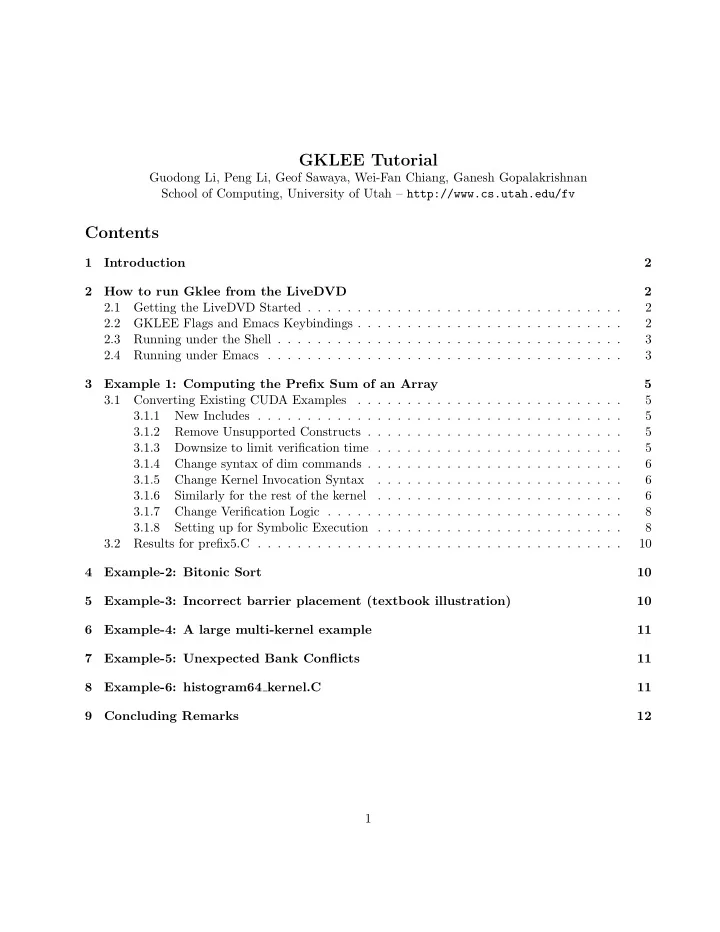
1 Introduction 2 2 How to run Gklee from the LiveDVD 2 2.1 Getting the LiveDVD Started . . . . . . . . . . . . . . . . . . . . . . . . . . . . . . . . 2 2.2 GKLEE Flags and Emacs Keybindings . . . . . . . . . . . . . . . . . . . . . . . . . . . 2 2.3 Running under the Shell . . . . . . . . . . . . . . . . . . . . . . . . . . . . . . . . . . . 3 2.4 Running under Emacs . . . . . . . . . . . . . . . . . . . . . . . . . . . . . . . . . . . . 3 3 Example 1: Computing the Prefix Sum of an Array 5 3.1 Converting Existing CUDA Examples . . . . . . . . . . . . . . . . . . . . . . . . . . . 5 3.1.1 New Includes . . . . . . . . . . . . . . . . . . . . . . . . . . . . . . . . . . . . . 5 3.1.2 Remove Unsupported Constructs . . . . . . . . . . . . . . . . . . . . . . . . . . 5 3.1.3 Downsize to limit verification time . . . . . . . . . . . . . . . . . . . . . . . . . 5 3.1.4 Change syntax of dim commands . . . . . . . . . . . . . . . . . . . . . . . . . . 6 3.1.5 Change Kernel Invocation Syntax . . . . . . . . . . . . . . . . . . . . . . . . . 6 3.1.6 Similarly for the rest of the kernel . . . . . . . . . . . . . . . . . . . . . . . . . 6 3.1.7 Change Verification Logic . . . . . . . . . . . . . . . . . . . . . . . . . . . . . . 8 3.1.8 Setting up for Symbolic Execution . . . . . . . . . . . . . . . . . . . . . . . . . 8 3.2 Results for prefix5.C . . . . . . . . . . . . . . . . . . . . . . . . . . . . . . . . . . . . . 10 4 Example-2: Bitonic Sort 10 5 Example-3: Incorrect barrier placement (textbook illustration) 10 6 Example-4: A large multi-kernel example 11 7 Example-5: Unexpected Bank Conflicts 11 8 Example-6: histogram64 kernel.C 11 9 Concluding Remarks 12 1
SLIDE 2 1 Introduction
GKLEE is a concrete plus symbolic (“concolic”) execution platform for CUDA programs. Our paper
in PPoPP 20121 explains GKLEE in some detail. This tutorial shows GKLEE’s features concretely through many examples, and also summarizes the flag options of GKLEE.
2 How to run Gklee from the LiveDVD
2.1 Getting the LiveDVD Started
- Either boot into the LiveDVD or build a VM out of it. The user name is ganesh and password
is gklee. Once in there, do a sudo su and give gklee as the password again.
- Then cd /home/ganesh/Tools/gklee and source setupGklee.
- Then
cd /home/ganesh/Tools/gklee/Gklee/CUDA/Benchmarks, and begin your work in one of the example-laden directories: Others, Table-1, or Table-2. Both klee-l++ and gklee must be already present in your path. Then get to enjoy Gklee as described in the rest of this manual! Apply one patch to suppress an annoying Emacs message, as follows:
** (emacs:25074): CRITICAL **: murrine_style_draw_box: assertion ‘height >= -1’ failed.
- To fix this, modify the entry in
/usr/share/themes/Ambiance/gtk-2.0/gtkrc from GtkRange::trough-under-steppers = 0 to GtkRange::trough-under-steppers = 1. (Also, klee-show-tests does not seem to work on the LiveDVD. We’ll fix it.)
2.2 GKLEE Flags and Emacs Keybindings
Besides all commands inherited from KLEE, GKLEE includes its own options:
1http://www.cs.utah.edu/fv/GKLEE
2
SLIDE 3 Flag Description Value Default Emacs Keys (Note-1) –ignore-concur-bug Continue execn. even after concur. bug encountered 0/1 tcb –check-BC Check bank conflicts 0/1 1 tbc –check-MC Check whether global mem. acc. can be coalesced 0/1 1 tmc –check-WD Check whether there exists warp divergence 0/1 1 twd –check-volatile Check whether volatile keywork is missing 0/1 1 tcv –check-barrier-redundant Check whether this barrier is redundant or not 0/1 trb –device-capability Set dev. capability (0): 1.0-1.1; (1): 1.2-1.3; (2): 2. 0/1/2 2 sdc –reduce-tests
- utputs only a subset of test cases
0/1 trt –bc-cov calculate bytecode coverage for the threads 0/1 tgc –Path-Reduce path reduction (Note-2) ”B/T” ”” spr –verbose Dump informative debugging information 0/1 tv –check-level Race check level (Note-3) 0/1/2 1 scl
Note-1: Emacs keybindings begin with [Meta]-g (or [ESC]-g) Note-2: – B: (line/branch) covered by some thread at least once. – T: (line or branch) covered by all the threads at least once Note-3: – (0): no race checking – (1), only sh. mem. chk. – (2). sh. + glob. mem. chk.
2.3 Running under the Shell
One can run GKLEE in the shell as below:
klee-l++ <flag> file.C
- - where the flag can be -O0, -O1, -O2, or -O3
gklee <flags> file.o > file.out
- - where the flags are listed below
.. then view file.out to see the results ..
2.4 Running under Emacs
One can run GKLEE in Emacs using the functionality provided in gklee-mode.el. Before beginning the GKLEE analysis, you may set any of the GKLEE options in the table above.
ESC-gr (Provide the compiler optimization level)
Then, one can visit buffer *gklee-run*, *gklee-run-debug*, *gklee-compile-debug*, etc. to see various pieces of information in these buffers. One can click any of the trace files produced, by clicking on a float-over highlighted section in *gklee-run*. Therein, one can see the source lines and the byte codes. The trace buffer is named *test[number].trace*. Here is a list of functions available from the trace buffer: 3
SLIDE 4 Function Keybinding Description (Note-1) (Note-2) exit-trace [BACKSPACE] closes the trace buffer and takes you back to the *gklee-run* buffer show-thread st filters out of the trace all threads but the one you enter at prompt show-warp sw filters out all warps but one entered at prompt show-file sf filters out all source files represented in trace but one selected show-block sb filters out instructions executed in blocks except the one selected add-thread-show at shows an additional thread’s instructions in the trace add-warp-show aw shows an additional warp’s instructions in the trace add-file-show af shows additional instructions executed in chosen source file add-block-show ab shows instructions to trace from the block selected remove-thread rt hides the instructions belonging to selected thread remove-warp rw hides the instructions from the selected warp remove-file rf hides the instructions from the selected file remove-block rb hides instructions from the selected block unfilter uf reveals all instructions executed by GKLEE toggle-asm-visible ta shows/hides the bytecode level instructions for each source instruction
Note-1: Function names begin with ‘gklee-’. You may get a list of ‘interactive’ functions with [ESC]-h gklee-[TAB] Note-2: GKLEE Emacs keybindings begin with ‘[ESC]-g’, unless they are special cases (like [BACKSPACE]) Here is a sampling of GKLEE-related commands I’ve found useful (for a complete list, please look into gklee-mode.el). PLEASE NOTE: Occasionally, the ‘unfilter’ and ‘toggle-asm-visible’ com- mands, when executed with the keybindings, do not refresh the buffer until another event happens. If you enter one of these commands and don’t see the results, simply try to enter a character in the trace buffer. This will allow the buffer to refresh (for some reason).
- (Optional): This is not necessary necessary for most programs. But if you have embedded flags
(#defines), you can set their values using this facility. ESC-X: set-variable: gklee-user-compile- args: ("-D_SYM")
- ESC-gr: executes gklee-run. Optimization level. [0,1,2,3].
- The *gklee-run* buffer shows that there are 28 trace files. You can click on any one of them
to be taken to the particular trace buffer.
- In the trace buffer, you can apply any of the Emacs filter commands listed above.
- Clicking on the source-code line takes you to the source line of the trace file entry.
- The commands gklee-show-block, or ESC-gsb, gklee-show-warp, and gklee-show-thread
shows only those items in question.
- Commands gklee-add-block-show and gklee-add-thread-show helps pull in additional threads
and blocks into view. 4
SLIDE 5 3 Example 1: Computing the Prefix Sum of an Array
This example was taken from the Allinea DDT Tutorial. It serves to explain
- how one can port an existing example for execution within GKLEE
- how to make symbolic execution happen
- how one can understand the effect of compilers (which can be confusing for those who take the
source text literally)
- how to introduce bugs and find them
3.1 Converting Existing CUDA Examples
The differences between prefix5.C and prefixOrig.cu are highlighted below, with ADDED showing what was added to the former, and REMOVED showing what was removed from the latter. 3.1.1 New Includes Add these includes.
> ADDED : these inludes > > #include "cutil.h" > #include "klee.h"
3.1.2 Remove Unsupported Constructs We don’t support profiling constructs now.
< REMOVED : commands that print device properties < < #define DUMP(x) printf("%s %d\n", #x, props.x) < void dumpCUDAProps(cudaDeviceProp & props) < { < DUMP(canMapHostMemory); < DUMP(clockRate); .. < }
3.1.3 Downsize to limit verification time Downsize example suitably. 5
SLIDE 6
< REMOVED : to resize < #define BLOCK_SIZE 64 > ADDED : to resize > #define BLOCK_SIZE 32
3.1.4 Change syntax of dim commands Change dim syntax.
< REMOVED : these commands are expressed differently < < dim3 dimGrid(blocks, 1, 1); < dim3 dimBlock(BLOCK_SIZE, 1, 1); > ADDED : This is how you express the above > > __modify_Grid(blocks, 1); > __modify_Block(BLOCK_SIZE, 1, 1);
3.1.5 Change Kernel Invocation Syntax Kernel invocations are in a different syntax.Add these includes.
< REMOVED : Kernel calls are not like this < < zarro<<<dimGrid, dimBlock>>>(out, length); < prefixsumblock<<<dimGrid, dimBlock>>>(in, out, length); > ADDED : Kernel calls are like this > > __begin_GPU(); > zarro(out, length); > __end_GPU(); > > __begin_GPU(); > prefixsumblock(in, out, length); > __end_GPU();
3.1.6 Similarly for the rest of the kernel Make such changes throughout the kernel. 6
SLIDE 7
< REMOVED : similar < < dim3 subgrid(subblocks, 1, 1); < dim3 subblock(BLOCK_SIZE, 1, 1); < gathersumends<<<subgrid, subblock>>>(out, devEnds); > ADDED : similar > > __modify_Grid(subblocks, 1); > __modify_Block(BLOCK_SIZE, 1); > __begin_GPU(); > __end_GPU(); < REMOVED : similar < < correctsumends<<<dimGrid, dimBlock>>>(devTmpEnds, in, out); > ADDED : similar > > __begin_GPU(); > correctsumends(devTmpEnds, in, out); > __end_GPU(); < REMOVED : we don’t support these events yet < < cudaEvent_t start, stop; < cudaEventCreate(&start); < cudaEventCreate(&stop); < cudaEventRecord(start, 0); < REMOVED : < < cudaEventRecord(stop, 0); < cudaEventSynchronize(stop); < cudaEventElapsedTime(&t, start, stop); < cudaEventDestroy(start); < cudaEventDestroy(stop); < REMOVED : We can’t dump events < < void devicesDump() < { < < int deviceCount; < cudaGetDeviceCount(&deviceCount); < int device;
7
SLIDE 8
< for (device = 0; device < deviceCount; ++device) { < cudaDeviceProp deviceProp; < cudaGetDeviceProperties(&deviceProp, device); < dumpCUDAProps(deviceProp); < } < } < REMOVED : to resize < < length = 500; > ADDED : to resize > > length = 32; > THEN CHANGED THE VERIFY LOGIC.
3.1.7 Change Verification Logic One will usually be able to change and/or improve the manner in which the kernel’s functionality is verified. The initial verification logic banked on adjacent locations being different by i. But this works only if the initial array is loaded with natural numbers. With a symbolic array, one has to adjust this suitably, as illustrated below.
bool verify(int data[], int ROM_data[], int length) { // Do a prefix-sum sequentially onto ROM_data for (int i = 1; i < length; ++i) { ROM_data[i] += ROM_data[i-1]; printf("ROM_data[%d]=%d\n", i, ROM_data[i]); } // Now, verify for (int i = 1 ; i < length; ++i) { if (data[i] != ROM_data[i] ) { printf("error, the results disagree at location %d\n", i); return false; } } return true; }
3.1.8 Setting up for Symbolic Execution One can make the constituent array start with a symbolic content. If you wanted one location to be symbolic, it is best to declare a new variable, make that symbolic, and assign to the desired array 8
SLIDE 9
- location. If you wanted a few locations to be symbolic, you can declare another array, make all of its
locations symbolic, and then assign the new array into the desired locations of the former array. You may also introduce assumptions (assumes) as shown below.
int main(int argc, char *argv[]) { int length; if (argc < 2) { length = NITEMS; } else length = atoi(argv[1]); int *data = (int*) malloc(length * sizeof(int)); int *ROM_data = (int*) malloc(length * sizeof(int)); //--->> Declaring an entire array to be symbolic. // klee_make_symbolic(data, NITEMS * sizeof(int), "data_symb"); //--->> Introducing assumptions about specific location pairs // klee_assume(data[0] != data[1]); //--->> Copy all the symbolic stuff in! // This will help when making the final comparison. // We are essentially verifying with respect to ALL POSSIBLE // initial arrays. // for (int i = 0; i < length; ++i) { ROM_data[i] = data[i]; } //--->> A bug can be introduced as follows. // // ROM_data[2]++; // // // GKLEE will detect it, telling which location fails // in the comparison process. //--->> These branches do the same thing. The point is // that, if you remove the print statements, a compiler // will optimize and essentially place only one call. // With the prints in place, GKLEE will generate two test-cases //
- ne under the assumption data[0] < data[1] and the other
// data[1] < data[0]. //
9
SLIDE 10 // This happens even under -O0. // if (data[0] < data[1]) { printf("a\n"); cudasummer(data, length); } else { printf("b\n"); cudasummer(data, length); } if (length < 1000) for (int i = 0 ; i < length; ++i) { printf("%d\n", data[i]); } verify(data, ROM_data, length); }
3.2 Results for prefix5.C
With the above changes made, prefix5.C works as expected, verifying the computation for all inputs. The bug seeded (as suggested above) also gets caught. These are the kinds of bugs that will require
considerable manual effort to catch, in practice.
4 Example-2: Bitonic Sort
This example is in bitonic.C. We have explained how to run this example under the shell or within
- Emacs. If you want to dump out concrete tests under shell, type klee-show-tests. Nothing more
to say here, except that GKLEE automatically discovers 28 tests as necessary to provide “adequate coverage.” See our paper for more details. This is the kind of coverage that will be nearly impossible
to obtain manually.
5 Example-3: Incorrect barrier placement (textbook illustration)
The book “Cuda by Example” presents a dot-product example, and an incorrect optimization thereof (on Page 88). See files dot_correct_CudaByExampleP88.C, dot_buggy_CudaByExampleP88.C, and dot_buggy_CudaByExampleP88.C.output. The last file has the line t128 found a deadlock: #barriers at the indicating the deadlock being caught. It is very interesting to step threads 127 and 128 using the Emacs facility, to clearly see how the threads march. Such deadlocks will be very difficult to find
10
SLIDE 11 6 Example-4: A large multi-kernel example
These examples carry out several matrix operations in sequence, ultimately aiming to show that (AB)T = (BT AT . It is carried out fully symbolically, producing a correct (passing) check. Of course, we have also seeded a bug, and it gets caught automatically. See the versions transpose_multiply_kernels.C and transpose_multiply_kernels_buggy.C. Essentially, we are carrying out the concolic execution
- f 2,048 threads. Thanks to our canonical scheduling method, this finishes reasonably fast. These
sort of bugs will be nearly impossible to spot by manual inspection. While one can verify by writing test harnesses, the bugs could well be a function of the data.
7 Example-5: Unexpected Bank Conflicts
The example in bank_conflict_transpose_main4.C claims that the kernel has no bank conflicts; yet,
GKLEE shows that there are those conflicts. While one can run profilers to detect bank conflicts, GKLEE allows them to be calculated across all the inputs it generates.
In all these examples, one can also observe GKLEE’s report on coalesced memory accesses.
8 Example-6: histogram64 kernel.C
Running this example using the following command-line: gklee --device-capability=2 --max-time=100 histogram64_kernel.o > histo-RACE, we can spot a write-write race wherein two symbolic addresses happen to collide. This example also reveals a bank conflict. See histogram64_kernel.C and histo-RACE. Both bugs are a function of the input data, hence caught when we ran with partially instantiated symbolic inputs. This is a way of controlling complexity by setting only some of the locations of an array symbolic, while keeping the others concrete, as shown below: int main() { __device__ unsigned int d_Histogram[BIN_COUNT]; __device__ unsigned int d_Data[DATA_N]; unsigned int h_result[BIN_COUNT]; __device__ unsigned int data[10]; klee_make_symbolic(data, sizeof(data), "input"); for (int i = 0; i < 10; i++) d_Data[i] = data[i];
These races and bank-conflicts will be nearly impossible to spot using manual means.
11
SLIDE 12
9 Concluding Remarks
We have discussed the current status of GKLEE and presented many examples that illuminate the use of the tool. Additional details will be provided in 1-1 demos. 12