
SLIDE 1
FRAM71B
Now you can cram even more RAM, with FRAM
Bob Prosperi
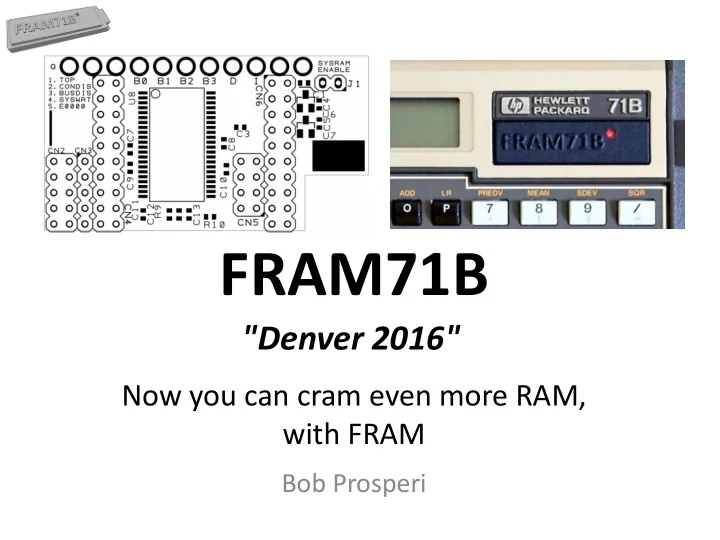
FRAM71B "Denver 2016" Now you can cram even more RAM, - - PowerPoint PPT Presentation
FRAM71B "Denver 2016" Now you can cram even more RAM, with FRAM Bob Prosperi Overview Recap Classic FRAM71 New FRAM71B Features What was lost? Classic FRAM71 Model FRAM71B Model Sample Configuration Tips
Now you can cram even more RAM, with FRAM
Bob Prosperi
18 Sep 2016 HHC 2016 FRAM71B 2
– BOT(TOM) (initial 512KB) & TOP (upgrade chip)
– By D. Frederickson, here: http://www.hpmuseum.org/forum/thread-4844.html
18 Sep 2016 HHC 2016 FRAM71B 3
– Each has 2 ROM Components, Hard & Soft Configured
address (Hard Configured) ROM image
to E0000-EFFFF (Can’t install FTH & T41 together!)
16KB ROM as well (FORTHROM and other LEX files)
jumper, pwr-cycle, then load SC ROM like any other
18 Sep 2016 HHC 2016 FRAM71B 4
Address Block (32KB) Use 00000 71B OS 10000 71B OS 20000 Video Ram, System RAM values, FRAM Config 30000 Avail 40000 Avail 50000 Avail 60000 Avail 70000 Avail 80000 Avail 90000 – D0000 Avail (5 banks of 32) E0000 HC ROMs F0000-FFBFF N/A if HC ROM present (Reserved for Debugger) FFC00-FFFFF System Config Area Address Block (32KB) 512KB Total 00000
10000
20000
X0000
Y0000
50000 Avail 60000 Avail 70000 Avail 80000 Avail 90000 – D0000 Avail (5 banks of 32) E0000
F0000
Total Available RAM: 320KB (384 w/no ROMs)
18 Sep 2016 HHC 2016 FRAM71B 5
TOP and BOT banks simultaneously
– Useful for BASIC program to automate building your configuration
– File chain and LEX chain not restored until off/on, so crash is likely – Techniques to automate OTF changes via program control under study
– Simple plug-in daughterboard – no h/w skills needed
18 Sep 2016 HHC 2016 FRAM71B 6
– Bits of config string repurposed for new features
– No interest from user base
– No known ROMs, 8KB RAM insignificant in big picture
– Finance, Survey, TextEdit, Datacom, and AC Circuits ROMs are 16KB – Can’t use TOP FRAM blocks for 16 KB chips, but BOT blocks OK – Can also store 16KB ROM images into 32KB chips in TOP
18 Sep 2016 HHC 2016 FRAM71B 7
chip used to construct virtual “memory modules” (MM)
– Size and type (RAM or ROM) of chip – One of several chips, or the Last Chip In Module (LCIM) – FRAM Block/chip to use (0-F in TOP or BOT)
– Each 1 means 1 x 32KB RAM Chip in BOT FRAM; 9 is same, but LCIM – 4, 5 and 6 mean 4th, 5th and 6th FRAM Blocks – So, ex. string means allocate 3 x 32KB chips, from BOT into 1 x 96KB MM
18 Sep 2016 HHC 2016 FRAM71B 8
18 Sep 2016 HHC 2016 FRAM71B 9
1 2 3 4 5 6 7 8 9 A B C D E F 1 2 3 4 5 6 7 8 9 A B C D E F 1 2 3 4 5 6 7 8 9 A B C D E F 1 2 3 4 5 6 7 8 9 A B C D E FTOP FRAM 71 Personality-1 71 Personality-2 BOT FRAM
OS-1BBBB OS-2CDCC OS-2CDCC
C O N F 1 C O N F C O N F C O N F 2
POKE “2C000”,”D3D4D5161798” w/HC FORTH in E0000 FORTH ROM, MATH ROM, 96KB RAM, native OS POKE “2C000”,”D31415161718191A1B9C” w/jumpers set for OS takeover MATH ROM, 288KB RAM, OS upgraded to ver. 2CDCC
18 Sep 2016 HHC 2016 FRAM71B 10
1 2 3 4 5 6 7 8 9 A B C D E F 1 2 3 4 5 6 7 8 9 A B C D E F 1 2 3 4 5 6 7 8 9 A B C D E FTOP FRAM BOT FRAM 71 Personality-1
OS-1BBBB
C O N F 2
DIAG ROM OS-2CDCC in ROM
C O N F
POKE “2C000”,”F3F5F4141516171899F6*” w/HC FORTH in E0000 FORTH ROM, JPC ROM, MATH ROM, 128KB RAM, + 1 more Appl ROM Can easily switch to OS 1BBBB or DIAG ROM via jumpers * - Can select any one of 10 installed ROM images using nibble 6 - F
– 128KB RAM – A 32KB IRAM for storing LEX files & Utilities – FORTH, JPC-ROM, and MATH ROMs always avail – Use other Appl. ROMs, one at-a-time – “Guest ROM”
– Will use BOT for RAM, TOP for ROM (write-prot. my library) – RAM in PORT(5.00) – IRAM in PORT(5.01) – Permanent ROMs in PORT(5.02,5.03,5.04) – Guest ROM in PORT(5.05)
18 Sep 2016 HHC 2016 FRAM71B 11
1. Load FORTH HC ROM (Man & Toolkit describe exactly) & Jumper 2. POKE “2C000”, “B31415169799B4B5B6B7”
a) allocates FRAM Blocks of the size and type needed. Off/On to activate b) Check mem to see ~305KB free (128KB + built-in 17KB + 5x32KB)
3. FREE PORT(5.00), FREE PORT(5.01), … PORT(5.05)
a) Check MEM to see ~145KB free (5x32KB no longer RAM, now IRAMs)
4. Load ports with desired contents
a) Copy Lex1 to :PORT(5.01), COPY Lex2 to :PORT(5.01), etc. b) ROMCOPY FORTHSC to :PORT(5.02), ROMCOPY JPC to :PORT(5.03), ROMPCOPY MATHROM to :PORT(5.04) - c) ROMCOPY AMPISTAT to :PORT(5.05) – 1st Guest ROM I want to use
18 Sep 2016 HHC 2016 FRAM71B 12
5. POKE “2C000”,”F31415169799F4F5F6F7” (Optional)
a) Changing the B’s to F’s means RAM-> ROM. Off/On to activate b) Confirm memory configuration with SHOW PORT and MEMBUF
18 Sep 2016 HHC 2016 FRAM71B 13
>SHOWPORT 0.05 16384 2 5.01 32768 1 5.02 32768 2 5.03 32768 2 5.04 32768 2 5.05 32768 2 0 4096 0 0.01 4096 0 0.02 4096 0 0.03 4096 0 5 131072 0 >RUN MEMBUF Port Dev Seq Size Addr Type 0 0 0 4 70000 0 0 1 0 4 72000 0 0 2 0 4 74000 0 0 3 0 4 76000 0 5 0 0 128 30000 0 0 5 0 16 80000 2 5 1 0 32 D0000 1 5 2 0 32 C0000 2 5 3 0 32 B0000 2 5 4 0 32 A0000 2 5 5 0 32 90000 2
a) POKE “2C000”, “B31415169799B4B5B600” Off/On b) “00” Removes Guest ROM from config c) POKE “2C000”, “B31415169799B4B5B6B8” d) Change last config byte (was B7) to point to new FRAM block. Off/On e) ROMCOPY CURVEFIT to :PORT(5.05) – 2nd Guest ROM I want to use f) POKE “2C000”, “B31415169799B4B5B6F8” Off/On g) Again convert RAM -> ROM (Optional. Can be left as RAM if desired) h) Going forward, I can swap ROMs by just doing POKE commands, since all blocks have now been loaded with ROM images (only done
– Under study… will publish solution at MoHPC Forum when available
18 Sep 2016 HHC 2016 FRAM71B 14
it’s config, but it’s saved in FRAM’s 0x20000 blocks, so you can restore the config by doing:
– POKE “2C000”,PEEK$(“2C000”,32) – Either TOP or BOT config can be used, assuming they were intact/stable when MEM LOST occurred
18 Sep 2016 HHC 2016 FRAM71B 15
– >20 Colors & materials, more coming
– 24 AWG wire in Port Cover with precise holes; custom labels
18 Sep 2016 HHC 2016 FRAM71B 16
18 Sep 2016 HHC 2016 FRAM71B 17
– FRAM71B-512KB, 239 EUR ($269) – FRAM71B-1024KB, 321 EUR ($361)
– FRAM71B-512K-EXT, 103 EUR ($116) – User installable, no special h/w skills needed
– Order must include ship-to address
18 Sep 2016 HHC 2016 FRAM71B 18
– Must order NLT Nov 30th, 2016 – Limited to 1 piece, for now
MoHPC for any remaining units
– 1st Priority for 2nd unit to original 30 that ordered > 1 piece – New customers may order at this time as well (not before)
– July 2017 – Look for announcement at MoHPC Forum
18 Sep 2016 HHC 2016 FRAM71B 19
– Testing, documenting, always pushing to learn more
– For a place to discuss and share all these FRAMisms
18 Sep 2016 HHC 2016 FRAM71B 20
– Doubles USB speed to 230KBPS – Simply replace socketed PIC micro chip inside – ILPer V2.1+ required to take advantage of speeds – Dramatically improves all operations, especially disk
connected to host PC via USB Hub (verified & quite odd)
– Available for small fee from Jean Francois Garnier
18 Sep 2016 HHC 2016 FRAM71B 21
– Supports new PIL-Box speeds
– Dual Virtual Drives – Integrated DOSLink device
– Wider output window
– Video, Scope, ILCtrl, etc.
– http://hp.giesselink.com/hpil.htm
18 Sep 2016 HHC 2016 FRAM71B 22
– Python PIL-Box client, like ILPer
– Requires PIL-Box f/w v1.6+ – Drive, Printer & IL-Scope Tabs
– Terminal for remote access
– Also integrates author’s LIF Utils
– From Joachim Siebold
– Rediscovery of old news documented by Valentin Albillo’s “Long Live the HP-71B !”
18 Sep 2016 HHC 2016 FRAM71B 23
– Scans of overlays for App ROMs can be “installed” so they’re visible on 71 keyboard of EMU71/Win (also from Christoph Giesselink) – Idea from D. Frederickson, images from HP-Museum (Matthias Wehrli) with some KML tweaking by Christoph – Download link in 09.08.2016 note here: http://www.hp-collection.org/
18 Sep 2016 HHC 2016 FRAM71B 24
– Amazing (really!) collection of information about the HP-71B, including all available related HP accessories, documents and software, including 3rd-party products – 152 pages! – This document and the Titan File Collection released last year are almost all you need to learn all about the HP-71B – Avail: http://www.hpmuseum.org/forum/thread-5286.html – Get it! Even if you never liked the 71B until now, you will – Full presentation coming up…
18 Sep 2016 HHC 2016 FRAM71B 25