Figure out what problem you are solving. Test individual methods - - PDF document

figure out what problem you are solving test individual
SMART_READER_LITE
LIVE PREVIEW

Figure out what problem you are solving. Test individual methods - - PDF document

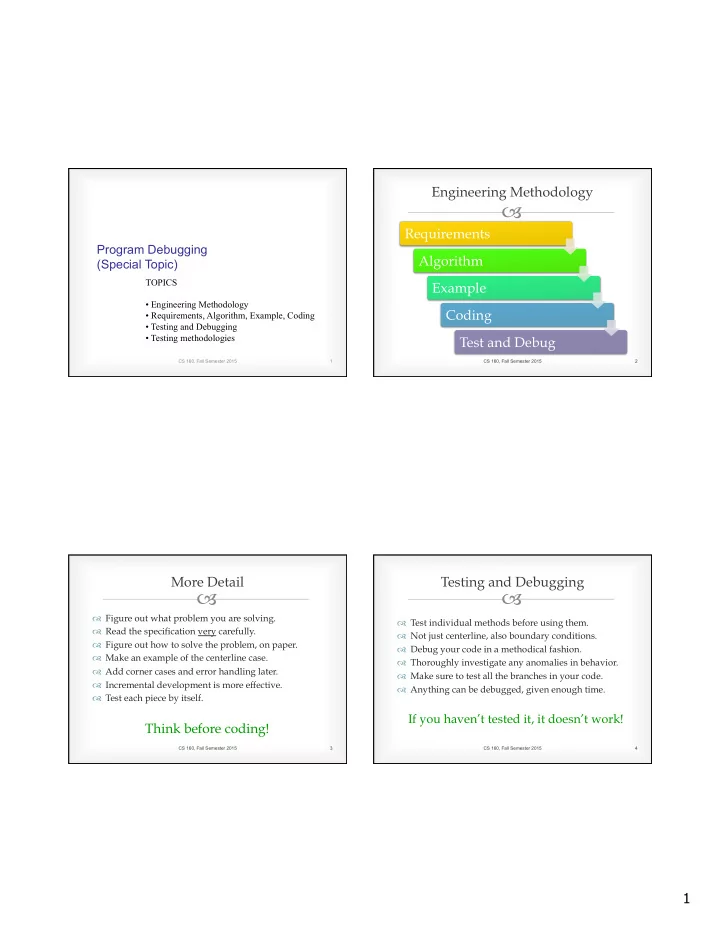
Engineering Methodology Requirements Program Debugging Algorithm (Special Topic) TOPICS Example Engineering Methodology Coding Requirements, Algorithm, Example, Coding Testing and Debugging Testing methodologies Test


slide-1
SLIDE 1

1

TOPICS

  • Engineering Methodology
  • Requirements, Algorithm, Example, Coding
  • Testing and Debugging
  • Testing methodologies

1 CS 160, Fall Semester 2015

Program Debugging (Special Topic)

–

Engineering Methodology Requirements Algorithm Example Coding Test and Debug

CS 160, Fall Semester 2015 2

–

™ Figure out what problem you are solving. ™ Read the specification very carefully. ™ Figure out how to solve the problem, on paper. ™ Make an example of the centerline case. ™ Add corner cases and error handling later. ™ Incremental development is more effective. ™ Test each piece by itself.

Think before coding! More Detail

CS 160, Fall Semester 2015 3

–

™ Test individual methods before using them. ™ Not just centerline, also boundary conditions. ™ Debug your code in a methodical fashion. ™ Thoroughly investigate any anomalies in behavior. ™ Make sure to test all the branches in your code. ™ Anything can be debugged, given enough time.

If you haven’t tested it, it doesn’t work!

Testing and Debugging

CS 160, Fall Semester 2015 4

slide-2
SLIDE 2

2

–

™ Add a print statement after every operation. ™ Check the values against your example. ™ Run several times with different input data. ™ Remove or comment out print statements. ™ Verify against test suite, if available. ™ Check against the assignment specification.

Tedious, but effective, and guaranteed to improve assignment scores.

Print Debugging

CS 160, Fall Semester 2015 5

–

™ Eclipse makes debugging easy. ™ Run the program in debug mode (demo). ™ Learn how to set breakpoints. ™ Single stepping: ‘step into’ versus ‘step over’. ™ Can examine current values of all variables. ™ More advanced features available.

This is how professional programmers debug their code.

Debugging Tools

CS 160, Fall Semester 2015 6

–

Eclipse Debugging (1) Starting a debugging session.

CS 160, Fall Semester 2015 7

–

Eclipse Debugging (2) Setting breakpoints in code.

CS 160, Fall Semester 2015 8

slide-3
SLIDE 3

3

–

Eclipse Debugging (3) Examining the values of variables.

CS 160, Fall Semester 2015 9

–

™ Unit Testing: verify that each method works. ™ Module Testing: verify that each class works. ™ Integration: verify that classes interact correctly. ™ System Testing: verify that system works as desired. ™ Black Box versus White Box testing ™ Centerline testing versus Corner Cases ™ Checking that Error Conditions are handled ™ Test Driven Development: what is it?

Testing Methodologies

CS 160, Fall Semester 2015 10