#electro heatsinks JellyBox HowTo: 24_Heat Sinks In this video, we - - PDF document

electro heatsinks
SMART_READER_LITE
LIVE PREVIEW

#electro heatsinks JellyBox HowTo: 24_Heat Sinks In this video, we - - PDF document

#electro heatsinks JellyBox HowTo: 24_Heat Sinks In this video, we add heatsinks to the motor drivers to keep them cooler. The heatsinks are not needed for JellyBox operation, but they prolong the component drivers' life expectancy.


slide-1
SLIDE 1

JellyBox HowTo: 24_Heat Sinks In this video, we add heatsinks to the motor drivers to keep them cooler. The heatsinks are not needed for JellyBox operation, but they prolong the component drivers' life expectancy. _________________________________________________________________

You'll need:

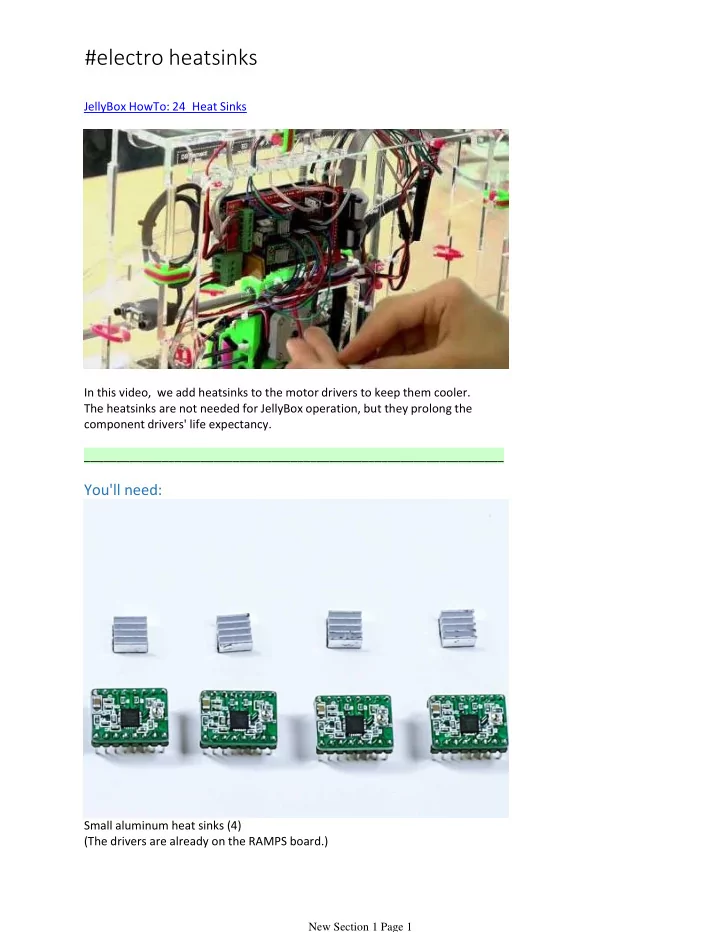
Small aluminum heat sinks (4) (The drivers are already on the RAMPS board.)

Title: Stick the Heatsinks onto the Drivers

#electro heatsinks

New Section 1 Page 1

slide-2
SLIDE 2

Title: Stick the Heatsinks onto the Drivers

New Section 1 Page 2

slide-3
SLIDE 3

Peel off the sticky backing on a heat sink. Attach the heat sick onto a black driver chip making sure the ribs are horizontal. This way the heat can escape upward more efficiently. Repeat for all 4 driver chips. This is optional but will increase the longevity of the printer. Drivers like to keep their cool.

New Section 1 Page 3