
SLIDE 1
Efficient modeling of entangled details for natural scenes
Eric Guérin, Eric Galin, François Grosbellet Adrien Peytavie, Jean-David Génevaux LIRIS – CNRS – France
1
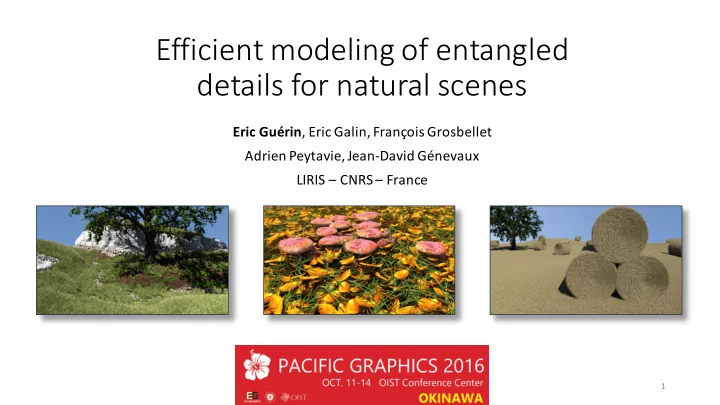
Efficient modeling of entangled details for natural scenes Eric - - PowerPoint PPT Presentation
Efficient modeling of entangled details for natural scenes Eric Gurin , Eric Galin, Franois Grosbellet Adrien Peytavie, Jean-David Gnevaux LIRIS CNRS France 1 Introduction PG Introduction Method Results Conclusion 2 2016
Eric Guérin, Eric Galin, François Grosbellet Adrien Peytavie, Jean-David Génevaux LIRIS – CNRS – France
1
PG 2016
Introduction Method Results Conclusion
2
PG 2016
Introduction Method Results Conclusion
⇒Tedious authoring
Stones Grass tufts Twigs
3
PG 2016
Simulations
Realistic Limited user control Does not scale + – –
Procedural
Control Specific Interpenetrations + – –
[Peytavie 2009] [Desbenoit 2006] [Hsu 2010] [Emilien 2015] [Grosbellet 2016]
Interactive editing
[Alsweis 2006]
Efficient Specific Memory + – –
Introduction Method Results Conclusion
4
PG 2016
Realistic Efficient Not object-specific Light in memory Scalable Controllable + + + + + +
Introduction Method Results Conclusion
two steps
1. Pre-compute collisions in a very dense tile 2. Fast Instantiation
5
PG 2016
Introduction Method Results Conclusion
6
PG 2016
Input objects Ghost Tile Density fields
Collision graph Candidates
Generation
Introduction Method Results Conclusion
7
PG 2016
Step 1 – Ghost tile construction
Introduction Method Results Conclusion
8
PG 2016
Objects O Frames F Collision graph G Ghost Tile T
O
1 1
O ⊕ −y
1 1 2
O
2
O
2 1
O1 O 2
Candidates
O = F (O )
j j i i i
F
1 1
F
2 2
F
1 2
O ⊕ −x
2 2
Introduction Method Results Conclusion
9
PG 2016
Introduction Method Results Conclusion
Algorithm
inside the same tile in the neighbor tiles
⇒ Repeat (and use a spatial acceleration)
10
PG 2016
Distance between unions of spheres is easy
Leaf Stone
Introduction Method Results Conclusion
context
11
PG 2016
Step 2 : Instantiation
Introduction Method Results Conclusion
12
PG 2016
Introduction Method Results Conclusion
Density functions
13
Stones density function Twigs density functionfi
PG 2016
T ⊕ x Ghost Tile T f > 0 f = 0 f (a ) = 0
k j
ak
i
ak
j
f (a + t) > 0
k i
Introduction Method Results Conclusion
vanishes at anchor point(s)
14
PG 2016
Ghost Tile T T ⊕ −x O
3 1
T ⊕ x O ⊕ −x
4 1
O
2 1
O
1 1
O
4 1
Introduction Method Results Conclusion
15
PG 2016
Introduction Method Results Conclusion
16
Random Altitude Distance to the boundary Distance to the boundary + partial filling
4.3k instances 4.5k instances 4.5k instances 3.8k instances
PG 2016
Introduction Method Results Conclusion
17
PG 2016
Introduction Method Results Conclusion
Method that accounts for volumetric objects
18
PG 2016
19k instances 18k instances 23k instances
Introduction Method Results Conclusion
Density functions to control the relative density of each object type
19
PG 2016
Introduction Method Results Conclusion
63k flat stones Instantiation time 17s
20
PG 2016
Introduction Method Results Conclusion
4.3M straw instances Instantiation time 54.6s
21
PG 2016
Introduction Method Results Conclusion
Interactive authoring Standard stroke 1k instances in 1.5s
22
PG 2016
Introduction Method Results Conclusion
23
PG 2016
Introduction Method Results Conclusion
details
24
PG 2016
See video and more on: http://liris.cnrs.fr/eric.guerin/efficient-modeling-of-entangled-details-for-natural-scenes/
25