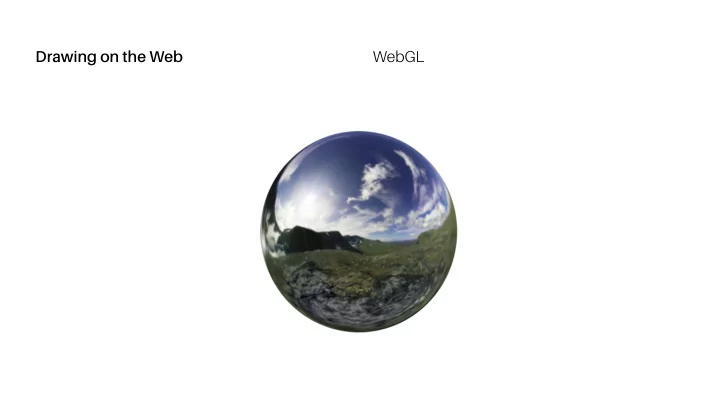
SLIDE 1
Drawing on the Web WebGL
SLIDE 2
Drawing on the Web WebGL
We experience the world in three dimensions and,
3D Graphics
increasingly, screen-based media is rendered in 3D 3D graphics have been around since the 1960s but required advanced computers with special software Today, 3D processing hardware is integrated with virtually every new computer and mobile device Moreover, software for rendering 3D is now ubiquitous: the web browser
Programming 3D Applications with HTML5 and WebGL
SLIDE 3
Drawing on the Web WebGL
3D graphic data is represented in a Cartesian coordinate
3D Graphics: Coordinate System
system In addition to “x” and “y” values, an additional “z” value describes depth The primary difference between 2D Canvas (and CSS) coordinates and WebGL is that “y” starts at the bottom of the window, increasing to the top This distinction stems from historical convention of WebGL being y-up and HTML being y-down
Programming 3D Applications with HTML5 and WebGL
SLIDE 4
Drawing on the Web WebGL
The most common way to draw 3D graphics is with a mesh
3D Graphics: Mesh
A mesh is composed of one or more polygon shapes, constructed of vertices (x, y, z), defining coordinate positions in space The polygons most often used in meshes are triangles and rectangles 3D meshes are often referred to as “models”
Programming 3D Applications with HTML5 and WebGL
SLIDE 5
Drawing on the Web WebGL
https://wikipedia.org/wiki/File:Dolphin_triangle_mesh.png
SLIDE 6
Drawing on the Web WebGL
Material is generally used to describe the surface attributes of
3D Graphics: Material
a mesh This can be as simple as a solid color or more complex, such as a a shiny, reflective surface Surface information can also be applied using bitmap images to create textures
Programming 3D Applications with HTML5 and WebGL
SLIDE 7
Drawing on the Web WebGL
Light defines how a surface is illuminated
3D Graphics: Light
Without a light source, it is difficult to perceive 3D attributes such as depth 3D graphics can have one or more light sources in a given scene
Programming 3D Applications with HTML5 and WebGL
SLIDE 8
Drawing on the Web WebGL
3D scenes require a point of view from which to experience
3D Graphics: Camera
them The “camera” defines where, relative to the scene, a viewer is positioned Additional camera properties include field of view, which defines perspective The final 3D image is rendered into a 2D “viewport”—the window or canvas
Programming 3D Applications with HTML5 and WebGL
SLIDE 9 Viewport (near clipping plane)
z
Field
far clipping plane
Objects View frustum
y
Drawing on the Web WebGL
Image source: obviam.net
SLIDE 10
Drawing on the Web WebGL
Your computer’s graphics hardware understands vertices and
3D Graphics: Shader
textures, but that’s about it Other aspects of a 3D scene—material, light, cameras—need to be interpreted A “shader” is the part of your program that gets the pixels for a mesh onto the screen Shaders are very powerful but we will rely on a JavaScript library for this part
Programming 3D Applications with HTML5 and WebGL
SLIDE 11
Drawing on the Web WebGL
WebGL is the standard 3D graphics API for the Web, initiated
WebGL
by Mozilla engineer, Vladimir Vukićević, in 2006 It allows developers to utilize the power of a computer’s 3D rendering hardware from within the browser, using JavaScript WebGL is supported in all current, major, desktop browsers; increasingly, WebGL is also supported in mobile browsers WebGL is a low-level drawing API
Programming 3D Applications with HTML5 and WebGL
SLIDE 12
Drawing on the Web WebGL
three.js is a JavaScript toolkit for WebGL that provides higher-
three.js
level access to the API It was initially released via GitHub in 2010 by Ricardo Cabello, also known as “Mr.doob” and is actively maintained with additional three.js authors Three.js is governed with an MIT free software license for use and reuse within diverse types of projects
three.js