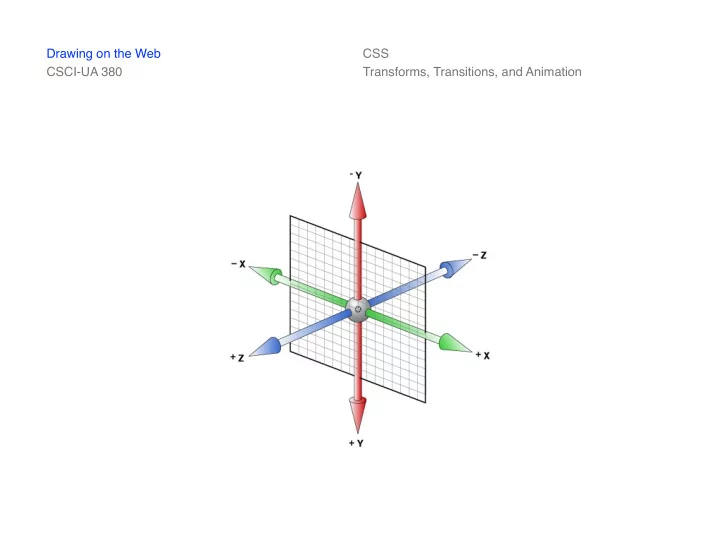
SLIDE 1
Drawing on the Web CSCI-UA 380 CSS Transforms, Transitions, and Animation
SLIDE 2
Drawing on the Web CSCI-UA 380
CSS3 Transforms 2D Transforms
With CSS3 transforms, we can move, scale, turn, spin, and stretch elements A transform is an effect that lets an element change shape, size and position Chrome (36), Firefox (16), IE (10), Opera (23), and Safari (9) support 2D transforms 2D transform methods include: translate, rotate, scale, skew, matrix
W3Schools CSS3 2D Transforms
www.w3schools.com/css/css3_2dtransforms.asp CSS Transforms, Transitions, and Animation
SLIDE 3
Drawing on the Web CSCI-UA 380
CSS3 Transforms 3D Transforms
CSS3 allows you to format your elements using 3D transforms Chrome (36), Firefox (16), IE (10), Opera (23), and Safari (9) support 3D transforms With 3D transforms, an element can rotate around an X-, Y-, or Z-axis at a given degree 3D transform methods include: translate, rotate, scale, and matrix
W3Schools CSS3 3D Transforms
www.w3schools.com/css/css3_3dtransforms.asp CSS Transforms, Transitions, and Animation
SLIDE 4
Drawing on the Web CSCI-UA 380
CSS3 Transforms Properties
transform transform-origin transform-style perspective perspective-origin backface-visibility
W3Schools CSS3 3D Transforms
www.w3schools.com/css/css3_3dtransforms.asp CSS Transforms, Transitions, and Animation
SLIDE 5 Drawing on the Web CSCI-UA 380
CSS3 Transitions
CSS3 transitions are effects that let an element gradually change from one style to another Chrome (26), Firefox (16), IE (10), Opera (12.1), and Safari (6.1) support the transition property To apply a transition, you must specify two things
- The CSS property you want to add an
effect to
- The duration of the effect
W3Schools CSS3 Transitions
www.w3schools.com/css/css3_transitions.asp CSS Transforms, Transitions, and Animation
SLIDE 6
Drawing on the Web CSCI-UA 380
CSS3 Transitions Properties
transition transition-property transition-duration transition-timing-function transition-delay
W3Schools CSS3 Transitions
www.w3schools.com/css/css3_transitions.asp CSS Transforms, Transitions, and Animation
SLIDE 7
Drawing on the Web CSCI-UA 380
CSS3 Animation
With CSS3, we can create animations in Web pages The @keyframes rule is where the animation is created Specify a CSS style inside the @keyframes rule and the animation will gradually change from the current style to the new style Chrome (43), Firefox (16), IE (10), Opera (30), and Safari (9) support the @keyframes rule and animation property
W3Schools
CSS3 Animations www.w3schools.com/css/css3_animations.asp CSS Transforms, Transitions, and Animation
SLIDE 8
Drawing on the Web CSCI-UA 380
CSS3 Animation Properties
@keyframes animation animation-name animation-duration animation-timing-function animation-delay animation-iteration-count animation-direction animation-fill-mode animation-play-state
W3Schools
CSS3 Animations www.w3schools.com/css/css3_animations.asp CSS Transforms, Transitions, and Animation
SLIDE 9 Drawing on the Web CSCI-UA 380
CSS3 Vendor Prefixes
- webkit-
- moz-
- ms-
- The purpose of vendor prefixes was to
allow browser-makers to support experimental CSS declarations Even if details were not standardized, a new property could be implemented All of the experimental features we explore in this class are standardized in the latest browsers
CSS Transforms, Transitions, and Animation
SLIDE 10
Drawing on the Web CSCI-UA 380 CSS Transforms, Transitions, and Animation