DFD Examples Prepared by Dr Osman Ibrahim Example1: Mail Ordering - - PDF document

dfd examples
SMART_READER_LITE
LIVE PREVIEW

DFD Examples Prepared by Dr Osman Ibrahim Example1: Mail Ordering - - PDF document

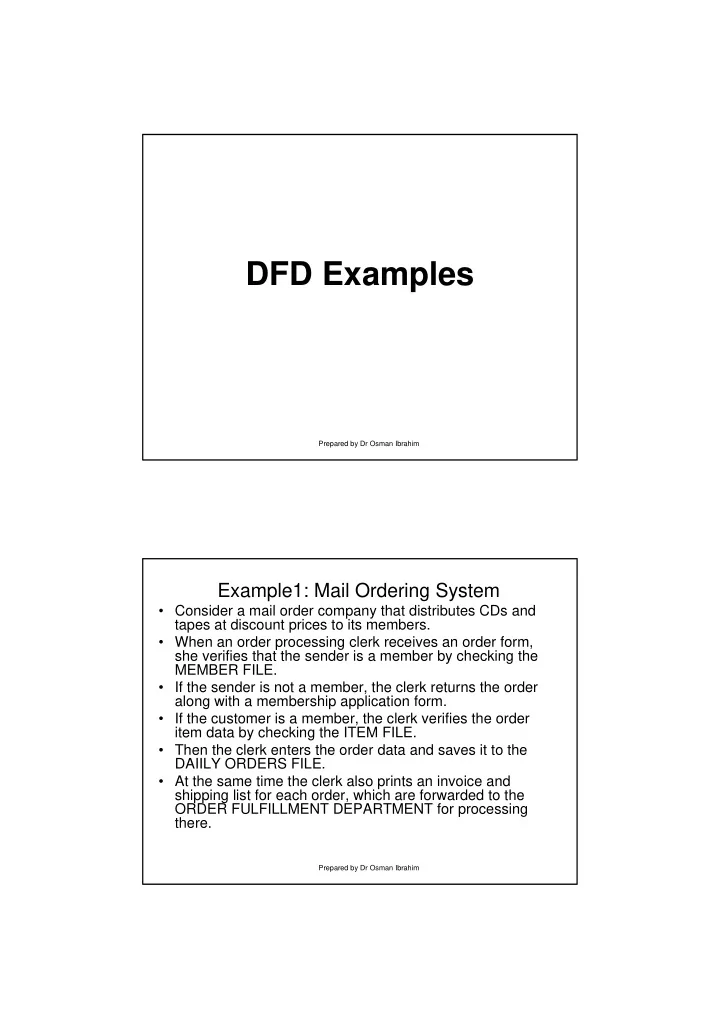
DFD Examples Prepared by Dr Osman Ibrahim Example1: Mail Ordering System Consider a mail order company that distributes CDs and tapes at discount prices to its members. When an order processing clerk receives an order form, she


slide-1
SLIDE 1

Prepared by Dr Osman Ibrahim

DFD Examples

Prepared by Dr Osman Ibrahim

Example1: Mail Ordering System

  • Consider a mail order company that distributes CDs and

tapes at discount prices to its members.

  • When an order processing clerk receives an order form,

she verifies that the sender is a member by checking the MEMBER FILE.

  • If the sender is not a member, the clerk returns the order

along with a membership application form.

  • If the customer is a member, the clerk verifies the order

item data by checking the ITEM FILE.

  • Then the clerk enters the order data and saves it to the

DAIILY ORDERS FILE.

  • At the same time the clerk also prints an invoice and

shipping list for each order, which are forwarded to the ORDER FULFILLMENT DEPARTMENT for processing there.

slide-2
SLIDE 2

Prepared by Dr Osman Ibrahim

  • A mail order company that distributes CDs and tapes

at discount prices to record club members (tells the purpose of the system).

  • When an order processing clerk receives an order

form (data flow), she verifies (process #1) that the sender is a club member by checking the MEMBER FILE (data store). If the sender is not a member, the clerk returns the order along with a membership application form (data flow).

  • If the customer is a member, the clerk verifies the
  • rder item data (process #2) by checking the ITEM

FILE (data store).

  • Then the clerk enters the order data (data flow) and

saves it to the DAILY ORDERS FILE (data store).

  • At the same time the clerk also prints an invoice and

shipping list (data flow) for each order (process #3), which are forwarded to the ORDER FULFILLMENT DEPARTMENT (external entity) for processing there.

Example1: Mail Ordering System

Prepared by Dr Osman Ibrahim

Customer Mail Ordering System Order Processing Department

Application Form Invoice & shipping List Order Form

Mail Ordering System: Context Diagram

slide-3
SLIDE 3

Prepared by Dr Osman Ibrahim

Mail Ordering System: Level0 Diagram

Prepared by Dr Osman Ibrahim

Student Registration System Faculty Registrar

Courses Registered

Financial System

Fees Due Fees Paid Reviewed Form Registration Form Registration Form Course Offering Reports

Example2 Registration System: Context

slide-4
SLIDE 4

Prepared by Dr Osman Ibrahim

Student 2.0 Verify availability 4.0 Enroll Student 5.0 Confirm Registration

Student- details Course-enrollment Course- details Accepted/ Rejected- selections Open-courses

Course File Student Master File

Registration Courses Registered

1.0 Capture Reg Information

Registration Form

3.0 Check Prerequisites

Available-courses Courses Requested Example2 Registration System: Level0

Prepared by Dr Osman Ibrahim

Delete All Orders Re-check Order Deliver Order Calculate All Orders Record Order Calculate Order Delete Delivery Sheet

1 2 3 4 5 6 7

Carbon pad Menu Pin 1 Delivery Sheet Waste Bin Customer

Meal and Customer details Price of meal New price Details Signature Meal and Customer details Look up meal Record prices Prices Look up prices Name, ticket no.and price Dump carbon Meal total Retrieve delivery sheet Dump delivery sheet Carbon details Retrieve carbon

D1 D2 D3 D4 Account Book D5 D7

Fast Food Delivery System Level 1 DFD

*second copy goes on Pin2 as a backup

Pin2 D6 Manager

Daily sales

slide-5
SLIDE 5

Prepared by Dr Osman Ibrahim

Customer Menu Notes: Customer gives meal details (1) and prices are looked up (2) in the menu before being added (3) to the carbon pad. Customer details such as address etc. are then added (4) to the carbon pad.

Fast Food Delivery System Level 2 DFD

1 4 3 2 4

Current System – Level 2 Process 1 – Record Order Details

Carbon Pad D1 D2 Record Meal Details 1.1 Record Customer Details 1.2

Prepared by Dr Osman Ibrahim

Current System – Level 3 Process 1.1 – Record Meal Details

Customer Add New Meal to Order 1.1.1 Amend Order Meal Details 1.1.2 Delete Order 1.1.3

Fast Food Delivery System Level 3 DFD

Carbon Pad D1 Menu D2 Waste Bin D6 Notes: During a call the customer can simply add meals to her or his

  • rder which go straight onto the carbon pad. However, they could

also change their mind (1) in which case new prices need to be looked up and the original carbon entry changed. They may even want to cancel the order (2). Level 2 UNCHANGED data flows are shown in blue 1 1 1 1 2 2

slide-6
SLIDE 6

Prepared by Dr Osman Ibrahim

Current System – Level 3 Process 1.2 – Record Customer Details

Customer Add New Customer Details 1.2.1 Amend Customer Details 1.2.2

Fast Food Delivery System Level 3 DFD

Carbon Pad D1 Notes: During a call the customer’s details – name, address etc. are added to the carbon pad. However, during the call it may be necessary to amend their details (for example, if the telephone

  • perator has misheard the original details. Level 2 UNCHANGED

data flows are shown in blue Changes to Customer Details Customer Details

Prepared by Dr Osman Ibrahim

Current System – Level 2 Process 2 – Calculate Order Value

Customer Record Meal Prices 2.1 Calculate Order Value 2.2

Fast Food Delivery System Level 2 DFD

Carbon Pad D1 Notes: During a call individual meal prices are looked up in the menu and added to the carbon pad. On completion of an order the prices of all ordered meals, on the pad, are added together to give the total cost of the meal. This is then relayed to the customer. Meal Details Total cost Of meal Menu D2 Prices All Prices

slide-7
SLIDE 7

Prepared by Dr Osman Ibrahim

Current System – Level 2 Process 3 – Re-check Order

Customer Amend Meal Details 3.1 Amend Customer Details 3.2 Recalculate Order 3.3

Fast Food Delivery System Level 2 DFD

Carbon Pad D1 Menu D2 Notes: After an order is complete the customer may ring up to check they have given the correct details or to amend an order. In this case details on the carbon pad are checked and amended as necessary before the customer is given the new price of the order. Meal Details Customer Details New Price

  • f Order

Prepared by Dr Osman Ibrahim

Current System – Level 3 Process 3.1 – Amend Meal Details

Customer Add New Meal to Order 3.1.1 Amend Order Meal Details 3.1.2 Delete Order 3.1.3

Fast Food Delivery System Level 3 DFD

Carbon Pad D1 Menu D2 Waste Bin D7 Notes: After an order has been taken the customer may telephone to amend order details. She could ask to add new meals or amend meals and prices will have to be looked up in the menu. Or, she can cancel the order in which case it is consigned to the waste bin. Changes to Ordered Meals Customer and Order Details New Meal Details

slide-8
SLIDE 8

Prepared by Dr Osman Ibrahim

Current System – Level 2 Process 4 – Deliver Order

Customer Complete Delivery Sheet 4.1 Obtain Customer Signature 4.2

Fast Food Delivery System Level 2 DFD

Pin1 D3 Notes: When the order is ready for delivery the carbon on Pin1 is used to complete the drivers delivery sheet – customer details, cost of

  • rder. On delivery of the order the customer is asked to sign the

delivery sheet. Delivery Sheet D4 Customer Signature

Prepared by Dr Osman Ibrahim

Current System – Level 2 Process 5 – Calculate All Orders Fast Food Delivery System Level 1 DFD

Calculate All Orders 5.1 Pin1 D3 Account Book D5 Total Sales Total sales Order Values Manager Notes: At the close of business all orders that have been taken during the day (carbons) are taken from Pin 1 and the total value of daily business is calculated manually (using a calculator) by the Accounts person. This information is passed onto the restaurant manager.

slide-9
SLIDE 9

Prepared by Dr Osman Ibrahim

Current System – Level 2 Process 6 – Delete All Orders

Delete Original Copies 6.1 Delete Duplicate Copies 6.2

Fast Food Delivery System Level 2 DFD

Pin 1 D3 Pin 2 D6 Waste Bin D7 Notes: At the close of business all original and duplicate copies of orders (carbons) are removed from the pins and disposed of.