CSEE 4840 Embedded System Design Jumpers Bernardo de Almeida Abreu - - PowerPoint PPT Presentation

csee 4840
SMART_READER_LITE
LIVE PREVIEW

CSEE 4840 Embedded System Design Jumpers Bernardo de Almeida Abreu - - PowerPoint PPT Presentation

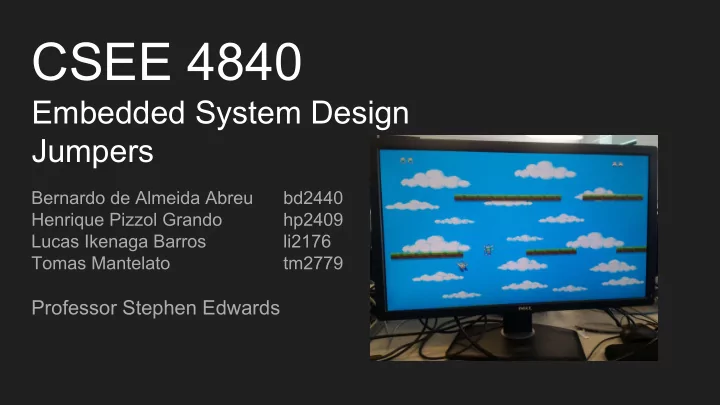
CSEE 4840 Embedded System Design Jumpers Bernardo de Almeida Abreu bd2440 Henrique Pizzol Grando hp2409 Lucas Ikenaga Barros li2176 Tomas Mantelato tm2779 Professor Stephen Edwards Overview and Objectives The objective of this

slide-1
SLIDE 1

CSEE 4840

Embedded System Design Jumpers

Bernardo de Almeida Abreu bd2440 Henrique Pizzol Grando hp2409 Lucas Ikenaga Barros li2176 Tomas Mantelato tm2779

Professor Stephen Edwards

slide-2
SLIDE 2

Overview and Objectives

  • The objective of this project was to develop a game controlled by an

accelerometer, in a FPGA board.

  • The game is composed by two players that need to jump over platforms in
  • rder to stay alive.
  • If a player reaches the bottom of the screen he loses the game
  • The accelerometer will define the horizontal velocity in which the player

moves around.

  • The number of lives that a character has is pictured by the number of icons

representing himself at the top of the screen

slide-3
SLIDE 3

Design Diagram

slide-4
SLIDE 4

Hardware Peripherals

Accelerometer:

  • ADXL335 (3 axis accelerometer)
  • Only one of the axis controls the horizontal displacement of the character
  • Connected to the Teensy 2.0 through analog pins
slide-5
SLIDE 5

Hardware Peripherals

Teensy 2.0 (ATmega32u4 USB development board)

  • Reads data from accelerometer and

sends to the FPGA via USB

  • Arduino compatible.

Why we used it? The teensy is a plug and play device that shows up as keyboard when connected. We could use the driver from Lab 2.

slide-6
SLIDE 6

Hardware

Sprites

  • The sprites created for this game are divided in

icon sprites and the gameplay sprites

  • The icon sprites have a size of 16x16 whereas all

the other sprites have a size of 32x32

  • There is a color palette of 19 colors
  • The sprites can be mirrored through the hardware
slide-7
SLIDE 7

Hardware

Background

  • The background has a size of 320x240 and the

hardware increases its size by a factor of 2

  • The color palette of the background has 4 colors
slide-8
SLIDE 8

Hardware

The instructions were used in the following ways

1 0001 010 001 0 0001010000 0001010000 0 001 0010 010 0 0001010010 0010110000 00001010 00110011 01010110 0 0 010 011

Layer Shape Id Count Invert y position x position Red Green Blue unused choice life 2 life 1 Layer Unused Id Count Invert y position x position

slide-9
SLIDE 9

Software

The software can be categorized in three different parts: 1. Main game logic

  • Implemented by a user C program
  • Randomly generated grounds
  • Collision Handling
  • Gravity Simulation
  • Input received from user through an accelerometer to move the characters
slide-10
SLIDE 10

Software

  • 2. Communication with our hardware
  • ioctl calls
  • send sprites and their position
  • 3. Communication with peripherals
  • Uses USB library
  • Accelerometer treated as keyboard
  • Treats information received from peripheral