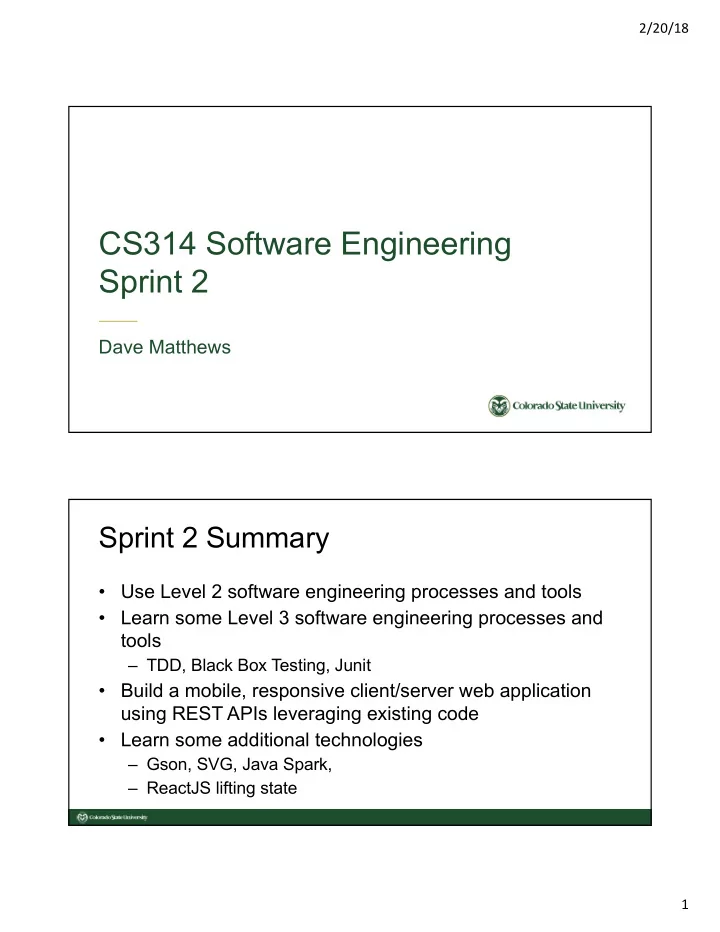
CS314 Software Engineering Sprint 2 Dave Matthews Sprint 2 Summary - - PDF document

cs314 software engineering sprint 2
SMART_READER_LITE
LIVE PREVIEW

CS314 Software Engineering Sprint 2 Dave Matthews Sprint 2 Summary - - PDF document

2/20/18 CS314 Software Engineering Sprint 2 Dave Matthews Sprint 2 Summary Use Level 2 software engineering processes and tools Learn some Level 3 software engineering processes and tools TDD, Black Box Testing, Junit Build


slide-1
SLIDE 1

2/20/18 1

CS314 Software Engineering Sprint 2

Dave Matthews

Sprint 2 Summary

  • Use Level 2 software engineering processes and tools
  • Learn some Level 3 software engineering processes and

tools

– TDD, Black Box Testing, Junit

  • Build a mobile, responsive client/server web application

using REST APIs leveraging existing code

  • Learn some additional technologies

– Gson, SVG, Java Spark, – ReactJS lifting state

slide-2
SLIDE 2

2/20/18 2

Build process maturity to level 3

Maturity Organization Project Engineering Support

5

  • Organizational Performance

Management

  • Causal Analysis

and Resolution

4

  • Organizational

Process Performance

  • Quantitative Project

Management

3

  • Organizational

Process Definition

  • Organizational

Process Focus

  • Organizational

Training

  • Integrated Project

Management

  • Risk Management
  • Requirements

Development

  • Technical Solution
  • Product Integration
  • Verification
  • Validation
  • Decision Analysis

and Resolution

2

  • Requirements

Management

  • Project Planning
  • Project Monitoring

and Control

  • Supplier Agreement

Management

  • Configuration

Management

  • Process and Product

Quality Assurance

  • Measurement

and Analysis http://cmmiinstitute.com/sites/default/files/documents/CMMI-DEV_Quick_Ref-2014.pdf

Scrum, Zenhub GitHub, Maven, Travis, WebPack Sprint 2! Scrum

Internship Plan

Sprint Processes Tools Technology TripCo Epics

1

  • Configuration Management
  • Project Management
  • Scrum, Planning Poker
  • GitHub
  • ZenHub
  • CodePen
  • Bootstrap 4
  • HTML
  • JavaScript
  • ReactJS
  • Make a mobile resume
  • Calculate geographic

distances

2

  • Continuous Integration
  • Test Driven Development
  • Black Box Testing
  • Maven, Travis-CI
  • Webpack, Node.js
  • JUnit
  • Java Spark
  • REST API/HTTP
  • JSON, SVG
  • Accept destination file
  • Show map and

itinerary

3

  • Clean Code
  • Code Coverage
  • White Box Testing
  • Code Climate
  • Emma, Jacoco, …
  • SQL
  • MariaDB
  • Plan shorter trips
  • Modify destination list
  • Show useful

information

4

  • Code Smells
  • Refactoring
  • KML
  • Plan shorter trips
  • Add more information
  • Map operations

5

  • Peer Reviews
  • Inspections
  • Metrics
  • Concurrency
  • Plan shorter trips
  • Plan trips faster
  • Finalize your resume
slide-3
SLIDE 3

2/20/18 3

Sprint 2 Starter Kit

Client Components LOC Server Classes LOC App.js 23 Application.js 44 Greeting 6 Destinations.js 31 HTTP 29 entry.js 16 MicroServer 44 Footer.js 18 MyServer 22 Header.js 34 Option 5 index.js 4 Place 7 Itinerary.js 40 Plan 23 Map.js 20 Trip 32 Options.js 35 Trip.js 70 Total 348 Total 168

Sprint 2 Architecture

slide-4
SLIDE 4

2/20/18 4

JSON - JavaScript Object Notation

www.json.org

  • Lightweight data

interchange format

  • text format that is

language independent

  • built on two structures

– name/value pairs (object) – ordered list (array)

JSON - JavaScript Object Notation

Object Text

var obj = { "title":"text", "values":[1,2,3,4,5,6] }; to var str JSON.stringify(obj); var obj = JSON.parse(str); from var str = '{ "title":"text", "values":[1,2,3,4,5,6] }';

slide-5
SLIDE 5

2/20/18 5

Trip Format For Interchange (TFFI)

{ "type" : "trip", "title" : "", "options" : {}, "places" : [], "distances" : [], "map" : "" }

Trip Format For Interchange (TFFI)

{ "type" : "trip", "title" : "Shopping loop", "options" : { "distance":"miles", "optimization":"none" }, "places" : [ {"id":"dnvr", "name":"Denver", "latitude":"39.73°N", "longitude":"104.99°W"}, {"id":"bldr", "name":"Boulder", "latitude":"40.014", "longitude":"-105.27"}, {"id":"foco", "name":"Fort Collins", "latitude":"40°35'6.92\"N", "longitude":"105°5'3.90\"W"} ], "distances" : [29,58,65], "map" : "<svg> ... </svg>" }

slide-6
SLIDE 6

2/20/18 6

Sprint 2 Component Hierarchy ReactJS - Add local state to a class

class Application extends Component { constructor(props){ super(props); this.state = { trip: { // default TFFI type: "trip", title: "",

  • ptions : {distance: "miles"},

places: [], distances: [], map: "<svg width=\"1920\" height=\"20\" xmlns=\"http://www.w3.org/2000/svg\ " xmlns:svg=\"http://www.w3.org/2000/svg\"><g></g></svg>" } }

slide-7
SLIDE 7

2/20/18 7

ReactJS - Passing Properties

render() { return( <div id="application" className="container"> <div className="row"> <div className="col-12"> <Options options={this.state.trip.options} /> </div> <div className="col-12"> <Destinations trip={this.state.trip} /> </div> <div className="col-12"> <Trip trip={this.state.trip} /> </div> </div> </div> ) }

ReactJS - Using Properties

class Trip extends Component { constructor(props) { super(props); } // . . . render() { return( <div> <h3>{this.props.trip.title}</h3> <Map trip={this.props.trip} /> <Itinerary trip={this.props.trip} /> </div> ) } }

slide-8
SLIDE 8

2/20/18 8

ReactJS - Preparing to lift state

class Application extends Component { constructor(props){ super(props); this.state = {trip: { . . . } }; // bind the update to this object this.updateTrip = this.updateTrip.bind(this); } // routine to allow other classes to lift state updateTrip(tffi) this.setState({trip: tffi}); } render() { return( // send the state and the update routine to other objects <Trip trip={this.state.trip} updateTrip={this.updateTrip} /> ) }

ReactJS - Lifting state

class Trip extends Component { constructor(props){ super(props); this.plan= this.plan.bind(this); } . . . aync plan() { try { let serverResponse = await this.fetchResponse(); let tffi = await serverResponse.json(); this.props.updateTrip(tffi); } catch(err) { consle.error(err); } } . . . <button className="btn" onClick={this.plan} type="button">Plan</button> . . .

slide-9
SLIDE 9

2/20/18 9

Sprint 2 Web Environment Client send request

// converts the TFFI JavaScript object to a string, // sends a request to a REST API on the server // and returns the response string from the server fetchResponse(){ const serverURL = "http://" + location.host; const restAPI = '/plan'; const tffi = JSON.stringify(this.props.trip); const request = { method: "POST", body: tffi; }; return fetch(serverURL+restAPI, request); }

slide-10
SLIDE 10

2/20/18 10

Server REST API handling

public class MicroServer{ MicroServer(int port, String, name) { . . . post("/plan", this::plan); } . . . private String plan(Request request, Response response) { response.type("application/json"); return (new Plan(request)).response(); } }

Server JSON conversions

public class Plan{ private Trip trip; public Plan(Request request) { JSONParser parser = new JsonParser(); JSONElement request = parser.parse(request.body()); Gson gson = new Gson(); trip = gson.fromJson(request, Trip.class); trip.plan(); } public String response() { Gson gson = new Gson; return gson.toJson(trip); } }

slide-11
SLIDE 11

2/20/18 11

Client process response

// receives the TFFI response string from the server, // converts it to a TFFI JavaScript object, // and updates the state in the Application object. async plan(){ try { let serverResponse = await this.fetchResponse(); let tffi = await serverResponse.json(); this.props.updateTrip(tffi); } catch(err) { console.error(err); } }

Sprint 2 SVG