
SLIDE 1
Templates/Edges CS 4495 Computer Vision – A. Bobick
Aaron Bobick School of Interactive Computing
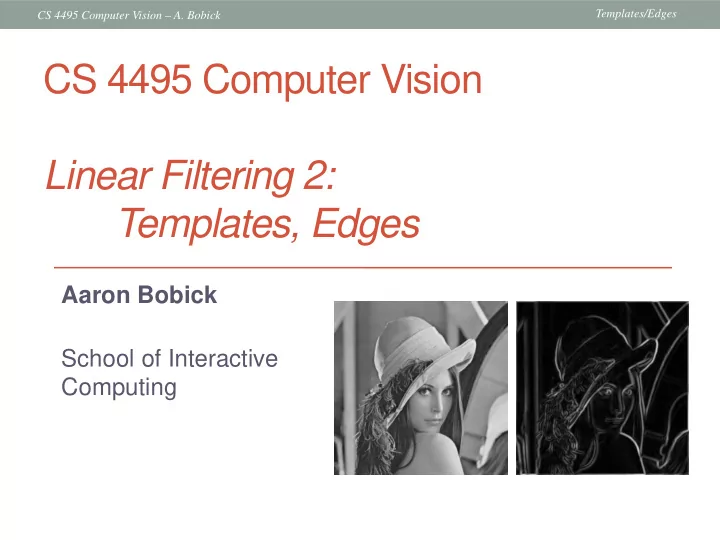
CS 4495 Computer Vision Linear Filtering 2: Templates, Edges Aaron - - PowerPoint PPT Presentation
Templates/Edges CS 4495 Computer Vision A. Bobick CS 4495 Computer Vision Linear Filtering 2: Templates, Edges Aaron Bobick School of Interactive Computing Templates/Edges CS 4495 Computer Vision A. Bobick Last time: Convolution
Templates/Edges CS 4495 Computer Vision – A. Bobick
Aaron Bobick School of Interactive Computing
Templates/Edges CS 4495 Computer Vision – A. Bobick
Notation for convolution
H*
Templates/Edges CS 4495 Computer Vision – A. Bobick
Convolution (Cross-)correlation
interchangeably.
Templates/Edges CS 4495 Computer Vision – A. Bobick
representation that will be used for subsequent processing
discard redundancy, preserve what’s useful
Templates/Edges CS 4495 Computer Vision – A. Bobick
Note that filters look like the effects they are intended to find --- “matched filters”
pattern (template) in the image.
problem sets.
Templates/Edges CS 4495 Computer Vision – A. Bobick
Scene Template (mask)
Templates/Edges CS 4495 Computer Vision – A. Bobick
Template Detected template
Templates/Edges CS 4495 Computer Vision – A. Bobick
Detected template Correlation map
Templates/Edges CS 4495 Computer Vision – A. Bobick
Scene Template
Templates/Edges CS 4495 Computer Vision – A. Bobick
Detected template Template
Templates/Edges CS 4495 Computer Vision – A. Bobick
Templates/Edges CS 4495 Computer Vision – A. Bobick
Detected template Correlation map
Templates/Edges CS 4495 Computer Vision – A. Bobick
Scene Template
Templates/Edges CS 4495 Computer Vision – A. Bobick
Detected template Template
Templates/Edges CS 4495 Computer Vision – A. Bobick
can be defined for that pattern – we will do this later in the course for specific object recognition.
What are the parts or properties of the image that encode its “meaning” for human (or other biological) observers?
Templates/Edges CS 4495 Computer Vision – A. Bobick
Templates/Edges CS 4495 Computer Vision – A. Bobick
is what is hard to predict, therefore edges efficiently encode an image
depth discontinuity surface color discontinuity illumination discontinuity surface normal discontinuity
Templates/Edges CS 4495 Computer Vision – A. Bobick
Depth discontinuity:
Change in surface
Cast shadows Reflectance change: appearance information, texture
Templates/Edges CS 4495 Computer Vision – A. Bobick
Templates/Edges CS 4495 Computer Vision – A. Bobick
Templates/Edges CS 4495 Computer Vision – A. Bobick
Templates/Edges CS 4495 Computer Vision – A. Bobick
Templates/Edges CS 4495 Computer Vision – A. Bobick
Basic idea: look for a neighborhood with strong signs of change. 81 82 26 24 82 33 25 25 81 82 26 24 Problems:
Templates/Edges CS 4495 Computer Vision – A. Bobick
image intensity function (along horizontal scanline) first derivative edges correspond to extrema of derivative
Source: L. Lazebnik
Templates/Edges CS 4495 Computer Vision – A. Bobick
applied to the image returns some derivatives.
applied to the image yields a new function that is the image gradient function.
edge pixels.
Templates/Edges CS 4495 Computer Vision – A. Bobick
The gradient of an image: The gradient direction is given by:
The edge strength is given by the gradient magnitude The gradient points in the direction of most rapid increase in intensity
Templates/Edges CS 4495 Computer Vision – A. Bobick
For 2D function, f(x,y), the partial derivative is: For discrete data, we can approximate using finite differences:
ε
→
“right derivative” But is it???
Templates/Edges CS 4495 Computer Vision – A. Bobick
Computer Vision - A Modern Approach Set: Linear Filters Slides by D.A. Forsyth
Templates/Edges CS 4495 Computer Vision – A. Bobick
Which shows changes with respect to x?
(showing correlation filters)
Templates/Edges CS 4495 Computer Vision – A. Bobick
differences:
associated filter?
ε
→
Templates/Edges CS 4495 Computer Vision – A. Bobick
the image that implements: How would you implement this as a cross-correlation?
(not flipped)
+1
Not symmetric around image point; which is “middle” pixel? Average of “left” and “right” derivative . See?
ε
→
Templates/Edges CS 4495 Computer Vision – A. Bobick
On a pixel of the image I
What is the gradient? g = (gx
2 + gy 2)1/2 is the gradient magnitude.
θ = atan2(gy , gx) is the gradient direction. (Sobel) Gradient is ∇I = [gx gy]T
1
2
1 1 2 1
Templates/Edges CS 4495 Computer Vision – A. Bobick
magnitude gradient magnitude
Templates/Edges CS 4495 Computer Vision – A. Bobick
1 1 1 0 0 0
1 2 1 0 0 0
0 1
1 0 0 -1 Sx Sy
Templates/Edges CS 4495 Computer Vision – A. Bobick
>> My = fspecial(‘sobel’); >> outim = imfilter(double(im), My); >> imagesc(outim); >> colormap gray;
Templates/Edges CS 4495 Computer Vision – A. Bobick
Uh, where’s the edge?
Templates/Edges CS 4495 Computer Vision – A. Bobick
Increasing noise -> (this is zero mean additive gaussian noise)
Templates/Edges CS 4495 Computer Vision – A. Bobick
Where is the edge?
Look for peaks in
x h
∂ ∂
Templates/Edges CS 4495 Computer Vision – A. Bobick
How can we find (local) maxima of a function?
x x
∂ ∂ ∂ ∂
x h ∂ ∂
x h
∂ ∂
Templates/Edges CS 4495 Computer Vision – A. Bobick
Second derivative of Gaussian
Where is the edge? Zero-crossings of bottom graph
2 2 (
x
∂ ∂
2 2 x h ∂ ∂ 2 2 (
x
∂ ∂
x h ∂ ∂
Templates/Edges CS 4495 Computer Vision – A. Bobick
Templates/Edges CS 4495 Computer Vision – A. Bobick
0.0030 0.0133 0.0219 0.0133 0.0030 0.0133 0.0596 0.0983 0.0596 0.0133 0.0219 0.0983 0.1621 0.0983 0.0219 0.0133 0.0596 0.0983 0.0596 0.0133 0.0030 0.0133 0.0219 0.0133 0.0030
Why is this preferable?
Templates/Edges CS 4495 Computer Vision – A. Bobick
x-direction y-direction
Source: L. Lazebnik
Is this for correlation
And for y it’s always a problem!
Templates/Edges CS 4495 Computer Vision – A. Bobick
for sigma=1:3:10 h = fspecial('gaussian‘, fsize, sigma);
imshow(out); pause; end
Parameter σ is the “scale” / “width” / “spread” of the Gaussian kernel, and controls the amount of smoothing.
Templates/Edges CS 4495 Computer Vision – A. Bobick
Recall: parameter σ is the “scale” / “width” / “spread” of the Gaussian kernel, and controls the amount of smoothing.
Templates/Edges CS 4495 Computer Vision – A. Bobick
σ = 1 pixel σ = 3 pixels
Templates/Edges CS 4495 Computer Vision – A. Bobick
Templates/Edges CS 4495 Computer Vision – A. Bobick
width
low threshold to continue them
Source: D. Lowe, L. Fei-Fei
Templates/Edges CS 4495 Computer Vision – A. Bobick
Templates/Edges CS 4495 Computer Vision – A. Bobick
magnitude of the gradient
Templates/Edges CS 4495 Computer Vision – A. Bobick
thresholding
Templates/Edges CS 4495 Computer Vision – A. Bobick
thinning (non-maximum suppression) Problem: pixels along this edge didn’t survive the thresholding
Templates/Edges CS 4495 Computer Vision – A. Bobick
thresholding How to turn these thick regions of the gradient into curves?
Templates/Edges CS 4495 Computer Vision – A. Bobick
direction
Templates/Edges CS 4495 Computer Vision – A. Bobick
thinning
(non-maximum suppression)
Templates/Edges CS 4495 Computer Vision – A. Bobick
Canny with Canny with
The choice of depends on desired behavior
Templates/Edges CS 4495 Computer Vision – A. Bobick
It depends what we’re looking for. Too fine of a scale…can’t see the forest for the trees. Too coarse of a scale…can’t tell the maple grain from the cherry.
Templates/Edges CS 4495 Computer Vision – A. Bobick
is the Laplacian operator:
Laplacian of Gaussian Gaussian derivative of Gaussian
Edge demo in CS4495/Edges
Templates/Edges CS 4495 Computer Vision – A. Bobick