CS 4495 Computer Vision Finding 2D Shapes and the Hough Transform - - PowerPoint PPT Presentation

cs 4495 computer vision finding 2d shapes and the hough
SMART_READER_LITE
LIVE PREVIEW

CS 4495 Computer Vision Finding 2D Shapes and the Hough Transform - - PowerPoint PPT Presentation

Hough Transform CS 4495 Computer Vision A. Bobick CS 4495 Computer Vision Finding 2D Shapes and the Hough Transform Aaron Bobick School of Interactive Computing Hough Transform CS 4495 Computer Vision A. Bobick Administrivia


slide-1
SLIDE 1

Hough Transform CS 4495 Computer Vision – A. Bobick
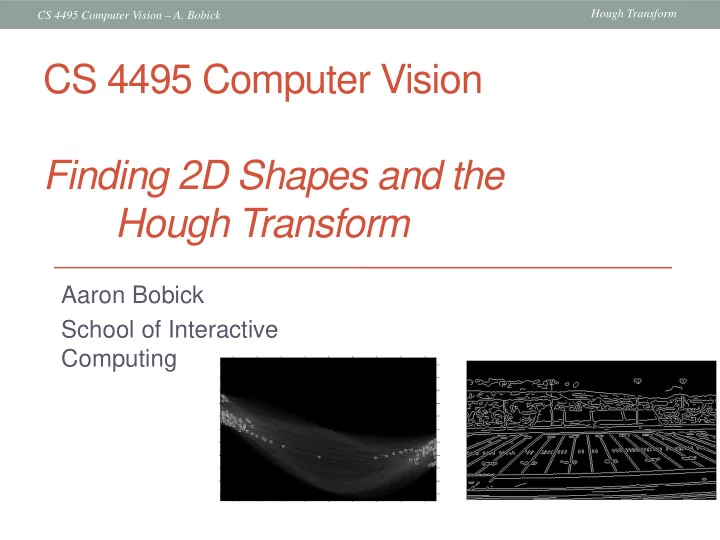
Aaron Bobick School of Interactive Computing

CS 4495 Computer Vision Finding 2D Shapes and the Hough Transform

slide-2
SLIDE 2

Hough Transform CS 4495 Computer Vision – A. Bobick

Administrivia

  • Today: Modeling Lines and Finding them
  • Problem set 1 is posted.
  • You can use Matlab edge operators
  • You cannot use Matlab Hough methods.
  • Due Sunday, Sept 8th 11:55pm.
slide-3
SLIDE 3

Hough Transform CS 4495 Computer Vision – A. Bobick

Now some “real” vision…

  • So far, we applied operators/masks/kernels to

images to produce new image

Image processing:

  • Now real vision:

: ( , ) '( , ) F I x y I x y  → : ( , ) good stuff F I x y  →

slide-4
SLIDE 4

Hough Transform CS 4495 Computer Vision – A. Bobick

Fitting a model

  • Want to associate a model with observed features

[Fig from Marszalek & Schmid, 2007]

For example, the model could be a line, a circle, or an arbitrary shape.

slide-5
SLIDE 5

Hough Transform CS 4495 Computer Vision – A. Bobick

Fitting

  • Choose a parametric model to represent a set of

features

  • Membership criterion is not local
  • Can’t tell whether a point in the image belongs to a given model

just by looking at that point

  • Three main questions:

1.

What model represents this set of features best?

2.

Which of several model instances gets which feature?

3.

How many model instances are there?

  • Computational complexity is important
  • It is infeasible to examine every possible set of parameters and

every possible combination of features

Source: L. Lazebnik

slide-6
SLIDE 6

Hough Transform CS 4495 Computer Vision – A. Bobick

Example: Line fitting

  • Why fit lines?

Many objects characterized by presence of straight lines

  • Wait, why aren’t we done just by running edge detection?
slide-7
SLIDE 7

Hough Transform CS 4495 Computer Vision – A. Bobick

  • Extra edge points (clutter),

multiple models:

– which points go with which line, if any?

  • Only some parts of each line

detected, and some parts are missing:

– how to find a line that bridges missing evidence?

  • Noise in measured edge

points, orientations:

– how to detect true underlying parameters?

Difficulty of line fitting

slide-8
SLIDE 8

Hough Transform CS 4495 Computer Vision – A. Bobick

Voting

  • It’s not feasible to check all combinations of features by

fitting a model to each possible subset.

  • Voting is a general technique where we let the features

vote for all models that are compatible with it.

  • Cycle through features, cast votes for model parameters.
  • Look for model parameters that receive a lot of votes.
  • Noise & clutter features will cast votes too, but typically

their votes should be inconsistent with the majority of “good” features.

  • Ok if some features not observed, as model can span

multiple fragments.

slide-9
SLIDE 9

Hough Transform CS 4495 Computer Vision – A. Bobick

Fitting lines

  • Given points that belong to a line, what is

the line?

  • How many lines are there?
  • Which points belong to which lines?
  • Hough Transform is a voting

technique that can be used to answer all

  • f these
  • Main idea:
  • 1. Record all possible lines on which each

edge point lies.

  • 2. Look for lines that get many votes.
slide-10
SLIDE 10

Hough Transform CS 4495 Computer Vision – A. Bobick

Finding lines in an image: Hough space

Connection between image (x,y) and Hough (m,b) spaces

  • A line in the image corresponds to a point in Hough space
  • To go from image space to Hough space:
  • given a set of points (x,y), find all (m,b) such that y = mx + b

x y m b m0 b0

image space Hough (parameter) space

Slide credit: Steve Seitz

slide-11
SLIDE 11

Hough Transform CS 4495 Computer Vision – A. Bobick

Finding lines in an image: Hough space

Connection between image (x,y) and Hough (m,b) spaces

  • A line in the image corresponds to a point in Hough space
  • To go from image space to Hough space:
  • given a set of points (x,y), find all (m,b) such that y = mx + b
  • What does a point (x0, y0) in the image space map to?

x y m b

image space Hough (parameter) space – Answer: the solutions of b = -x0m + y0 – this is a line in Hough space

x0 y0

Slide credit: Steve Seitz

slide-12
SLIDE 12

Hough Transform CS 4495 Computer Vision – A. Bobick

Finding lines in an image: Hough transform

What are the line parameters for the line that contains both (x0, y0) and (x1, y1)?

  • It is the intersection of the lines b = –x0m + y0 and

b = –x1m + y1 x y m b

image space Hough (parameter) space

x0 y0

b = –x1m + y1 (x0, y0) (x1, y1)

slide-13
SLIDE 13

Hough Transform CS 4495 Computer Vision – A. Bobick

Finding lines: Hough algorithm

  • How can we use this to find the most likely parameters

(m,b) for the most prominent line in the image space?

  • Let each edge point in image space vote for a set of

possible parameters in Hough space

  • Accumulate votes in discrete set of bins; parameters with

the most votes indicate line in image space.

x y m b

image space Hough (parameter) space

slide-14
SLIDE 14

Hough Transform CS 4495 Computer Vision – A. Bobick

Polar representation for lines

: perpendicular distance from line to origin : angle the perpendicular makes with the x-axis

Point in image space  sinusoid segment in Hough space

d y x = − θ θ sin cos

d

θ

[0,0]

d θ

x

y

Issues with usual (m,b) parameter space: can take on infinite values, undefined for vertical lines.

slide-15
SLIDE 15

Hough Transform CS 4495 Computer Vision – A. Bobick

Hough transform algorithm

Using the polar parameterization: Basic Hough transform algorithm

  • 1. Initialize H[d, θ]=0
  • 2. for each edge point I[x,y] in the image

for θ = 0 to 180 // some quantization; not 2pi?

// maybe negative

H[d, θ] += 1

  • 3. Find the value(s) of (d, θ) where H[d, θ] is maximum
  • 4. The detected line in the image is given by

H: accumulator array (votes)

d θ Time complexity (in terms of number of voting elements)?

d y x = − θ θ sin cos

θ θ sin cos y x d − =

θ θ sin cos y x d − =

Space complexity? kn (n dimensions, k bins each)

slide-16
SLIDE 16

Hough Transform CS 4495 Computer Vision – A. Bobick

Image space edge coordinates Votes θ d x y

Example: Hough transform for straight lines

Bright value = high vote count Black = no votes

slide-17
SLIDE 17

Hough Transform CS 4495 Computer Vision – A. Bobick

Example: Hough transform for straight lines

Circle : Square :

slide-18
SLIDE 18

Hough Transform CS 4495 Computer Vision – A. Bobick

Example: Hough transform for straight lines

slide-19
SLIDE 19

Hough Transform CS 4495 Computer Vision – A. Bobick

Hough demo..

slide-20
SLIDE 20

Hough Transform CS 4495 Computer Vision – A. Bobick

slide-21
SLIDE 21

Hough Transform CS 4495 Computer Vision – A. Bobick

Showing longest segments found

slide-22
SLIDE 22

Hough Transform CS 4495 Computer Vision – A. Bobick

Impact of noise on Hough

Image space edge coordinates Votes θ x y d What difficulty does this present for an implementation?

slide-23
SLIDE 23

Hough Transform CS 4495 Computer Vision – A. Bobick

Image space edge coordinates Votes

Impact of noise on Hough

Here, everything appears to be “noise”, or random edge points, but we still see peaks in the vote space.

slide-24
SLIDE 24

Hough Transform CS 4495 Computer Vision – A. Bobick

Extensions

  • Extension 1: Use the image gradient
  • same
  • for each edge point I[x,y] in the image
  • θ = gradient at (x,y)
  • H[d, θ] += 1
  • same
  • same
  • (Reduces degrees of freedom)
  • Extension 2
  • give more votes for stronger edges
  • Extension 3
  • change the sampling of (d, θ) to give more/less resolution
  • Extension 4
  • The same procedure can be used with circles, squares, or any other shape

θ θ sin cos y x d − =

slide-25
SLIDE 25

Hough Transform CS 4495 Computer Vision – A. Bobick

Hough transform for circles

  • Circle: center (a,b) and radius r
  • For a fixed radius r, unknown gradient direction

2 2 2

) ( ) ( r b y a x

i i

= − + −

Image space Hough space a

b

slide-26
SLIDE 26

Hough Transform CS 4495 Computer Vision – A. Bobick

Hough transform for circles

  • For a fixed radius r, unknown gradient direction
  • Circle: center (a,b) and radius r

2 2 2

) ( ) ( r b y a x

i i

= − + −

Image space Hough space

Intersection: most votes for center

  • ccur here.
slide-27
SLIDE 27

Hough Transform CS 4495 Computer Vision – A. Bobick

Hough transform for circles

  • For an unknown radius r, unknown gradient direction
  • Circle: center (a,b) and radius r

2 2 2

) ( ) ( r b y a x

i i

= − + −

Hough space Image space

b a r

slide-28
SLIDE 28

Hough Transform CS 4495 Computer Vision – A. Bobick

Hough transform for circles

  • For an unknown radius r, unknown gradient direction
  • Circle: center (a,b) and radius r

2 2 2

) ( ) ( r b y a x

i i

= − + −

Hough space Image space

b a r

slide-29
SLIDE 29

Hough Transform CS 4495 Computer Vision – A. Bobick

Hough transform for circles

  • For an unknown radius r, known gradient direction
  • Circle: center (a,b) and radius r

2 2 2

) ( ) ( r b y a x

i i

= − + −

Hough space Image space

θ

x

slide-30
SLIDE 30

Hough Transform CS 4495 Computer Vision – A. Bobick

Hough transform for circles

For every edge pixel (x,y) : For each possible radius value r: For each possible gradient direction θ: %% or use estimated gradient a = x – r cos(θ) b = y + r sin(θ) H[a,b,r] += 1 end end

slide-31
SLIDE 31

Hough Transform CS 4495 Computer Vision – A. Bobick

Example: detecting circles with Hough

Crosshair indicates results of Hough transform, bounding box found via motion differencing.

slide-32
SLIDE 32

Hough Transform CS 4495 Computer Vision – A. Bobick

Original Edges

Example: detecting circles with Hough

Votes: Penny Note: a different Hough transform (with separate accumulators) was used for each circle radius (quarters vs. penny).

slide-33
SLIDE 33

Hough Transform CS 4495 Computer Vision – A. Bobick

Original Edges Votes: Quarter Combined detections

Coin finding sample images from: Vivek Kwatra

Example: detecting circles with Hough

slide-34
SLIDE 34

Hough Transform CS 4495 Computer Vision – A. Bobick

Voting: practical tips

  • Minimize irrelevant tokens first (take edge points with

significant gradient magnitude)

  • Choose a good grid / discretization
  • Too coarse: large votes obtained when too many different lines

correspond to a single bucket

  • Too fine: miss lines because some points that are not exactly

collinear cast votes for different buckets

  • Vote for neighbors, also (smoothing in accumulator array)
  • Utilize direction of edge to reduce free parameters by 1
  • To read back which points voted for “winning” peaks, keep

tags on the votes.

slide-35
SLIDE 35

Hough Transform CS 4495 Computer Vision – A. Bobick

Hough transform: pros and cons

  • Pros
  • All points are processed independently, so can cope with occlusion
  • Some robustness to noise: noise points unlikely to contribute

consistently to any single bin

  • Can detect multiple instances of a model in a single pass
  • Cons
  • Complexity of search time increases exponentially with the number
  • f model parameters
  • Non-target shapes can produce spurious peaks in parameter space
  • Quantization: hard to pick a good grid size
slide-36
SLIDE 36

Hough Transform CS 4495 Computer Vision – A. Bobick

Generalized Hough transform

  • What if want to detect arbitrary shapes defined by

boundary points and a reference point?

[Dana H. Ballard, Generalizing the Hough Transform to Detect Arbitrary Shapes, 1980]

Image space

x a

p1

θ1

p2

θ2

At each boundary point, compute displacement vector: r = a – pi. For a given model shape: store these vectors in a table indexed by gradient

  • rientation θ.
slide-37
SLIDE 37

Hough Transform CS 4495 Computer Vision – A. Bobick

Generalized Hough transform

  • To detect the model shape in a new image:
  • For each edge point
  • For each possible θ* master orientation
  • Index into table with its gradient orientation θ- θ*
  • Use retrieved r vectors to vote for position of reference point
  • Peak in this Hough space is reference point with

most supporting edges

(In next slides we’ll assume only translation is unknown, i.e.,

  • rientation and scale are fixed)
slide-38
SLIDE 38

Hough Transform CS 4495 Computer Vision – A. Bobick

Example

model shape

Source: L. Lazebnik

Say we’ve already stored a table of displacement vectors as a function of edge

  • rientation for this

model shape.

slide-39
SLIDE 39

Hough Transform CS 4495 Computer Vision – A. Bobick

Example

displacement vectors for model points Now we want to look at some edge points detected in a new image, and vote on the position of that shape.

slide-40
SLIDE 40

Hough Transform CS 4495 Computer Vision – A. Bobick

Example

range of voting locations for test point

slide-41
SLIDE 41

Hough Transform CS 4495 Computer Vision – A. Bobick

Example

range of voting locations for test point

slide-42
SLIDE 42

Hough Transform CS 4495 Computer Vision – A. Bobick

Example

votes for points with θ =

slide-43
SLIDE 43

Hough Transform CS 4495 Computer Vision – A. Bobick

Example

displacement vectors for model points

slide-44
SLIDE 44

Hough Transform CS 4495 Computer Vision – A. Bobick

Example

range of voting locations for test point

slide-45
SLIDE 45

Hough Transform CS 4495 Computer Vision – A. Bobick

votes for points with θ =

Example

slide-46
SLIDE 46

Hough Transform CS 4495 Computer Vision – A. Bobick

Application in recognition

  • Instead of indexing displacements by gradient orientation,

index by “visual codeword”

  • B. Leibe, A. Leonardis, and B. Schiele, Combined Object

Categorization and Segmentation with an Implicit Shape Model, ECCV Workshop on Statistical Learning in Computer Vision 2004 training image visual codeword with displacement vectors

Source: L. Lazebnik

slide-47
SLIDE 47

Hough Transform CS 4495 Computer Vision – A. Bobick

Application in recognition

  • Instead of indexing displacements by gradient orientation,

index by “visual codeword”

  • B. Leibe, A. Leonardis, and B. Schiele, Combined Object

Categorization and Segmentation with an Implicit Shape Model, ECCV Workshop on Statistical Learning in Computer Vision 2004 test image

Source: L. Lazebnik

slide-48
SLIDE 48

Hough Transform CS 4495 Computer Vision – A. Bobick

Summary

  • Fitting problems require finding any supporting evidence

for a model, even within clutter and missing features.

  • associate features with an explicit model
  • Voting approaches, such as the Hough transform, make it

possible to find likely model parameters without searching all combinations of features.

  • Hough transform approach for lines, circles, …, arbitrary shapes

defined by a set of boundary points, recognition from patches.

  • It’s Labor Day Weekend – enjoy!