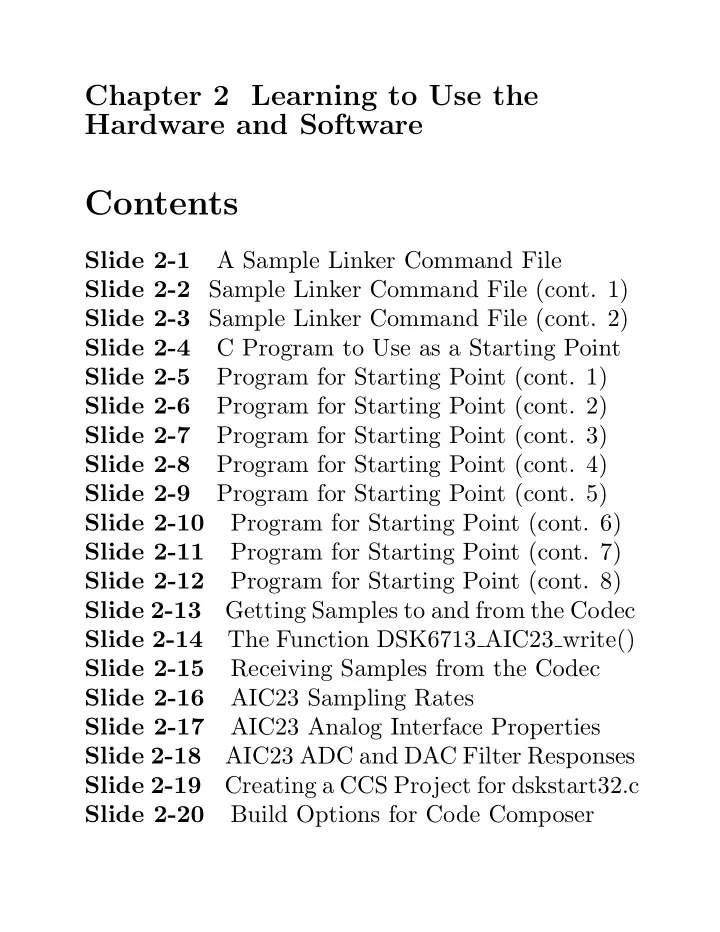
Contents Slide 2-1 A Sample Linker Command File Slide 2-2 Sample - - PDF document

contents
SMART_READER_LITE
LIVE PREVIEW

Contents Slide 2-1 A Sample Linker Command File Slide 2-2 Sample - - PDF document

Chapter 2 Learning to Use the Hardware and Software Contents Slide 2-1 A Sample Linker Command File Slide 2-2 Sample Linker Command File (cont. 1) Slide 2-3 Sample Linker Command File (cont. 2) Slide 2-4 C Program to Use as a Starting Point


slide-1
SLIDE 1

Chapter 2 Learning to Use the Hardware and Software

Contents

Slide 2-1 A Sample Linker Command File Slide 2-2 Sample Linker Command File (cont. 1) Slide 2-3 Sample Linker Command File (cont. 2) Slide 2-4 C Program to Use as a Starting Point Slide 2-5 Program for Starting Point (cont. 1) Slide 2-6 Program for Starting Point (cont. 2) Slide 2-7 Program for Starting Point (cont. 3) Slide 2-8 Program for Starting Point (cont. 4) Slide 2-9 Program for Starting Point (cont. 5) Slide 2-10 Program for Starting Point (cont. 6) Slide 2-11 Program for Starting Point (cont. 7) Slide 2-12 Program for Starting Point (cont. 8) Slide 2-13 Getting Samples to and from the Codec Slide 2-14 The Function DSK6713 AIC23 write() Slide 2-15 Receiving Samples from the Codec Slide 2-16 AIC23 Sampling Rates Slide 2-17 AIC23 Analog Interface Properties Slide 2-18 AIC23 ADC and DAC Filter Responses Slide 2-19 Creating a CCS Project for dskstart32.c Slide 2-20 Build Options for Code Composer

slide-2
SLIDE 2

Slide 2-21 A Simple First Experiment Slide 2-22 Simple First Experiment (cont. 1) Slide 2-23 McBSP Properties Slide 2-24 McBSP Block Diagram Slide 2-25 McBSP Transmitter Block Diagram Slide 2-26 Operation of Serial Port Transmitter Slide 2-27 McBSP Receiver Block Diagram Slide 2-28 Operation of the Serial Port Receiver Slide 2-29 C Code for Polling Stereo Read Slide 2-30 C Code for Polling Stereo Write Slide 2-31 Experiment 2.2 Sines by Polling Slide 2-32 Experiment 2.2 (cont.) Slide 2-33 Generating Samples of a Sine Wave Slide 2-34 Sample Program Segment for Polling Slide 2-35 Some Important Information Slide 2-36 Using Interrupts to Generate Sines Slide 2-37 Using Interrupts (cont. 1) Slide 2-38 Default CPU Interrupt Sources Slide 2-39 Interrupt Sources Slide 2-40 Interrupt Sources (cont.) Slide 2-41 External Interrupt Sources 2-ii

slide-3
SLIDE 3

Slide 2-42 Interrupt Control Registers Slide 2-43 Conditions for an Interrupt Slide 2-44 What Happens with an Interrupt Slide 2-45 What Happens with an Interrupt (cont.) Slide 2-46 Example of an ISFP Slide 2-47 C Interrupt Service Routines Slide 2-48 Using the dsk6713bsl32.lib Interrupt Functions Slide 2-49 Selected Library Interrupt Functions Slide 2-50 Installing a C ISR Slide 2-51 Experiment 2.3 Interrupts Slide 2-52 Sample Program Segment for Interrupts Slide 2-53 Sample Program for Ints (cont. 1) Slide 2-54 Sample Program for Ints (cont. 2) Slide 2-55 Sample Program for Ints (cont. 3) Slide 2-56 Enhanced DMA (EDMA) Slide 2-57 EDMA Overview Slide 2-58 EDMA Overview (cont.) Slide 2-59 EDMA Event Selection Slide 2-60 Registers for Event Processing Slide 2-61 Default EDMA Events 2-iii

slide-4
SLIDE 4

Slide 2-62 EDMA Event Selection (1) Slide 2-63 EDMA Event Selection (2) Slide 2-64 EDMA Event Selection (3) Slide 2-65 The Parameter RAM (PaRAM) Slide 2-66 The OPT Field in the (PaRAM) Slide 2-67 Contents of the PaRAM Slide 2-68 Synchronization of EDMA Transfers Slide 2-69 Synchronization of Transfers (cont.) Slide 2-70 Linking EDMA Transfers Slide 2-71 Linking EDMA Transfers (cont.) Slide 2-72 EDMA Interrupts to the CPU Slide 2-73 Chaining EDMA Channels Slide 2-74 Experiment 2.4 EDMA Slide 2-75 Experiment 2.4 EDMA (cont.) Slide 2-76 Example EDMA Code Segment Slide 2-77 EDMA Code Segment (cont. 1) Slide 2-78 EDMA Code Segment (cont. 2) Slide 2-79 EDMA Code Segment (cont. 3) Slide 2-80 EDMA Code Segment (cont. 4) Slide 2-81 EDMA Code Segment (cont. 4) Slide 2-82 EDMA Code Segment (cont. 5) 2-iv

slide-5
SLIDE 5

✬ ✫ ✩ ✪ Chapter 2

Learning to Use the Hardware and Software Tools by Generating a Sine Wave The directory C:\C6713dsk contains two example files that you can use as a starting point for all your projects. A Sample Linker Command File

/*************************************************/ /* File dsk6713.cmd */ /* This linker command file can be used as the*/ /* starting point for linking programs for the */ /* TMS320C6713 DSK. */ /* */ /* This CMD file assumes everything fits into */ /* internal RAM. If that’s not true, map some */ /* sections to the external SDRAM. */ /*************************************************/

  • c
  • heap

0x1000

  • stack 0x400

/* Search Default Libraries */

  • lrts6700.lib
  • lcsl6713.lib

2-1

slide-6
SLIDE 6

✬ ✫ ✩ ✪

A Sample Linker Command File (cont. 1)

MEMORY { IRAM : origin = 0x0, len = 0x40000 /* 256 Kbytes */ SDRAM : origin = 0x80000000, len = 0x1000000 /* 16 Mbytes SDRAM */ FLASH : origin = 0x90000000, len = 0x40000 /* 256 Kbytes */ } SECTIONS { .vec: load = 0x00000000 /* Interrupt vectors */ /* included by using intr_reset() */ .text: load = IRAM /* Executable code */ .const: load = IRAM /* Initialized constants */ .bss: load = IRAM /* Global and static */ /* variables */ .data: load = IRAM /* Data from .asm programs */ .cinit: load = IRAM /* Tables for initializing */ /* variables and constants */

2-2

slide-7
SLIDE 7

✬ ✫ ✩ ✪

A Sample Linker Command File (cont. 2)

.stack: load = IRAM /* Stack for local variables*/ .far: load = IRAM /* Global and static */ /* variables declared far */ .sysmem:load = IRAM /* malloc, etc. (heap) */ .cio: load = IRAM /* Used for C I/O functions */ .csldata load = IRAM .switch load = IRAM }

2-3

slide-8
SLIDE 8

✬ ✫ ✩ ✪ C Program to Use as a Starting Point When Code Composer starts, the GEL file, DSK6713.gel, in the directory C:\ti\cc\gel is automatically called. It

  • defines a memory map
  • creates some GEL functions for the GEL

menu

  • sets some CPLD registers
  • initializes the EMIF for the memory on the

C6713 DSK. The program C:\c6713dsk\dskstart32.c can be used as a starting point for writing C6713 DSK

  • applications. It contains the code necessary to:
  • initialize the DSK board
  • initialize the TMS320C6713 McBSPs
  • initialize the AIC 23 codec.

2-4

slide-9
SLIDE 9

✬ ✫ ✩ ✪ C Program to Use as a Starting Point (cont. 1) The program dskstart32.c uses functions from the UMD modified DSK Board Support Library (BSL), C:\c6713dsk\dsk6713bsl32.lib, to continue the initialization. You can find detailed documentation for the BSL by starting Code Composer and clicking on Help ->Contents ->TMS320C6713 DSK -> Software -> Board Support The modified library, its header files, and sources are in the directories: C:\c6713dsk\dsk6713bsl32\lib C:\c6713dsk\dsk6713bsl32\include C:\c6713dsk\dsk6713bsl32\sources \dsk6713bsl.zip.

2-5

slide-10
SLIDE 10

✬ ✫ ✩ ✪ C Program to Use as a Starting Point (cont. 2) ∗ The program dskstart32.c first initializes the board support library by calling DSK6713_init() who’s source code is in the BSL file dsk6713.c. This

  • initalizes the chip’s PLL
  • configures the EMIF based on the DSK

version

  • sets the CPLD registers to a default state

∗ Next dskstart32.c initializes the interrupt controller registers and installs the default interrupt service routines by calling the function intr_reset() in the UMD added file intr.c. This:

  • clears GIE and PGIE
  • disables all interrupts except RESET in IER
  • clears the flags in the IFR for the the

maskable interrupts INT4 - INT15

2-6

slide-11
SLIDE 11

✬ ✫ ✩ ✪ C Program to Use as a Starting Point (cont. 3)

  • resets the interrupt multiplexers
  • initializes the interrupt service table pointer

(ISTP)

  • sets up the Interrupt Service Routine Jump

Table The object modules intr.obj and intr_.obj were added to BSL library so you should not include intr.c and intr_.asm in your project. Functions included in intr.c are:

intr_reset() Reset interrupt regs to defaults intr_init() Initialize Interrupt Service Table Pointer ints_isn() Assign ISN to CPU interrupt intr_get_cpu_intr() Return CPU int. assigned to ISN intr_map() Place ISN in int. mux. register intr_hook() Hook ISR to interrupt

A set of macro functions for setting and clearing bits in the IER and IFR are available. See intr.c and intr.h for complete documentation.

2-7

slide-12
SLIDE 12

✬ ✫ ✩ ✪ C Program to Use as a Starting Point (cont. 4) ∗ Next the codec is started by calling the function DSK6713_AIC23_openCodec(). This function:

  • configures serial port McBSP0 to act as a

unidirectional control channel in the SPI mode transmitting 16-bit words

  • Then configures the AIC23 stereo codec to
  • perate in the DSP mode with 16-bit data

words with a sampling rate of 48 kHz

  • Then McBSP1 is configured to send data

samples to the codec or receive data samples from the codec in the DSP format using 32-bit words. – The first word transmitted by the AIC23 is the left channel sample. The right channel sample is transmitted immediately after the left sample.

2-8

slide-13
SLIDE 13

✬ ✫ ✩ ✪ C Program to Use as a Starting Point (cont. 5) – The AIC23 generates a single frame sync at the beginning of the left channel

  • sample. Therefore, a 32-bit word received

by McBSP1 contains the left sample in the upper 16 bits and the right sample in the lower 16 bits. – The 16-bit samples are in 2’s complement format. – Words transmitted from McBSP1 to AIC23 must have the same format. – The codec and McBSP1 are configured so that the codec generates the frame syncs and shift clocks.

∗ See the text at the top of dskstart32.c for more details about the UMD modifications of DSK6713_AIC23_openCodec.c from the TI BSL version which sets McBSP1 to transmit and receive 16-bit words.

2-9

slide-14
SLIDE 14

✬ ✫ ✩ ✪ C Program to Use as a Starting Point (cont. 6) ∗ Finally, dskstart.c enters an infinite loop that reads pairs of left and right channel samples from the codec ADC and loops them back out to the codec DAC. This loop should be replaced by the C code to achieve the goals of your experiments. /* Program dskstart.c */

#include <stdio.h> #include <stdlib.h> #include <dsk6713.h> #include <dsk6713_aic23.h> #include <intr.h> #include <math.h> /* Codec configuration settings */ /* See dsk6713_aic23.h and the TLV320AIC23 Stereo */ /* Audio CODEC Data Manual for a detailed */ /* description of the bits in each of the 10 AIC23*/ /* control registers in the following configura- */ /* tion structure. */

2-10

slide-15
SLIDE 15

✬ ✫ ✩ ✪ C Program to Use as a Starting Point (cont. 7)

DSK6713_AIC23_Config config = { \ 0x0017, /* 0 DSK6713_AIC23_LEFTINVOL Left line input channel volume */ \ 0x0017, /* 1 DSK6713_AIC23_RIGHTINVOL Right line input channel volume */\ 0x00d8, /* 2 DSK6713_AIC23_LEFTHPVOL Left channel headphone volume */ \ 0x00d8, /* 3 DSK6713_AIC23_RIGHTHPVOL Right channel headphone volume */ \ 0x0011, /* 4 DSK6713_AIC23_ANAPATH Analog audio path control */ \ 0x0000, /* 5 DSK6713_AIC23_DIGPATH Digital audio path control */ \ 0x0000, /* 6 DSK6713_AIC23_POWERDOWN Power down control */ \ 0x0043, /* 7 DSK6713_AIC23_DIGIF Digital audio interface format */ \ 0x0081, /* 8 DSK6713_AIC23_SAMPLERATE Sample rate control (48 kHz) */ \ 0x0001 /* 9 DSK6713_AIC23_DIGACT Digital interface activation */ \ };

2-11

slide-16
SLIDE 16

✬ ✫ ✩ ✪ C Program to Use as a Starting Point (cont. 8)

void main(void){ DSK6713_AIC23_CodecHandle hCodec; Uint32 sample_pair = 0; /* Initialize the interrupt system */ intr_reset(); /* dsk6713_init() must be called before other */ /* BSL functions */ DSK6713_init(); /* In the BSL library */ /* Start the codec */ hCodec = DSK6713_AIC23_openCodec(0, &config); /* Change the sampling rate to 16 kHz */ DSK6713_AIC23_setFreq(hCodec, DSK6713_AIC23_FREQ_16KHZ); /* Read left and right channel samples from */ /* the ADC and loop them back out to the DAC. */ for(;;){ while(!DSK6713_AIC23_read(hCodec, &sample_pair)); while(!DSK6713_AIC23_write(hCodec, sample_pair)); } }

2-12

slide-17
SLIDE 17

✬ ✫ ✩ ✪

Getting Samples to and from the Codec

Sending Samples to the Codec

  • Left and right sample pairs are sent to the

codec as 32-bit words with the left channel sample in the upper 16 bits and the right channel sample in the lower 16 bits. Each sample is in 16-bit two’s complement format.

  • These 32-bit words are sent to the codec by

the BSL function DSK6713_AIC23_write(). This function: – polls the McBSP1 XRDY flag and returns immediately without sending the sample if it is false and also returns the value 0. – It sends the sample word by writing it to the Data Transmit Register (DXR) of McBSP1 if XRDY is 1 (TRUE) and returns the value 1.

2-13

slide-18
SLIDE 18

✬ ✫ ✩ ✪ The Function DSK6713 AIC23 write()

#include <dsk6713.h> #include <dsk6713_aic23.h> Int16 DSK6713_AIC23_write(DSK6713_AIC23_CodecHandle hCodec, Uint32 val) { /* If McBSP not ready for new data, return false */ if (!MCBSP_xrdy(DSK6713_AIC23_DATAHANDLE)) { return (FALSE); } /* Write 16 bit data value to DXR */ MCBSP_write(DSK6713_AIC23_DATAHANDLE, val); /* Short delay for McBSP state machine to update */ asm(" nop"); asm(" nop"); asm(" nop"); asm(" nop"); asm(" nop"); asm(" nop"); asm(" nop"); asm(" nop"); return(TRUE); }

Note: McBSP_xrdy() and MCBSP_write() are in TI’s CSL library.

2-14

slide-19
SLIDE 19

✬ ✫ ✩ ✪

Receiving Samples from the Codec Words are read from the codec by using the function DSK6713_AIC23_read(). This function:

  • polls the RRDY flag of McBSP1 and returns

immediately if it is FALSE without reading a word and also returns the value FALSE.

  • If RRDY is TRUE it reads a word from the Data

Receive Register (DRR) of McBSP1 and returns the value TRUE. Function DSK6713 AIC23 read.c

#include <dsk6713.h> #include <dsk6713_aic23.h> Int16 DSK6713_AIC23_read(DSK6713_AIC23_CodecHandle hCodec, Uint32 *val) {/* If no new data available, return false */ if (!MCBSP_rrdy(DSK6713_AIC23_DATAHANDLE)) { return (FALSE); } /* Read the data */ *val = MCBSP_read(DSK6713_AIC23_DATAHANDLE); return (TRUE); }

Note: MCBSP_rrdy() and MCBSP_read() are in TI’s CSL library.

2-15

slide-20
SLIDE 20

✬ ✫ ✩ ✪

AIC23 Properties

For complete details on the AIC23 Codec see: Texas Instruments, “TLV320AIC23 Stereo Audio CODEC Data Manual,” SLWS106C, July 2001.

AIC32 Sampling Rates The C6713 DSK supplies a 12 MHz clock to the AIC23 codec which is divided down internally in the AIC23 to give the sampling rates shown in the table

  • below. The codec can be set to these sampling rates

by using the function DSK6713_AIC23_setFreq(handle, freq ID).

freq ID Value Frequency DSK6713 AIC23 FREQ 8KHZ 0x06 8000 Hz DSK6713 AIC23 FREQ 16KHZ 0x2c 16000 Hz DSK6713 AIC23 FREQ 24KHZ 0x20 24000 Hz DSK6713 AIC23 FREQ 32KHZ 0x0c 32000 Hz DSK6713 AIC23 FREQ 44KHZ 0x11 44100 Hz DSK6713 AIC23 FREQ 48KHZ 0x00 48000 Hz DSK6713 AIC23 FREQ 96KHZ 0x0e 96000 Hz

“Value” is put in AIC23 control register 8.

2-16

slide-21
SLIDE 21

✬ ✫ ✩ ✪

AIC23 Analog Interface Properties

  • Line Inputs

ADC full-scale range of 1.0 V RMS

  • Microphone Input

MICIN is a high-impedance, low-capacitance input compatible with a wide range of microphones.

  • Line Outputs

DAC full-scale output voltage is 1.0 V RMS.

  • Headphone Output

Stereo headphone outputs designed to drive 16 or 32-ohm headphones.

  • Analog Bypass Mode

The analog line inputs can be directly connected to the analog line outputs.

  • Sidetone Interface

The AIC23 has a sidetone insertion mode where the microphone input is routed to the line and headphone outputs.

2-17

slide-22
SLIDE 22

✬ ✫ ✩ ✪

–70 –90 0.5 1 1.5 –50 –10 10 2 2.5 3 –30 Filter Response – dB Normalized Audio Sampling Frequency

FILTER RESPONSE vs NORMALIZED AUDIO SAMPLING FREQUENCY

Figure 3–11. ADC Digital Filter Response I: TI DSP and Normal Modes (Group Delay = 12 Output Samples)

–90 0.5 1 1.5 10 2 2.5 3 –10 –30 –50 –70 Filter Response – dB Normalized Audio Sampling Frequency

FILTER RESPONSE vs NORMALIZED AUDIO SAMPLING FREQUENCY

Figure 3–19. DAC Digital Filter Response I: TI DSP and Normal Modes

Note: NORMALIZED AUDIO SAMPLING FREQUENCY = f/fs

2-18

slide-23
SLIDE 23

✬ ✫ ✩ ✪

Creating a CCS Project for dskstart32.c

  • The first time you use Code Composer you

need to save your Workspace in a place where you have write permission. To do this, start Code Composer, click on File, then Workspace, and then Save Workspace As ... and give it a valid name.

  • To start a project in CCS, click on Project,

select New, and fill out the boxes as follows: Project Name: give it a name Location: a directory in your private workspace Project type: Executable (.out) Target TMS320C67xx

  • Copy C:\c6713dsk\dskstart32.c to your

workspace and add the copied C source file to the project.

2-19

slide-24
SLIDE 24

✬ ✫ ✩ ✪ Project Build Options for Code Composer

Next set the build options for Code Composer. Click on Project and select Build Options. Enter the following

  • ptions:

Compiler -> Basic Target Version: 671x (-mv6710) Generate Debug Info: Full Symbolic Debug (-g) Opt Speed vs Size: Speed Most Critical (no ms) Opt Level: None Program Level Opt: None Compiler -> Preprocessor Include Search Path (-i):.; c:\c6713dsk\dsk6713bsl32\include Define Symbols (-d): CHIP_6713 Preprocessing: None Compiler -> Files Asm Directory: "a directory in your workspace" Obj Directory: "a directory in your workspace" Linker -> Basic Output Filename (-o): dskstart32.out (you can change) Map Filename (-m): dskstart32.map (optional) Autoinit Model: Run-time autoinitialization Library Search Path: Make sure to add to the project the linker command file: c:\c6713dsk\dsk6713.cmd and the library c:\c6713dsk\dsk6713bsl32\lib\dsk6713bsl32.lib 2-20

slide-25
SLIDE 25

✬ ✫ ✩ ✪

A Simple First Experiment

  • When the project has been created, build the

executable module by clicking on the Rebuild All icon or Project → Rebuild All.

  • Load the program using File → Load Program

The program, dskstart32.c, simply loops the ADC input back to the DAC output. Check this by doing the following:

  • Plug a stereo cable into the DSK Line Input

and connect both channels to the same signal generator output. The program dskstart32 sets the codec to sample at 16000 Hz, so set the signal generator to output a sine wave of less than 8000 Hz.

  • Plug a stereo cable into the DSK Line
  • Output. Connect the left and right outputs

to two different oscilloscope channels. You should use channels 1 and 4 on the HP

  • scilloscopes.

2-21

slide-26
SLIDE 26

✬ ✫ ✩ ✪

A Simple First Experiment (cont. 1)

NOTE: The right channel is the white plug and the left channel is the red plug.

  • Start the program running and check that the

sine waves appear on the scope. Make sure the input level is small enough so that there is no clipping.

  • Vary the sine wave frequency. What happens

when it is more than 8000 Hz? Why?

  • Measure the amplitude response of the

system by varying the input frequency and dividing the output amplitude by the input

  • amplitude. Plot the amplitude response. Use

enough frequencies to get a smooth curve, particularly in regions where the amplitude response changes quickly. Your amplitude response results will be needed for Chapter 3 experiments.

2-22

slide-27
SLIDE 27

✬ ✫ ✩ ✪

Multichannel Buffered Serial Port (McBSP) Properties

  • Can generate shift clocks and frame sync

signals internally, or use external signals (The DSK uses external ones)

  • Can transmit or receive 8, 12, 16, 20, 24, or

32-bit words

  • Double-buffered data registers, which allow a

continuous data stream

  • Can generate receive and transmit interrupts

to the CPU or events to the EDMA

  • µ-law and A-law hardware companding
  • ptions
  • Multichannel selection of up to 32 elements

from a 128 element TDMA frame

  • Direct interface to industry-standard codecs

2-23

slide-28
SLIDE 28

✬ ✫ ✩ ✪

McBSP Block Diagram

'C6000 McBSP Transmitter Receiver Sample Rate Gen. Events/ Interrupts

DX FSX DR FSR CLKX CLKR CLKS CPUclk FSG CLKG XEVT REVT XINT RINT

To DMA To CPU

DX/DR Serial transmit/receive data FSX/FSR Transmit/receive frame sync CLKX/CLKR Transmit/receive serial shift clock XINT/RINT Transmit/receive interrupt to CPU XEVT/REVT Transmit/receive interrupt to DMA CLKS External clock for Sample Rate Gen.

Shaku Anjanaiah and Brad Cobb, “TMS320C6000 McBSP Initialization,” SPRA488A, September 2001, Figure 1, p. 2.

2-24

slide-29
SLIDE 29

✬ ✫ ✩ ✪

McBSP Transmitter Block Diagram

DXR

Data Transmit Register (018C0004h) Transmit Shift Register Transmit Data DX pin

XSR

32 1 32

Serial Port Control Register (018C0008h)

21 20 1 RRST RRDY RINTM RFULL RJUST XRST XRDY XINTM 2 14 13 XEMPTY 16 17 18 5 4

Note: Addresses are for McBSP0

2-25

slide-30
SLIDE 30

✬ ✫ ✩ ✪

Operation of Serial Port Transmitter

  • The CPU or EDMA writes a word into the

Data Transmit Register (DXR). The XRDY flag is cleared whenever data is written to the DXR.

  • After a word (32 bits in our case) is shifted
  • ut of Transmit Shift Register (XSR), a

parallel transfer of the DXR into the XSR is

  • performed. The XRDY flag is set when the

transfer occurs.

  • The serial port transmitter sends an interrupt

request (XINT) to the CPU when the XRDY flag makes a transition from 0 to 1 if XINTM = 00b in the SPCR. It also sends a Transmit Event Notice (XEVT) to the EDMA.

2-26

slide-31
SLIDE 31

✬ ✫ ✩ ✪

McBSP Receiver Block Diagram

DRR

Data Receive Register (018C0000h) Receive Shift Register Receive Data DR pin

RSR

32 32 1

RBR

32 Receive Buffer Register

Note: Addresses are for McBSP0

2-27

slide-32
SLIDE 32

✬ ✫ ✩ ✪

Operation of Serial Port Receiver

  • RX bits shift serially into the Receive Shift

Register (RSR).

  • When a full element is received, the 32-bit

RSR is transferred in parallel to the Receive Buffer Register (RBR) if it is empty.

  • The RBR is copied to the Data Receive

Register (DRR) if it is empty.

  • The RRDY bit in SPCR is set to 1 when

RSR is moved to DRR, and it is cleared when DRR is read.

  • When RRDY transitions from 0 to 1, the

McBSP generates a CPU interrupt request (RINT) if RINTM = 00b in the SPCR. A receive event (REVT) is also sent to the EDMA controller.

2-28

slide-33
SLIDE 33

✬ ✫ ✩ ✪ Example C Code for Polling Stereo Read

DSK6713_AIC23_CodecHandle hCodec; Uint32 sample_pair = 0; float left, right; . . . /* Read input sample pair using the polling BSL McBSP read function */ while(!DSK6713_AIC23_read(hCodec,&sample_pair)); /* Shift right to move left ch 16 bits to bits 15 - 0 and extended sign into bits 31 - 16. Then convert to float. Since sample_pair is an unsigned 32-bit int it must be cast into a 32-bit signed int for an arithmetic right shift with sign extension */ left = ( (int) sample_pair) >> 16; /* Shift left by 16 to lop off left ch and then right by 16 to sign extend. Convert to float. */ right =( (int) sample_pair) << 16 >> 16;

2-29

slide-34
SLIDE 34

✬ ✫ ✩ ✪

Example C Code for Polling Stereo Write

DSK6713_AIC23_CodecHandle hCodec; float left, right; int ileft, iright, sample; . . . /* Convert left and right values to integers */ ileft = (int) left; iright = (int) right; /* Combine L/R samples into a 32-bit word */ sample = (ileft<<16)|(iright & 0x0000FFFF); /* Poll XRDY bit until true, then write to DXR*/ while(!DSK6713_AIC23_write(hCodec, sample));

2-30

slide-35
SLIDE 35

✬ ✫ ✩ ✪

Chapter 2, Experiment 2

Generating Sine Waves Using XRDY Polling For Experiment 2.2, do the following:

  • 1. Set the sampling rate to 16 kHz.
  • 2. Set the codec to stereo mode.
  • 3. Generate a 1 kHz sine wave on the left

channel and a 2 kHz sine wave on the right

  • channel. Remember that | sin(x)| ≤ 1 and

that floats less than 1 become 0 when converted to ints. Therefore, scale your floating point sine wave samples to make them greater than 1 and fill reasonable part

  • f the DAC dynamic range before converting

them to ints.

  • 4. Combine the left and right channel integer

samples into a 32-bit integer and write the resulting word to the McBSP1 DXR using polling of the XRDY flag.

2-31

slide-36
SLIDE 36

✬ ✫ ✩ ✪

Experiment 2.2 (cont.)

  • 5. Observe the left and right channel outputs on

two oscilloscope channels.

  • 6. Verify that the sine wave frequencies observed
  • n the scope are the desired values by

measuring their periods.

  • 7. Use the signal generator to measure the

frequencies.

  • 8. When you have verified that your program is

working, change the left channel frequency to 15 kHz and the right channel frequency to 14

  • kHz. Measure the DAC output frequencies.

Explain your results mathematically with

  • equations. (Hint: Look up “aliasing” in any

reference on digital signal processing.)

2-32

slide-37
SLIDE 37

✬ ✫ ✩ ✪

Generating Samples of a Sine Wave

Continuous Time Sine Wave s(t) = sin 2πf0t Sampled Sine Wave Let fs = 1/T be the sampling rate where T is the sampling period. s(nT) = sin 2πf0nT = sin 2π f0 fs n = sin n∆θ where ∆θ = 2πf0/fs Recursive Angle Generation Let θ(n) = n∆θ Then θ(n + 1) = (n + 1)∆θ = n∆θ + ∆θ = θ(n) + ∆θ

2-33

slide-38
SLIDE 38

✬ ✫ ✩ ✪

Sample Program Segment for Polling

#include <math.h> #define pi 3.141592653589 int sample = 0; float fs = 16000.; float f0 = 1000.; float delta = 2.*pi*f0/fs; float twopi = 2.0*pi; float angle = 0; float left; for(;;){ /* Infinite loop */ left = 15000.0*sin(angle); /* Scale for DAC */ sample = ((int) left) <<16;/* Put in top half*/ /* Poll XRDY bit until true, then write to DXR*/ while(!DSK6713_AIC23_write(hCodec, sample)); angle += delta; /* Increment sine wave angle */ if( angle >= twopi) angle -= twopi; /* Keep angle from overflowing */ }

2-34

slide-39
SLIDE 39

✬ ✫ ✩ ✪

Some Important Information

  • Remember to include math.h in your C

program.

  • The DSK has stereo LINE IN and LINE

OUT jacks. The lab has cables to convert from the DSK stereo plug to an RCA mono connector for the left channel and an RCA mono connector for the right channel. The RCA connectors are plugged into RCA to BNC adapters so they can be connected to the oscillators and oscilloscopes.

  • Cable Color Scheme

– Left Channel: Red plug – Right Channel: White plug

2-35

slide-40
SLIDE 40

✬ ✫ ✩ ✪

Method 2 for Generating a Sine Wave – Using Interrupts

Almost all the time in the polling method is spent sitting in a loop waiting for the XRDY flag to get

  • set. A much more efficient approach is to let the

DSP perform all sorts of desired tasks in the background and have the serial port interrupt these background tasks when it needs a sample to

  • transmit. The interrupt service routine is called a

foreground task. The TMS320C6713 contains a vectored priority interrupt controller.

  • The highest priority interrupt is RESET

which cannot be masked.

  • The next priority interrupt is the

Non-Maskable Interrupt (NMI) which is used to alert the DSP of a serious hardware problem.

2-36

slide-41
SLIDE 41

✬ ✫ ✩ ✪

Using Interrupts (cont. 1)

  • There are two reserved interrupts and 12

additional maskable CPU interrupts. The peripherals, such as, the timers, McBSP and McASP serial ports, EDMA controller, plus external interrupt pins sourced from the GPIO module present a set of many interrupt

  • sources. The 16 CPU interrupts and their

default sources are shown in the table on Slide 2-38. INT 00 has the highest priority and INT 15 the lowest.

  • The interrupt system includes a multiplexer

to select the CPU interrupt sources and map them to the 12 maskable prioritized CPU

  • interrupts. The complete list of C6713

interrupt sources is shown in the tables on Slides 2-39 and 2-40 along with the required Interrupt Selector values.

  • The GPIO module can select external pins as

interrupt sources. The mapping is shown of Slide 2-41.

2-37

slide-42
SLIDE 42

TMS320C6713 Default Interrupt Source Mapping

INTERRUPT DEFAULT CPU SELECTOR SELECTOR DEFAULT INTERRUPT CONTROL VALUE INTERRUPT NUMBER REGISTER (BINARY) EVENT INT 00

  • RESET

INT 01

  • NMI

INT 02

  • Reserved

INT 03

  • Reserved

INT 04 MUXL[4:0] 00100 GPINT4 INT 05 MUXL[9:5] 00101 GPINT5 INT 06 MUXL[14:10] 00110 GPINT6 INT 07 MUXL[20:16] 00111 GPINT7 INT 08 MUXL[25:21] 01000 EDMAINT INT 09 MUXL30:26] 01001 EMUDTDMA INT 10 MUXH[4:0] 00011 SDINT INT 11 MUXH[9:5] 01010 EMURTDXRX INT 12 MUXH[14:10] 01011 EMURTDXTX INT 13 MUXH[20:16] 00000 DSPINT INT 14 MUXH[25:21] 00001 TINT0 INT 15 MUXH[30:26] 00010 TINT1 2-38

slide-43
SLIDE 43

✬ ✫ ✩ ✪

First 16 Interrupt Sources

INTERRUPT SELECTOR INTERRUPT MODULE VALUE EVENT (BINARY) 00000 DSPINT HPI 00001 TINT0 Timer 0 00010 TINT1 Timer 1 00011 SDINT EMIF 00100 GPINT4 GPIO 00101 GPINT5 GPIO 00110 GPINT6 GPIO 00111 GPINT7 GPIO 01000 EDMAINT EDMA 01001 EMUDTDMA Emulation 01010 EMURTDXRX Emulation 01011 EMURTDXTX Emulation 01100 XINT0 McBSP0 01101 RINT0 McBSP0 01110 XINT1 McBSP1 01111 RINT1 McBSP1

2-39

slide-44
SLIDE 44

✬ ✫ ✩ ✪

Remaining 16 Interrupt Sources

INTERRUPT SELECTOR INTERRUPT MODULE VALUE EVENT (BINARY) 10000 GPINT0 GPIO 10001 Reserved

  • 10010

Reserved

  • 10011

Reserved

  • 10100

Reserved

  • 10101

Reserved

  • 10110

I2CINT0 I2C0 10111 I2CINT1 I2C1 11000 Reserved

  • 11001

Reserved

  • 11010

Reserved

  • 11011

Reserved

  • 11100

AXINT0 McASP0 11101 ARINT0 McASP0 11110 AXINT1 McASP1 11111 ARINT1 McASP1

2-40

slide-45
SLIDE 45

✬ ✫ ✩ ✪

External Interrupt Sources

PIN INTERRUPT MODULE NAME EVENT GP[15] GPINT0 GPIO GP[14] GPINT0 GPIO GP[13] GPINT0 GPIO GP[12] GPINT0 GPIO GP[11] GPINT0 GPIO GP[10] GPINT0 GPIO GP[9] GPINT0 GPIO GP[8] GPINT0 GPIO GP[7] GPINT0 or GPINT7 GPIO GP[6] GPINT0 or GPINT6 GPIO GP[5] GPINT0 or GPINT5 GPIO GP[4] GPINT0 or GPINT4 GPIO GP[3] GPINT0 GPIO GP[2] GPINT0 GPIO GP[1] GPINT0 GPIO GP[0] GPINT0 GPIO

2-41

slide-46
SLIDE 46

Interrupt Control Registers

Name Description CSR Control status register Globally set or disable interrupts IER Int enable reg Enable interrupts. Bit n corresponds to INT n IFR Int flag regis- ter Shows status of inter- rupts. Bit n corre- sponds to INT n ISR Interrupt set register Manually set flags in IFR ICR Interrupt clear register Manually clear flags in IFR ISTP Interrupt service table pointer Pointer to the begin- ning

  • f

the interrupt service table NRP Nonmaskable interrupt return pointer Return address used on return from a nonmask- able interrupt IRP Interrupt return pointer Return address used on return from a maskable interrupt

2-42

slide-47
SLIDE 47

✬ ✫ ✩ ✪

Conditions for an Interrupt

The following conditions must be met to process a maskable interrupt:

  • The global interrupt enable bit (GIE) which is

bit 0 in the control status register (CSR) is set to 1. When GIE = 0, no maskable interrupt can occur.

  • The NMIE bit in the interrupt enable register

(IER) is set to 1. No maskable interrupt can

  • ccur if NMIE = 0.
  • The bit corresponding to the desired

interrupt is set to 1 in the IER.

  • The desired interrupt occurs, which sets the

corresponding bit in the interrupt flags register (IFR) to 1 and no higher priority interrupt flags are 1 in the IFR

2-43

slide-48
SLIDE 48

✬ ✫ ✩ ✪

What Happens When an Interrupt Occurs

  • The corresponding flag bit in the IFR is set to 1.
  • If GIE = NMIE = 1 and no higher priority

interrupts are pending, the interrupt is serviced: – GIE is copied to PGIE and GIE is cleared to preclude other interrupts. – The flag bit in the IFR is cleared. – The return address is put in the interrupt return pointer (IRP). – When CPU interrupt INT n occurs, program execution jumps to byte offset 4 × 8 × n = 32n in an interrupt service table (IST). ∗ The IST contains 16 interrupt service fetch packets (ISFP), each consisting of eight 32-bit instruction words.

2-44

slide-49
SLIDE 49

✬ ✫ ✩ ✪ What Happens When an Interrupt Occurs (cont.)

∗ An ISFP may contain an entire interrupt service routine or may branch to a larger service routine. ∗ We will normally start the interrupt service table (IST) at location 0. It can be relocated and the Interrupt Service Table Pointer register (ISTP) points to its starting address which must be a multiple of 256 words. – The service routine must save the CPU state

  • n entry and restore it on exit.

– A return from a maskable interrupt is accomplished by the assembly instructions B IRP; return, moves PGIE to GIE NOP 5 ; delay slots for branch

2-45

slide-50
SLIDE 50

✬ ✫ ✩ ✪

Example of an Interrupt Service Fetch Packet

An ISFP for RESET for C programs is shown below.

mvkl _c_int00, b0; load lower 16 bits of _c_init mvkh _c_int00, b0; load upper 16 bits of _c_init b b0 ; branch to C initialization ; ; Note: 5 instructions are executed before the ; branch actually occurs. ;;;;;;;;;;;;;;;;;;;;;;;;;;;;;;;;;;;;;;;;;;;;;;; mvc PCE1, b0 ; get base of IST mvc b0, ISTP ; load pointer to IST base nop 3 ; do 3 NOP’s to make a total of ; 5 instructions after branch ;;;;;;;;;;;;;;;;;;;;;;;;;;;;;;;;;;;;;;;;;;;;;;;; nop ; add two words to fetch packet nop ; to make a total of 8 words

2-46

slide-51
SLIDE 51

✬ ✫ ✩ ✪

C Interrupt Service Routines

TI Extension to Standard C

  • Declare the function to be an ISR by using

the interrupt keyword: interrupt void your_isr_name(){}

  • r use the interrupt pragma:

#pragma INTERRUPT(your_isr_name)

  • The C compiler will generate code to:
  • 1. Save the CPU registers used by the ISR
  • n the stack. If the ISR calls another

function, all registers are saved.

  • 2. Restore the registers before returning with

a B IRP instruction.

  • You cannot pass parameters to, or return

values from an interrupt service routine.

2-47

slide-52
SLIDE 52

✬ ✫ ✩ ✪

Using the dsk6713bsl32.lib Interrupt Functions

To write and build programs using the TI C interrupt extensions and the dsk6713bsl32 interrupt functions:

  • Add the linker command file

c:\c6713dsk\dsk6713.cmd to your project.

  • Include the following header file in your C

program C:\c6713dsk\dsk6713bsl32\include\intr.h You should set the “Include Search Path” in your project, so it is only necessary to use the line “include intr.h” in your C program.

  • Be sure to add the library dsk6713bsl32.lib

to your project file..

  • The interrupt service table is generated in a

section called .vec. The sample beginning linker command file dsk6713cmd loads the .vec section starting at absolute address 0.

2-48

slide-53
SLIDE 53

Selected Library Interrupt Functions

INTR_CHECK_FLAG(bit) Returns value of bit in IFR INTR_CLR_FLAG(bit) Clears int by writing 1 to ICR INTR_ENABLE(bit) Sets bit in IER INTR_DISABLE(bit) Clears bit in IER INTR_GLOBAL_ENABLE(bit) Sets GIE bit in CSR INTR_GLOBAL_DISABLE(bit) Clears GIE bit in CSR intr_hook(*fp,cpu_intr) Place func ptr into isr jump table at location for cpu interrupt intr_reset() Clears GIE, PGIE, IER, and IFR; resets interrupt select mux’s; initializes IST and ISTP; installs ISR Jump Table intr_init() Initialize ISTP intr_map(cpu_intr, isn) Maps int source to the CPU interrupt intr_isn(cpu_intr) Returns interrupt src number for CPU inter- rupt

2-49

slide-54
SLIDE 54

✬ ✫ ✩ ✪

Installing a C ISR

  • Use intr_init() to initialize the ISTP, and

install the interrupt service table and interrupt branch table.

  • Map the interrupt source number to a CPU

interrupt number. intr_map(CPU_INT15, ISN_XINT0);

  • Clear the interrupt flag to make sure none is

pending. INTR_CLR_FLAG(CPU_INT15);

  • Hook the ISR to the CPU interrupt. Let the

ISR be my_isr(). intr_hook(my_isr, CPU_INT15);

  • Enable the NMI interrupt.

INTR_ENABLE(CPU_INT_NMI);

  • Enable the CPU interrupt in the IE register.

INTR_ENABLE(CPU_INT15);

  • Set the GIE bit in the CSR.

INTR_GLOBAL_ENABLE();

2-50

slide-55
SLIDE 55

✬ ✫ ✩ ✪

Chapter 2, Experiment 3

Generating Sine Waves by Using Interrupts Repeat the steps for Experiment 2.2 but now use a C interrupt service routine to generate the sine wave samples and write them to the McBSP1 data transmit register (DXR1). No polling of the XRDY flag is needed because samples are transmitted only when interrupts from the McBSP1 transmitter cause execution to jump into your interrupt service routine. The main() function should:

  • initialize McBSP0, McBSP1, and the codec

with a 16 kHz sampling rate

  • map CPU INT15 to McBSP1 XINT1

Note: The choice of INT15 was arbitrary. Any of INT4 – INT15 can be used.

  • hook CPU INT15 to your ISR
  • enable interrupts
  • go into an infinte interruptable loop

2-51

slide-56
SLIDE 56

✬ ✫ ✩ ✪

Sample C Segment for Interrupts

#include <stdio.h> #include <stdlib.h> #include <dsk6713.h> #include <dsk6713_aic23.h> #include <intr.h> . . . #define sampling_rate 16000. #define freq_left 1000. #define freq_right 2000. #define scale 10000.0 #define PI 3.141592653589 float twopi = 2.*PI; float delta_left = 2.0*PI*freq_left/sampling_rate; /*phase increment left sine */ float delta_right = 2.0*PI*freq_right/sampling_rate; /*phase increment right sine*/ interrupt void tx_isr(void); /* prototype the ISR */

2-52

slide-57
SLIDE 57

✬ ✫ ✩ ✪

Sample Program for Ints (cont. 1) void main(void){ DSK6713_AIC23_CodecHandle hCodec; /* Initialize interrupt system with intr_reset() */ /* */ /* The default interrupt service routines are */ /* set up by calling the function intr_reset() in */ /* the UMD added file intr.c. This clears GIE */ /* and PGIE, disables all interrupts except RESET */ /* in IER, clears the flags in the IFR for the */ /* the maskable interrupts INT4 - INT15, resets */ /* the interrupt multiplexers, initializes the */ /* interrupt service table pointer (ISTP), and */ /* sets up the Interrupt Service Routine Jump */ /* Table. */ intr_reset(); /* dsk6713_init() must be called before other */ /* BSL functions */ DSK6713_init(); /* In the BSL library */ /* Start the codec. McBSP1 uses 32-bit words */ hCodec = DSK6713_AIC23_openCodec(0, &config);

2-53

slide-58
SLIDE 58

✬ ✫ ✩ ✪

Sample Program for Ints (cont. 2) /* Change the sampling rate to 16 kHz */ DSK6713_AIC23_setFreq(hCodec, DSK6713_AIC23_FREQ_16KHZ); /* Select McBSP1 transmit int for INT15 */ intr_map(CPU_INT15, ISN_XINT1); /* Hook our ISR to INT15 */ intr_hook(tx_isr, CPU_INT15); /* Clear old interrupts */ INTR_CLR_FLAG(CPU_INT15); /* Enable interrupts */ /* NMI must be enabled for other ints to occur */ INTR_ENABLE(CPU_INT_NMI); /* Set INT15 bit in IER */ INTR_ENABLE(CPU_INT15); /* Turn on enabled ints */ INTR_GLOBAL_ENABLE(); /*Write a word to start transmission */ MCBSP_write(DSK6713_AIC23_DATAHANDLE, 0); for (;;); /* infinite loop */ }

2-54

slide-59
SLIDE 59

✬ ✫ ✩ ✪

Sample Program for Ints (cont. 3) interrupt void tx_isr(void){ float x_left, x_right; /*************************************************/ /* Note: angle_left and angle_right must retain */ /* their values between ISR calls. This can be */ /* done by making them static as below or global.*/ /*************************************************/ static float angle_left=0.; static float angle_right=0.; int output, ileft, iright; /* 1. Generate scaled left and right channel sine */ /*

  • samples. Convert them to integers and combine */

/* into a 32-bit word, output. */ /* 2. Increment phase angles of sines modulo 2 pi.*/ /* 3. There is no need to poll XRDY since its */ /* transition from false to true causes a jump */ /* to this ISR. DSK6713_AIC23_DATAHANDLE is */ /* declared as a global variable in */ /* DSK6713_aic23_opencodec.c. Just write the */ /*

  • utput sample to McBSP1 by the CSL library

*/ /* function MCBSP_write as shown below. *. MCBSP_write(DSK6713_AIC23_DATAHANDLE, output); }

2-55

slide-60
SLIDE 60

✬ ✫ ✩ ✪

Enhanced Direct Memory Access (EDMA)

The Enhanced Direct Memory Access Controller (EDMA) handles all data transfers between the L2 cache/memory controller and the peripherals. These include cache servicing, non-chacheable memory access, user-programmed data transfers, and host access. The EDMA can move data to and from any addressable memory spaces including internal memory (L2 SRAM), peripherals, and external memory. The EDMA is quite complex and we will only touch on its operation. See TMS320C6000 Peripherals Reference Guide, SPRU190D, Chapter 4 and TMS320C6713B Floating-Point Digital Signal Processor, SPRS294B, October 2005 for complete details.

2-56

slide-61
SLIDE 61

✬ ✫ ✩ ✪

EDMA Overview

  • The EDMA controller includes event and

interrupt processing registers, an event encoder, a parameter RAM, and address generation hardware.

  • The EDMA has 16 independent channels and

they can be assigned priorities.

  • Data transfers can be initiated by the CPU or

events.

  • When an event occurs, its transfer parameters

are read from the Parameter RAM (PaRAM). These parameters are sent to address generation hardware.

  • The EDMA can transfer elements that are

8-bit bytes, 16-bit halfwords, or 32-bit words.

  • Very sophisticated block transfers can be
  • programmed. The EDMA can transfer

1-dimensional and 2-dimensional data blocks consisting of multiple frames. (See SPRU190D Section 6.8 for details.)

2-57

slide-62
SLIDE 62

✬ ✫ ✩ ✪

EDMA Overview (cont.)

  • After an element transfer, source and/or

destination element addresses can stay the same, be incremented or decremented by one element, or incremented or decremented by the value in the index register ELEIDX for the

  • channel. Arrays are offset by FRMIDX for the

channel.

  • After a programmed transfer is completed,

the EDMA can continue data transfers by linking to another transfer programmed in the Parameter RAM for the channel or by chaining to a transfer for another channel.

  • The EDMA can generate transfer completion

interrupts to the CPU along with a programable transfer complete code. The CPU can then take some desired action based

  • n the transfer complete code.
  • The EDMA has a quick DMA mode (QDMA)

that can be used for quick, one-time transfers.

2-58

slide-63
SLIDE 63

✬ ✫ ✩ ✪

EDMA Event Selection

The ’C6713 EDMA supports up to 16 EDMA

  • channels. Channels 8 through 11 are reserved for

chaining, leaving 12 channels to service peripheral

  • devices. Data transfers can be initiated by (1) the

CPU or (2) events. The default mapping of events to channels is shown in Slide 2-61. The user can change the mapping of events to

  • channels. The EDMA selector registers ESEL0,

ESEL1, and ESEL2 control this mapping. Slides 2-62, 2-63, and 2-64 show the events and selector codes.

Registers for Event Processing

  • Event Register (ER)

When event n occurs, bit n is set in the ER.

  • Event Enable Register (EER)

Setting bit n of the EER enables processing of that event. Setting bit n to 0 disables processing of event n. The occurrence of event n is latched in the ER even if it is disabled.

2-59

slide-64
SLIDE 64

✬ ✫ ✩ ✪

Registers for Event Processing (cont.)

  • Event Clear Register (ECR)

If an event is enabled in the EER and gets posted in the ER, the ER bit is automatically cleared when the EDMA processes the transfer for the event. If the event is disabled, the CPU can clear the event flag bit in the ER by writing a 1 to the corresponding bit in the ECR. Writing a 0 has no effect.

  • Event Set Register (ESR)

Writing a 1 to a bit in the ESR causes the corresponding bit in the event register (ER) to get set. This allows the CPU to submit event requests and can be used as a good debugging tool.

2-60

slide-65
SLIDE 65

TMS320C6713 Default EDMA Events

EDMA DEFAULT EDMA SELECTOR SELECTOR DEFAULT CHAN. CONTROL CODE EDMA REGISTER (BINARY) EVENT ESEL0[5:0] 000000 DSPINT 1 ESEL0[13:8] 000001 TINT0 2 ESEL0[21:16] 000010 TINT1 3 ESEL0[29:24] 000011 SDINT 4 ESEL1[5:0] 000100 GPINT4 5 ESEL1[13:8] 000101 GPINT5 6 ESEL1[21:16 ] 000110 GPINT6 7 ESEL1[29:24] 000111 GPINT7 8

  • TCC8 (Chaining)

9

  • TCC9 (Chaining)

10

  • TCC10 (Chaining)

11

  • TCC11 (Chaining)

12 ESEL3[5:0] 001100 XEVT0 13 ESEL3[13:8] 001101 REVT0 14 ESEL3[21:16] 001110 XEVT1 15 ESEL3[29:24] 001111 REVT1 2-61

slide-66
SLIDE 66

EDMA Event Selection (1)

EDMA SELECTOR EDMA MODULE BINARY CODE EVENT 000000 DSPINT HPI 000001 TINT0 Timer 0 000010 TINT1 Timer 1 000011 SDINT EMIF 000100 GPINT4 GPIO 000101 GPINT5 GPIO 000110 GPINT6 GPIO 000111 GPINT7 GPIO 001000 GPINT0 GPIO 001001 GPINT1 GPIO 001010 GPINT2 GPIO 001011 GPINT3 GPIO 001100 XEVT0 McBSP0 001101 REVT0 McBSP0 001110 XEVT1 McBSP1 001111 REVT1 McBSP1 010000-011111 Reserved

2-62

slide-67
SLIDE 67

EDMA Event Selection (2)

EDMA SELECTOR EDMA MODULE BINARY CODE EVENT 100000 AXEVTE0 McASP0 100001 AXEVTO0 McASP0 100010 AXEVT0 McASP0 100011 AREVTE0 McASP0 100100 AREVTO0 McASP0 100101 AREVT0 McASP0 100110 AXEVTE1 McASP1 100111 AXEVTO1 McASP1 101000 AXEVT1 McASP1 101001 AREVTE1 McASP1 101010 AREVTO1 McASP1 101011 AREVT1 McASP1

2-63

slide-68
SLIDE 68

EDMA Event Selection (3)

EDMA SELECTOR EDMA MODULE BINARY CODE EVENT 101100 I2CREVT0 I2C0 101101 I2CXEVT0 I2C0 101110 I2CREVT1 I2C1 101111 I2CXEVT1 I2C1 110000 GPINT8 GPIO 110001 GPINT9 GPIO 110010 GPINT10 GPIO 110011 GPINT11 GPIO 110100 GPINT12 GPIO 110101 GPINT13 GPIO 110110 GPINT14 GPIO 110111 GPINT15 GPIO 111000-111111 Reserved

2-64

slide-69
SLIDE 69

The Parameter RAM (PaRAM)

The transfer parameter table for the EDMA channels and link information is stored in the Parameter RAM (PaRAM) which is a 2K-byte RAM block located within the EDMA. The table consists of six-word parameter sets for a total of 85 sets. Each set uses 6 × 4 = 24 bytes and contains the parameters for a transfer shown in the following table. Format of a Transfer Set Record

31 16 15 Options (OPT) Word 0 Source Address (SRC) Word 1 Array/frame count Element count Word 2 (FRMCNT) (ELECNT) Destination Address (DST) Word 3 Array/frame index Element index Word 4 (FRMIDX) (ELEIDX) Element count link address Word 5 reload (ELERLD) (LINK)

2-65

slide-70
SLIDE 70

✬ ✫ ✩ ✪

The OPT Field in the (PaRAM)

The meanings of all the fields in a transfer set are fairly obvious except for OPT which contains fields to:

  • to set the priority to High or Low
  • set the element size to 8, 16, or 32 bits
  • define the source and destination as 1- or

2-dimensional

  • set the source and destination address update

modes

  • enable or disable the transfer complete

interrupt

  • define the transfer complete code
  • enable or disable linking
  • set the frame synchronization mode.

2-66

slide-71
SLIDE 71

✬ ✫ ✩ ✪

Contents of the PaRAM

The PaRAM is organized as follows:

  • The first 16 parameter sets are for the 16 EDMA
  • events. Each set contains 24 bytes.
  • The remaining parameter sets are used for linking
  • transfers. Each set is 24 bytes.
  • The remaining 8 bytes of unused RAM can be

used as a scratch pad area. A part of or the entire PaRAM can be used as a scratch pad RAM when the events corresponding to this region are disabled. When an event mapped to a particular channel

  • ccurs, say channel n with n ∈ {0, 1, . . . , 15}, its

parameters are read from parameter set n in the PaRAM and sent to the address generation hardware.

2-67

slide-72
SLIDE 72

✬ ✫ ✩ ✪

Synchronization of EDMA Transfers

The EDMA can make 1 or 2-dimensional

  • transfers. We will only consider the 1-D case. A

1-D block transfer consists of FRMCNT + 1

  • frames. Each frame consists of the number of

elements specified by the field ELECNT in the parameter set. The following two types of 1-D synchronized transfers are possible:

  • 1. Element Synchronized 1-D Transfer

(FS=0 in OPT) When a channel sync event occurs, for example, a transition of a McBSP XRDY flag from false to true,

  • an element in a frame is transferred from

its source to destination,

  • The source and destination addresses are

updated in the parameter set after the element is transferred,

  • and the element count (ELECNT) is

decremented in the parameter set.

2-68

slide-73
SLIDE 73

✬ ✫ ✩ ✪ Synchronization of Transfers (cont.) When ELCNT = 1, indicating the final element in the frame, and a sync event occurs,

  • the element is transferred.
  • Then the element count is reloaded with the

value of ELERLD in the parameter set and

  • the frame count (FRMCNT) is decremented

by 1.

  • The EDMA continues transfers at sync events

for a new frame if one still remains to be transferred.

  • 2. Frame Synchronized 1-D Transfers

(FS = 1 in OPT ) A sync event causes all the elements in a frame to be transferred as rapidly as possible. Each new event causes another frame to be transferred as rapidly as possible until the requested number of frames has been transferred.

2-69

slide-74
SLIDE 74

✬ ✫ ✩ ✪

Linking EDMA Transfers

  • When the LINK field, bit 1, in options

parameter OPT is set to 0, the EDMA stops after a transfer is completed.

  • When LINK = 1 and the requested transfer is

completed, the transfer parameters are reloaded with the parameter set pointed to by the 16-bit link address, and the EDMA continues transfers with this new set. – The entire parameter RAM is located in the memory area 01A0xxxxh, so a 16-bit link address is sufficient. The link address must be located on a 24-byte boundary. – There is no limit to the number of transfers that can be linked. However, the final transfer should link to a NULL parameter set which is one with all its entries set to 0 (24 zero bytes).

2-70

slide-75
SLIDE 75

✬ ✫ ✩ ✪

Linking EDMA Transfers (cont.)

– A transfer can be linked to itself to simulate the autoinitialization feature of the TMS320C6201 and TMS320C6701

  • DMA. This is useful for circular buffering

and repetitive transfers. – To eliminate timing problems resulting from the parameter reload time, the event register (ER) is not checked while the parameters are being reloaded. However, new events are registered in the ER. – Any record in the PaRAM can be used for

  • linking. However, a set in the first 16

should be used only if the corresponding event is disabled.

2-71

slide-76
SLIDE 76

✬ ✫ ✩ ✪

EDMA Interrupts to the CPU

When the TCINT bit is set to 1 in OPT for an EDMA channel and the event mapped to the channel occurs, the EDMA sets a bit in the channel interrupt pending register (CIPR) determined by the transfer complete code programmed in OPT. Then, if the bit corresponding to the channel is set in the channel interrupt enable register (CIER), the EDMA generates the interrupt EDMA INT to the CPU. If the CPU interrupt EDMA INT (default CPU INT8) is enabled in the CPU IER, program execution jumps to the vectored interrupt service routine (ISR). The ISR can read the CIPR to check which EDMA events have been registered as completed and take the appropriate action.

2-72

slide-77
SLIDE 77

✬ ✫ ✩ ✪

Chaining EDMA Channels

The EDMA chaining capability allows the completion of an EDMA channel transfer to trigger another EDMA channel transfer. EDMA chaining does not modify any channel parameters. It just gives a synchronization event to the chained channel. Linking and chaining are different. Linking reloads the current channel parameters with the linked parameters and transfers continue on the same channel with the linked parameters. Chaining does not modify or update any chained

  • parameters. It simply gives a synchronization

event to the chained channel. Channels 8, 9, 10, and 11 are reserved for

  • chaining. Chaining is enabled by setting bit 8, 9,

10, or 11 in the channel chain enable register (CCER). The four-bit field, transfer complete code (TCC), in OPT for a channel must also be set to

  • ne of these four values to cause chaining to occur

at the end of the transfer.

2-73

slide-78
SLIDE 78

✬ ✫ ✩ ✪

Chapter 2, Experiment 4

Generating a Sine Wave Using the EDMA Controller To learn how to use the EDMA controller, do the following:

  • Configure the McBSP’s and codec as before

and again use a 16 kHz sampling rate.

  • Generate a 512 word integer array,

table[512], where the upper 16 bits are the samples for 32 cycles of a 1 kHz sine wave for the left channel, and the lower 16 bits are the samples for 64 cycles of a 2 kHz sine wave for the right channel. Of course, the left and right channel sine wave samples must be scaled to use a large part of the DAC’s dynamic range and must be converted to 16-bit integers before being combined into 32-bit words.

2-74

slide-79
SLIDE 79

✬ ✫ ✩ ✪

Experiment 2.4, EDMA (cont.)

  • Configure the EDMA controller to transfer

the entire array of 512 samples to the Data Transmit Register (DXR) of McBSP1 which will send them to the codec. Synchronize the transfers with the XRDY1 event to get the 16 kHz sampling rate.

  • Link the channel parameter set back to itself

so the sine waves are continuously sent.

  • Observe the codec left and right channel
  • utputs on the oscilloscope and verify that

they are sine waves with the desired frequencies. An example code segment is shown in the following slides that does most of the work for

  • you. This code segment is on the PC’s hard

drive as C:\c6713dsk\edma_sines.c and on the class web site.

2-75

slide-80
SLIDE 80

✬ ✫ ✩ ✪

Example EDMA Code Segment

This program segment uses TI’s Chip Support Library (CSL) to configure the EDMA. Detailed information about the CSL can be found in the manual: TMS320C6000 Chip Support Library API Reference Guide, SPRU401. You can also find CSL documentation by bringing up Code Composer and following the path: Help → Contents → Chip Support Library → EDMA Module. The EDMA is configured to:

  • Use element sync by the event XEVT1 which

happens when XRDY1 makes a transition from 0 to 1. The default mapping of this event to EDMA channel 14 is used.

  • Transfer single frames containing 512 elements

with the elements being 32-bit words.

  • Repeatedly transmit the same 512-word sine wave

sample frame by linking back to the same parameter set at the end of each frame transfer.

2-76

slide-81
SLIDE 81

✬ ✫ ✩ ✪ Example EDMA Code Segment (cont. 1)

#include <stdio.h> #include <stdlib.h> #include <dsk6713.h> #include <dsk6713_aic23.h> #include <csl_edma.h> #include <intr.h> #include <math.h> /* NOTE: The TI compiler gives warnings if math.h is moved up under stdlib.h */ #define sampling_rate 16000 #define SZ_TABLE 512 #define f_left 1000. #define f_right 2000. #define scale 15000. #define pi 3.141592653589 int table[512]; /* Codec configuration settings See dsk6713_aic23.h and the TLV320AIC23 Stereo Audio CODEC Data Manual for a detailed description of the bits in each of the 10 AIC23 control registers in the following configuration

  • structure. */

2-77

slide-82
SLIDE 82

✬ ✫ ✩ ✪ Example EDMA Code Segment (cont. 2)

DSK6713_AIC23_Config config = { \ 0x0017, /* 0 DSK6713_AIC23_LEFTINVOL Left line input channel volume */ \ 0x0017, /* 1 DSK6713_AIC23_RIGHTINVOL Right line input channel volume */\ 0x00d8, /* 2 DSK6713_AIC23_LEFTHPVOL Left channel headphone volume */ \ 0x00d8, /* 3 DSK6713_AIC23_RIGHTHPVOL Right channel headphone volume */ \ 0x0011, /* 4 DSK6713_AIC23_ANAPATH Analog audio path control */ \ 0x0000, /* 5 DSK6713_AIC23_DIGPATH Digital audio path control */ \ 0x0000, /* 6 DSK6713_AIC23_POWERDOWN Power down control */ \ 0x0043, /* 7 DSK6713_AIC23_DIGIF Digital audio interface format */ \ 0x0081, /* 8 DSK6713_AIC23_SAMPLERATE Sample rate control (48 kHz) */ \ 0x0001 /* 9 DSK6713_AIC23_DIGACT Digital interface activation */ \ }; EDMA_Handle hEdmaXmt; // EDMA channel handles EDMA_Handle hEdmaReloadXmt;

2-78

slide-83
SLIDE 83

✬ ✫ ✩ ✪ Example EDMA Code Segment (cont. 3)

Int16 gXmtChan; // TCC code (see initEDMA()) /* Transmit side EDMA configuration */ EDMA_Config gEdmaConfigXmt = { EDMA_FMKS(OPT, PRI, HIGH) | // Priority EDMA_FMKS(OPT, ESIZE, 32BIT) | // Element size EDMA_FMKS(OPT, 2DS, NO) | // 1 dimensional source EDMA_FMKS(OPT, SUM, INC) | // Src update mode EDMA_FMKS(OPT, 2DD, NO) | // 1 dimensional dest EDMA_FMKS(OPT, DUM, NONE)| // Dest update mode EDMA_FMKS(OPT, TCINT, NO)| // No EDMA interrupt EDMA_FMKS(OPT, TCC, OF(0))| // Trans. compl. code EDMA_FMKS(OPT, LINK, YES)| // Enable linking EDMA_FMKS(OPT, FS, NO), // Use frame sync? (Uint32) table, // Src address EDMA_FMK (CNT, FRMCNT, NULL) | // Frame count EDMA_FMK (CNT, ELECNT, SZ_TABLE),// Element cnt EDMA_FMKS(DST, DST, OF(0)), //Dest address EDMA_FMKS(IDX, FRMIDX, DEFAULT) | // Frame index EDMA_FMKS(IDX, ELEIDX, DEFAULT), // Element index

2-79

slide-84
SLIDE 84

✬ ✫ ✩ ✪ Example EDMA Code Segment (cont. 4)

EDMA_FMK (RLD, ELERLD, NULL) | // Reload element EDMA_FMK (RLD, LINK, NULL) // Reload link }; /* Function Prototypes */ void initEdma(void); void create_table(void); void main(void){ DSK6713_AIC23_CodecHandle hCodec; intr_reset(); /* Initialize interrupt system */ /* dsk6713_init() must be called before other BSL functions */ DSK6713_init(); /* In the BSL library */ /* Start the codec. McBSP1 uses 32-bit words, 1 phase, 1 word frame */ hCodec = DSK6713_AIC23_openCodec(0, &config); /* Change the sampling rate to 16 kHz */ DSK6713_AIC23_setFreq(hCodec, DSK6713_AIC23_FREQ_16KHZ); create_table(); /* You must write this function. */

2-80

slide-85
SLIDE 85

✬ ✫ ✩ ✪ Example EDMA Code Segment (cont. 4)

initEdma(); /* Initialize the EDMA controller (See below) */ while(1); /* infinite loop */ } /* end of main() */ /**************************************************/ /* Create a table where upper 16-bits are samples */ /* of a sine wave with frequency f_left, and the */ /* lower 16 bits are samples of a sine wave with */ /* frequency f_right. */ /**************************************************/ void create_table(void){ Put your code to generate the sine table here. } /*************************************************/ /* initEdma() - Initialize the DMA controller. */ /* Use linked transfers to automatically restart */ /* at beginning of sine table. */ /*************************************************/ void initEdma(void) { /* Configure transmit channel */

2-81

slide-86
SLIDE 86

✬ ✫ ✩ ✪ Example EDMA Code Segment (cont. 5)

/* get hEdmaXmt handle, Set channel event to XEVT1 */ hEdmaXmt =EDMA_open(EDMA_CHA_XEVT1, EDMA_OPEN_RESET); // get handle for reload table hEdmaReloadXmt = EDMA_allocTable(-1); // Get the address of DXR for McBSP1 gEdmaConfigXmt.dst = MCBSP_getXmtAddr( DSK6713_AIC23_DATAHANDLE); // then configure the Xmt table EDMA_config(hEdmaXmt, &gEdmaConfigXmt); // Configure the Xmt reload table EDMA_config(hEdmaReloadXmt, &gEdmaConfigXmt); // link back to table start EDMA_link(hEdmaXmt,hEdmaReloadXmt); EDMA_link(hEdmaReloadXmt, hEdmaReloadXmt); // enable EDMA channel EDMA_enableChannel(hEdmaXmt); /* Do a dummy write to generate the first McBSP transmit event */ MCBSP_write(DSK6713_AIC23_DATAHANDLE, 0); }

2-82