30.06.20 | FB Informatik | Reactive Programming & STG | G. Doci, J.Stadtmüller | 1
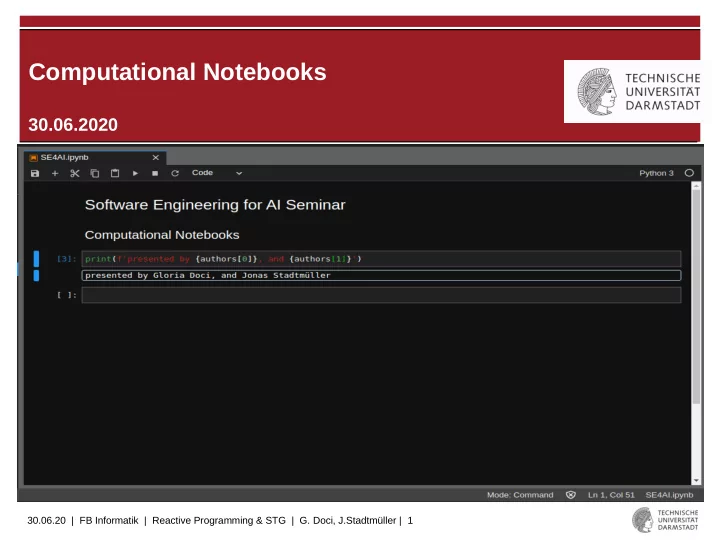
Computational Notebooks 30.06.2020 30.06.20 | FB Informatik | - - PowerPoint PPT Presentation
Computational Notebooks 30.06.2020 30.06.20 | FB Informatik | Reactive Programming & STG | G. Doci, J.Stadtmller | 1 Outline Motivation Strong points Pain points & messiness Existing approaches and solutions
30.06.20 | FB Informatik | Reactive Programming & STG | G. Doci, J.Stadtmüller | 2
Outline
- Motivation
- Strong points
- Pain points & messiness
- Existing approaches and solutions
- Conclusion & Outlook
30.06.20 | FB Informatik | Reactive Programming & STG | G. Doci, J.Stadtmüller | 3
Motivation
- Big data explosion
- Advancements in computing hardware(GPU, TPU)
- Advancements in ML
Gain insights over data for better decision making, innovations and improvements
DATA SCIENCE
30.06.20 | FB Informatik | Reactive Programming & STG | G. Doci, J.Stadtmüller | 4
Foundation of Notebooks
- Data science is open-ended, highly interactive,
exploratory and iterative
- Wide range of contexts and audiences → narrative is
central [1]
- Literate programming paradigm (1984) by Donald
Knuth [2] combines code snippets and macros to make the program more understandable to humans (WEB = Pascal + TeX)
- Computational notebooks are tools for interactive and
exploratory computing to support scientific computing and data science
30.06.20 | FB Informatik | Reactive Programming & STG | G. Doci, J.Stadtmüller | 5
Computational Notebooks
- Traditionally used in labs to document research computations and
findings
- Computational notebooks make possible to include code, data
analysis and visualizations into a single document
- Focus today is on open access and reproducibility of data
analyses
Mathematica 1988
30.06.20 | FB Informatik | Reactive Programming & STG | G. Doci, J.Stadtmüller | 6
Computational Notebooks
- The code executes in a kernel, but the interface is easy to use
- In data science mostly used for visualization, statistical analysis,
classical ML and DNN [3]
}
}
input cells
- utput
cells Can be interleaved
30.06.20 | FB Informatik | Reactive Programming & STG | G. Doci, J.Stadtmüller | 7
Popularity of Notebooks
- Survey on public public Jupyter notebooks on Github
[3]
- Notebooks gain more popularity
- More people are using notebooks
30.06.20 | FB Informatik | Reactive Programming & STG | G. Doci, J.Stadtmüller | 8
Strong Points
- Advantages of notebooks, that are essential for a data scientist
– Support for data exploration and visualization – Fast for prototyping – Easy-to-use also for non-programmers (besides hidden
state)
– Supplementary text cells help with collaboration
- -> Notebooks are suitable tool for data scientists to write and
refine code in order to understand unfamiliar data, test hypotheses and build models to solve ill-defined problems
- However, their flexibility does come with a cost...
30.06.20 | FB Informatik | Reactive Programming & STG | G. Doci, J.Stadtmüller | 9
Example: Code with Explanation
- Initial Text cell describes
dataset and it’s features
- Description of employed
ML-model and architecture
- Reference theoretical
paper on optimizer
- Inline plotting enables
easy inspection of learning curve
30.06.20 | FB Informatik | Reactive Programming & STG | G. Doci, J.Stadtmüller | 10
Question
From those of you who have used computational notebooks, what didn‘t you like about them or while using them?
30.06.20 | FB Informatik | Reactive Programming & STG | G. Doci, J.Stadtmüller | 11
Pain Points
- Study on general hardships in notebooks:
– Setup and Reliability
- Loading data is tedious
- Limited processing power inhibits scalability
– Exploratory nature leads to messy code [Disorder,
Deletion, Dispersal]
- Cells are copied for different hyperparameters
- Out-of-order execution can create hidden states
– Data security
- Access management lacks granularity
30.06.20 | FB Informatik | Reactive Programming & STG | G. Doci, J.Stadtmüller | 12
Example: Out of order Execution
- Second block has been
executed for a quick check
- Kernel still holds in w
the value with std = 2
30.06.20 | FB Informatik | Reactive Programming & STG | G. Doci, J.Stadtmüller | 13
Difficult Tasks
- Survey on critical activities in notebooks:
– Deploy in production
- Data science languages differ from production environment
- DevOps usually not a data scientists expertise
– Explore version history
- Out of order cell execution may aggravate reproducibility
- Long running tasks
- Computation inhibits interactivity
– Missing coding assistance
- autocompletion, refactoring tools often deficient, live
templates
30.06.20 | FB Informatik | Reactive Programming & STG | G. Doci, J.Stadtmüller | 14
Why not use IDEs instead of Notebooks?
- Why not use well-established and modern IDEs (Integrated Development
Environment) instead (e.g. Spyder, PyCharm)?
– Auto-completion – Help with method parameters – Go to definition – Syntax highlighting – Code Refactoring possibilities – Version control system supports
- But main activity/goal is to develop generally useful and reusable products
- > Not exactly what the goal of data scientists is
- > So the way to go is to provide better support for notebooks, and not to
replace them
30.06.20 | FB Informatik | Reactive Programming & STG | G. Doci, J.Stadtmüller | 15
Possible Solutions: Extensions
- To better work with notebooks extensions have
been proposed that solve certain problems
- Nbgather [11]:
– Logs every cell execution to enable:
- Version history for every cell
- Code gathering: for a chosen output, find
minimal cells needed to produce it
30.06.20 | FB Informatik | Reactive Programming & STG | G. Doci, J.Stadtmüller | 16
Extensions II
- Commuter:
– Provides notebook storage and access control
- Papermill:
– Parameterizes notebooks to allow running different
versions of the notebook
– Saves the results to an output notebook, with the
specific parameters used
- Further nteract Libraries:
– Scrapbook: Save results of notebook drafts – Bookstore: Enables versioning and storage
30.06.20 | FB Informatik | Reactive Programming & STG | G. Doci, J.Stadtmüller | 17
Conclusion & Outlook
- Computational Notebooks
– dual heritage in software and science – Trade-off/need for balance between exploration and software
engineering
- Notebooks are a popular and inherent tool in Data Science
- Vital part in development of Machine Learning Applications
- Shortcomings of notebooks make the effective use challenging
- People in Data Science need to employ the right workflows and
extensions to use notebooks as powerful tools for developing machine learning products
- In a relatively early stage and can be further leveraged and improved
30.06.20 | FB Informatik | Reactive Programming & STG | G. Doci, J.Stadtmüller | 18
References
[1] https://blog.jupyter.org/project-jupyter-computational-narratives-as-the-engine-of-collaborative-data-science- 2b5fb94c3c58 (Retrieved 06.2020) [2] http://www.literateprogramming.com/knuthweb.pdf [3] Psallidas et al. Data Science Through The Looking Glass And What We Found There [ https://arxiv.org/pdf/1912.09536.pdf] [4] Chattopadhyay et al. What‘s Wrong With Computational Notebooks? Pain Points, Needs and Design Opportunities [https://web.eecs.utk.edu/~azh/pubs/Chattopadhyay2020CHI_NotebookPainpoints.pdf] [5] https://yihui.org/en/2018/09/notebook-war/ [6] https://www.neilernst.net/matrix-blog.html [7] https://ljvmiranda921.github.io/notebook/2020/03/16/jupyter-notebooks-in-2020-part-2/ [8] https://jupyter4edu.github.io/jupyter-edu-book/jupyter.html [9] https://netflixtechblog.com/notebook-innovation-591ee3221233 Notebook infrastructure [10] https://dl.acm.org/doi/pdf/10.1145/3173574.3173606 [11] Head et al. Managing Messes in Computational Notebooks [ https://dl.acm.org/doi/pdf/10.1145/3290605.3300500]
30.06.20 | FB Informatik | Reactive Programming & STG | G. Doci, J.Stadtmüller | 19
Tools: nbgather
30.06.20 | FB Informatik | Reactive Programming & STG | G. Doci, J.Stadtmüller | 20
Other Tools: From nteract
https://github.com/nteract
30.06.20 | FB Informatik | Reactive Programming & STG | G. Doci, J.Stadtmüller | 21
Acknowledgments & License
- Material Design Icons, by Google under
Apache-2.0
- Other images are either by the authors of these
slides, attributed where they are used, or licensed under Pixabay or Pexels
- These slides are made available by the authors
(Gloria Doci, Jonas Stadtmüller) under CC BY 4.0
30.06.20 | FB Informatik | Reactive Programming & STG | G. Doci, J.Stadtmüller | 22
Extras
https://github.com/jupyter/design/wiki/Jupyter- Logo#where-does-the-jupyter-name-come-from Jupyter naming reasons:
- Planet jupiter = science
- Core supported languages Julia, Python, R
- Galileo was the first to discover the moons of jupiter.