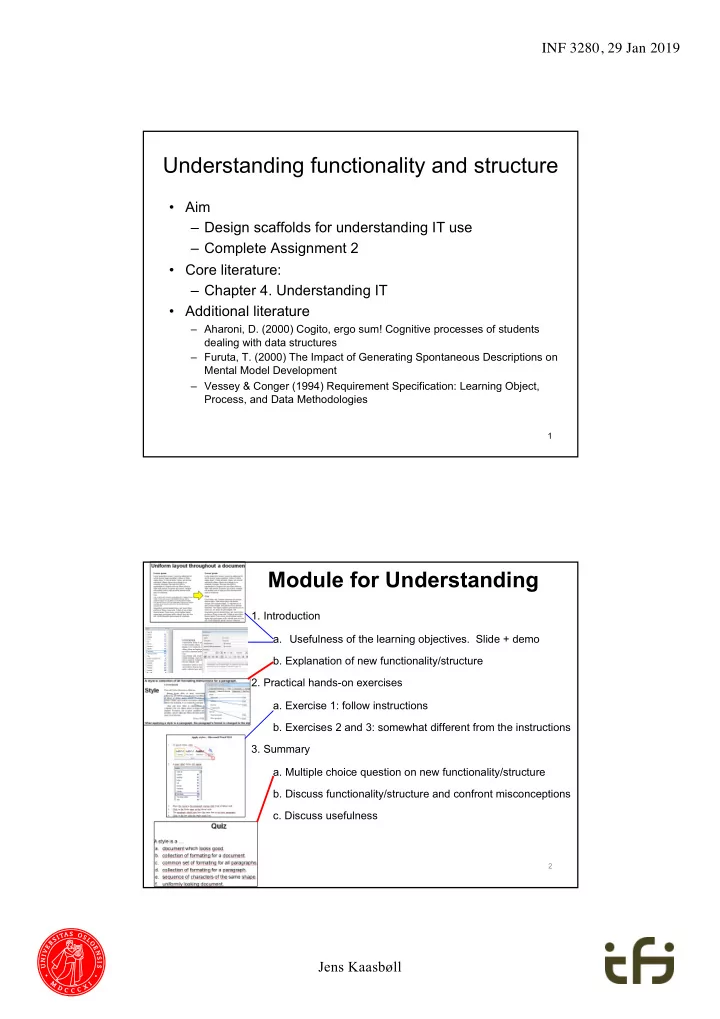
Understanding functionality and structure Aim Design scaffolds - - PDF document

understanding functionality and structure
SMART_READER_LITE
LIVE PREVIEW

Understanding functionality and structure Aim Design scaffolds - - PDF document

INF 3280, 29 Jan 2019 Understanding functionality and structure Aim Design scaffolds for understanding IT use Complete Assignment 2 Core literature: Chapter 4. Understanding IT Additional literature Aharoni, D.


slide-1
SLIDE 1

Jens Kaasbøll INF 3280, 29 Jan 2019

Understanding functionality and structure

  • Aim

– Design scaffolds for understanding IT use – Complete Assignment 2

  • Core literature:

– Chapter 4. Understanding IT

  • Additional literature

– Aharoni, D. (2000) Cogito, ergo sum! Cognitive processes of students dealing with data structures – Furuta, T. (2000) The Impact of Generating Spontaneous Descriptions on Mental Model Development – Vessey & Conger (1994) Requirement Specification: Learning Object, Process, and Data Methodologies

1

Module for Understanding

  • 1. Introduction
  • a. Usefulness of the learning objectives. Slide + demo
  • b. Explanation of new functionality/structure
  • 2. Practical hands-on exercises
  • a. Exercise 1: follow instructions
  • b. Exercises 2 and 3: somewhat different from the instructions
  • 3. Summary
  • a. Multiple choice question on new functionality/structure
  • b. Discuss functionality/structure and confront misconceptions
  • c. Discuss usefulness

2

slide-2
SLIDE 2

Jens Kaasbøll INF 3280, 29 Jan 2019

Understanding in addition to skills

Learning IT never ends

  • New functionality
  • New installations of

software

  • New versions of software
  • New vendors
  • New software types
  • New hardware

Understanding ease learning compared to skills only

3

Understanding functionality and structure of IT neccessary for IT competence

Type the Column letter. Type the Row number. In order to have one cell refer to another, one has to get the coordinates of the other cell into the formula Cell-referencing is an ingredient in formulas

4

slide-3
SLIDE 3

Jens Kaasbøll INF 3280, 29 Jan 2019

5

Exercise

  • When requested to explain graphs in spreadsheets, we

get the following responses: Gloria: – Graphs are drawings of numbers. They show us the numbers so that they are easier to compare. Jussi: – The graphs are linked to the numbers, so when I change a number, the graph will also change. Yma: – First we select the numbers to be charted, and then choose the graph type. We can change the format of the graph afterwards.

  • At which levels of skills or understanding of IT are Gloria,

Jussi and Yma?

Input: Database + more records in another file

  • 1. Backup the database.
  • 2. Locate file with records to be imported.
  • 3. Specify column containing record identification.
  • 4. Import.
  • 5. Repeat

1. Check records with similar but not identical identification. 2. Judge whether the records concern the same object. 3. Merge if they do

Output: Database with records from other file, duplications removed

Functional model – scaffold for achieving functional understanding

6

slide-4
SLIDE 4

Jens Kaasbøll INF 3280, 29 Jan 2019

Functional model

7

Start print function Select variables Edit layout Preview Select printer Print Satisfied?

Yes No

Document in file Document on paper

Input à Process à Output for printing in general

8

Functional model

  • f software

CBot Design

http://classes.engr.oregonstate.edu/ mime/spring2010/me414- 001/g2/pages/system.html

slide-5
SLIDE 5

Jens Kaasbøll INF 3280, 29 Jan 2019

Obtaining a functional understanding

9

Oh, I can close the program with this Window

  • n screen

Clicking X in upper right corner Clicking program at bottom of screen No Window Click here to close the window

Discrimination error

10

Oh, I can use this one also Window

  • n screen

Clicking X or □ in upper right corner Clicking program at bottom of screen No Window With this you can minimise the window

slide-6
SLIDE 6

Jens Kaasbøll INF 3280, 29 Jan 2019

The functional understanding of the teacher

11

Window

  • n screen

Window minimized Clicking □ Clicking button

  • n taskbar

Program running Program stopped Clicking X Clicking program in Start menu

Confronting misconceptions

Oral

12

I I just comp

  • mpleted the for
  • rm,

m, and now

  • w its los
  • st!

Se See, the Data Se Set Repo port from m Au Augu gust is em

  • empty. T

The i e inter ernet et m must b be d e down wn. No, No, you

  • u see, data is not
  • t availabl

ble in in the reports un until il tomorrow. DHI HIS h has as t to p proces ess t them em du during the n e night.

slide-7
SLIDE 7

Jens Kaasbøll INF 3280, 29 Jan 2019

Levels of ease of structuring data

13

Data and

  • bject

modelling Difficult

Vessey & Conger, 1994

Process modeling Easy

Customer Occupancy Room Reservation Event Travel Agent Cleaning Restaurant expense Restaurant Organiser Invoicee

Structural models – scaffolds for structural understanding

14

  • Recognisable
  • Simple

– Only essentials

slide-8
SLIDE 8

Jens Kaasbøll INF 3280, 29 Jan 2019

15

Data structures

  • 1-many relationship between

customer and address – Not explicitly stated Restrictions on values

  • 1. Find the data structures

16

  • Outline views
  • Data models
  • Deduce from user interface
slide-9
SLIDE 9

Jens Kaasbøll INF 3280, 29 Jan 2019

  • 2. Decide main and sub structure types

17

  • Sequence
  • Grid (array,

matrix)

  • Hierarchy
  • Network

Combinations?

  • 3. Decide user group

18

  • Most users
  • Entering and reporting à Only data
  • Superusers
  • Setting up data structures à Include types

Visit

Visit-ID Patient Visit-type

slide-10
SLIDE 10

Jens Kaasbøll INF 3280, 29 Jan 2019

  • 4. Include abstract entities

19

  • Events in the Domain represented by a record
  • Planned events

Occupancy From date # nights # guests Reservation From date # nights # guests Room type

  • 5. Include examples
  • In the model
  • Relate to

recognisable places in the user interface

20

Customer Name: Fjoralba Address: Oslo Phone: 123456 Email: fj@mail.com Reservation From date: 24.03.14 # nights: 3 # guests: 2 Room type: Luxe

New reservation

Name Fjoralba # guests 2 From 24 March 2014 # nights 2 Room type Luxe

slide-11
SLIDE 11

Jens Kaasbøll INF 3280, 29 Jan 2019

Customer Name Address Phone Email Occupancy From date # nights # guests Room Type # beds Price Reservation From date # nights # guests Room type

Structural models for intermediate level users

Types and Instances

  • Description of a common

set of symbols and

  • perations

Integer

Number without decimals Calculation operators

  • A unit of data adhering to

the type

22 Account Balance Owner Deposit Withdraw :Account 18 473.32 Kari :Account 3 292.00 Ola

Class Objects

234 -2 1 000 000

slide-12
SLIDE 12

Jens Kaasbøll INF 3280, 29 Jan 2019

Obtaining a structrural understanding

23

Sure. You know recipies for making food? And knitting patterns and sweaters? Syles and paragraphs are

  • similar. Styles

determine the layout of paragraphs. Yes, I normally follow patterns.

Structural model of IT – Generalisation-specialisation

24

Data link Cross reference

  • inside a document

Hyperlink

  • between files

Specialisations

slide-13
SLIDE 13

Jens Kaasbøll INF 3280, 29 Jan 2019

25

  • Recognisable
  • Simple

– Only essentials Unknown notation Recognisable

Functional and Structural model of IT – Discrimination

26

C

  • p

y

  • P

a s t e Hyperlink

Inconsistencies when updating the spread sheet Inconsistencies avoided

slide-14
SLIDE 14

Jens Kaasbøll INF 3280, 29 Jan 2019

27 Microsoft Help Word > Page breaks and section breaks > Insert a section break 28

Hyperlink

slide-15
SLIDE 15

Jens Kaasbøll INF 3280, 29 Jan 2019

Video

  • Make learners feel being in a conversation

– We and you – Learning agent – Natural voice

  • Describe complex visuals with audio only

29

Exploiting both the visual and oral channels

  • Teaching and videos

àMinimum of written text

30

Speech Written text Pictures Phonetic processing Visual processing Eyes Ears Very limited capacity Long term memory

slide-16
SLIDE 16

Jens Kaasbøll INF 3280, 29 Jan 2019

Testing understanding

Questioning the learners – What is a … – What is the result of … – What is the difference between … Not – How do you … – Where do we find …

31

A style is a … a. document which looks good. b. collection of formatting for a document. c. common set of formatting for all paragraphs. d. collection of formatting for a paragraph. e. sequence of characters of the same shape. f. uniformly looking document.

Summary

32

c Which types of learning material does this Excel tutorial consist of?

  • 3. Provide functional and structural

models and confront misconceptions.