Managing Messes in [2] Computational Notebooks [6] [3] Andrew - - PowerPoint PPT Presentation

managing messes in
SMART_READER_LITE
LIVE PREVIEW

Managing Messes in [2] Computational Notebooks [6] [3] Andrew - - PowerPoint PPT Presentation

[1] Managing Messes in [2] Computational Notebooks [6] [3] Andrew Head Fred Hohman Titus Barik Steven M. Drucker and Robert DeLine [7] UC Berkeley Georgia Tech Microsoft Research Computational Notebooks: Code, Text,


slide-1
SLIDE 1

Andrew Head · Fred Hohman ·
 Titus Barik · Steven M. Drucker · and Robert DeLine

UC Berkeley · Georgia Tech · Microsoft Research

[1] [7] [3] [6] [2]
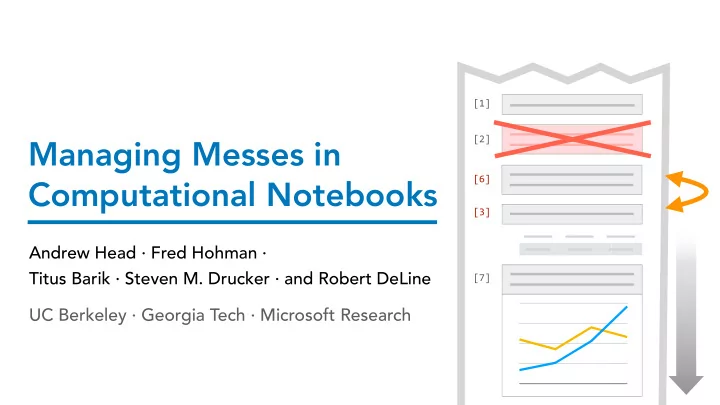
Managing Messes in Computational Notebooks

slide-2
SLIDE 2

Computational Notebooks: Code, Text, and Output

Rich descriptions Code Output

slide-3
SLIDE 3

Notebook Programming Interfaces Abound

slide-4
SLIDE 4

Notebook Model of Exploratory Programming

  • 1. Incremental execution
slide-5
SLIDE 5

Notebook Model of Exploratory Programming

  • 1. Incremental execution
  • 2. In-situ output
slide-6
SLIDE 6

Notebook Model of Exploratory Programming

  • 1. Incremental execution
  • 2. In-situ output
  • 3. Incremental changes
slide-7
SLIDE 7
  • 1. Incremental execution
  • 2. In-situ output
  • 3. Incremental changes
  • 4. Control over layout

Notebook Model of Exploratory Programming

slide-8
SLIDE 8
  • 1. Incremental execution
  • 2. In-situ output
  • 3. Incremental changes
  • 4. Control over layout

1 WEEK PASSES

Notebook Model of Exploratory Programming

slide-9
SLIDE 9
  • 1. Incremental execution
  • 2. In-situ output
  • 3. Incremental changes
  • 4. Control over layout

Notebook Model of Exploratory Programming

slide-10
SLIDE 10
  • 1. Incremental execution
  • 2. In-situ output
  • 3. Incremental changes
  • 4. Control over layout

Notebook Model of Exploratory Programming

1 WEEK LATER

How did I produce this?

1. How did I produce this result?

slide-11
SLIDE 11
  • 1. Incremental execution
  • 2. In-situ output
  • 3. Incremental changes
  • 4. Control over layout

Notebook Model of Exploratory Programming

1 WEEK LATER

How did I produce this?

1. How did I produce this result?

which petal_length?

slide-12
SLIDE 12
  • 1. Incremental execution
  • 2. In-situ output
  • 3. Incremental changes
  • 4. Control over layout

1 WEEK LATER

1. How did I produce this result? 2. Didn't I have a better version of this?

Didn't I have a better version of this? Notebook Model of Exploratory Programming

slide-13
SLIDE 13
  • 1. Incremental execution
  • 2. In-situ output
  • 3. Incremental changes
  • 4. Control over layout

1 WEEK LATER

1. How did I produce this result? 2. Didn't I have a better version of this? 3. What can I get rid of?

What can I get rid of? Notebook Model of Exploratory Programming

slide-14
SLIDE 14

Messes in Computational Notebooks

[1] [7] [3] [6]

Disorder

Out-of-order execution
 1/2 of notebooks on GitHub [Rule et al. 2018]

Dispersion Disappearance

Too many cells

[2]

Deleted / overwritten code

Notebooks contain ugly code and dirty tricks [Rule et al. 2018] 31 / 41 surveyed participants had trouble finding prior analyses


[Kery et al. 2018]

slide-15
SLIDE 15

Managing Messes in Computational Notebooks

How can tools help analysts find, recover, and compare code in messy notebooks?

CODE GATHERING TOOLS

[*]

Implementation

[ ]

Qualitative usability study

[ ]

How messes happen

[1]

Tools in context

[ ]

slide-16
SLIDE 16

CODE GATHERING TOOLS Demo 1 WEEK PASSES

slide-17
SLIDE 17

CODE GATHERING TOOLS Demo

Task 1: Recovering Code

How did I produce this?

slide-18
SLIDE 18

CODE GATHERING TOOLS Demo

Variables Outputs

Task 1: Recovering Code

How did I produce this?

slide-19
SLIDE 19

CODE GATHERING TOOLS Demo

Task 1: Recovering Code

How did I produce this?

slide-20
SLIDE 20

1 WEEK PASSES CODE GATHERING TOOLS Demo

Request cell subset that produced the result.

Task 1: Recovering Code

How did I produce this?

slide-21
SLIDE 21

1 WEEK PASSES CODE GATHERING TOOLS Demo

Request cell subset that produced the result.

Task 1: Recovering Code

How did I produce this?

slide-22
SLIDE 22

CODE GATHERING TOOLS Demo

The gathered code is...

  • reduced
  • ordered
  • complete

Request cell subset that produced the result.

Task 1: Recovering Code

How did I produce this?

slide-23
SLIDE 23

CODE GATHERING TOOLS Demo

Task 2: Comparing Versions

Didn't I have a better version of this?

Request cell subset that produced the result.

Task 1: Recovering Code

slide-24
SLIDE 24

1 WEEK PASSES CODE GATHERING TOOLS Demo

Task 2: Comparing Versions

Didn't I have a better version of this?

Request cell subset that produced the result.

Task 1: Recovering Code

Open a version browser for a result.

slide-25
SLIDE 25

CODE GATHERING TOOLS Demo

Task 2: Comparing Versions

Request cell subset that produced the result.

Task 1: Recovering Code

Open a version browser for a result.

Didn't I have a better version of this?

slide-26
SLIDE 26

CODE GATHERING TOOLS Demo

Task 2: Comparing Versions

Request cell subset that produced the result.

Task 1: Recovering Code

Open a version browser for a result.

Didn't I have a better version of this?

slide-27
SLIDE 27

CODE GATHERING TOOLS Demo

Task 2: Comparing Versions

Request cell subset that produced the result.

Task 1: Recovering Code

Open a version browser for a result.

Didn't I have a better version of this?

slide-28
SLIDE 28

1 WEEK PASSES CODE GATHERING TOOLS Demo

Task 2: Comparing Versions

Request cell subset that produced the result.

Task 1: Recovering Code

Open a version browser for a result.

Didn't I have a better version of this?

slide-29
SLIDE 29

CODE GATHERING TOOLS Demo

Open a version browser for a result.

Task 3: Cleaning Notebook

What code can I get rid of?

Task 2: Comparing Versions

Request cell subset that produced the result.

Task 1: Recovering Code

slide-30
SLIDE 30

CODE GATHERING TOOLS Demo

Task 3: Cleaning Notebook

What code can I get rid of?

... Request cell subset that produced the result. Open a version browser for a result.

Task 2: Comparing Versions

Request cell subset that produced the result.

Task 1: Recovering Code

slide-31
SLIDE 31

CODE GATHERING TOOLS Demo

Task 1: Recovering Code Task 2: Comparing Versions

Request cell subset that produced the result. Open a version browser for a result.

Task 3: Cleaning Notebook

... Request cell subset that produced the result.

How can tools help analysts manage messes in their notebooks?

slide-32
SLIDE 32

Post-Hoc Mess Management

Helping analysts clean and navigate their code whether or not they adopted a strategy to version or organize their code.

slide-33
SLIDE 33

Managing Messes in Computational Notebooks

How can tools help analysts find, recover, and compare code in messy notebooks?

CODE GATHERING TOOLS

[2]

Implementation

[*]

Qualitative usability study

[ ]

How messes happen

[1]

Tools in context

[3]

slide-34
SLIDE 34

Implementation: Slicing Notebooks

[10] [11] [1] [2] [3] [12]

Notebook

1 some cells missing, some cells out-of-order

versioned results cleaned, ordered notebooks

[ ] [ ] [ ] [ ]

?

slide-35
SLIDE 35

Implementation: Slicing Notebooks

[10] [11] [1] [2] [3] [12]

Notebook Execution Log

· · ·

[1] [6] [7] [10] [11] [12]

· · ·

execution time

1 2 some cells missing, some cells out-of-order all cells present, in-order

slide-36
SLIDE 36

Implementation: Slicing Notebooks

[10] [11] [1] [2] [3] [12]

Notebook Execution Log

· · ·

[1] [6] [7] [10] [11] [12]

· · ·

execution time

1 2 some cells missing, some cells out-of-order all cells present, in-order

slide-37
SLIDE 37

Program Slices [Weiser '81]

Implementation: Slicing Notebooks

[10] [11] [1] [2] [3] [12]

Notebook Execution Log

· · ·

[1] [6] [7] [10] [11] [12]

· · ·

execution time

1 2 3 some cells missing, some cells out-of-order all cells present, in-order

slide-38
SLIDE 38

Program Slices [Weiser '81]

Implementation: Slicing Notebooks

cleaned, ordered notebooks (preserve cell boundaries and

  • utputs)

[10] [11] [1] [2] [3] [12]

Notebook Execution Log

· · ·

[1] [6] [7] [10] [11] [12]

· · ·

execution time

which can be used to make...

versioned results (slice all cell versions) 1 2 3

[ ] [ ] [ ] [ ]

some cells missing, some cells out-of-order all cells present, in-order

slide-39
SLIDE 39

Cleaning and Exploring

Interactions for Untangling Messy History in a Computational Notebook Kery et al., VL/HCC '18 Towards Effective Foraging by Data Scientists to Find Past Analysis Choices
 Kery et al., CHI '19

  • utput recipes

artifact explorer cell version diffs tabbed browsing

  • f cell versions

cell folding

Aiding Collaborative Reuse of Computational Notebooks with Annotated Cell Folding
 Rule et al., CSCW '18 Design and Use of Computational Notebooks
 Rule, Ph.D. Thesis, '18

Messy Notebooks

A Sample of Recent Research

slide-40
SLIDE 40

Evaluating Code Gathering Tools

  • Q1. What is the meaning of "cleaning"?
  • Q2. How do analysts use code gathering tools

during exploratory data analysis?

slide-41
SLIDE 41

A Qualitative Study of Gathering

Participants: N = 12 professional data analysts Cleaning Task × 2: Clean a computational notebook,
 with and without code gathering tools. Exploration: Rank movies in from a movies dataset. Use code gathering tools as you wish.

slide-42
SLIDE 42

"I picked a plot that looked interesting and, if you think of a dependency tree of cells, walked backwards and removed everything that wasn’t necessary."

  • Q1. The Meaning of "Cleaning"

Picking a subset of cells [P1-P12]... and removing the rest [P8, P10-12]. ... And many additional stages:

writing documentation polishing visualizations merging cells restructuring code integrating with version control

[P1, P5, P7, P10, P11] [P1, P6] [P3, P4, P6, P12] [P7] [P11]

slide-43
SLIDE 43
  • Q2. How do analysts use code gathering tools

during exploratory data analysis?

Gathering to a notebook Highlighting dependencies Version browser

3 6 9 12

# participants Very useful Somewhat useful Not useful No basis to answer

Participants described gathering to a notebook as "beautiful" and "amazing": it "hits the nail on the head."

slide-44
SLIDE 44

"Finishing moves"

Some Observed Uses of Gathering Tools

Creating personal references Lightweight branching Gathering for multiple audiences x

slide-45
SLIDE 45

Takeaways from Study

  • Q1. Gathering covers an important yet incomplete

set of notebook cleaning tasks.

  • Q2. Code gathering tools can be picked up quickly

and readily applied to new use cases.

slide-46
SLIDE 46

$ jupyter labextension install nbgather Contributions encouraged:


github.com/Microsoft/gather