Ch 4 SAQs (Pop Quiz) 1. How would you go about getting the 'what'? - - PowerPoint PPT Presentation

ch 4 saqs pop quiz
SMART_READER_LITE
LIVE PREVIEW

Ch 4 SAQs (Pop Quiz) 1. How would you go about getting the 'what'? - - PowerPoint PPT Presentation

Ch 4 SAQs (Pop Quiz) 1. How would you go about getting the 'what'? 2. Why are Post-its so important? 3. What are the differences between informal and semi-formal methods? 4. Pick an informal methodology and describe it? 5. What are the


slide-1
SLIDE 1

@sharpic | UX from 30,000ft | COMP33511 | http://sharpic.github.io/COMP33511/

Ch 4 SAQs (Pop Quiz)

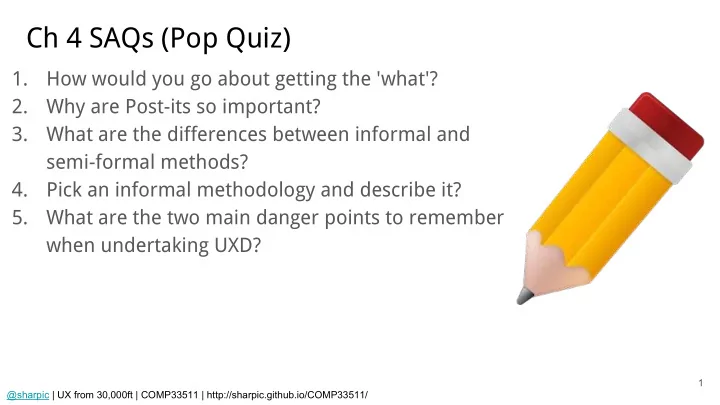
1. How would you go about getting the 'what'? 2. Why are Post-its so important? 3. What are the differences between informal and semi-formal methods? 4. Pick an informal methodology and describe it? 5. What are the two main danger points to remember when undertaking UXD?

1

slide-2
SLIDE 2

UX from 30,000ft Principles of Effective Experience (part 1)

Chapter 5 - Lecture 07 (50 minutes) @sharpic http://sharpic.github.io/COMP33511/

slide-3
SLIDE 3

UX from 30,000ft Part II: Building the User Experience

@sharpic http://sharpic.github.io/COMP33511/

slide-4
SLIDE 4

@sharpic | UX from 30,000ft | COMP33511 | http://sharpic.github.io/COMP33511/

Principles of Effective Experience

4

1. Concerned with, or having the function of, carrying into effect, executing, or accomplishing; (of a cause) that makes something to be what it is, efficient (cf. effective cause n. at Special uses). / Having the power of acting upon the thing designated. (OED). 2. That produces its intended effect, or adequately answers its purpose (OED). 3. The removal of all technical barriers to effective interaction -- this is my definition.

Effective1, effectual2, accessible3. To my way of thinking these three terms mean the same thing, and in reality were going to be talking about accessibility. However, you should be thinking of accessibility in more general terms; the more general terms of effective or effectual use. This is because the concept of accessibility is much broader than the narrow confines of disability it is often associated with [9241-129:2010, 2010] .
slide-5
SLIDE 5

@sharpic | UX from 30,000ft | COMP33511 | http://sharpic.github.io/COMP33511/

Access is for Everyone...

5

"While pedalling a Boris Bike I start to shuffle in my pocket. Where is that damn iPhone. Finally, I find it. The next challenge is to get it out my pocket whilst still navigating the Humvee of the bike world. Eventually, I give up. I pull over and get my iPhone out. I look up the nearest docking station with spaces and get back on my way."

slide-6
SLIDE 6

@sharpic | UX from 30,000ft | COMP33511 | http://sharpic.github.io/COMP33511/

...But More Critical for Disabled People

6

"For me computer systems are

  • everything. They're my hi-fi, my

source of income, my supermarket, my telephone. They're my way in."

slide-7
SLIDE 7

@sharpic | UX from 30,000ft | COMP33511 | http://sharpic.github.io/COMP33511/

Barriers to Effectual Use

7

  • Visual: Many Many challenges in providing efficient /

effective use.

  • Cognitive: Many types / a large spectrum - under

researched.

  • Hearing: First language is Sign.
  • Physical: Many types - with input solutions. `Locked in'
  • brain interfaces?
  • Combinatorial: Different but low level impairments

experienced in combination.

slide-8
SLIDE 8

@sharpic | UX from 30,000ft | COMP33511 | http://sharpic.github.io/COMP33511/

Barriers to Effectual Use

8

slide-9
SLIDE 9

@sharpic | UX from 30,000ft | COMP33511 | http://sharpic.github.io/COMP33511/

Notes - In your own words!

3 minutes

9

slide-10
SLIDE 10

@sharpic | UX from 30,000ft | COMP33511 | http://sharpic.github.io/COMP33511/

Barriers to Effectual Use

10

  • i18n: Language and understanding.
  • Literacy: Education and misconception.
  • Situational: Mobile et al.
  • Developing Regions: Unconventional use.
  • Low Income: Device Independence.
slide-11
SLIDE 11

@sharpic | UX from 30,000ft | COMP33511 | http://sharpic.github.io/COMP33511/

It's a Loop

11

  • 1. Device Independence;
  • 2. Mobile Browsing;
  • 3. Real World Mobility Technology;
  • 4. Mobile to Mobile Cash Transfer;
  • 5. Pringles WiFi; and
  • 6. Mobile Phone Torch.
slide-12
SLIDE 12

@sharpic | UX from 30,000ft | COMP33511 | http://sharpic.github.io/COMP33511/

Technical Accessibility Issues

12

  • GUIs become a problem;
  • Screen Scraping introduced as a solution - Old Skool; then
  • Off-Screen Model (OSM) replaces Screen Scraping - richer in meaning.

What mainstream technology uses something like OSM?

  • Microsoft Active Accessibility (MSAA / UI Automation); then
  • IAccessible2.
slide-13
SLIDE 13

@sharpic | UX from 30,000ft | COMP33511 | http://sharpic.github.io/COMP33511/

Technical Accessibility Issues

13

What mainstream technology uses something like OSM?

  • Platform Independent Software; then
  • Interface Bridges; also
  • Ajax - Jesse James Garret (2005) +

evangelists at Netscape in May 2003, and Greg Aldridge;

  • ARIA (WAI ARIA) - Aaron M Leventhal,

Mozilla (2003-ish).

slide-14
SLIDE 14

@sharpic | UX from 30,000ft | COMP33511 | http://sharpic.github.io/COMP33511/

Notes - In your own words!

3 minutes

14

slide-15
SLIDE 15

@sharpic | UX from 30,000ft | COMP33511 | http://sharpic.github.io/COMP33511/

To Do

1. Read Next Chapter. 2. Be Ready to Answer the Chapter SAQs (Pop Quiz). 3. Is there a Discussion Topic.

15

slide-16
SLIDE 16

@sharpic | UX from 30,000ft | COMP33511 | http://sharpic.github.io/COMP33511/

See You Next Time!

16

Open House / Surgery - 2.60 Friday 09:00-11:00 @sharpic

slide-17
SLIDE 17

@sharpic | UX from 30,000ft | COMP33511 | http://sharpic.github.io/COMP33511/

Break Time - Pause Recording

Back in 10 Minutes! Come see me now if you have Questions Regarding this Lecture!

17