
SLIDE 1
CAMERA SOLUTIONS for TAXI & PHV
Prepared by: Mark Sansby Sales Manager VisionTrack
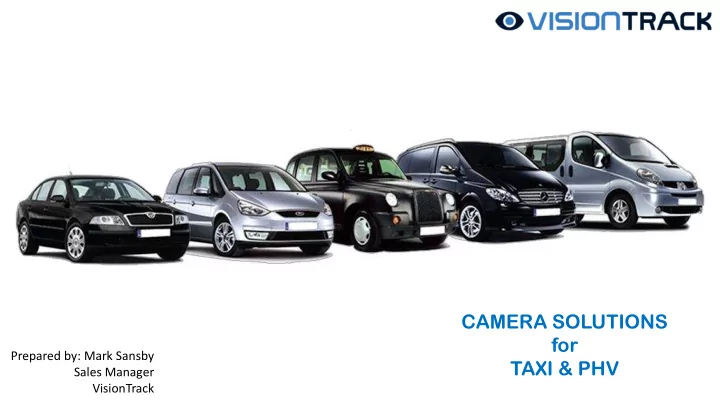
CAMERA SOLUTIONS for Prepared by: Mark Sansby TAXI & PHV - - PowerPoint PPT Presentation
CAMERA SOLUTIONS for Prepared by: Mark Sansby TAXI & PHV Sales Manager VisionTrack WHY FIT CAMERAS Protection Evidence Safety Lack of credible witnesses Shared blame Accusations of wrong doing Vehicle off the road Lack of income .
CAMERA SOLUTIONS for TAXI & PHV
Prepared by: Mark Sansby Sales Manager VisionTrack
2
Protection Evidence Safety WHY FIT CAMERAS
Lack of credible witnesses Shared blame Accusations of wrong doing Vehicle off the road Lack of income . . . . .
3
WHY FIT CAMERAS
4
WHY FIT CAMERAS
5
SOLUTIONS & LOCAL AUTHORITY REQUIREMENTS
Local Authorities have a variety of difference regulations for the fit of cameras in Taxi & PHVs. These can vary significantly even in neighbouring regions. For example, one Authority will make cameras mandatory, whilst the neighbouring Authority will ban them. We highly recommend anyone looking to fit a camera system checks the Local Authority policy before fitting Types of systems CCTV This mostly relates to internal camera solutions. The system is normally DVR based, with a 1TB HDD holding up to a month of video data and from 1 to 3 cameras. These systems can be specified to Authority’s requirements. The Authority will have a policy on the use of CCTV in the Taxi / PHV and if allowed, will as a minimum require the data controlled by a person who is registered with the Information Commissioners Office (ICO) and access restricted to this person. In many cases it is the Authority that wish to control the access to this video themselves. Dash Cam This is a forward facing camera designed to provide evidence in the case of an incident / collision. It is possible that these cameras can include an internal facing camera. In some cases the use of a dash cam falls under the same policy as the CCTV, but in most cases, this is a system controlled by the driver / fleet manager. You will need to check the Authority’s policy in regards policy and requirements for registration with the ICO.
6
Transport For London (TFL) have an approved list for camera technology used in Taxi & PHVs Only systems on this list are authorised for use in the TFL managed region VisionTrack have the following cameras authorised for use in the TFL region:
Please refer to the Guidelines for CCTV Systems - HERE
TRANSPORT FOR LONDON
7
FORWARD FACING CAMERA SOLUTION
8
FORWARD FACING CAMERA SOLUTION BENEFITS
9
FORWARD FACING CAMERA VT1000
Standard dash camera for Taxi & PHVs
vehicle and the SD card locked to prevent any tampering from either passengers or unauthorised access from drivers
automatically tags video in case of an impact to the vehicle
specific software in order to playback the video
playback on other computer systems
and G-force sensors, providing additional evidence in respect of force of impact, speed and mapping
10
VT1000 SOFTWARE OVERVIEW
Open file / card Video screen GPS / Map detail
(*when connected to internet)
Data files Save image G-Force data Play / sound functions / date & time Speed Save video Backup files Print image
11
CONNECTED FORWARD FACING CAMERA VT2000
Enhanced dash cam for Taxi & PHVs Similar operation to the VT1000 with the following additional features:
requires remote access via secure login in order to playback the video and access additional features
required
speed, harsh manoeuvre and shock happens or emergency button pressed.
12
CONNECTED FORWARD & INWARD FACING CAMERA VT2.2
Enhanced dash and internal cam for Taxi & PHVs Similar operation to the VT2000 with same features, using the same software platform
positioned anywhere in the vehicle for best view.
13
VT2000 / VT2.2 SOFTWARE OVERVIEW
Day log
Blue – ign off Green – travelling Amber – ign on Red - alert
History log Vehicle list (tab) Access to reports Vehicle information Map - showing vehicle location and tracking info Daily overview of fleet Vehicle alerts Journey speed Journey list Event images Event list – Inc video request
14
DASH CAM OPTIONS Options in using dash cams
Please note: The specification of the solution needs to correspond to the Local Authority requirements
Self contained system with locked SD card access, using 32GB card (approx. 39hrs recording when using 720p @15fps). Video is accessed by optional HDD reader to ensure data is controlled correctly.
As per No1, with the inclusion of a 4G connection and timer delay to allow for automatic notification of incidents, remote access to the video / stills and reporting on mileage, driver behaviour etc available. Timer allows for recording to continue after ignition off.
As per No2, with the inclusion of a second camera. Some systems offer this fixed to the forward facing camera, with others (such as the VT2.2) allowing for the second camera to be positioned anywhere inside of the vehicle
15
CCTV SOLUTION
16
CCTV SOLUTION BENEFITS
When forward facing camera is included, CCTV system adds additional benefits of Dash Cam solution.
17
INTERNAL CCTV Mobile DVR
software
tampering
after ignition turned off
(* dependent on Authority regulations)
Optional ‘connected’ solution
trace
18
INTERNAL CCTV
VT720p-B
1.3 mp CMOS sensor HD resolution 0.1 Lux / F1.2 for excellent low light capability 37.5mm x 63.5mm x 48.5mm
VT-C6
1.3mp CMOS sensor 1280 x 720 HD resolution Digital WDR 6x IR LED for night / dark conditions 0 Lux 70mm x 60mm x x40mm
Forward facing camera positioned in windscreen, behind rear view
interfere with the drivers view and captures everything that happens to the front of the vehicle Internal camera uses IR to obtain the best possible video. Any number of these cameras can be fitted internally as required to get best view of the passenger compartment / driver etc.
19
SOLUTION OPTIONS Options in using mobile DVR based solutions for CCTV
Please note: The specification of the CCTV solution needs to correspond to the Local Authority requirements
This consists of DVR system, 1-3 internal cameras (dependent on vehicle), 1TB HDD, software. Video is accessed by optional HDD reader to ensure data is controlled correctly.
As per No1, with the inclusion of a 4G connection to allow for remote diagnostics in case of reported errors and 6 monthly service report. Requires optional HDD reader.
As per No1, with the ability to ‘dial in’ to the vehicle, live view video, access to up to historic video, tracking information (including current location and journey trace). This is subject to a monthly fee for data and licensing costs.
Any of the above options can include forward facing and (if required) rear facing cameras
20
RECOMMENDATIONS
In many cases the Local Authority separate the internal CCTV and Dash camera. Our cameras have been proven to reduce disputed claims (less than 1% non fault claims are disputed when evidence is available) and save on insurance premiums by as much as 15%. If allowed by your Local Authority, include an internal camera & signage
If allowed, using a multi camera DVR based system with internal cameras and a forward facing camera will cover you for 95% of instances, allowing the monitoring of passenger / driver interactions together with the insurance advantages of a forward facing (dash camera) system
Even if your Local Authority regulations do not stipulate registration with the ICO for in cab CCTV or dash style camera systems, by doing this you ensure you have the correct policies in place in case you ever have to produce evidence or have a personal data request
Ensure you are covered by adding signage to all access points of the vehicle, stating that camera equipment is installed in the vehicle (eg CCTV installed within this vehicle / forward facing camera installed).
21
RECOMMENDATIONS
MOT and Construction in Use regulations are important. As a commercially used vehicle the rules are enforced more stringently than they seem to be with domestic vehicles. This means ensuring positioning does not interfere with the driver’s view of the road and there are no screens on dash cams. It also means that all systems fitted should meet the type approval EMC standards (so device does not interfere with electronics in the vehicle)
We often find that some systems do not warn of issues and can look like they are working when in fact should the worst happen, the camera does not capture it. Authorised person should check footage
AGENDA