
SLIDE 1
Student: Omar Aboul-Enein Supervisor: Roger Bostelman
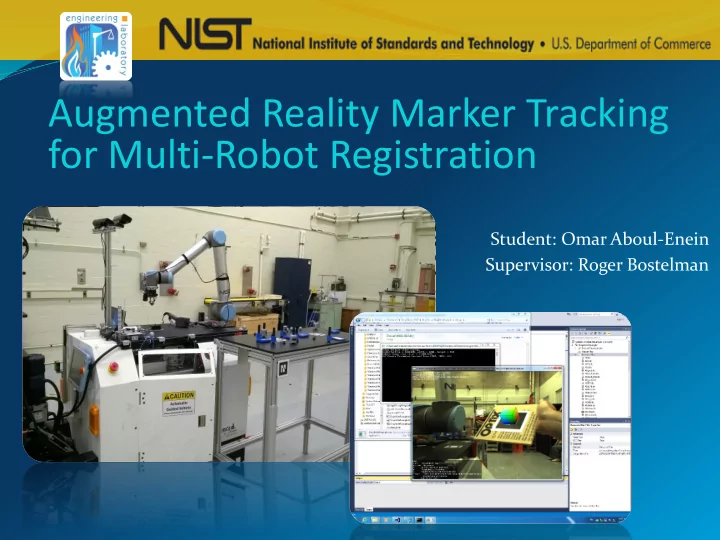
Augmented Reality Marker Tracking for Multi-Robot Registration - - PowerPoint PPT Presentation
Augmented Reality Marker Tracking for Multi-Robot Registration Student: Omar Aboul-Enein Supervisor: Roger Bostelman Disclaimer: Certain commercial equipment, instruments, or materials are identified in this presentation to foster
Student: Omar Aboul-Enein Supervisor: Roger Bostelman
Disclaimer: Certain commercial equipment, instruments, or materials are identified in this presentation to foster
recommendation or endorsement by the National Institute of Standards and Technology, nor does it imply that the materials or equipment identified are necessarily the best available for the purpose
National Institute of Standards and Technology
A non-regulatory federal agency within the
Department of Commerce
Founded in 1901
Summer Undergraduate Research Fellowship
Engineering Laboratory Intelligent Systems Division
1.
Introduction to Mobile Manipulator Testing
2.
AR Marker Registration Method Overview
3.
ARToolkit Software Architecture
4.
ARToolkit Pose Server Software Development
5.
Camera Tracking Calibration and Testing
6.
Conclusion: Advanced Mobile Manipulator Registration
ASTM Standards Committee F45 on driverless
Objective: Develop simple, accurate, and cost effective
Reconfigurable Mobile Manipulator Artifact (RMMA) Retroreflective Laser Emitter & Sensor Universal Robot Arm (UR10) Automatic Guided Vehicle (AGV) Reflector Target
Example Method:
Laser-Based Fine and Bisect Search of Reflective Targets
Problem:
Can we develop faster or more accurate registration methods?
Point Grey Research Blackfly USB 3.0 Camera
Mathematics Education at Salisbury University enabled: Ability to rapidly grasp new concepts related to 3D rotations
and projective transformations used to model camera calibration.
Ability to choose system configurations and designs needed
for task.
Mathematical experimentation needed for research.
Finding a method of documentation and organization that
is most effective.
Need more practice in executing experimental procedure. Some difficulties understanding various calibration
philosophies.
GLUT ARToolkit SDK ARToolkit Pose Server Application FlyCapture 2 SDK
Direct Show, Direct X, and Winsock 2 API
Visual C++ Redistributable Runtime 2013 OpenGL Intel HD Graphics 4000 Driver PGR USB Camera Driver Windows 7 Enterprise 64-Bit
Implemented Architecture for Mobile Manipulator
https://www.hitl.washington.edu/artoolkit/documentation/devframework.htm
Custom program used to implement and assess ARToolkit marker position
and orientation (pose) tracking measurements.
Included with ARToolkit SDK.
Camera
Laser P P’ ? ?
Camera Image Plane PI
{I}
Camera {C} Laser (ARToolkit Tracking Data)
{m}
Pm = Pc (Projective Transformation) KP0 (World to Image Plane Transformation)
PI = K P0 (mTC)-1 Pm
(mTC) Two Approaches to Calibration: 1. Constrain system to reveal unknown values.
model and solve an
problem.
Ground Truth:
Manipulator X and Y position, as measured by the robot controller. Laser centered on the marker origin.
Procedure: Rotate camera about marker origin. Record position at set increments. Average resultant distances
between vertical angles made with origin axis.
R1 X2 Y1 Y2 R2 X1 15⁰
Offset Result: 75.394 mm
Ground Truth:
Change in manipulator position. (± 0.2 mm) Camera centered on marker origin. Marker rotationally aligned with laser.
Procedure:
Increment manipulator position along X and Y
axis.
Record ARToolkit marker pose for each
increment.
Calculate average absolute error.
Parameters:
Measurement Range: ±100 mm Increments: 10 mm Samples: 100
Results
0.5 1 1.5 2 2.5 3
20 40 60 80 100 ARToolkit Absolute Error (mm) Camera Y Position Relative to Marker (mm)
ARToolkit: Average Absolute Error vs. Camera Y Position
Standard Deviation for each measurement less than 0.03 mm
Traditional Case Advanced Case
NIST SURF Committee Roger Bostelman Roger Eastman, PhD Joe Falco Steve Legowik Jeremy Marvel, PhD Tsai Hong, PhD
Lab Mates
Justin Goh Tyler Arcano Megan Zimmerman
Sources Cited and References
Image References
System/
Sources Cited and References
Academic References
Springer-Verlag. http://dx.doi.org/10.1007/978-3-642-20144-8
distortion compensation in fish-eye cameras.
laser range finder (improves camera calibration).
Sources Cited and References
Web Documentation
jrwLr69sgCFUMWHwodkaAIyg&is=REG&m=Y&A=details&Q>
Sources Cited and References
17cb
aternion/
e&s[]=simplelite
a_calibration&s[]=calibration
Sources Cited and References
Based on: Title: ARToolkit, simpleLite.c Author: Philip Lamb, Daqri LLC Date: 6/10/2016 Code Version: 5.3.2 Available at: http://artoolkit.org/download-artoolkit-sdk Tutorial at: http://artoolkit.org/documentation/doku.php?id=7_Examples:example_simplelite Accessed: June 3, 2016 Title: WinSock, Tutorial: Creating a Basic Winsock Application Author: Microsoft Corporation Accessed: 6/3/2016 Code Version: 2.0 Tutorial at: https://msdn.microsoft.com/en- us/library/windows/desktop/ms737629(v=vs.85).aspx
Sources Cited and References
https://computing.llnl.gov/tutorials/pthreads/
http://www.csie.nuk.edu.tw/~ayen/ teach/ar/ar-note07.pdf
https://msdn.microsoft.com/en-us/library/ windows/desktop/ms725473(v=vs.85).aspx API reference for implementing system timestamps on the Microsoft Windows
Adjacent pages including Time Functions and Time Structures were also accessed for reference. https://msdn.microsoft.com/en- us/library/windows/desktop/ms724290(v=vs.85).aspx
Sources Cited and References